Share PDF on WhatsApp: Send Documents as Links Instead of Files
Share PDF on WhatsApp: Send Documents as Links Instead of Files
WhatsApp makes it easy to share documents, but large PDF files can be slow to send and download. MaiPDF offers a better solution - convert your PDF into a shareable link that works perfectly in WhatsApp conversations, providing instant access without the wait.
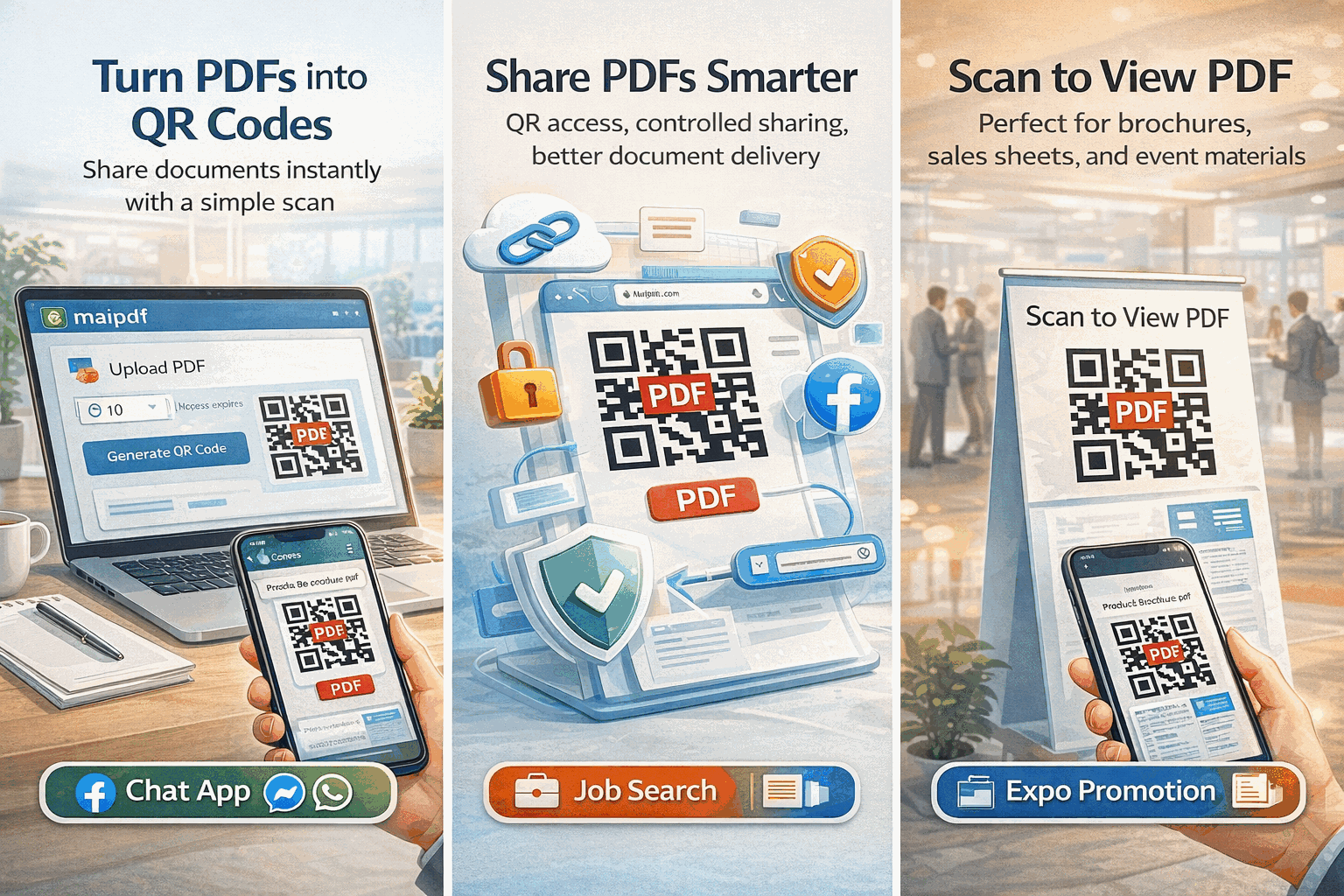
Why Links Work Better Than Files on WhatsApp
Faster Sharing: Links send instantly, while large PDF files can take minutes to upload and send through WhatsApp.
No Storage Issues: Recipients don’t need storage space on their phones to view your documents.
Better Mobile Experience: Documents open in an optimized web viewer instead of cluttering the phone’s storage.
Always Accessible: Links remain clickable in chat history, while files might be automatically deleted by WhatsApp after time.
Professional Appearance: Clean links look more professional than bulky file attachments in business conversations.
How to Share PDFs on WhatsApp Using Links
Step 1: Upload Your PDF - Visit MaiPDF and upload your document. Processing takes just seconds.
Step 2: Copy the Link - Get a clean, professional URL that’s perfect for messaging.
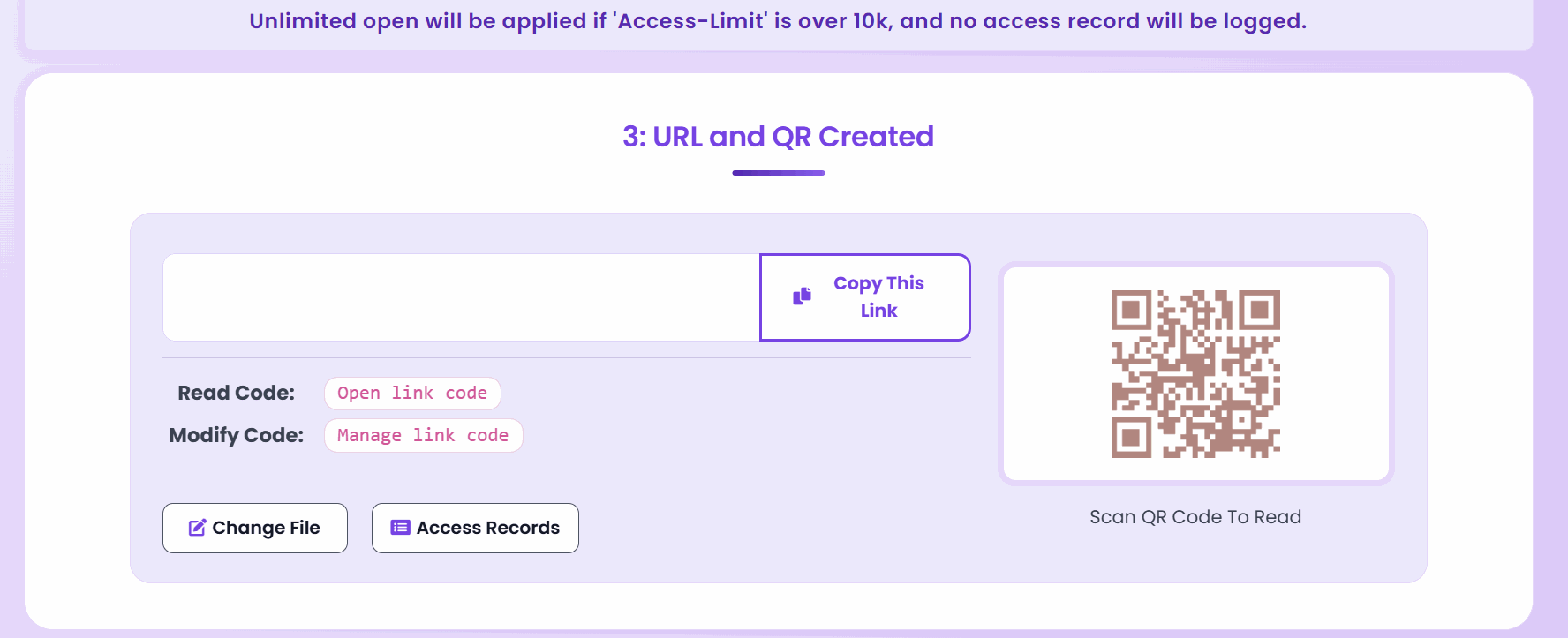
Step 3: Paste in WhatsApp - Simply paste the link into your WhatsApp conversation and send.
Step 4: Recipients Click and View - Friends, family, or colleagues can access the document immediately.
Perfect for WhatsApp Business
Client Communications: Share contracts, proposals, and reports with clients through WhatsApp Business without file size limitations.
Customer Support: Provide user manuals, troubleshooting guides, or product information quickly and professionally.
Team Collaboration: Share meeting notes, project updates, or important documents with team members instantly.
Marketing Materials: Distribute brochures, catalogs, or promotional content through WhatsApp marketing campaigns.
Mobile-Optimized Viewing Experience
When recipients click your WhatsApp PDF link, they get a mobile-optimized viewing experience:
Touch-Friendly Interface: Smooth scrolling, pinch-to-zoom, and easy navigation designed for smartphones.
Fast Loading: Documents appear within seconds, even on cellular connections.
No App Required: Works in any mobile browser without needing special PDF reader apps.
Portrait and Landscape: Seamless viewing in any phone orientation.
Quality Preservation: Text remains crisp and images display clearly on mobile screens.
Control What Recipients Can Do
View-Only Sharing: Share documents that can be read but not downloaded to phones.
Download Enabled: Allow recipients to save documents locally if needed.
Access Tracking: Monitor when and how often your shared documents are viewed.
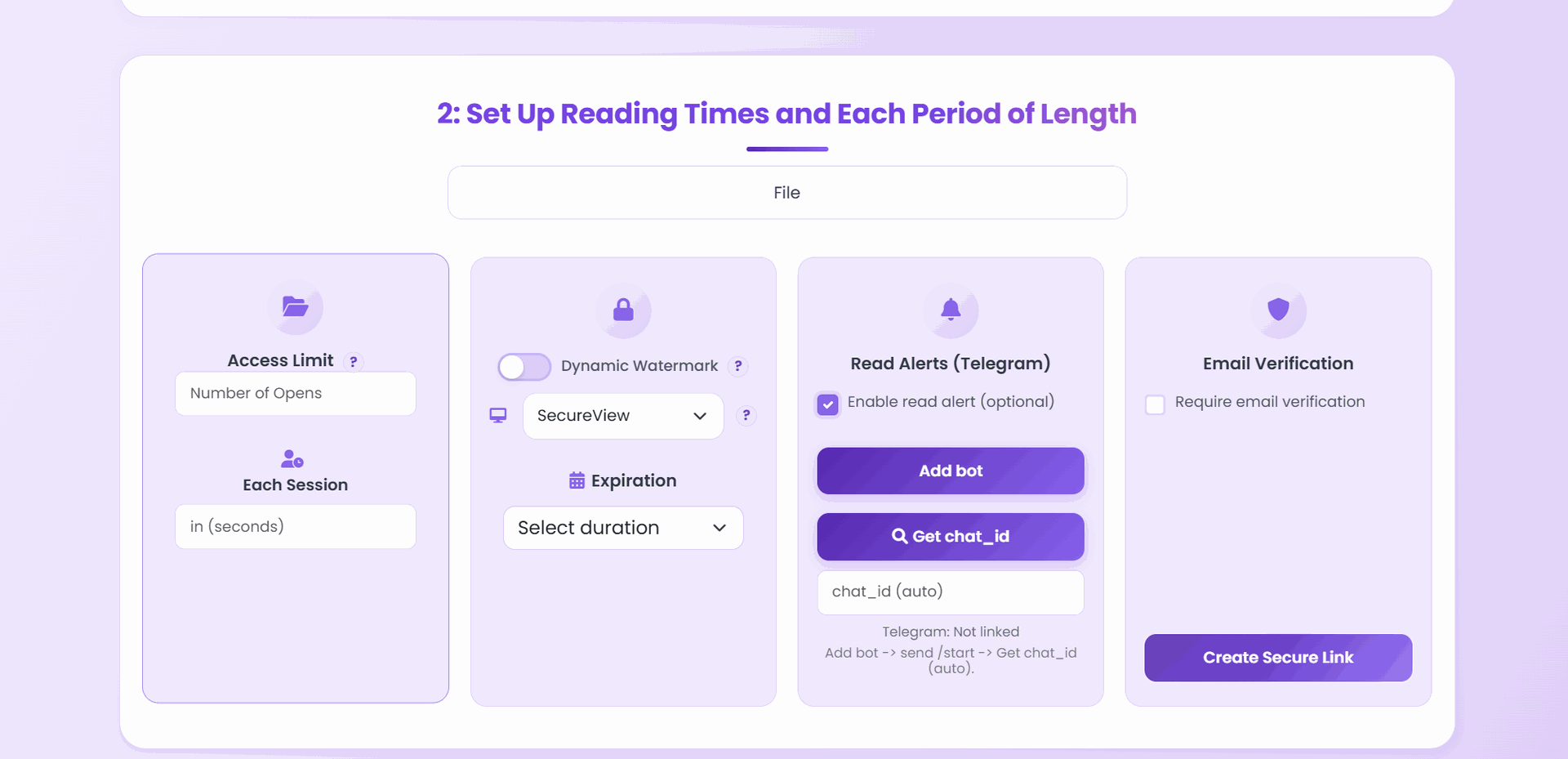
Time Limits: Set expiration dates for time-sensitive information.
View Counts: Limit how many times the document can be accessed.
WhatsApp Group Sharing
Educational Groups: Teachers can share course materials, assignments, or study guides with student groups.
Family Groups: Share travel itineraries, event information, or important family documents.
Business Teams: Distribute meeting agendas, project documents, or company updates.
Community Groups: Share newsletters, announcements, or informational documents with community members.
Advantages Over WhatsApp’s Built-in File Sharing
No Size Limits: WhatsApp restricts file sizes, but PDF links work for documents of any size.
Persistent Access: Links remain active and clickable, while WhatsApp files may be automatically deleted.
Better Performance: Links load faster than downloading large files through WhatsApp.
Professional Presentation: Clean links enhance your professional image in business conversations.
Cross-Platform Compatibility: Links work the same whether recipients use iPhone, Android, or WhatsApp Web.

Privacy and Security on WhatsApp
Secure Links: Each PDF gets a unique, secure URL that can’t be guessed by others.
Controlled Access: You decide who can view or download your documents.
No WhatsApp Storage: Documents aren’t stored in WhatsApp’s servers, reducing privacy concerns.
Direct Control: Disable links anytime if you need to revoke access.
Perfect for Various WhatsApp Use Cases
Business Consultations: Share proposals, quotes, or service agreements with clients during WhatsApp consultations.
Real Estate: Send property brochures, floor plans, or contracts to potential buyers through WhatsApp.
Healthcare: Share test results, treatment plans, or medical information with patients securely.
Education: Distribute course materials, homework assignments, or study guides to students and parents.
Legal Services: Share contracts, legal advice, or document drafts with clients through secure messaging.
Quick QR Code Option
Instant Mobile Sharing: Generate QR codes that friends can scan to access your PDF immediately.
Group Settings: Display QR codes during video calls for easy document sharing.
Offline to Online: Include QR codes in printed materials that link to digital PDFs.
Event Sharing: Share event programs, schedules, or information through QR codes in WhatsApp status.
Managing WhatsApp PDF Shares
Real-Time Analytics: See when your WhatsApp-shared documents are being accessed.
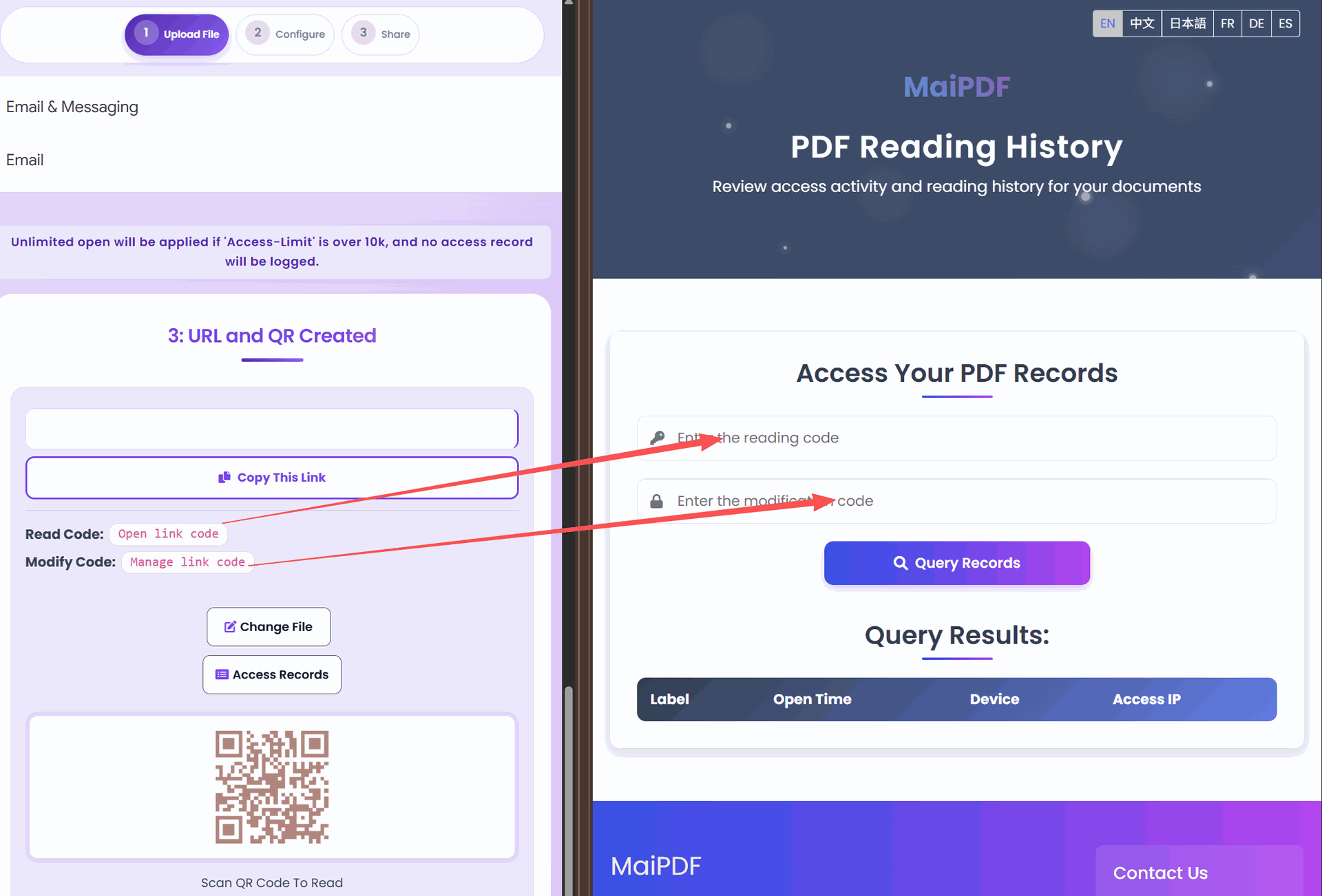
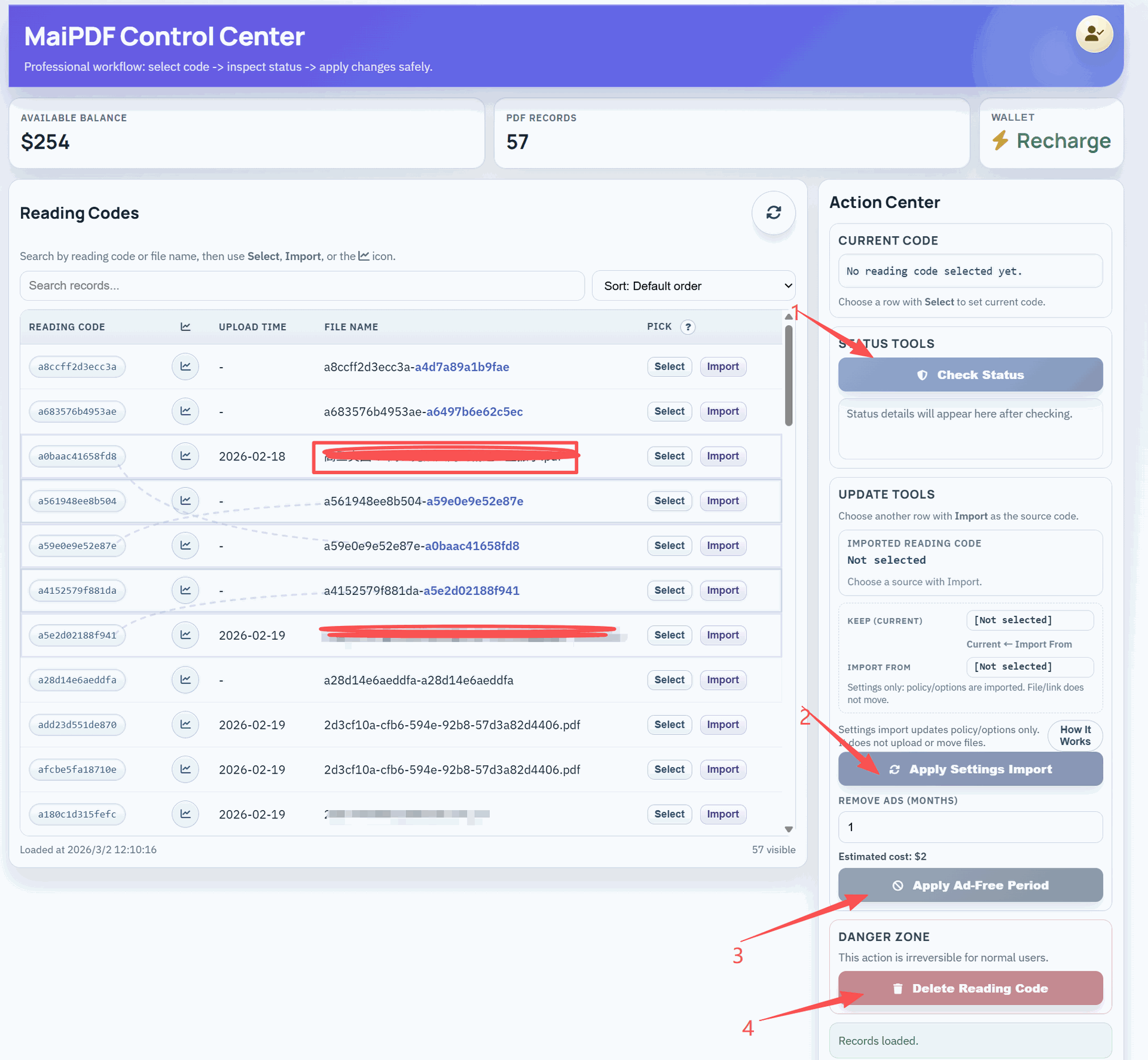
Settings Updates: Change permissions even after sharing links in WhatsApp conversations.
Usage Monitoring: Track engagement levels and see which documents are most popular.
Best Practices for WhatsApp PDF Sharing
Clear Context: Always explain what the document contains before sharing the link.
Check Permissions: Ensure your sharing settings match the intended audience.
Test Links: Click your own links to verify they work before sharing.
Mobile First: Remember that most WhatsApp users will view on mobile devices.
Professional Timing: Share business documents during appropriate hours.
Getting Started with WhatsApp PDF Sharing
Ready to start sharing PDFs through WhatsApp links?
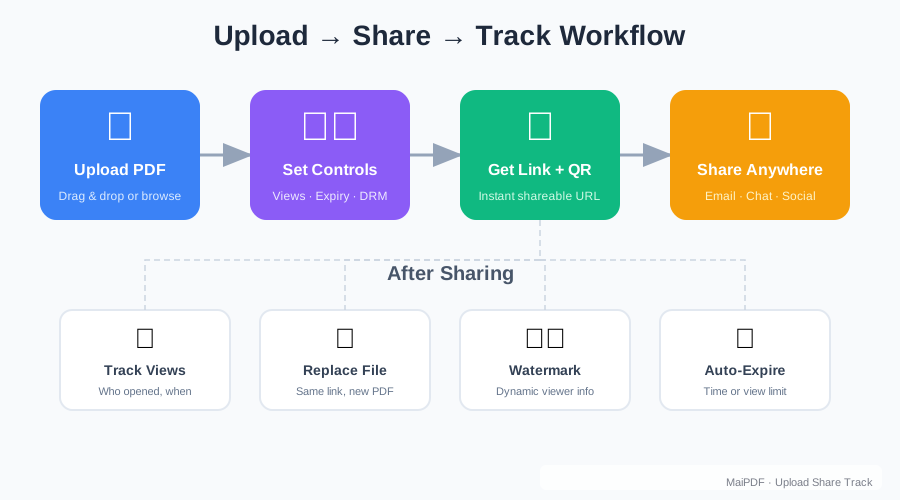
- Upload Your PDF: Visit MaiPDF and upload your document
- Configure Settings: Choose view-only or download permissions
- Copy the Link: Get your professional URL instantly
- Share on WhatsApp: Paste the link into any conversation
- Monitor Usage: Track how your documents are being accessed
Why WhatsApp Users Love PDF Links
Instant Access: No waiting for large files to download on mobile data.
Storage Savings: Documents don’t take up precious phone storage space.
Always Available: Links work from chat history anytime, anywhere.
Professional Quality: High-quality document viewing optimized for mobile screens.
Easy Sharing: Simple copy-paste sharing that works in any WhatsApp conversation.
The combination of WhatsApp’s massive user base and MaiPDF’s fast, mobile-optimized document sharing creates the perfect solution for modern communication needs. Whether you’re sharing business documents, educational materials, or personal information, PDF links provide a better experience than traditional file attachments.
Try sharing your next PDF as a link in WhatsApp and see how much easier document sharing can be. Your contacts will appreciate the fast, professional access, while you’ll enjoy the enhanced control and tracking capabilities that come with link-based sharing.