PDF Link Sharing — A Better Alternative to Email Attachments
2026 update: A link is safer than an attachment because access can expire, be limited, and be tracked. For files that should remain controlled after download-like distribution, use App DRM / .maipdf with license revocation. See How to Revoke Access to a PDF After Sending.
Email attachments were designed for a world where “one file to one inbox” was the unit of sharing. That world ended around the time every reader pulled their email out of their pocket instead of their desktop. The modern equivalent — a managed PDF link pasted into the same email — isn’t a stylistic upgrade. It fixes six specific, measurable things that attachments never could.
Quick navigation
- The six problems attachments can’t solve
- Side-by-side comparison
- What changes in the email itself
- When attachments still make sense
- Email phrasing patterns that work
- Transition playbook
- Common mistakes
- FAQ
- Related reading
The six problems attachments can’t solve
These aren’t opinions — they’re the concrete reasons attachments keep failing in real inboxes.
1. Size limits
Most corporate email systems cap attachments at 25 MB — Gmail, Outlook, Exchange, most intermediate relays. The good documents (design decks, compliance bundles, high-resolution scans, annotated contracts) regularly exceed that. MaiPDF’s single-file upload cap is 100 MB, and the email itself carries just a link — no size ceiling.
2. Deliverability
Large attachments get flagged by spam filters, quarantined by corporate relays, or silently truncated. A link-only email is a few kilobytes; it sails through everything. That’s why outbound sales teams and newsletter tools stopped sending attachments a decade ago — the link-in-email is literally more reliable.
3. Mobile reading
Opening an attached PDF on a phone is a five-step hike: click → wait for download → find where the OS saved it → pick an app to open it with → finally, read. A meaningful percentage of readers give up somewhere around step 3. A link is one click → read in the browser. No download, no app picker.
4. No visibility
Once you press Send on an attachment, you are flying blind. Did they open it? Skim it? Ignore it? Forward it to a competitor? You have no idea. A managed link gives you an access log with open times, devices, and (if verification is on) verified emails. You know whether follow-up is needed.
5. Version chaos
Every revision is a new email with a new attachment. Revision 3 is in one thread, Revision 4 in another, and a reply-all from two weeks ago still references Revision 1. With a managed link, you replace the file behind the same URL — every future opener sees the current version automatically. No one has a stale file unless they ignore the link and hoard the attachment you also (shouldn’t have) sent.
6. Zero post-send control
Sent to the wrong person? The attachment is in their archive forever. With a link, you revoke access in one click. Need to extend the review window? Change the expiry. Want to add a watermark because the document turned out to be more sensitive than expected? Flip it on after the fact. The link is a policy you still own.
Side-by-side comparison
| Decision point | Email attachment | Managed PDF link |
|---|---|---|
| File size ceiling | ~25 MB (often less) | 80 MB per file |
| Bounce / spam-filter risk | high, especially with multiple recipients | near-zero — link is a few kilobytes |
| First-open on phone | five steps, high drop-off | one click, loads in browser |
| Reader needs to install / log in | sometimes (cloud-drive auth) | no |
| Know when it was opened | no | yes (access log) |
| Revisions | new email, new attachment, new version confusion | replace file behind same URL |
| Set an expiry date | no | yes |
| Cap number of opens | no | yes |
| Revoke after sending | impossible | one click |
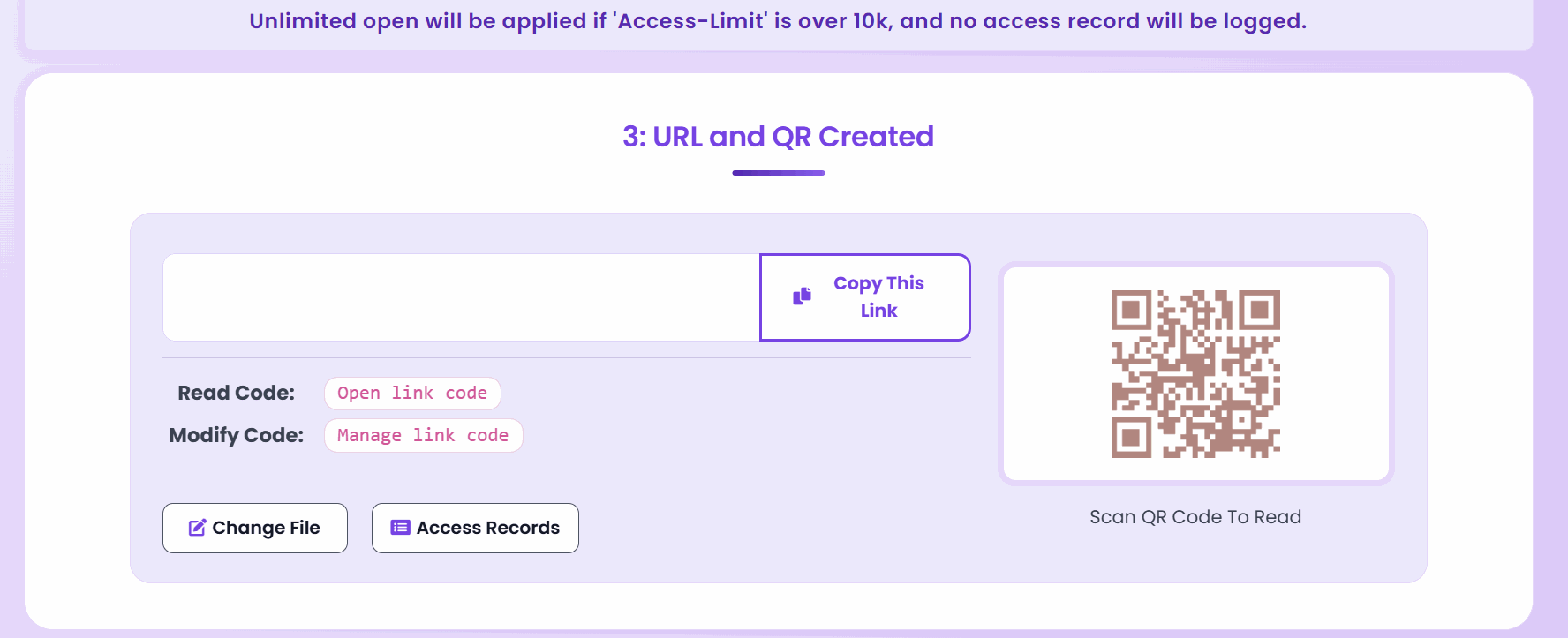
| QR-share same document | awkward manual workflow | QR is generated alongside the URL |
| Watermark / identify readers | no | yes (dynamic watermark + email gate) |
What changes in the email itself
The email you send barely changes — just what’s attached to it.
Before:
Hi Jamie,
Please find attached our Q2 proposal for your review.
[Attachment: Q2-Proposal-v3-FINAL-revised.pdf, 14.2 MB]
After:
Hi Jamie,
Please find our Q2 proposal here: maipdf.com/…
The link is good for 14 days and opens in your browser — no download needed. I can see when you’ve had a chance to review; let me know if you’d like to talk it through.
The difference isn’t the language. It’s that the link is manageable: 14 days from now it expires on its own. If Jamie asks for a revision, you replace the file, and the same URL still works. If Jamie forwards it to their legal team, their open shows up in the access log.
When attachments still make sense
Link-sharing isn’t universally correct. Keep the attachment when:
- The recipient’s environment blocks external links. Some air-gapped corporate networks only allow internal URLs. You’ll know because they’ve told you.
- The document is the deliverable itself. Signed contracts, tax documents, legal filings — the receiver’s record is the file, not access to it.
- The receiver needs permanent offline access. Reference manuals, templates, tax PDFs you send once a year.
- Regulatory chain-of-custody requires an archived copy. Some procurement and compliance flows want the literal file in the email record.
- The recipient has specifically asked for an attachment. Respect the request.
Everything else — proposals, drafts, portfolios, reports, decks, catalogs, policies, training material — is more reliable as a link.
Email phrasing patterns that work
How you introduce the link matters more than you’d think. Three patterns that consistently get opens:
The confident soft-push:
The full proposal is here: [link]. Opens in your browser — no download needed.
The time-bounded review ask:
The draft is at [link]. The review window closes next Friday — happy to extend if you need more time.
The “this is the current version” note:
Latest revision: [link]. If we update anything, the same link will still work.
What to avoid:
- Burying the link in a wall of apology (“sorry we can’t send the attachment directly, please click…”) — sounds defensive
- Explaining the whole platform (“this is a MaiPDF link, which is a service that…”) — readers don’t care
- No context at all (just a bare URL) — looks like phishing
Transition playbook
Most teams that switch successfully do it in three steps, not one.
- Pilot with one document type for two weeks. Pick the one that most often bounces or gets version confusion — usually proposals or internal drafts. Don’t try to convert everything at once.
- Fix the email template. Paste the link in place of the attachment in your most-used template. That’s usually where 80% of the daily attachment volume lives.
- Measure and expand. Check the access log on a few sends. When you see the signal (“I can tell whether they actually read it” is the usual reaction), expand to the next document type.
What to not do:
- Forbid attachments across the org on day one — creates revolt
- Introduce link-sharing as a “new security policy” — frames it as friction
- Keep sending both attachment and link together — defeats everything
Common mistakes
| Mistake | What goes wrong | Do instead |
|---|---|---|
| Sending the attachment and the link in the same email | readers open the attachment and ignore every control | send the link only |
| Creating a new URL for every revision | reviewers lose track; bookmarks break | replace the file behind the same link |
| Using one permanent link for every recipient | can’t tell engagement apart; can’t revoke selectively | one link per recipient segment |
| Naming the URL in a way that looks like tracking spam | lower open rate, reader suspicion | keep link text clean; contextualize in plain prose |
| Skipping the mobile test | first impression fails for phone readers | open the link once on your phone before sending |
| Never checking the access log | protection with no feedback loop | review the log within 48 hours |
| Switching everything overnight | team backlash, half-followed process | pilot → template → expand |
FAQ
Won’t recipients be suspicious of a link instead of an attachment? In 2026, almost nobody is. Every big SaaS company (DocuSign, Notion, Google, Linear) sends link-only emails. What actually raises suspicion is a bare, uncontextualized URL — add one sentence of context and recipients read it like any other link.
What if the recipient’s corporate firewall blocks the domain? Uncommon but possible. In that case, send the attachment as a fallback. You can also brand-customize the sharing URL if that’s an ongoing concern.
Does the recipient need an account? No. Opening a MaiPDF link works in any modern browser without a sign-in or plugin on the reader’s side.
Is it free? Yes — core sharing is free. Some higher-usage features (bigger files, heavier controls) need an account.
What if I accidentally sent the link to the wrong person? Revoke from the control panel — the link stops working immediately. You can also add email verification after the fact so only specific addresses can open it going forward, without changing the URL.
Does this replace DocuSign / e-signature tools? No — MaiPDF distributes the PDF; e-signature tools collect signatures. They’re complementary: many teams send the draft-for-review as a MaiPDF link, then move to e-signature for the final execution.
Will links work across Gmail, Outlook, Apple Mail, Yahoo, and corporate email systems? Yes. A link in an email is universal — every email client in existence renders clickable URLs.