Share PDF Securely — Keep Control After You Send It
2026 update: Secure PDF sharing now has two levels: Online Cloud Sharing for fast links, QR codes, expiry, view limits, and watermarks; App DRM / .maipdf for device binding, license revocation, and screenshot-aware protected reading. Start with Online PDF Sharing vs App DRM.
June 2026. The six controls below apply to online link sharing in the browser. For prevent screenshot (OS-level), pack .maipdf and use MaiPDF Secure — see native app guide.
Secure PDF sharing isn’t a single setting — it’s a stack. Six controls, each solving a different failure mode, layered to match the document’s actual sensitivity. The goal isn’t to lock everything down (that just drives readers to insecure workarounds). The goal is to keep the document inside a clear, adjustable sharing boundary after it leaves your hands.
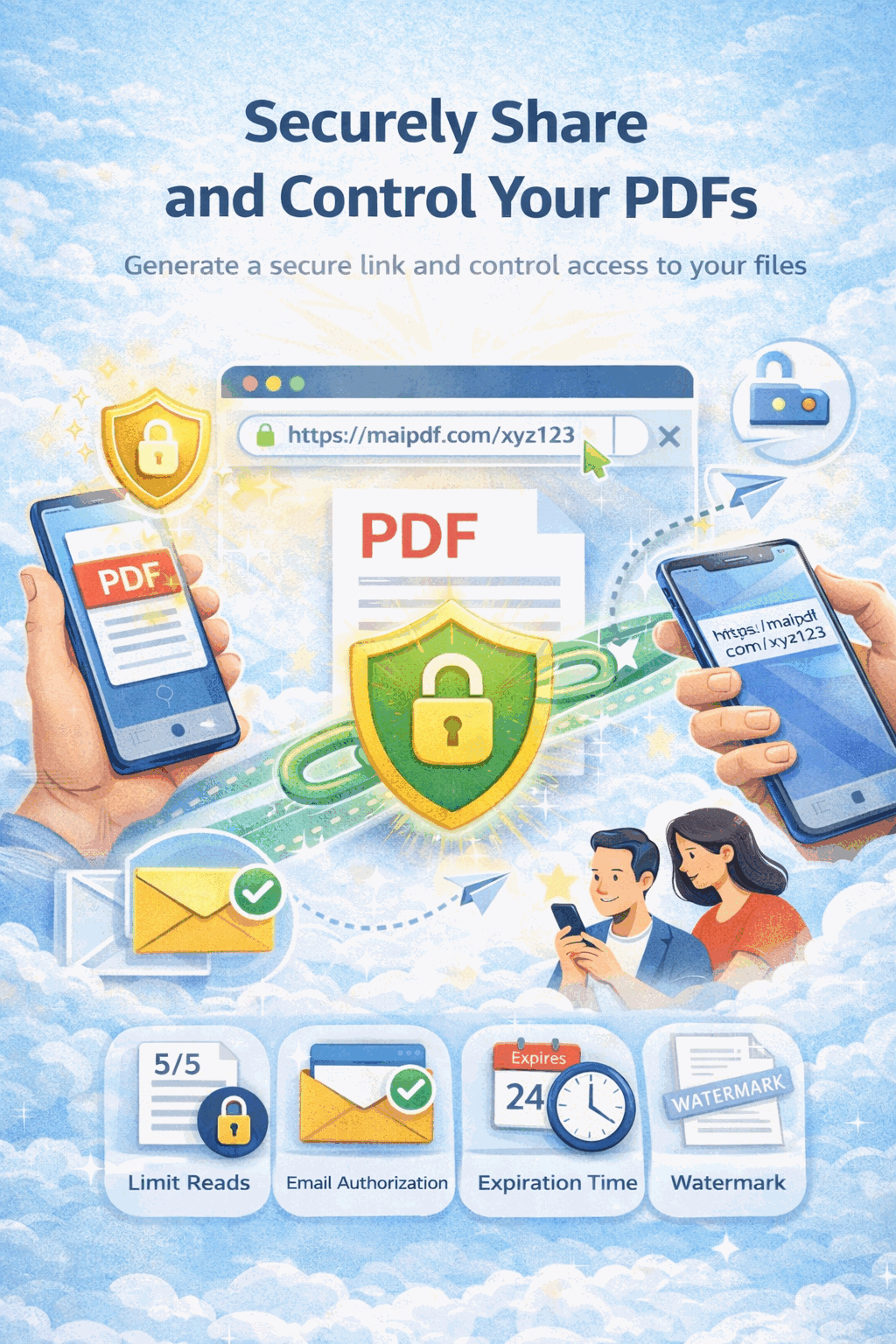
Where this guide fits in MaiPDF’s two-path model
MaiPDF now has two main protection paths, and this guide should be read inside that structure:
- Online Cloud Sharing is the fast path: upload a PDF, generate a link or QR code, control download behavior, set expiry or view limits, add watermarks, and track opens in the browser.
- App DRM /
.maipdfis the stricter path: package the PDF for the MaiPDF App protected reader when you need screenshot-aware controls, device binding, license checks, and revoke-after-send workflows.
If you are not sure which path fits your file, start with Online PDF Sharing vs App DRM. If screenshots or protected-reader behavior are the main concern, read Secure PDF Reader with Screenshot Protection and Free PDF Screenshot Protection Software.
Quick navigation
- The six real controls (and what each one stops)
- Matching controls to document sensitivity
- The security stack, from lightest to tightest
- Setup walkthrough
- What this genuinely protects against
- Auditing after the send
- Common mistakes
- FAQ
- Related reading
The six real controls (and what each one stops)
| Control | Failure mode it addresses | When to turn it on |
|---|---|---|
| Expiry | link stays alive forever; old URLs get rediscovered | any document with a review window |
| Open limit | one forwarded link keeps letting in strangers | audience is bounded and known |
| Download off | reader saves local file → forwards → no control | reading matters, retention doesn’t |
| Email verification | random people with the URL can open it | identity matters more than convenience |
| Dynamic watermark | screenshots and phone photos leak pages anonymously | content could end up in a competitor’s hands |
| Access log | you sent it and never knew what happened | anything you’d want to audit later |
That’s the real list. Things that aren’t on MaiPDF (and should be ignored if you’ve read them elsewhere): SMS verification on the international site, geographic restrictions, QR color customization, UTM-style tracking. Stick to the six above.
Matching controls to document sensitivity
| Document | Expiry | Open limit | Download | Email verify | Watermark | App DRM |
|---|---|---|---|---|---|---|
| Public brochure | optional | unlimited | on | off | off | off |
| Event handout via QR | event window | high | on | off | off | off |
| Sales proposal | 7–14 days | 20–40 | off | optional | on | off |
| Internal sensitive draft | 7 days | 15 | off | off | on | off |
| Hiring / portfolio material | 30 days | 30–60 | optional | off | optional | off |
| Contract draft to small legal panel | 3–5 days | 8–10 | off | on | on | on |
| Partner-only pricing sheet | 7 days | 5–20 | off | on | on | on |
| Pre-launch product preview | launch date | 15 | off | on | on | on |
| Board / investor deck | meeting week | audience × 2 | off | on | on | on |
| Unreleased creative work | review window | 5–10 | off | on | on | on |
Two rules of thumb when picking a row:
- Start from the lightest row that still feels adequate. Over-securing creates friction and pushes readers to “just email me the attachment.”
- Multiply the open limit by 1.5. Mobile reading registers as 3–5 opens per reader; see the view-limit calculator for the arithmetic.
The security stack, from lightest to tightest
Think of this as levels, not checkboxes. Most documents sit at level 1 or 2. Very few need level 5.
Level 1 — Hygiene (every shared link)
- Expiry set to match the real review window.
- Access log reviewed at least once within 48 hours of sending.
Almost no friction, meaningful protection. You’d turn these on for a public brochure you still want to keep tidy.
Level 2 — Bounded audience
Add:
- Open limit sized to audience × 1.5.
You now can’t have a link that gets forwarded forever. You’ll also notice sooner if it’s circulating outside the intended group, because the cap fills unexpectedly.
Level 3 — View-only
Add:
- Download off (and Print off alongside it — Print-to-PDF is the main download workaround).
The reader reads in the browser. They don’t walk away with a local copy they can forward, archive, or mis-forward. See PDF online viewing without download for the boundary between what view-only blocks and what it doesn’t.
Level 4 — Identified reader
Add:
- Email verification with a whitelist of approved addresses.
- Dynamic watermark stamping the verified email on every page.
The reader is now identified before they see the first page, and every page they do see carries their name. This is where “secure sharing” stops being a deterrent and becomes an actual identity gate with forensic trail.
Level 5 — Tightest viewer
Add:
- App DRM instead of a browser link.
App DRM turns the file into an encrypted .maipdf that opens only in the MaiPDF app, where the operating system refuses screenshots outright. It costs your reader an install, so reserve it for documents where a leak would be materially expensive: contract drafts, board decks, unreleased IP, pre-launch pricing.
Levels stack upward. Level 5 implies every level below it.
Setup walkthrough
- Upload the PDF at maipdf.com.
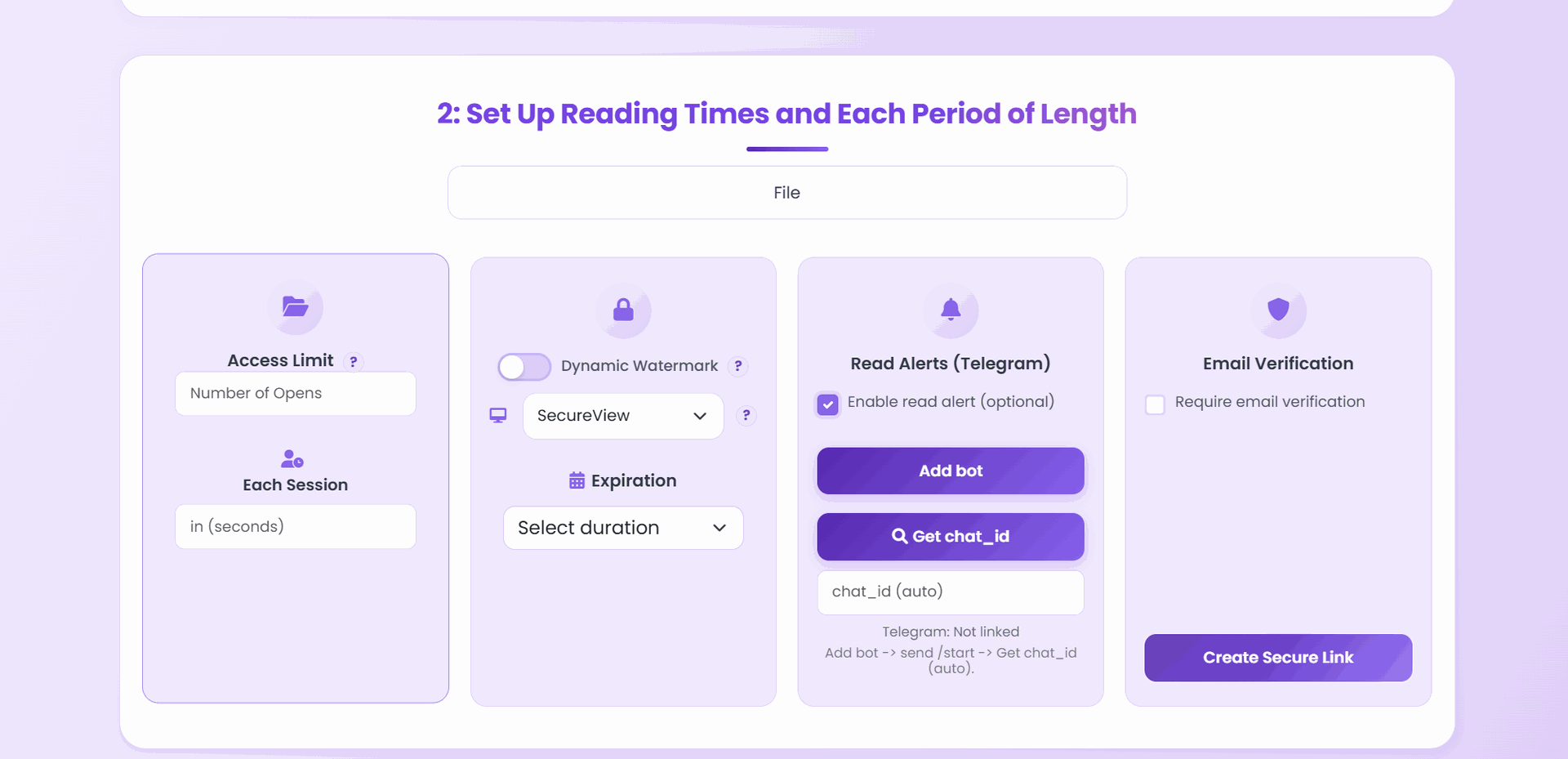
- On the configuration screen, pick the row from the matching-controls table above that’s closest to your document.
- Set Expiry first, Open limit second — those two alone are Level 1 + 2.
- For Level 3+, toggle Download off and Print off.
- For Level 4+, add the email whitelist and enable Dynamic watermark with the email stamp.
- For Level 5, deliver through App DRM rather than a browser link.
- Generate the link and open it once on your phone using an address not on the whitelist if you added one — the most common failure mode is a lock that locks out nobody.
What this genuinely protects against
Be honest about the boundary. Here’s what each control can and can’t do.
| Threat | What stops it | What doesn’t |
|---|---|---|
| Casual forwarding to a colleague | Expiry + Open limit | nothing if you rely on “they won’t share it” |
| Unauthorized recipient with the URL | Email verification | nothing — without a gate, URL == access |
| Reader saves a local copy | Download off + Print off | download-off alone (they’ll Print-to-PDF) |
| Reader screenshots on their phone | nothing blocks the OS shortcut | but Dynamic watermark traces it back |
| Reader photographs the screen | nothing | same — watermark + access log is the recourse |
| URL rediscovered in an old email months later | Expiry | nothing if expiry is off |
| Link still alive after the deal fell through | Manual revoke from control panel | nothing if you forget to revoke |
| Stale version still circulating | Replace file behind the link | nothing if you generate a new URL instead |
Nothing on this list protects against a determined adversary with time and motivation. Secure PDF sharing reduces casual leakage — which is 90%+ of real-world leaks — and adds forensic trail to the rest.
Auditing after the send
A protection stack with no audit is half a stack. The access log is where protection translates into knowledge.
- Within 48 hours: open the access log and confirm expected readers actually opened it.
- Watch for surprises: a verified address you didn’t send to (whitelist misconfiguration), a device type that doesn’t match (laptop when you expected phone), opens from a location that doesn’t match the audience.
- Track the view count: if it’s climbing faster than expected, the link may be circulating beyond the intended group — consider tightening the cap or revoking.
- After the review window: either let the expiry close it naturally, or revoke manually. Don’t leave sensitive links alive after their job is done.
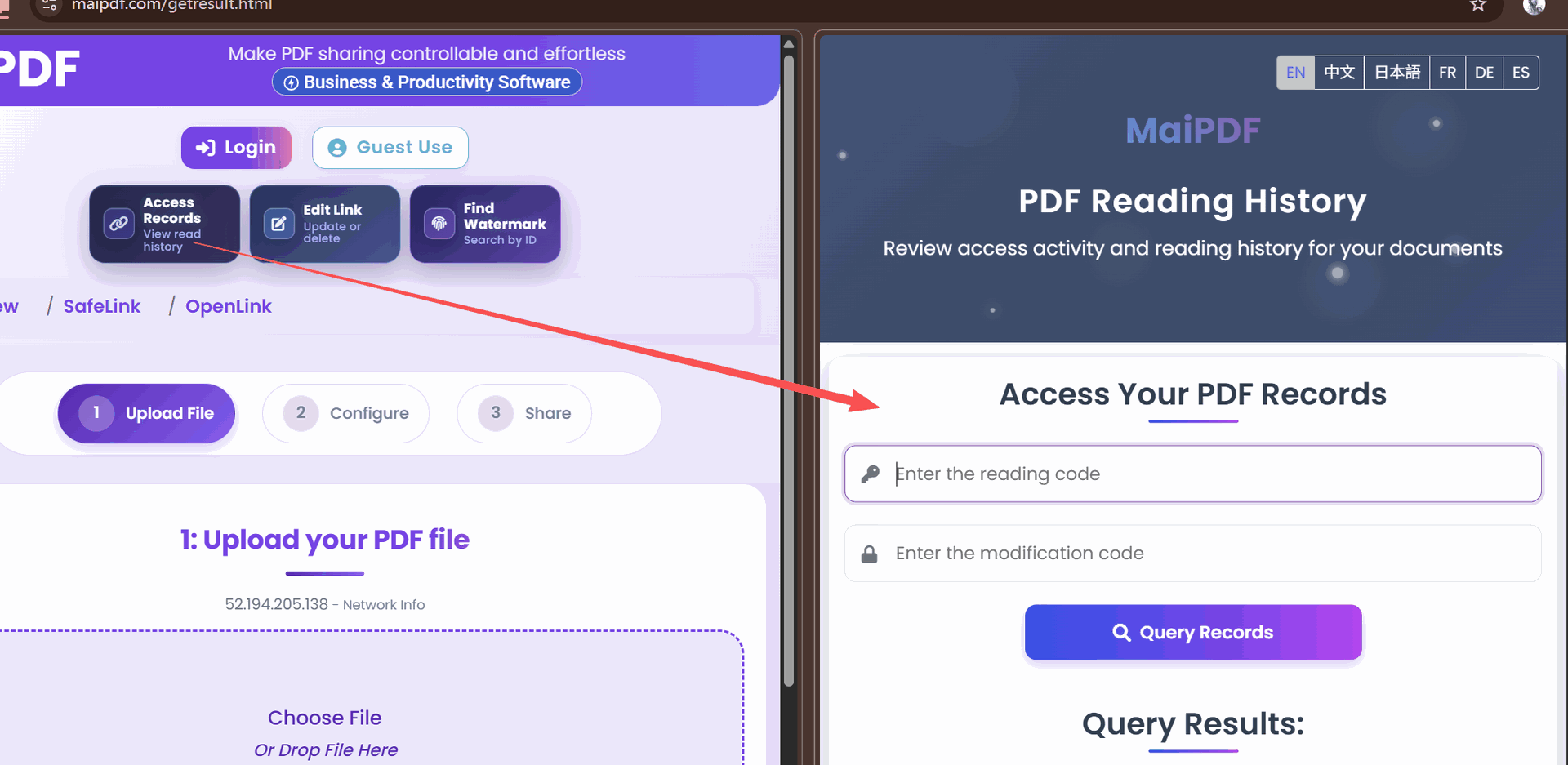
If a leak does happen, the watermark on the leaked screenshot → the access log → the verified email gives you a specific named reader, not a vague “someone in the group.” That chain of custody is what turns watermarking from theater into evidence.
Common mistakes
| Mistake | What goes wrong | Do instead |
|---|---|---|
| Turning on every restriction by default | support tickets, readers driven to attachments | start from the lightest adequate level |
| Download off but Print on | reader saves a local copy via Print-to-PDF | pair download-off with print-off |
| Watermark with session ID only | leaked screenshot shows A8F-39217 — not useful without log lookup | enable email verification so the stamp is the name |
| Open limit set to exact audience size | mobile reloads lock out the last reader | multiply by 1.5 |
| Email whitelist never tested from a non-whitelisted address | locks nobody out | always test with an off-list address before sending |
| Sending the attachment alongside the secure link | readers open the attachment and bypass every control | send the link only |
| Never opening the access log | you have protection but no knowledge | review the log within 48 hours |
| Never revoking after the review window | old sensitive links stay alive for months | set expiry OR revoke manually after use |
| Generating a new URL for every revision | reviewers lose track; old URLs stay exploitable | replace the file behind the same link |
FAQ
Do I need all six controls on every share? No. The matching-controls table matches each document type to the minimum useful stack. Most documents sit at Level 1–2; only truly sensitive ones need Level 4–5.
Is the document ever decrypted on the reader’s device? The PDF file itself stays on MaiPDF. The reader sees rendered pages through the viewer — not the file. That’s what makes watermarks un-strippable.
What happens if the reader is on the whitelist but their email provider silently rejects the verification message? You’ll see the failed verification attempt in the access log. Remove the blocker (check the whitelist for typos, check the sender deliverability) and the reader can retry without any URL change.
Does App DRM break ordinary reading? No. It tightens session handling and selection behavior, but the core reading experience — page rendering, zoom, scrolling, search — stays normal. Readers notice friction only when attempting to extract content.
How do I revoke a link entirely? From the control panel (or the modify-code flow if you uploaded as a guest), disable or delete the share. The URL stops resolving immediately — every future open fails, no matter where the link was copied.
Can I share the same PDF at different security levels with different audiences? Yes — that’s the intended pattern. Generate one link per audience, each with its own stack. The underlying file can be the same; the policies are per-link.