PDF Device Binding Explained: How App DRM Controls Reader Access
PDF device binding means a protected document can only be opened on approved devices, not just by anyone who receives a copy of the file or link.
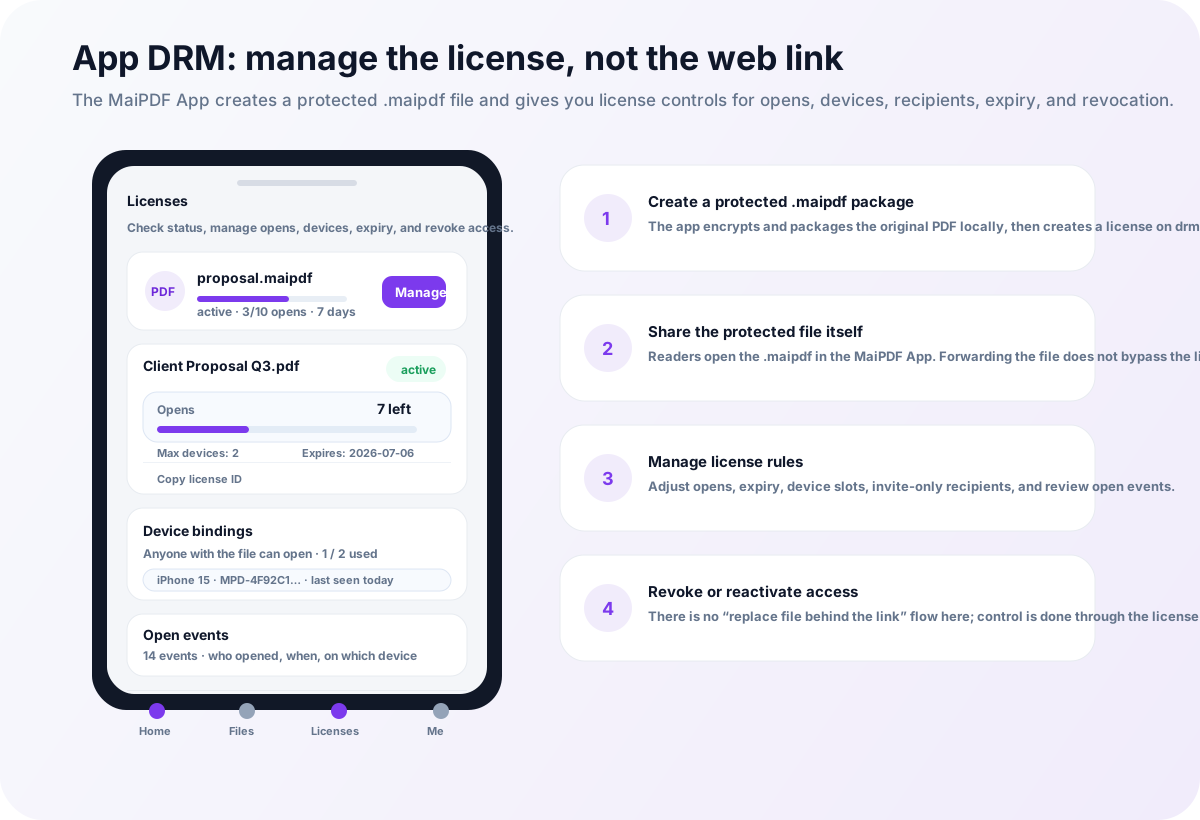
For sensitive PDFs, this matters because forwarding is the default behavior of ordinary files. A recipient can forward an email, upload a file to a chat group, or copy it to another laptop. Device binding changes the question from “Who has the file?” to “Is this device allowed to open it?”
What device binding is
Device binding connects document access to a recognized reader environment. Depending on the product and policy, that may include:
- the reader account
- the installed app
- the device identity
- the number of allowed devices
- first-open registration
- administrator approval or revocation
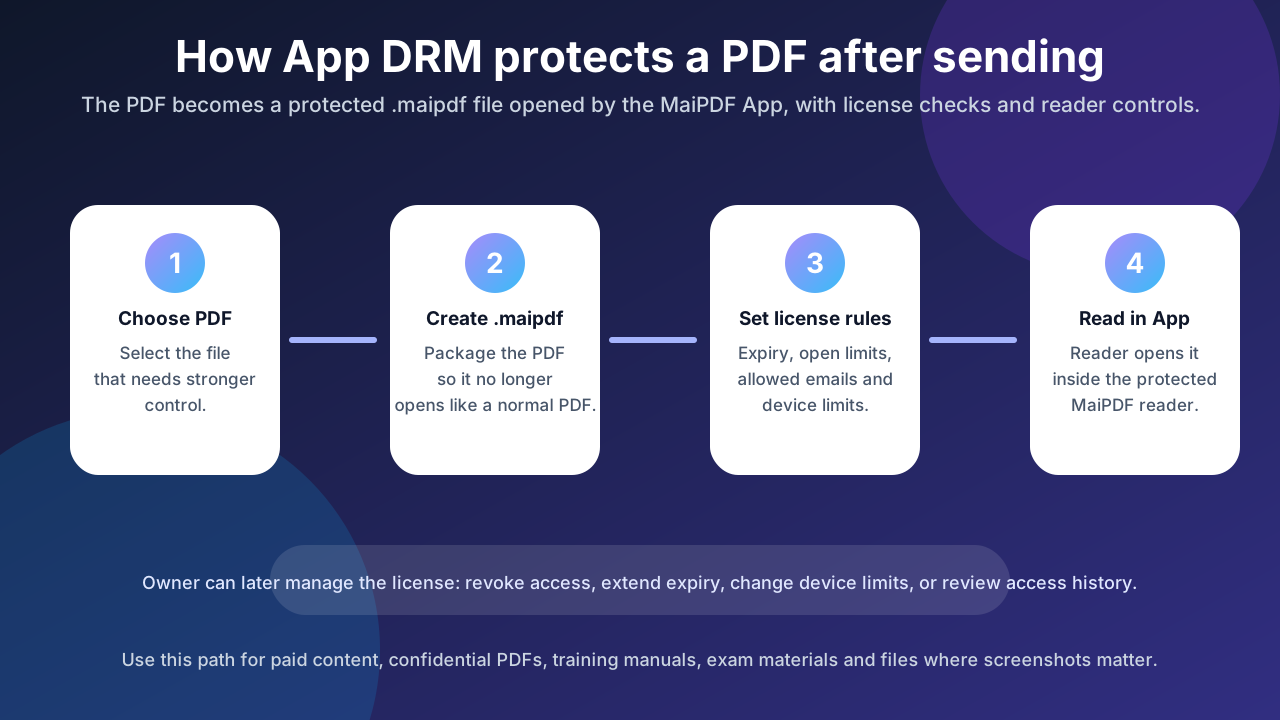
In a MaiPDF App DRM workflow, the document is normally packaged as a protected .maipdf file and opened inside the MaiPDF App. The app can check whether the current reader and device are allowed before rendering the document.
Why device binding is hard in a browser
A browser is designed to be portable and user-controlled. That is good for convenience, but weak for strict device control.
Browser-based PDF sharing can still do useful things:
- require an access code or email verification
- set expiry or view limits
- add dynamic watermarks
- track opens and reader activity
- disable simple direct download flows
But a browser page has limited authority over the device itself. It cannot reliably guarantee that the same person is on the same trusted machine, and it cannot fully control OS-level screenshots or local capture tools.
That is why device binding belongs in the App DRM layer, not the ordinary web-link layer.
Device binding vs password protection
| Method | What it controls | Weakness |
|---|---|---|
| PDF password | Anyone who knows the password | Passwords are easy to forward |
| Online link controls | Link access, expiry, view limits, tracking | Browser cannot fully bind the local device |
| App DRM device binding | Reader account + approved device + protected app | Requires the reader to use the app |
Passwords are simple, but they travel with the file. Device binding is stricter because the file alone is not enough.
A typical MaiPDF device-binding workflow
A practical protected-PDF workflow looks like this:
- The document owner protects the PDF as a
.maipdffile. - The owner sets access rules such as account, expiry, view limits, or device limits.
- The reader installs the MaiPDF App and opens the
.maipdffile. - The app checks whether the reader and device are allowed.
- If the device is approved, the PDF opens inside the protected reader.
- If access is revoked or the device limit is exceeded, the file does not open.
The details can vary by platform and policy, but the main idea is consistent: the document remains encrypted until the app receives permission to open it.
Why device binding reduces forwarding risk
Forwarding a normal PDF gives the next person everything they need. Forwarding a protected .maipdf file does not automatically grant access.
A forwarded protected file may still fail to open because:
- the new reader account is not allowed
- the new device is not approved
- the device limit has already been reached
- access has expired
- the owner has revoked the license
This does not make leaks impossible, but it makes casual forwarding much less useful.
How device binding works with watermark tracing
Device binding is stronger when combined with visible identity watermarks.
For example, a protected reader session can show information such as:
- reader name or account
- document ID
- trace code
- time of access
- organization or project label
If someone tries to photograph or leak the content, the watermark makes the source easier to investigate. This is why device binding and watermark tracing should be planned together.
When to use device binding
Use PDF device binding when the cost of uncontrolled forwarding is high.
Good use cases include:
- paid courses and training material
- confidential sales decks
- investment documents
- legal review packets
- internal process manuals
- pre-release product documents
- exam or certification content
If the document is public or low-risk, a normal MaiPDF online link may be simpler.
Honest limitations
Device binding is a strong access-control layer, not a perfect anti-leak guarantee.
It does not stop:
- someone photographing the screen with another device
- a malicious insider manually rewriting the information
- all platform-specific screen capture methods in every environment
It does help with the most common operational problem: the PDF being forwarded, copied, and opened by people who were never approved.
Online sharing or App DRM?
Use MaiPDF online sharing when you want a fast link, QR code, watermark, expiry, and view limits without installation.
Use MaiPDF App DRM when you need .maipdf files, device binding, screenshot-aware reading, and the ability to revoke access after the file has been distributed.