Secure PDF Reader with Screenshot Protection: What to Look For
A secure PDF reader is not just a prettier PDF viewer. It is a controlled reading environment designed for documents that should not behave like ordinary files.
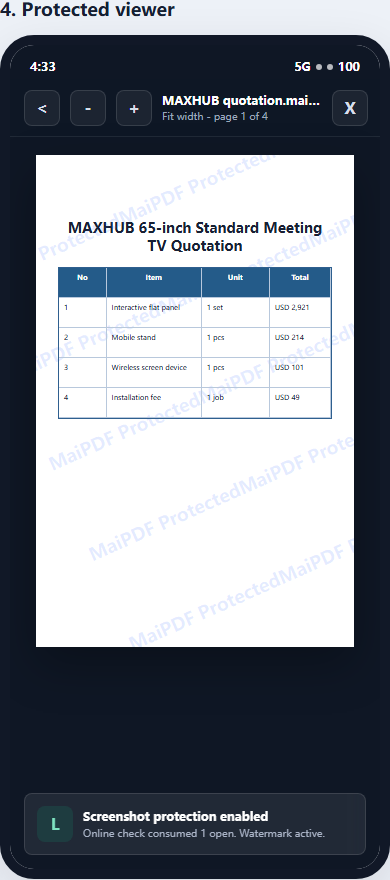
For everyday PDFs, a browser tab or standard PDF reader is convenient. But if the document contains paid training material, internal reports, legal drafts, investor documents, or confidential proposals, convenience is not enough. You may need screenshot-aware reading, device binding, revocation, and traceable watermarks.
That is where MaiPDF App DRM and protected .maipdf files fit.
What makes a PDF reader “secure”?
A normal PDF reader focuses on opening and displaying files. A secure PDF reader adds policy enforcement around the reading session.
Important capabilities include:
- opening only approved protected files
- checking whether the reader is allowed to unlock the file
- applying view limits or expiry rules
- binding access to approved devices
- showing traceable watermarks
- supporting revoke-after-send workflows
- reducing screenshot and screen-recording risk where the platform allows it
A secure reader does not mean “perfectly impossible to leak.” No software can stop someone pointing another phone at the screen. The practical goal is to make leaks harder, make casual forwarding less useful, and make leaks easier to trace.
Why a browser PDF viewer cannot fully protect screenshots
Browser sharing is excellent for speed. A MaiPDF online link can provide:
- fast access without installation
- QR code sharing
- view limits
- expiry dates
- dynamic watermarking
- access records and open tracking
But the browser is not in full control of the operating system. It cannot reliably block every OS screenshot shortcut, snipping tool, recorder, or external capture method.
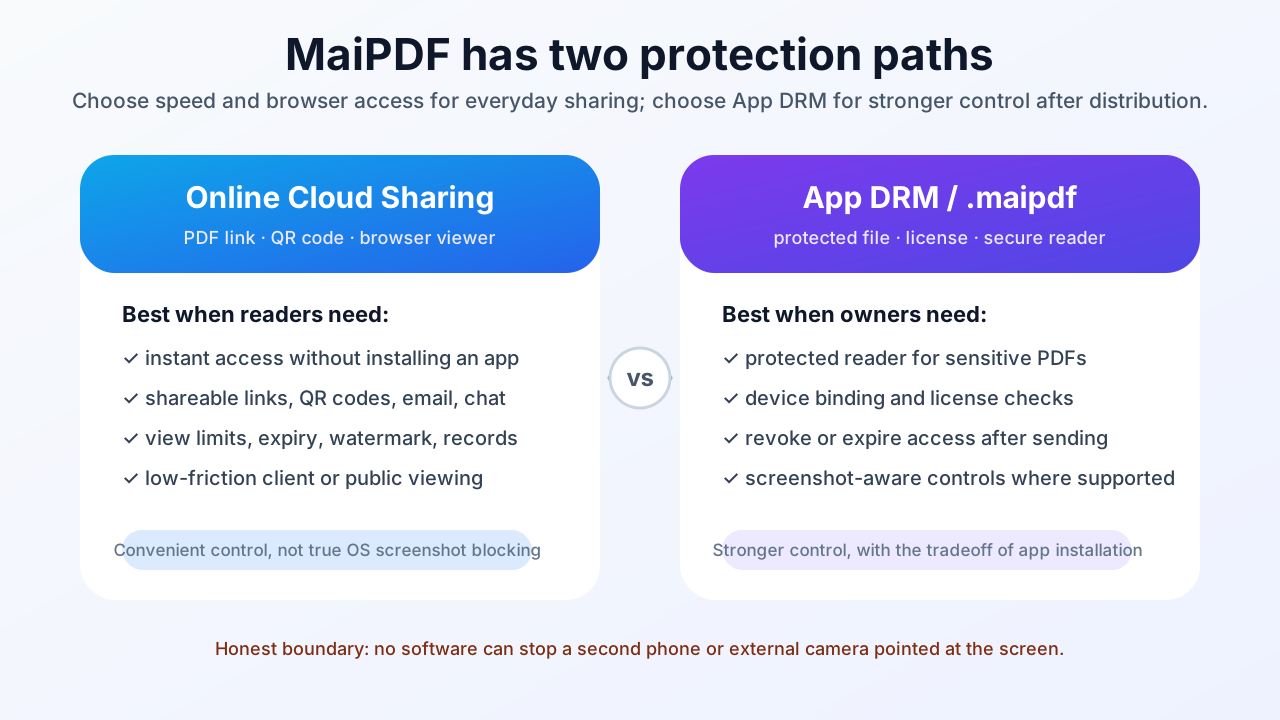
That is why browser sharing should be described honestly: it can reduce download and forwarding risk, but it is not the same as app-level screenshot protection.
How App DRM changes the model
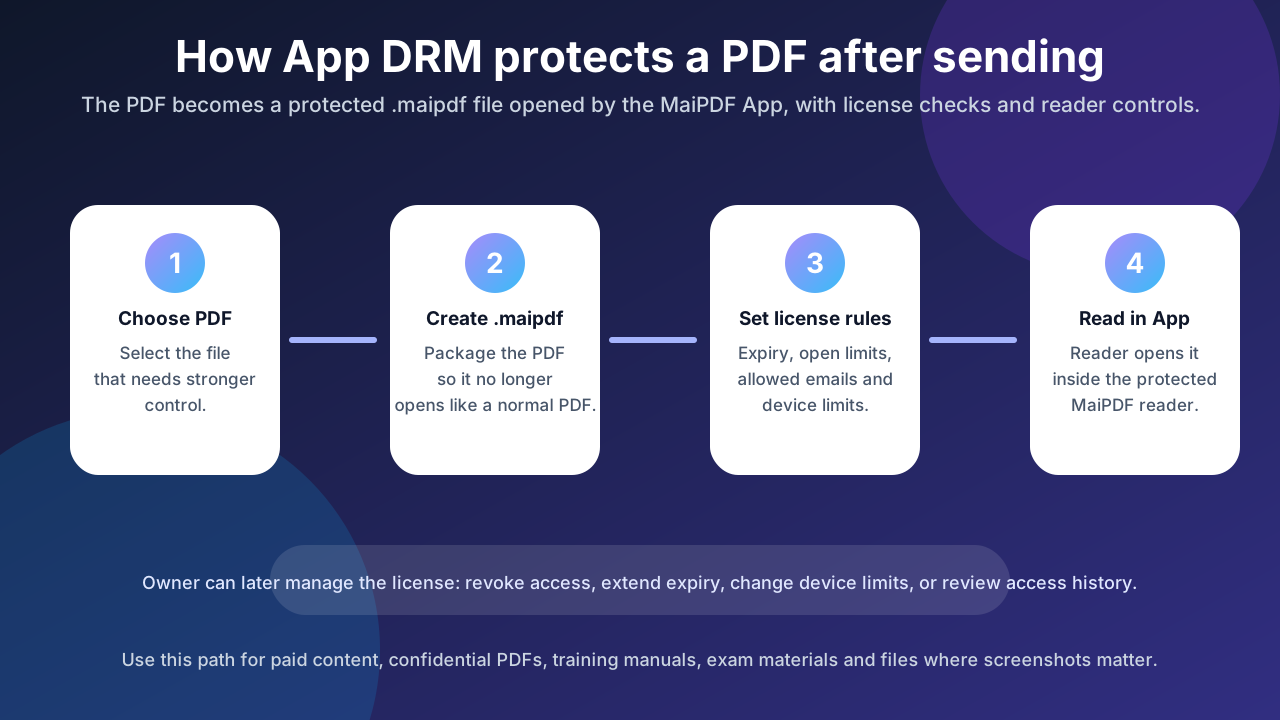
App DRM moves the reading experience from a generic browser into a dedicated protected reader.
In the MaiPDF workflow, the owner protects the PDF as a .maipdf file. The reader opens that file inside the MaiPDF App. The app can then check license rules and enforce reader controls before rendering the document.
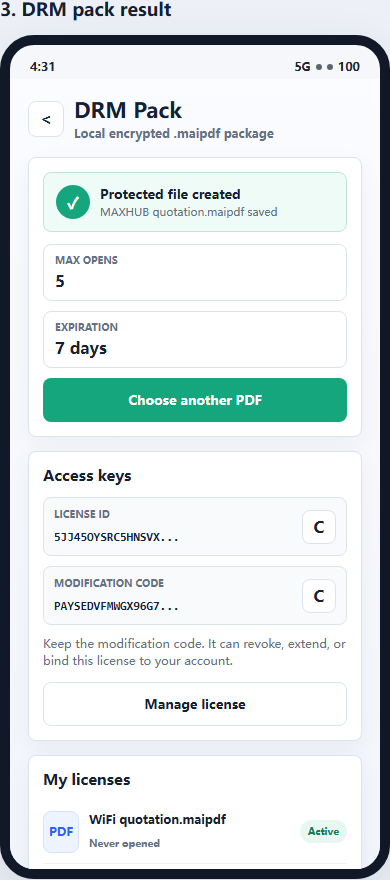
This enables a stronger security model:
| Control | Browser sharing | Secure PDF reader / App DRM |
|---|---|---|
| Quick link sharing | Excellent | Less direct |
| No reader install | Excellent | Requires app |
| View limits | Good | Good |
| Expiry | Good | Good |
| Watermark tracing | Good | Good |
| Device binding | Limited | Stronger |
| Screenshot-aware controls | Limited | Stronger where supported |
| Revoke after distribution | Good for links | Stronger for protected files |
The tradeoff is clear: browser links are easier; protected readers are stricter.
When screenshot protection matters
Screenshot protection matters most when the value of the document is higher than the friction of asking readers to use an app.
Good examples include:
- paid course PDFs
- internal training manuals
- board reports
- confidential product plans
- legal review documents
- investor decks
- pre-release design files
- partner-only technical documents
For these files, a standard PDF attachment is too easy to forward. A browser link is better, but if screenshots and device control are serious concerns, App DRM is the stronger path.
What to look for in a secure PDF reader
When choosing a secure PDF reader, look beyond encryption alone.
1. Protected file format
The protected file should not behave like a normal PDF that opens in any reader. In MaiPDF, the protected file is a .maipdf file that opens in the MaiPDF App.
2. License checks
The reader should check whether the document is still allowed to open. This enables expiry, revocation, and controlled access after the file has already been distributed.
3. Device binding
Device binding reduces forwarding risk. A copied file should not automatically open on every new machine.
4. Screenshot-aware reading
The reader should use available platform controls to reduce screenshots or screen recording where supported. Behavior varies by operating system, so test with the same devices your readers will use.
5. Traceable watermarking
Even with screenshot controls, watermark tracing matters. If a leak happens through a camera photo or manual capture, visible identity markers help investigate the source.
The honest limitation: no perfect anti-leak tool
A secure PDF reader can improve control, but it cannot change human behavior completely.
It cannot fully stop:
- a second camera pointed at the screen
- someone manually rewriting content
- all platform-specific capture methods forever
- a fully malicious insider with enough time
So the best strategy is layered:
- Use App DRM for high-risk files.
- Add device binding.
- Use traceable watermarks.
- Set expiry and revoke access when needed.
- Keep browser sharing for lower-risk, fast-access documents.
MaiPDF: two practical sharing paths
MaiPDF now has two clear paths:
Online Cloud Sharing
Use MaiPDF online sharing when you want fast links, QR codes, browser viewing, watermarks, view limits, and access tracking.
App DRM / .maipdf
Use MaiPDF App DRM when you need a protected reader, screenshot-aware controls, device binding, revocation, and protected .maipdf files.