Online PDF Sharing vs App DRM: Which One Should You Use?
MaiPDF has two practical ways to protect and share PDFs:
- Online Cloud Sharing — upload a PDF, create a secure link or QR code, and let readers open it in a browser.
- App DRM /
.maipdf— protect a PDF as a controlled file and require readers to open it inside the MaiPDF App.
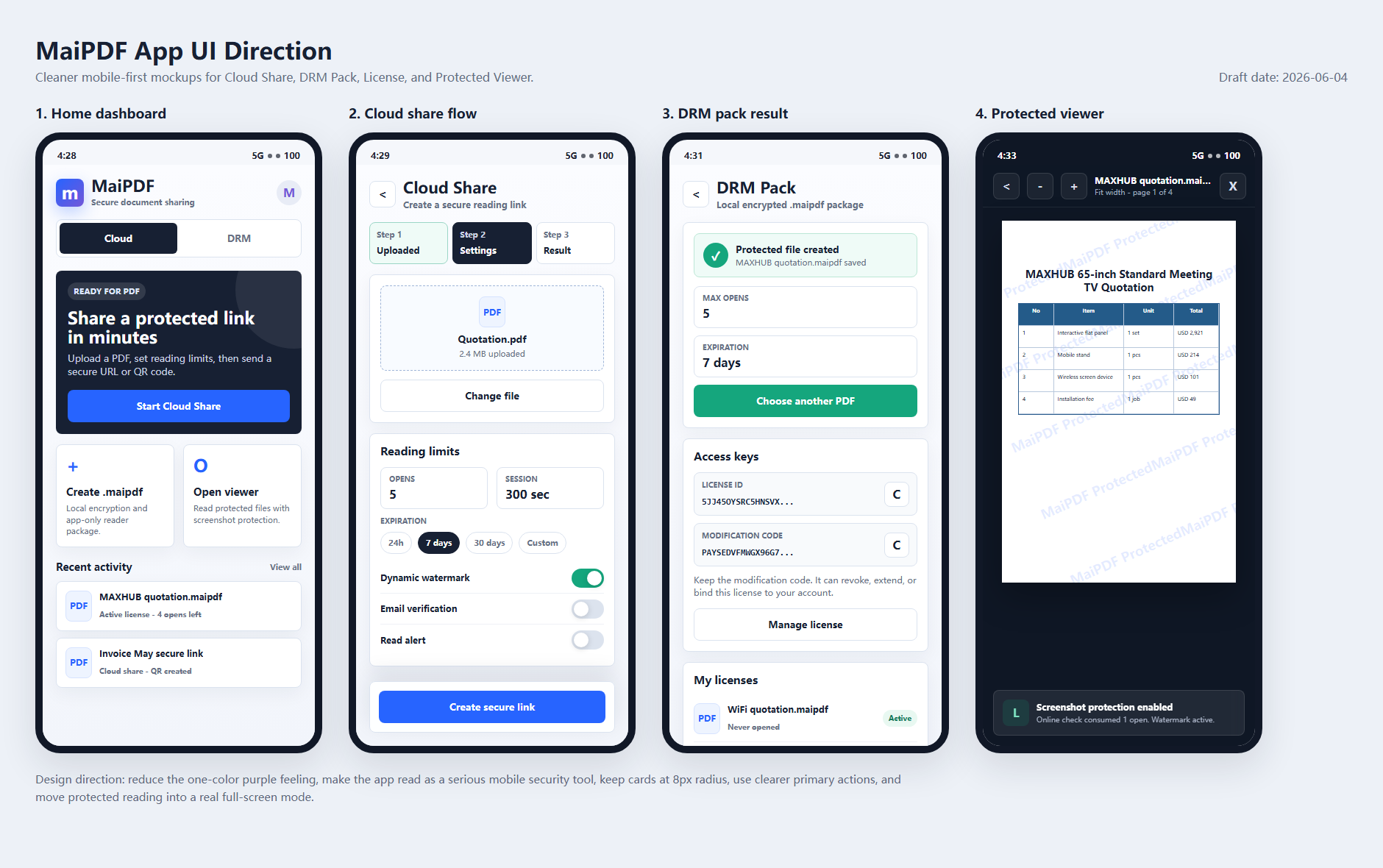
Both are useful. They are not competitors so much as two different security levels. This page is the main MaiPDF product explanation for 2026 and should be used as the canonical entry point when older pages mention HTML packages, Offline DRM, browser screenshot blocking, or generic “online DRM.”
Use Online Cloud Sharing when access should be fast and easy. Use App DRM when screenshots, device binding, and post-distribution control matter more than one-click convenience. Visually and conceptually, new App DRM material should follow the MaiPDF Secure App direction: white content surfaces, deep blue structure, green safe states, clear license status, and less old-style purple-gradient SaaS decoration.
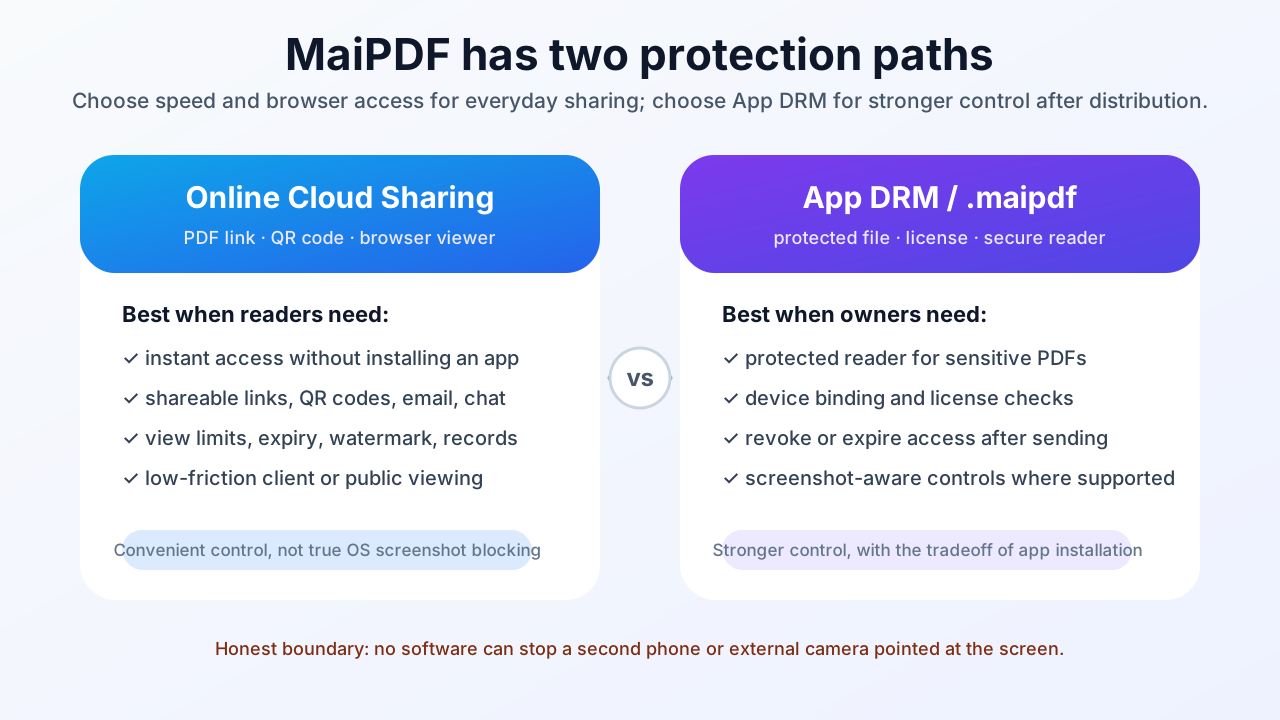
Quick decision table
| Situation | Better choice |
|---|---|
| Send a PDF link quickly | Online Cloud Sharing |
| Share by QR code | Online Cloud Sharing |
| Let readers open without installing an app | Online Cloud Sharing |
| Track opens and reader activity | Online Cloud Sharing |
| Add dynamic watermarks | Either path |
| Limit views or set expiry | Either path |
| Bind access to approved devices | App DRM / .maipdf |
| Reduce screenshot and screen-recording risk | App DRM / .maipdf |
| Revoke access after a protected file was sent | App DRM / .maipdf |
| Protect paid or confidential materials | Usually App DRM / .maipdf |
The simple rule:
If the reader must open the document easily, use Online Cloud Sharing. If the document must stay controlled after distribution, use App DRM.
What Online Cloud Sharing is best for
Online Cloud Sharing is the fast path.
With MaiPDF online sharing, the owner uploads a PDF and gets a controlled reading link, QR code, or sharing code. Readers open the document in a browser, so the experience is simple and familiar.
Good use cases include:
- sales proposals
- resumes and portfolios
- event handouts
- health reports
- classroom reading materials
- public brochures
- client review documents
- documents shared through WeChat, WhatsApp, email, or social media
Online Cloud Sharing can still provide strong practical controls:
- view limits
- expiry dates
- dynamic watermarks
- access records
- read tracking
- QR code sharing
- easy online-link replacement or management
That replacement point belongs to Online Cloud Sharing: the shared object is a browser link, so you can update the online document behind that link. It should not be described as an App DRM license-management feature.
This is a major upgrade from sending raw PDF attachments, because the owner keeps some control after the link is shared.
What Online Cloud Sharing cannot fully do
A browser-based PDF viewer cannot fully control the operating system.
That means browser sharing cannot reliably block every:
- screenshot shortcut
- snipping tool
- screen recorder
- browser capture method
- external phone camera
It can make casual downloading and forwarding harder. It can watermark and track access. But it should not be sold as perfect screenshot prevention.
For screenshot-aware workflows, move to App DRM.
What App DRM is best for
App DRM is the stricter path.
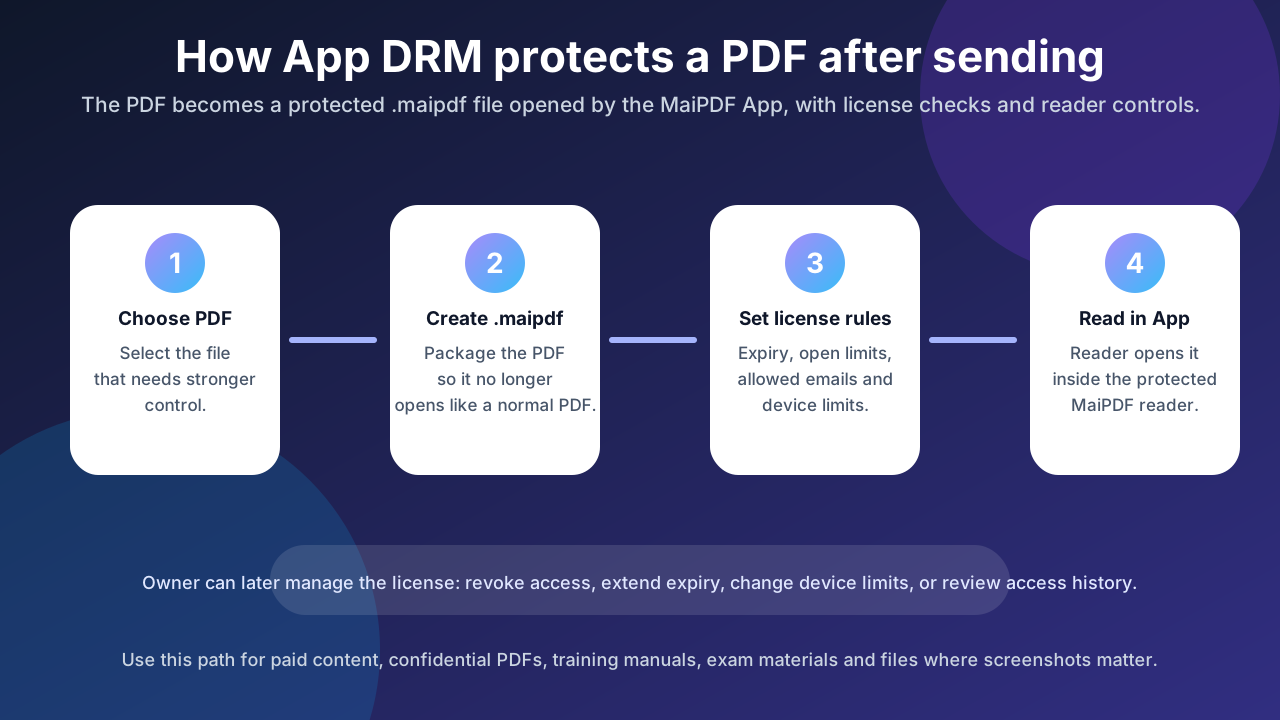
With MaiPDF App DRM, the owner protects the PDF as a .maipdf file. The reader opens that file inside the MaiPDF App, not in a generic browser or ordinary PDF reader.
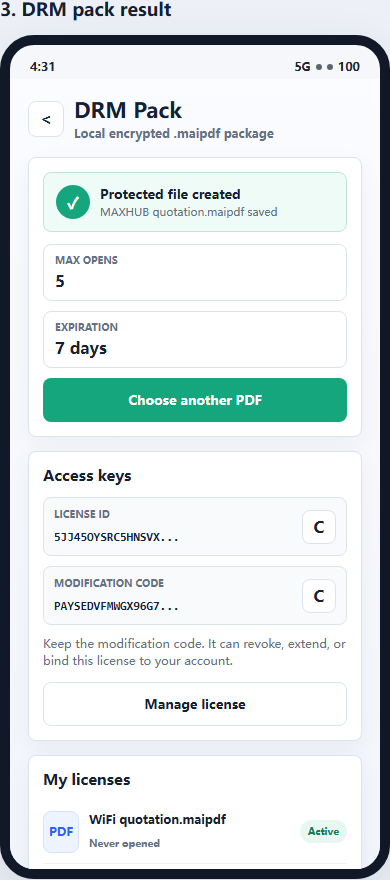
This makes stronger controls possible:
- protected reader environment
- device binding
- account-based unlock checks
- revocation after sending
- screenshot-aware reading controls
- traceable watermarks
- license rules such as expiry or open limits
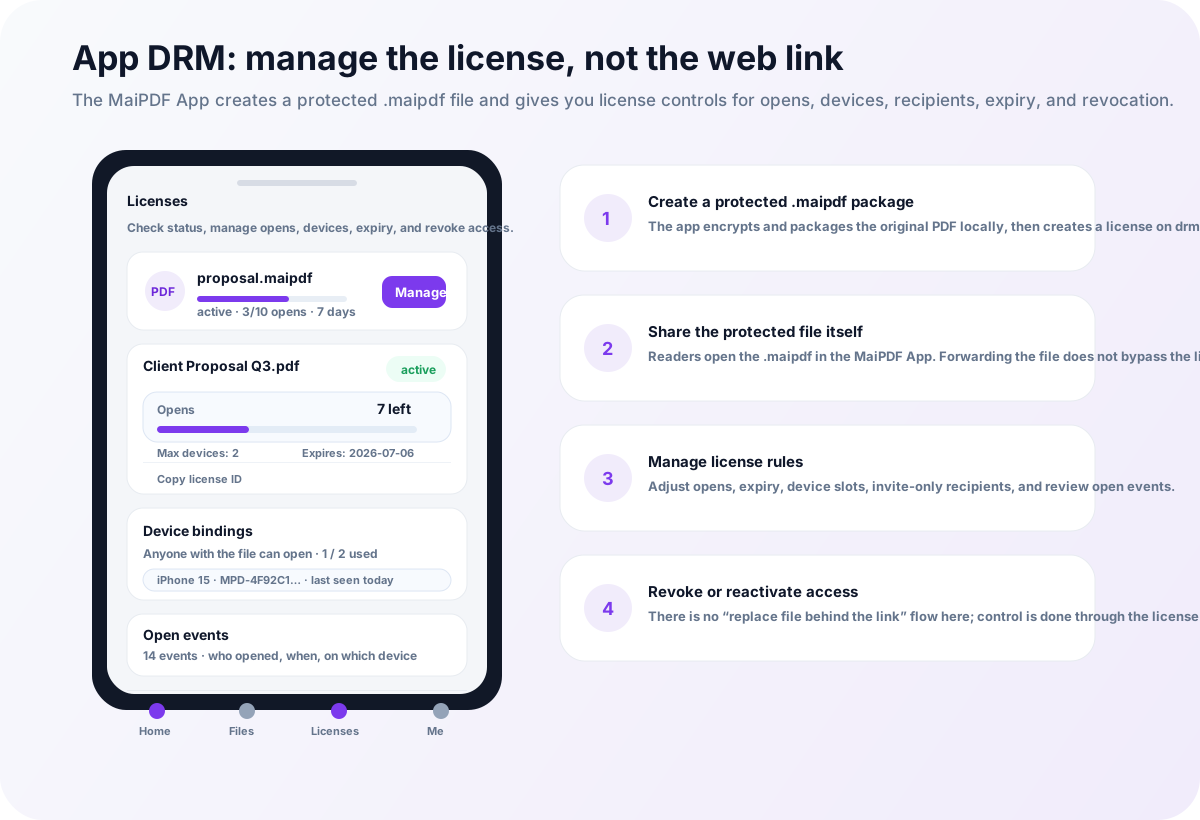
In this path, the management object is the license, not an online link. You manage opens, expiry, device slots, recipients, open events, and revocation. If the protected PDF content itself needs a new version, create and share a new .maipdf package instead of using the online replacement flow.
App DRM is best when the document is valuable enough to justify the reader installing an app.
What about the older HTML package workflow?
MaiPDF still has legacy HTML-package behavior for users who already rely on it, but it should not be the main security message for new readers. A browser or HTML-based package is useful for access convenience, yet it does not provide the same security level as a protected native reader.
For new high-value documents, the cleaner recommendation is simple: use Online Cloud Sharing for fast browser access, and use App DRM / .maipdf when the file needs stronger protection.
Examples: which path should you choose?
A school sharing general class notes
Use Online Cloud Sharing.
The teacher likely wants a QR code, quick access, and no installation. View limits or expiry may be useful, but strict device binding is probably unnecessary.
A paid course selling premium PDF materials
Use App DRM / .maipdf.
Paid course files are easy to forward. Device binding, revocation, watermarking, and screenshot-aware reading are worth the extra app step.
A designer sending a portfolio
Use Online Cloud Sharing.
A portfolio should open quickly for clients. Watermarking and tracking are useful, but forcing app installation may reduce conversions.
A company sending a confidential board packet
Use App DRM / .maipdf.
The document is high-risk. Device binding and revocation matter more than frictionless opening.
A clinic sharing a health report link
Usually use Online Cloud Sharing.
The recipient needs simple access. Add expiry and access controls. If the report is extremely sensitive or part of a controlled internal workflow, App DRM can be considered.
How the two paths work together
Many teams should use both methods.
A practical document security ladder looks like this:
- Low-risk public PDF → normal link or basic online sharing
- Client-facing controlled PDF → Online Cloud Sharing with watermark and expiry
- Paid content or confidential PDF → App DRM /
.maipdf - High-risk internal document → App DRM with device binding, revocation, and traceable watermarks
This avoids over-protecting simple documents while still giving sensitive files the stronger reader environment they need.
Why this distinction is important for security claims
Many PDF security tools blur the difference between “harder to copy” and “protected against screenshots.”
MaiPDF should keep the distinction clear:
- Online Cloud Sharing is convenient and controlled.
- App DRM is stricter and screenshot-aware.
- No software can stop a second camera pointed at the screen.
- Watermarks and access records are still important even with App DRM.
Honest boundaries build trust. They also help users choose the right workflow instead of expecting browser links to solve every security problem.
Recommended starting point
If you are not sure which one to use, start with this:
- Need the reader to open the PDF immediately? Use MaiPDF online sharing.
- Need screenshot-aware protection, device binding, and protected files? Use MaiPDF App DRM.