Once a PDF is already out in email threads, chats, or printed QR materials, the real problem is usually version drift. Keeping the same link is often the cleanest way to stop one document from turning into many competing copies.
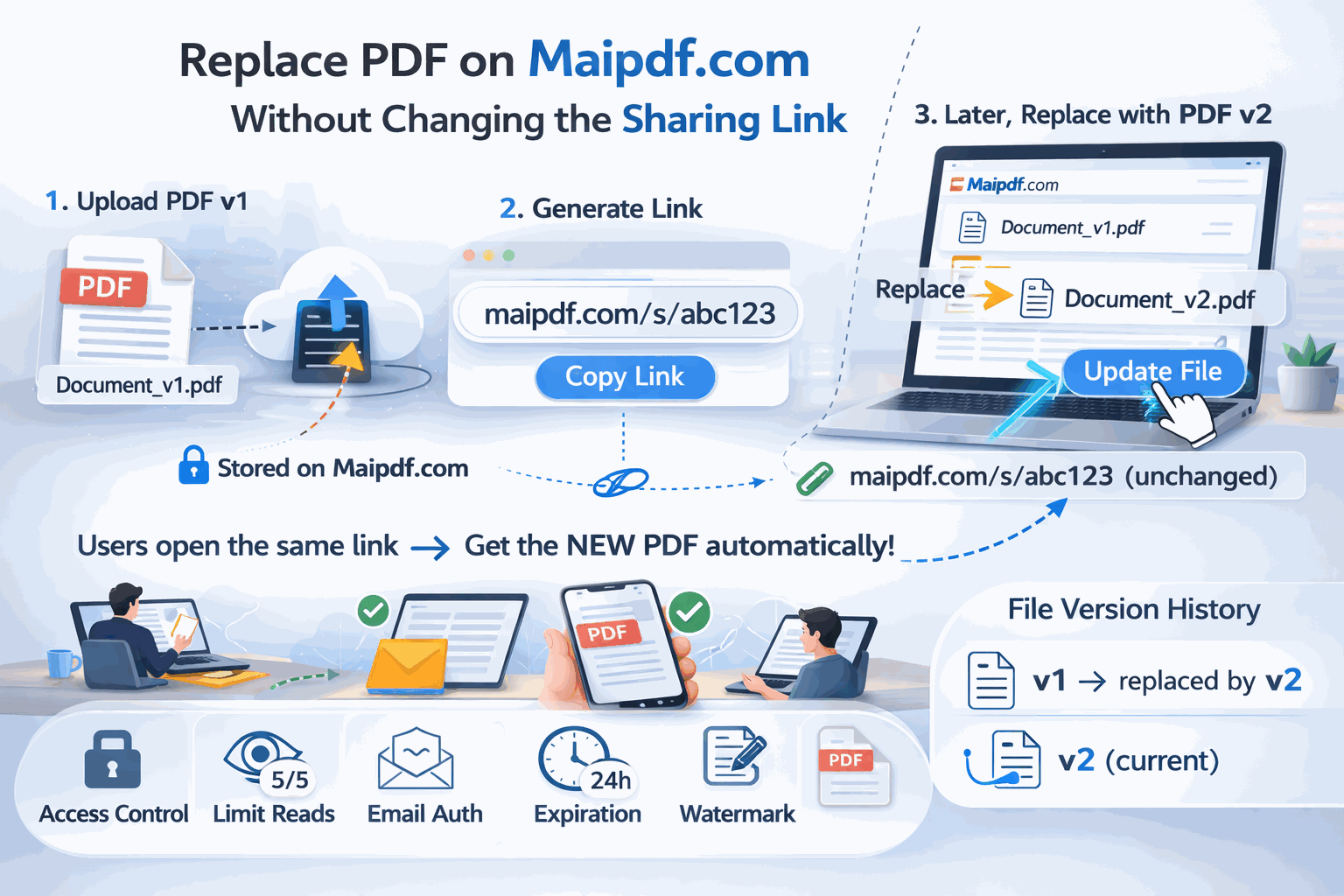
| If you want to… | Keeping the same link helps because… |
|---|
| avoid version confusion | everyone keeps opening one destination |
| update a proposal or portfolio | old chat threads do not immediately go stale |
| preserve a printed QR code | the scan still points to the current file |
| keep the same controls | expiry and access rules stay tied to one link |
| Situation | Why same-link replacement works well |
|---|
| proposal v2 replaces proposal v1 | the document still serves the same purpose |
| contract draft gets corrected | the audience is the same |
| portfolio gets refreshed | the destination should stay stable |
| training handout is updated | one QR or shared link can stay current |
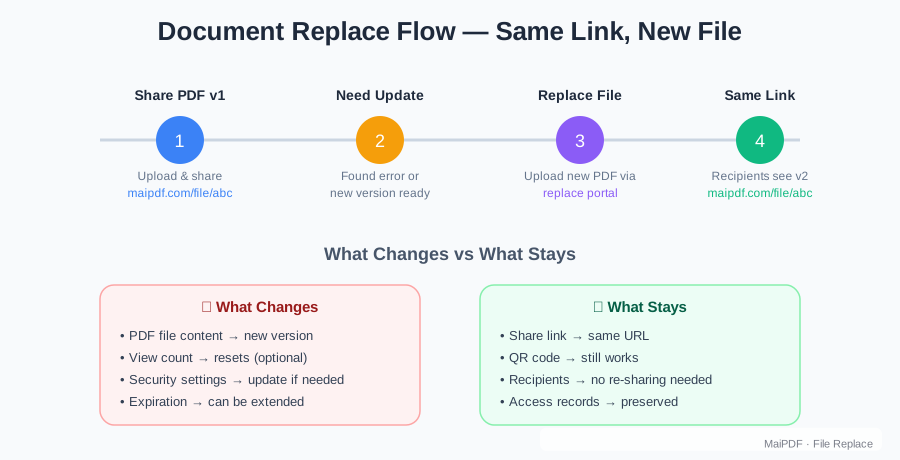
| Step | Better habit |
|---|
| prepare the new PDF | make sure the revision is ready first |
| ask whether the document identity changed | same document means same link is often right |
| replace the file behind the link | keep one canonical destination |
| re-check access policy | the new version may need different rules |
| Open a new link when… | Why |
|---|
| the audience changed completely | the old recipients should not stay on the same route |
| the access model changed drastically | a new boundary is cleaner |
| the document is now a different deliverable | calling it the “same file” would be misleading |
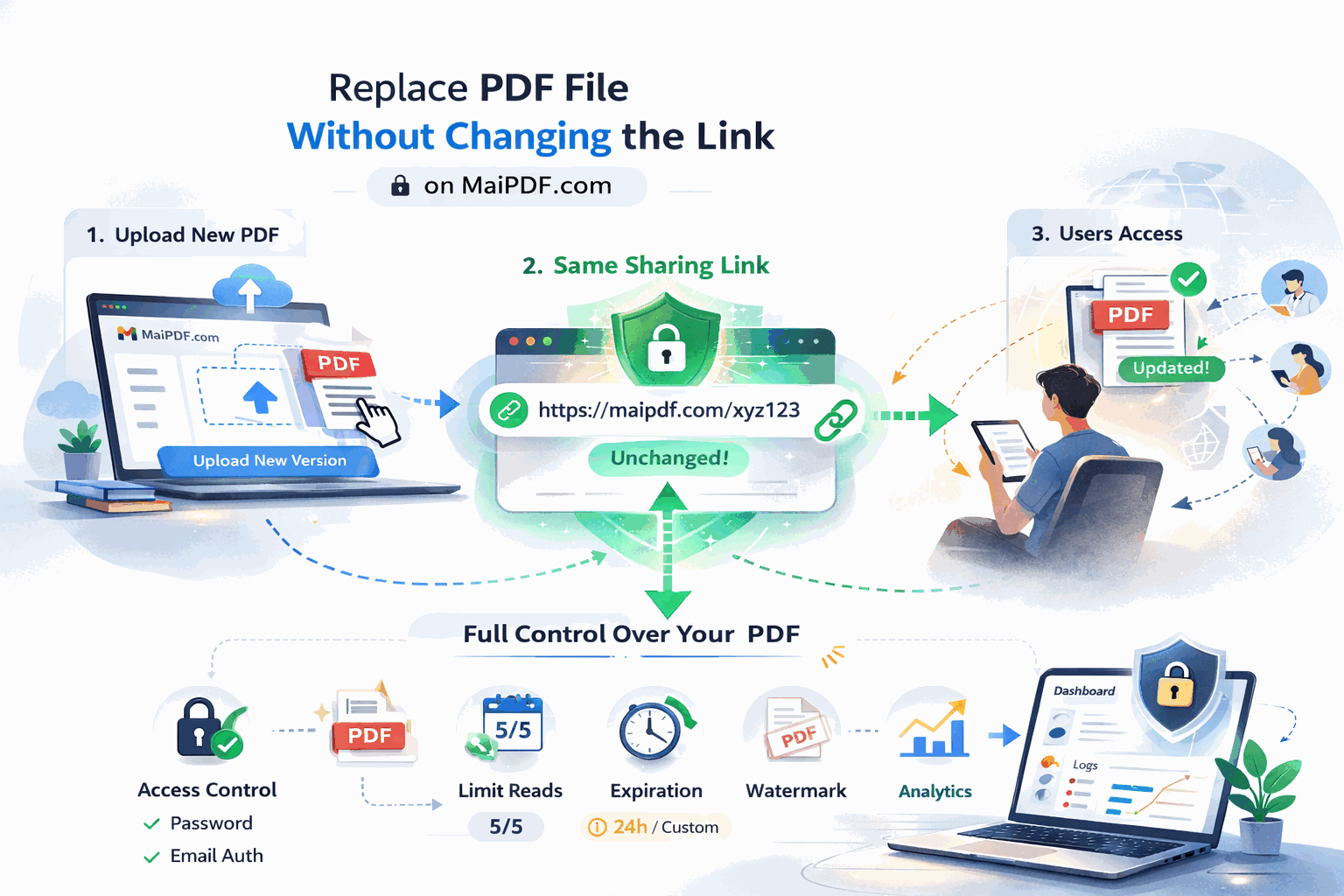
| Review this too | Why it matters |
|---|
| expiry | the old review window may no longer fit |
| open limit | a wider or narrower audience may change the right number |
| download setting | the revised file may be more or less sensitive |
| watermark | higher-risk versions may need more traceability |
| Mistake | Better move |
|---|
| creating a new link for every small revision | keep one stable destination when the document is still the same |
| forgetting old QR materials may still be active | remember that print keeps circulating too |
| keeping outdated access rules | review policy together with content |
| allowing multiple “current” links | keep one canonical route |
Replace a shared PDF without changing the link when the document is still the same deliverable and you want one stable destination to stay current. Upload the revised file behind the existing MaiPDF link, review the access settings, and keep people on one clean route instead of spawning a new URL every time.