MaiPDF Settings Explained: Access Controls on the Upload Screen
MaiPDF Settings Explained: Access Controls on the Upload Screen
2026 update: This guide mainly covers browser-based Online Cloud Sharing: controlled links, expiry, view limits, watermarks, access records, and download/print restrictions. For files where screenshot risk, device sharing, refund abuse, or post-contract revocation matters, use the stronger App DRM path: protected
.maipdffiles opened in the MaiPDF App with device binding, license revocation, protected reading, and traceable watermarks. A browser cannot fully block operating-system screenshots, and no software can stop someone from photographing a screen with another phone.Start here if you are choosing between the two paths: Online PDF Sharing vs App DRM, secure PDF reader with screenshot protection, and how to revoke access to a PDF after sending.
Every setting on the MaiPDF upload screen controls a different aspect of how your PDF can be accessed. Here's what each one does and when to use it.
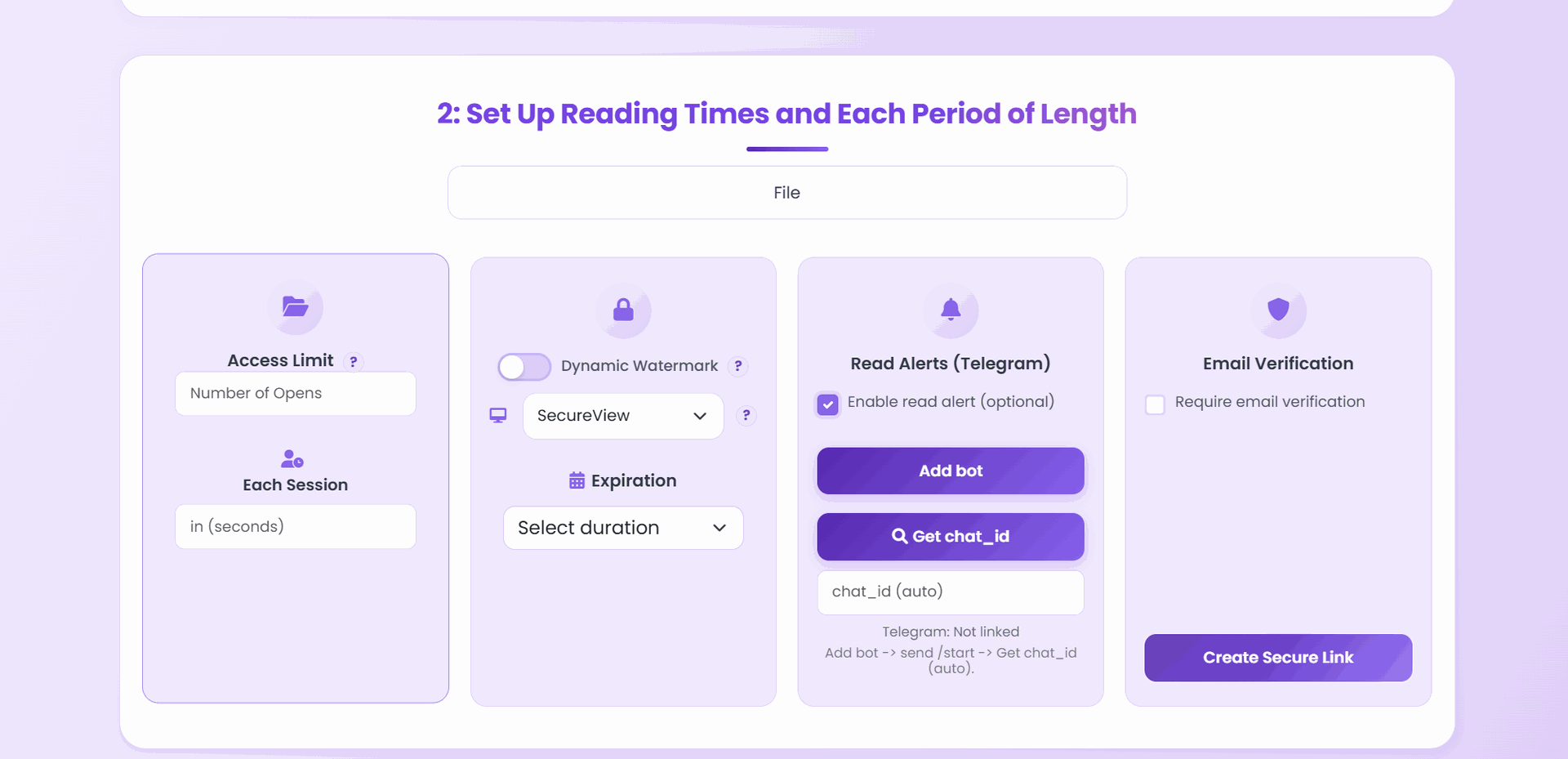
The 5 configurable settings
1. Access Limit (view count)
Sets the maximum total number of times the link can be opened. Once the limit is reached, the link stops working for new visitors.
Use when: You know the audience size and want to prevent the link from spreading beyond it.
2. Expiry Date
The link becomes inactive on this date, regardless of how many views remain.
Use when: The document has a time window — proposals, review cycles, events.
3. Protection Type
Controls how the viewer can interact with the PDF:
| Type | What it does |
|---|---|
| DynamoWatermark | Stamps each page with a dynamic watermark tied to the viewer’s session |
| SecureView | View-only; no download, no print |
| FenceView | Screenshot deterrent overlay in browser — does not block OS capture; use MaiPDF Secure app for that |
| Unrestricted | No additional restrictions beyond the link policy |
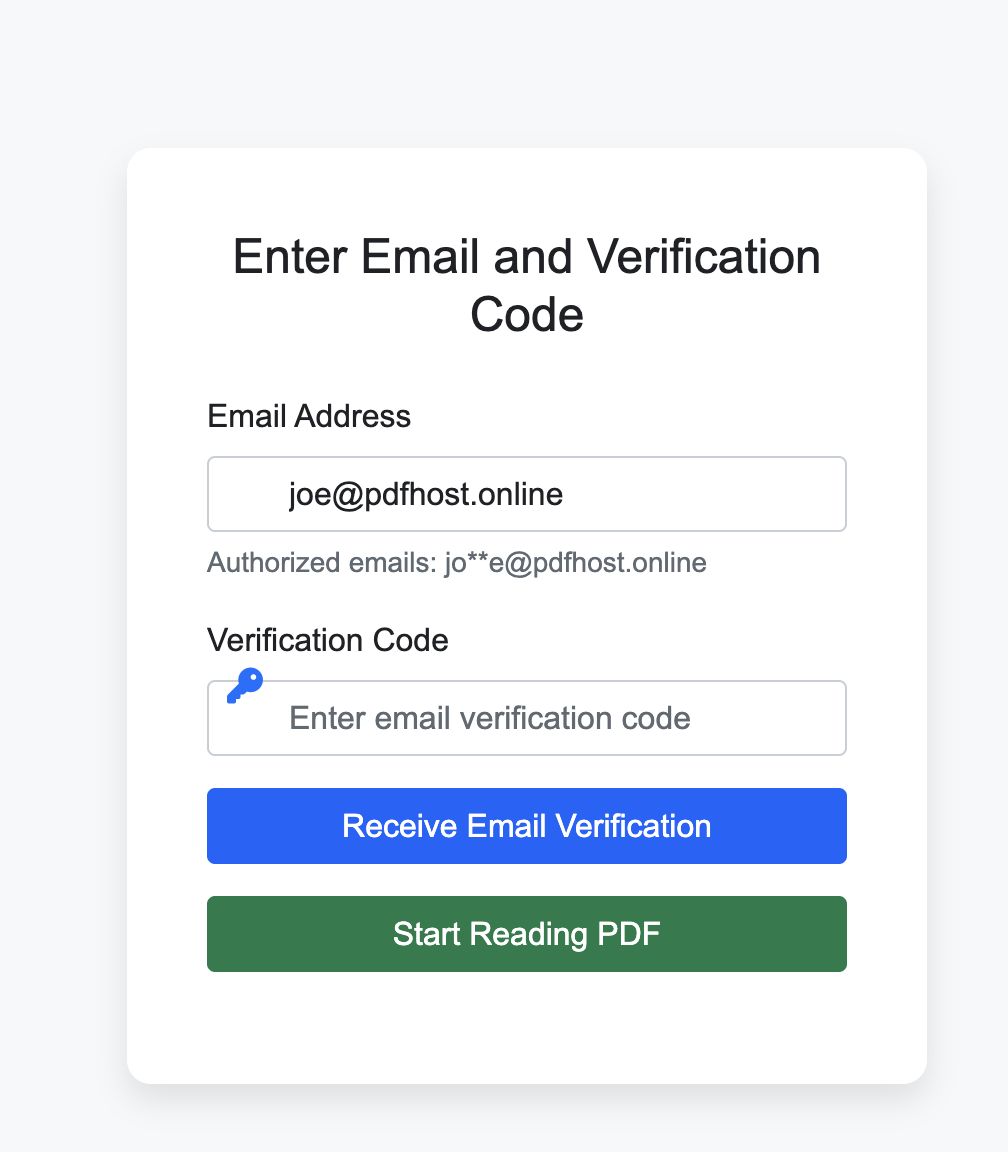
4. Email Verification
Requires the viewer to enter their email and click a verification link before the PDF opens.
Use when: You want to identify who is accessing the document, not just count views.
5. Read Notification (optional)
Sends you an email each time the document is opened.
Use when: You’re tracking specific recipients (like sent proposals) and want real-time alerts.
Recommended configurations
Public handout — High open limit, optional expiry, Unrestricted mode.
Client proposal — 10–20 opens, 7-day expiry, SecureView.
Confidential draft — 5 opens, 3-day expiry, DynamoWatermark, email verification on.
Enterprise policy doc — 50 opens, 30-day expiry, DynamoWatermark, email verification on.
Related reading:
- Convert PDFs to Shareable Links — the 3-step setup guide
- PDF Temporary Sharing Links — using expiry and view limits
- Email Verification for PDF Access — email gate explained in depth
- Prevent PDF Downloads: Complete Guide — SecureView details