Enterprise PDF Document Management: Link-Based Sharing Workflow
Enterprise PDF Document Management: Link-Based Sharing Workflow
2026 update: This guide mainly covers browser-based Online Cloud Sharing: controlled links, expiry, view limits, watermarks, access records, and download/print restrictions. For files where screenshot risk, device sharing, refund abuse, or post-contract revocation matters, use the stronger App DRM path: protected
.maipdffiles opened in the MaiPDF App with device binding, license revocation, protected reading, and traceable watermarks. A browser cannot fully block operating-system screenshots, and no software can stop someone from photographing a screen with another phone.Start here if you are choosing between the two paths: Online PDF Sharing vs App DRM, secure PDF reader with screenshot protection, and how to revoke access to a PDF after sending.
Email attachments in enterprise environments create immediate version control problems and can't be audited. A link-based workflow solves both: one canonical link per document, with access rules that can be updated after distribution.
The practical workflow
- Upload the PDF at maipdf.com
- Configure access controls based on the document’s classification tier
- Generate a link and QR code
- Distribute by audience — separate links per department or recipient group if needed
- Replace File for updates — the link URL stays the same; everyone automatically gets the new version
Tiered access policy
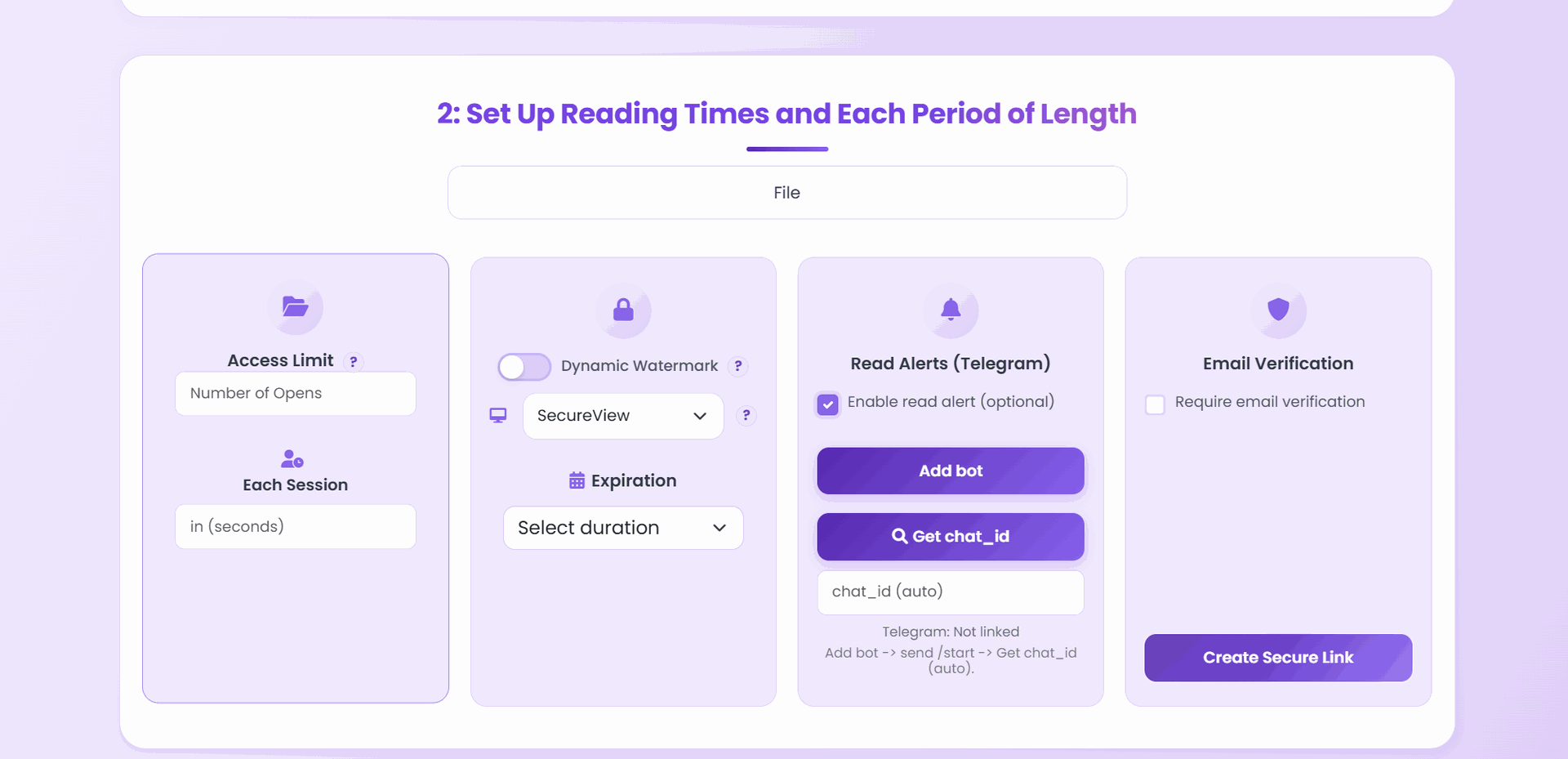
Tier 1: Confidential
- Download: Off
- Expiry: 1–7 days
- View limit: Low (5–20)
- Watermark: Dynamic (Visitor ID)
- Email verification: On
Tier 2: Internal-controlled
- Download: Off
- Expiry: 7–30 days
- View limit: Medium (20–100)
- Watermark: Optional
Tier 3: General distribution
- Download: Situational
- Expiry: Optional
- View limit: High or unlimited
Managing links after distribution
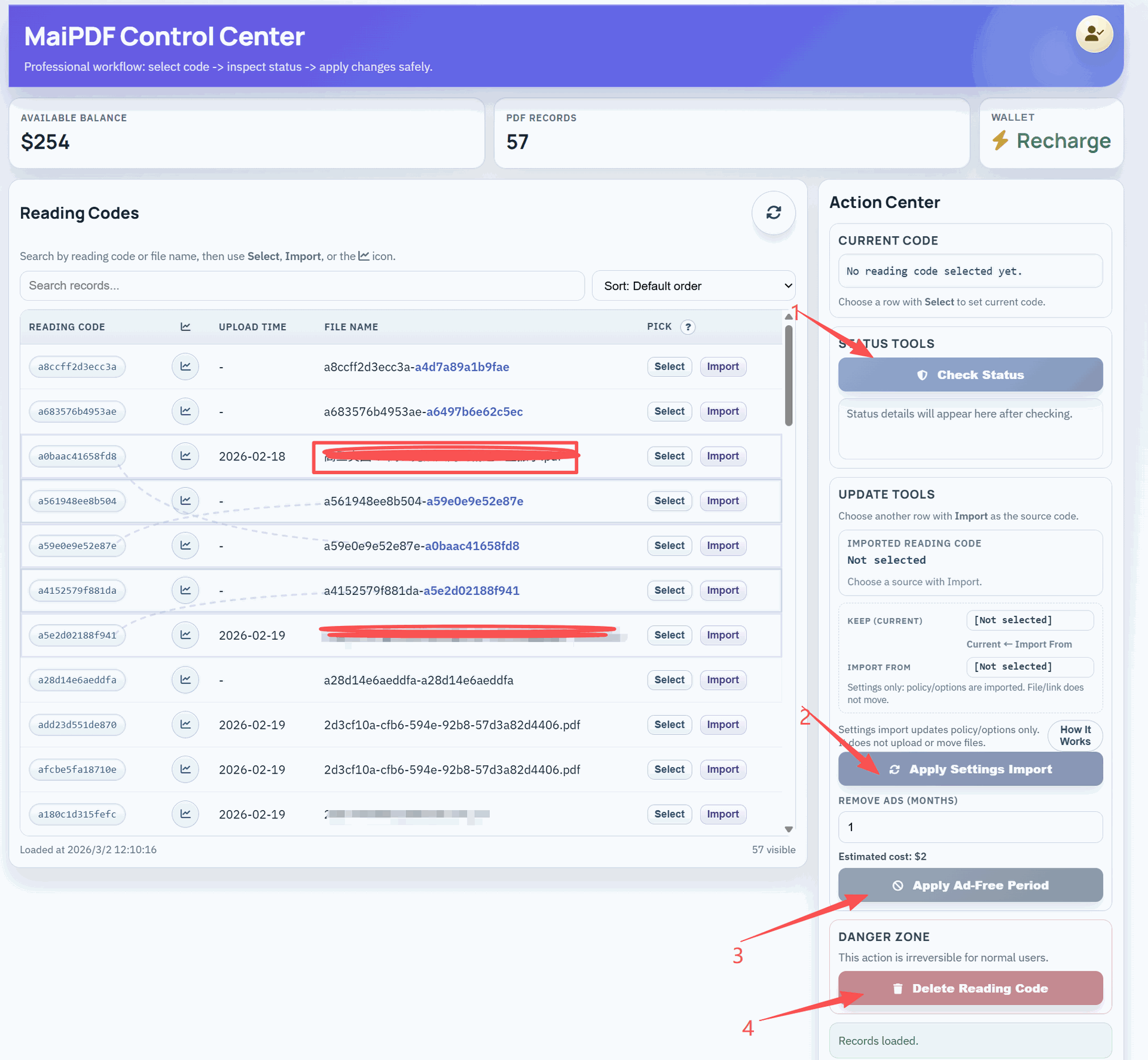
From Control Center:
- Replace File — upload new PDF version; link URL unchanged
- Extend expiry — without resending anything
- Revoke — instant deactivation for compromised or outdated documents
- Access records — full open log for audit trail
Common failure modes and fixes
Forwarded to the wrong team — Unauthorized access spreads. Fix: add email verification and tighten the open limit.
No expiry on a proposal — Pricing stays accessible forever. Fix: set expiry by default for all proposals.
One permanent link for all audiences — Old version keeps circulating. Fix: use Replace File and create audience-specific links.
No open records — Can’t audit who accessed what. Fix: enable open logging and export for compliance.
Related reading:
- Enterprise Document Distribution Security — workflow overview
- Enterprise File Self-Destruction — policy tiers and revocation
- PDF Temporary Sharing Links — view limits and expiry in depth
- How to Update a Shared PDF Link — Replace File and settings management