Secure Document Sharing in Healthcare: Protecting Patient Information While Improving Access
2026 update: This guide mainly covers browser-based Online Cloud Sharing: controlled links, expiry, view limits, watermarks, access records, and download/print restrictions. For files where screenshot risk, device sharing, refund abuse, or post-contract revocation matters, use the stronger App DRM path: protected
.maipdffiles opened in the MaiPDF App with device binding, license revocation, protected reading, and traceable watermarks. A browser cannot fully block operating-system screenshots, and no software can stop someone from photographing a screen with another phone.Start here if you are choosing between the two paths: Online PDF Sharing vs App DRM, secure PDF reader with screenshot protection, and how to revoke access to a PDF after sending.
Healthcare providers face a challenging balance: they need to share sensitive patient information efficiently while maintaining strict security and compliance with regulations like HIPAA. Traditional sharing methods such as email attachments or physical copies create risks of unauthorized access, while cloud storage solutions may lack adequate access controls. This article explores how modern document sharing solutions like MaiPDF can transform secure healthcare document distribution.
June 2026: Browser links add expiry, verification, and watermarks. For records where prevent screenshot matters, use .maipdf + MaiPDF Secure (evaluate HIPAA / BAA requirements with your compliance team).
The Document Security Challenge in Healthcare
Healthcare organizations manage an enormous volume of sensitive documents daily—from patient records and lab results to insurance claims and treatment plans. Securely sharing these documents presents several key challenges:
| Challenge | Security Implication | Compliance Risk |
|---|---|---|
| Untracked sharing | Cannot verify who accessed information | Potential HIPAA violations |
| Uncontrolled forwarding | Patient data may reach unauthorized parties | Breach notification requirements |
| Permanent access | Documents remain accessible indefinitely | Exceeds “minimum necessary” standard |
| Lack of audit trail | No record of document viewing or usage | Insufficient for compliance audits |
Key insight: Healthcare providers need more than just password protection—they need comprehensive control over how, when, and by whom documents are accessed.
Essential Features for Secure Healthcare Document Sharing
1. Controlled Access with Verification
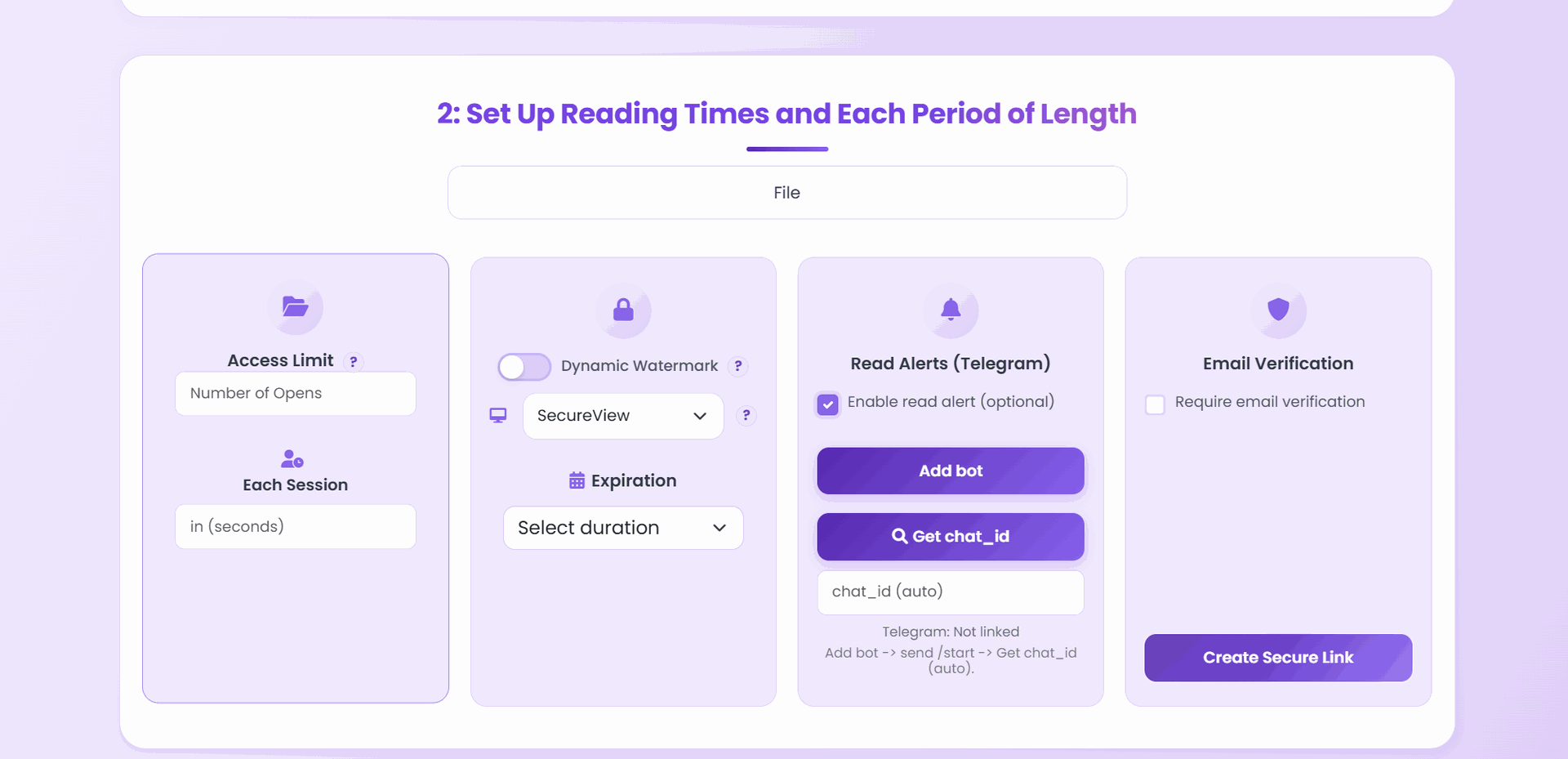
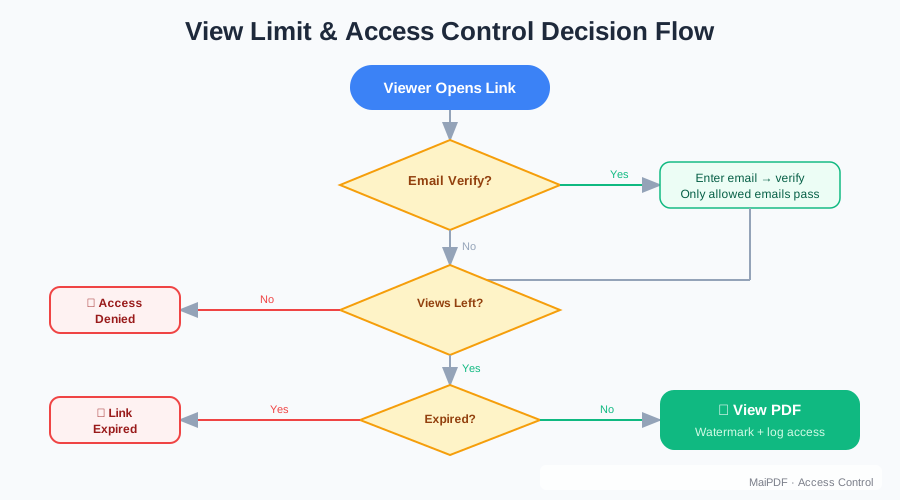
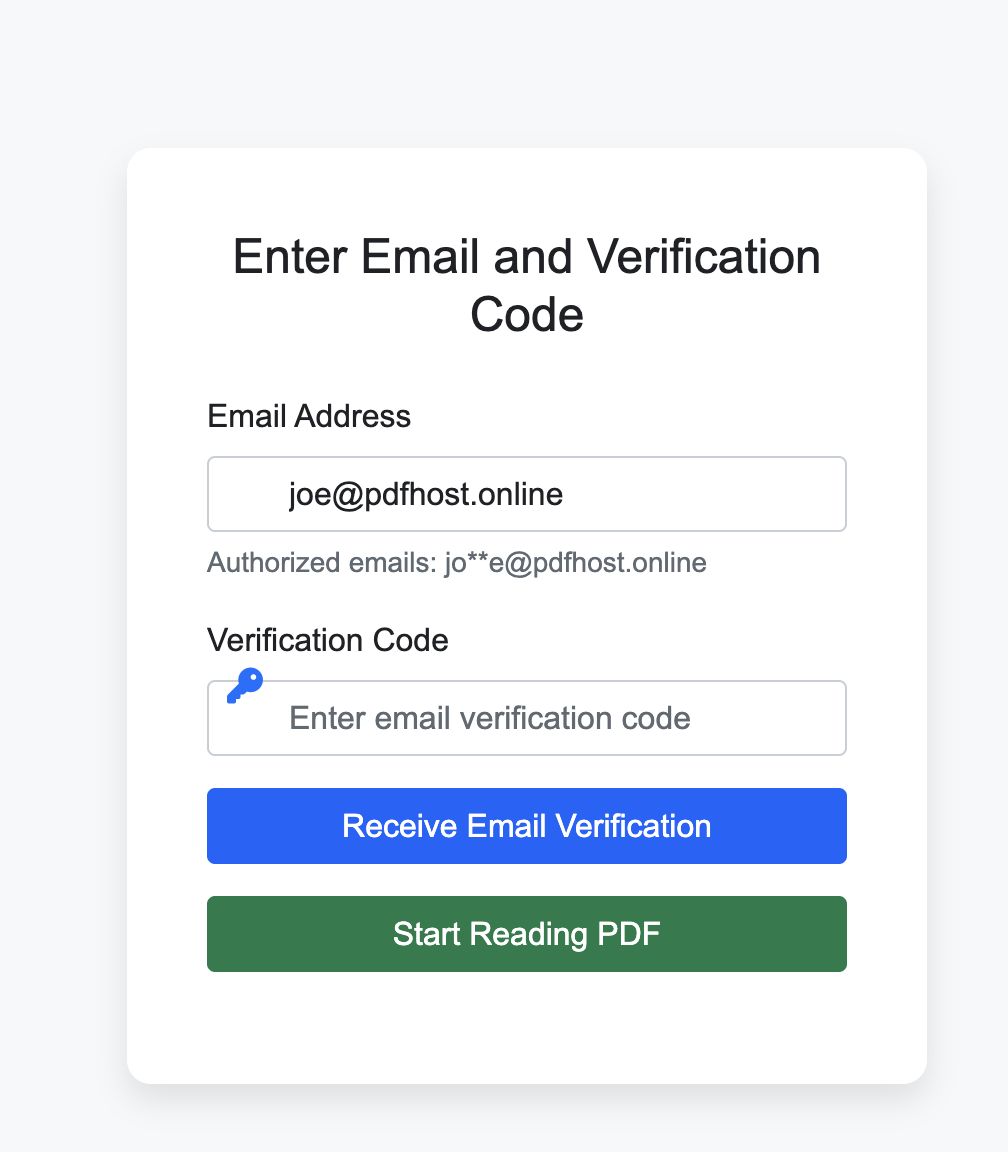
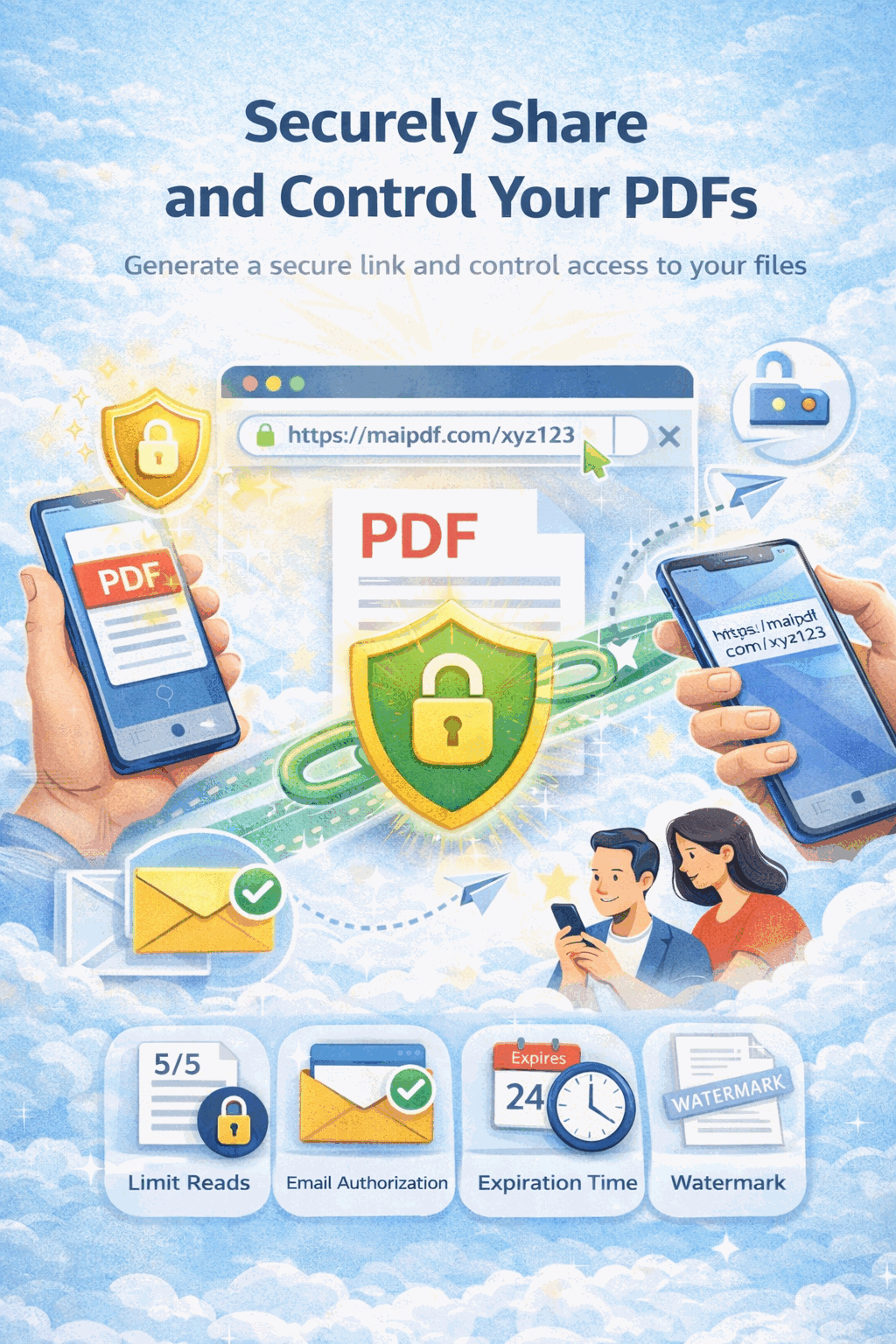
The ability to verify recipient identity before granting document access is crucial. MaiPDF’s verification options include:
- Email verification: Recipients must verify their email address before viewing documents
- SMS verification: Two-factor authentication via text message
- View limits: Documents automatically expire after a set number of views
- Timed access: Documents become inaccessible after a predetermined period
2. Comprehensive Audit Trails
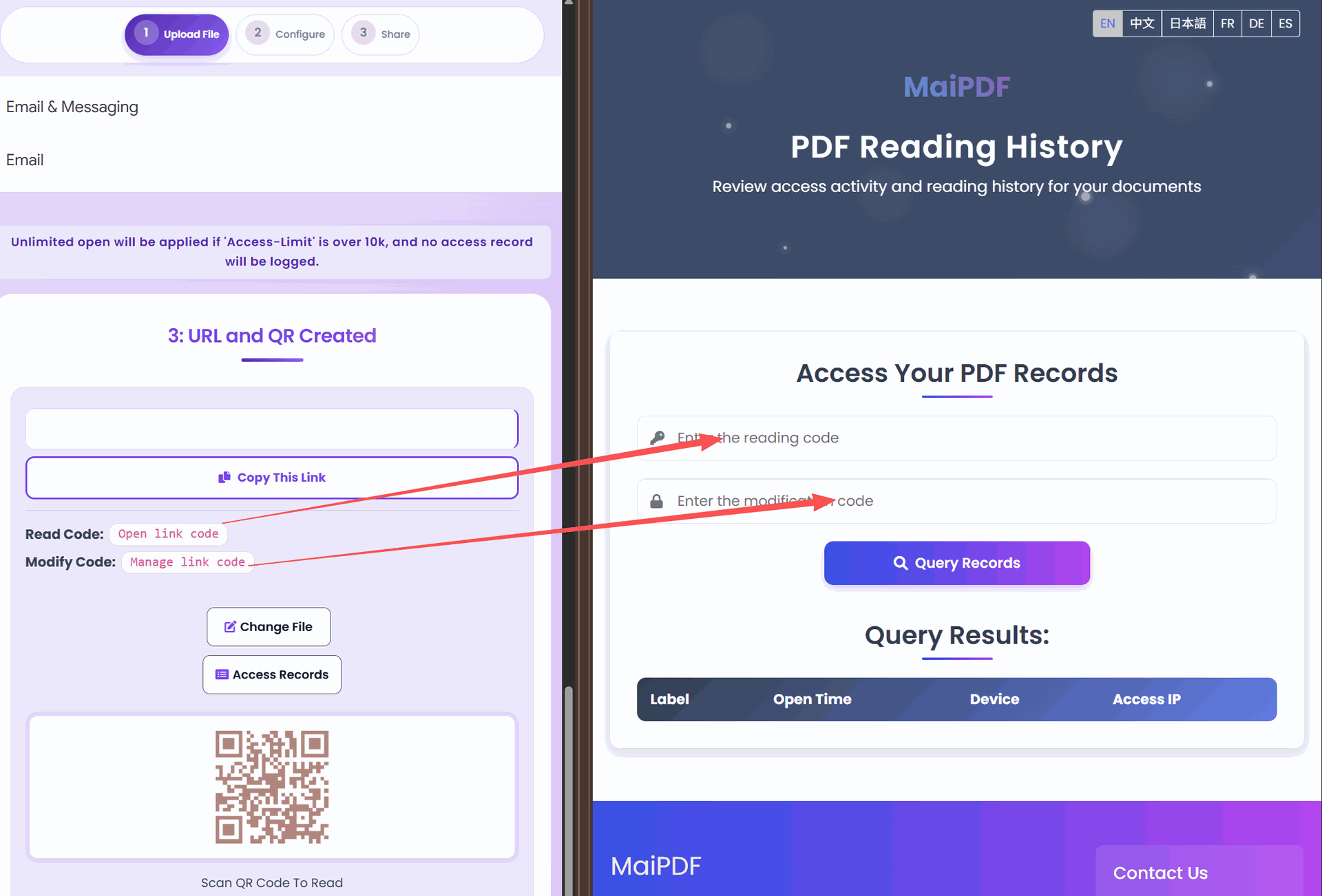
Each document interaction should be recorded to create a verifiable chain of access:
- Who viewed the document (identified by email or phone)
- When they accessed it (date and time stamps)
- From where they accessed it (IP address and device information)
- How long they engaged with the content
This information isn’t just useful for security—it’s essential for demonstrating compliance during audits.
3. Preventing Unauthorized Distribution
Healthcare documents often contain protected health information (PHI) that must be carefully controlled:
- Print restrictions: Disable the ability to create physical copies
- Download prevention: Prevent saving local copies of documents
- Copy protection: Block text selection and copying of sensitive information
- Dynamic watermarking: Add recipient information to each page to discourage screenshots
Implementation Best Practices for Healthcare Organizations
Creating a Document Sharing Policy
Before implementing technical solutions, develop a comprehensive policy that addresses:
- Document classification tiers based on sensitivity
- Access level requirements for different document types
- Retention schedules for various document categories
- Verification requirements based on document sensitivity
- Audit review procedures to monitor compliance
Integration with Existing Workflows
Secure document sharing should enhance, not disrupt, clinical workflows:
- EMR/EHR integration: Allow secure sharing directly from electronic medical records
- Mobile compatibility: Enable sharing and viewing on any device
- Offline options: Provide secure offline viewing capabilities for areas with limited connectivity
- Batch processing: Efficiently process multiple documents for routine sharing
Patient-Friendly Security
Security measures should not create barriers that frustrate patients:
- Simple verification: Minimize steps required to access documents
- Browser-based viewing: No specialized software installation required
- Mobile optimization: Documents properly formatted for smartphone viewing
- Accessibility features: Support for screen readers and other assistive technologies

Real-World Applications in Healthcare Settings
1. Specialist Referrals
When referring patients to specialists, primary care physicians can share medical histories, test results, and images while:
- Setting automatic expiration after the appointment
- Requiring specialist email verification
- Receiving confirmation when documents are reviewed
- Preventing forwarding to unauthorized parties
2. Patient Record Requests
When patients request copies of their records:
- Verify identity through multi-factor authentication
- Limit access to appropriate timeframe
- Track all interactions with the documents
- Provide user-friendly viewing experience on any device
3. Insurance Documentation
When sharing treatment plans and medical necessity documentation with insurers:
- Set document expiration matching review timeframes
- Record all access for audit purposes
- Restrict downloading to prevent redistribution
- Apply watermarks showing intended recipient
Compliance Considerations
HIPAA Alignment
Secure document sharing solutions help address key HIPAA requirements:
- Technical safeguards: Encryption, access controls, and audit controls
- Administrative safeguards: Tracking who accessed protected health information
- Physical safeguards: Reducing need for physical document handling
- Minimum necessary standard: Limiting information exposure through view controls
Documentation for Audits
Maintain comprehensive records of:
- Document sharing policies and procedures
- Staff training on secure sharing practices
- Access logs for all sensitive documents
- Breach prevention measures and effectiveness
Conclusion
Secure document sharing is no longer an optional luxury in healthcare—it’s a critical component of both operational efficiency and regulatory compliance. By implementing systems that provide comprehensive access controls, tracking capabilities, and protection against unauthorized redistribution, healthcare providers can confidently share sensitive information while maintaining their commitment to patient privacy.
The right solution balances security with accessibility, ensuring that authorized parties can easily access the information they need while unauthorized access is effectively prevented. For healthcare organizations seeking to modernize their document security approach, platforms like MaiPDF offer healthcare-specific features that address the unique requirements of medical information management.