PDF Security: Set View Limits to Prevent Unauthorized Access
PDF Security: Set View Limits to Prevent Unauthorized Access
2026 update: This guide mainly covers browser-based Online Cloud Sharing: controlled links, expiry, view limits, watermarks, access records, and download/print restrictions. For files where screenshot risk, device sharing, refund abuse, or post-contract revocation matters, use the stronger App DRM path: protected
.maipdffiles opened in the MaiPDF App with device binding, license revocation, protected reading, and traceable watermarks. A browser cannot fully block operating-system screenshots, and no software can stop someone from photographing a screen with another phone.Start here if you are choosing between the two paths: Online PDF Sharing vs App DRM, secure PDF reader with screenshot protection, and how to revoke access to a PDF after sending.
Most document leaks aren't hacks. They're links that outlived the work they were sent for. A March proposal still opens in November. A draft contract drifts into a competitor's chat six months after review. None of these needed a breach — only a shared URL that never stopped working. This page is the security-focused read: the threat model, which control blocks which type of unauthorized access, and what to do when a leak is already in progress.
Quick navigation
- Threat model — the five ways uncontrolled access really shows up
- Control map — what view limits, expiry, watermark, and email gates each stop
- Secure baseline — the preset most teams should start from
- Scenario configurations — proposals, contracts, executive memos, partner decks
- Detection in the access log — the three signals worth watching after the send
- Incident response — revoke, replace, regenerate workflow
- Compliance notes — what the log gives you for an audit
How unauthorized access actually happens
Before picking a control, it’s worth being precise about what “unauthorized access” looks like in practice. Real leaks almost always fall into one of these five patterns:
| Pattern | What happens | Why it's hard to catch |
|---|---|---|
| Link outlives the work | A proposal from months ago gets rediscovered in an inbox and opened again | Everyone on the original thread is legitimate — the problem is the calendar |
| Link forwarded internally | A reviewer sends the URL to a colleague who wasn't on the original recipient list | The open looks identical to an intended reader's open |
| Link forwarded externally | The document reaches a third party — often a competitor, sometimes the press | Nothing about the URL changes; the new viewer just clicks it |
| Shared inbox / device handoff | A team inbox or borrowed laptop opens the link long after it was relevant | The original recipient is still technically the one "opening" it |
| Screenshot / screen recording | The content leaves the viewer as an image, not a file | No download event to flag; deterrence is the only practical defense |
None of these require breaking into anything. They are the default behavior of a link with no bounds.
Which control blocks which threat
A view limit on its own is not a security product — it’s one dial. The real defense comes from pairing it with the other dials so each unauthorized-access pattern above has at least one control pointed at it.
| Threat | View limit | Expiry | Dynamic watermark | Email gate |
|---|---|---|---|---|
| Link outlives the work | Partial — only if the cap is small | Primary control | — | — |
| Internal forwarding | Partial — slows the spread | — | Deterrent + attribution | Blocks open if not whitelisted |
| External forwarding | Partial — cap can trip | Partial | Traces back to source | Primary control |
| Shared inbox / handoff | Partial | Primary control | — | Partial — if device is on whitelisted account |
| Screenshot / recording | — | — | Primary deterrent | — |
The view limit’s job in this grid is narrower than most people assume. It is the second-chance control — the fallback that catches what the other three missed. That is exactly why it belongs on almost every sensitive link, even when the other controls are already doing most of the work.
Recommended secure baseline
For any document that is not strictly public, the default that prevents most unauthorized access with the least friction:
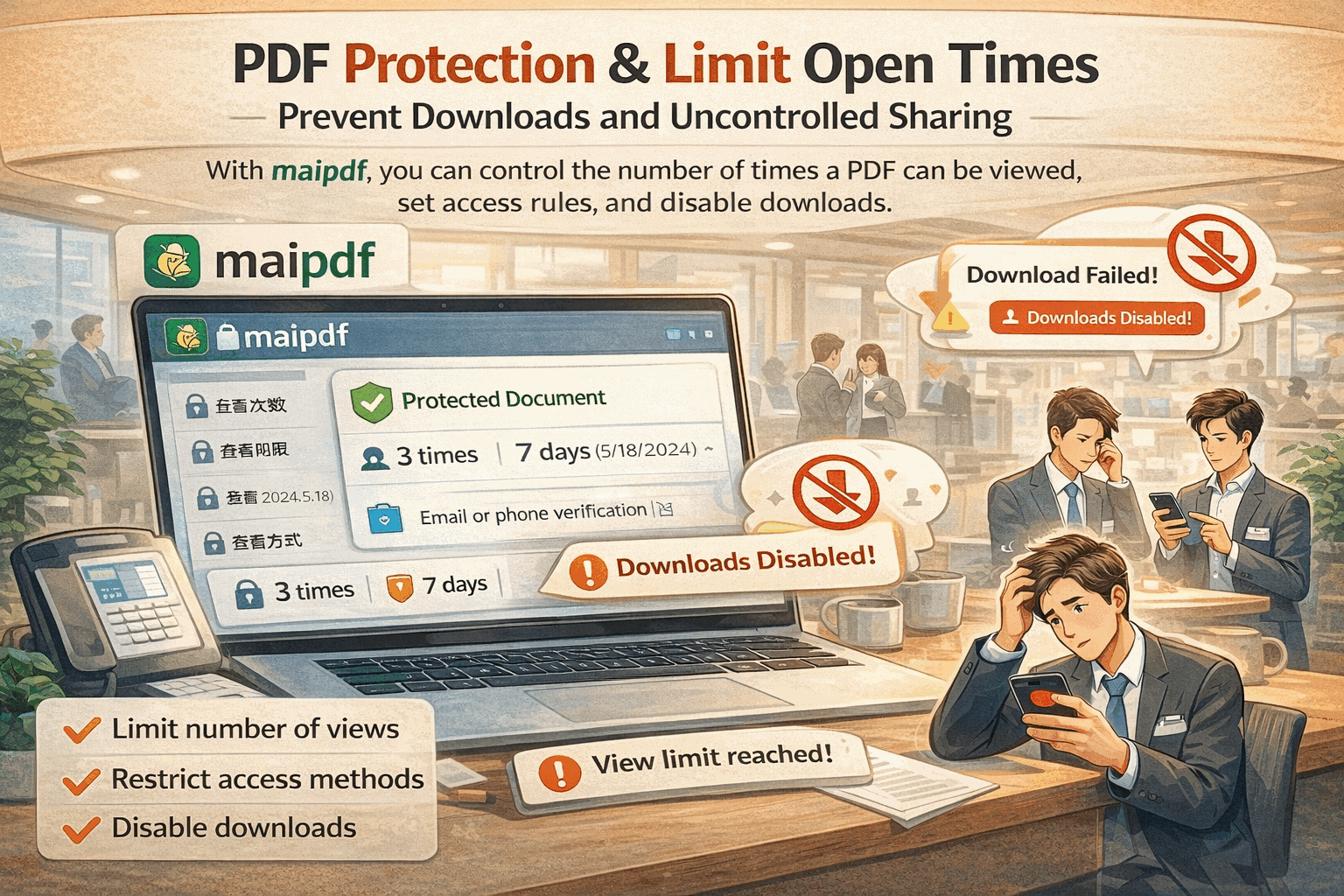
- View limit: set it, even if generous — the counter itself is half the value (it tells you when a link is going beyond plan)
- Expiry: mandatory for anything time-bound; default 14–30 days unless there’s a specific reason to extend
- Download: off for sensitive material (Standard Protection mode) — keeps content inside the viewer
- Dynamic watermark: on for any document where the content leaking would matter — viewer’s email or IP stamped on every page
- Email gate: on when the audience is known and finite (contracts, executive memos, partner decks)
Three of those five are “set once and forget.” The two that need scenario-specific tuning are the view limit and the expiry.
Scenario configurations
Different documents have different threat profiles. These are starting points, tight enough to close the common leak vectors without making legitimate reading painful:
| Document type | View limit | Expiry | Minimum additional controls |
|---|---|---|---|
| Sales proposal to a known prospect | 10–20 | 14 days | Watermark with prospect's email |
| Draft contract for legal review | 8–15 | 7–10 days | Email gate (counterparty's domain) + download off |
| Confidential executive memo | 3–8 | 5–7 days | Email gate + watermark + download off |
| Partner deck / roadmap preview | 15–25 per partner | 14 days | Separate link per partner, watermark on |
| Pre-release financial draft | 5–10 | 3–5 days | Email gate + watermark + download off + Telegram alerts |
| Internal whitelist distribution | high (200+) | 30–60 days | Email gate with company domain |
These numbers are small on purpose. They should feel a little tight the first time you use them — that’s the sign the control is doing work. For the reasoning behind the numbers (and the mobile-refresh multiplier that makes a naïve “10 recipients = limit of 10” a mistake), the Limit PDF Views guide is the deeper reference.
Detection in the access log
Prevention is half the game; the other half is noticing when a control was too loose and something slipped past it. Three signals that show up in the MaiPDF access log and deserve attention:
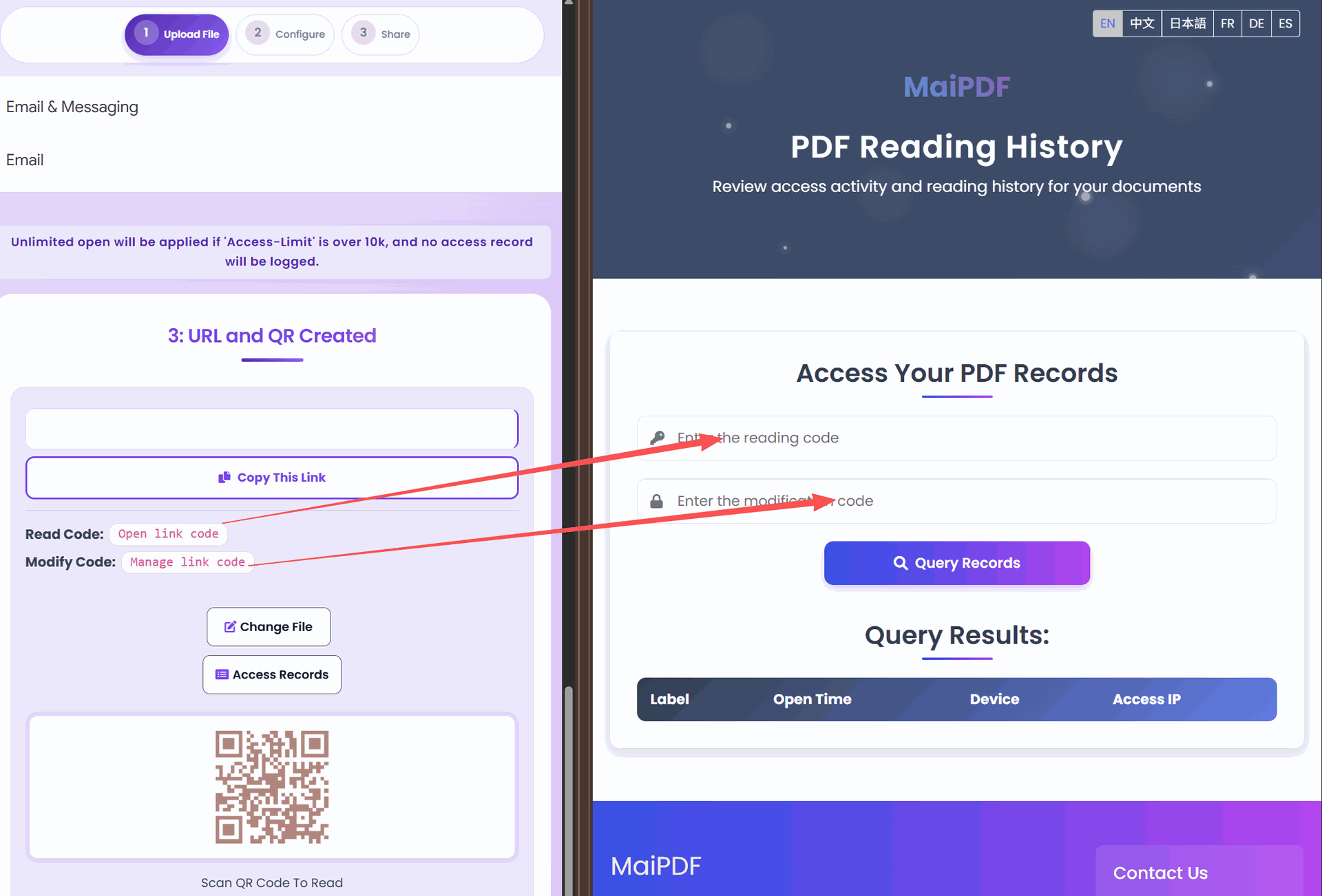
- View counter climbing faster than the estimate. Sent to five people, counter at forty three days in? The link is being shared. Interpretation depends on the document — for a partner deck that’s a leak; for a brochure it’s reach.
- Opens from locations or time zones that don’t match any recipient. One or two strays are noise. A cluster from one unrelated region is signal — especially on a proposal or contract.
- Verification rejections and expired-link attempts after you’ve closed it. People still trying to open the link after you’ve let it expire is the sound of continued distribution past its intended audience.
The log alone does not stop unauthorized access. But it’s usually where the first evidence surfaces — usually a day or two before anyone tells you about it by email.
When the link has already leaked
If detection surfaces something real, three actions stay available regardless of what controls were originally set:
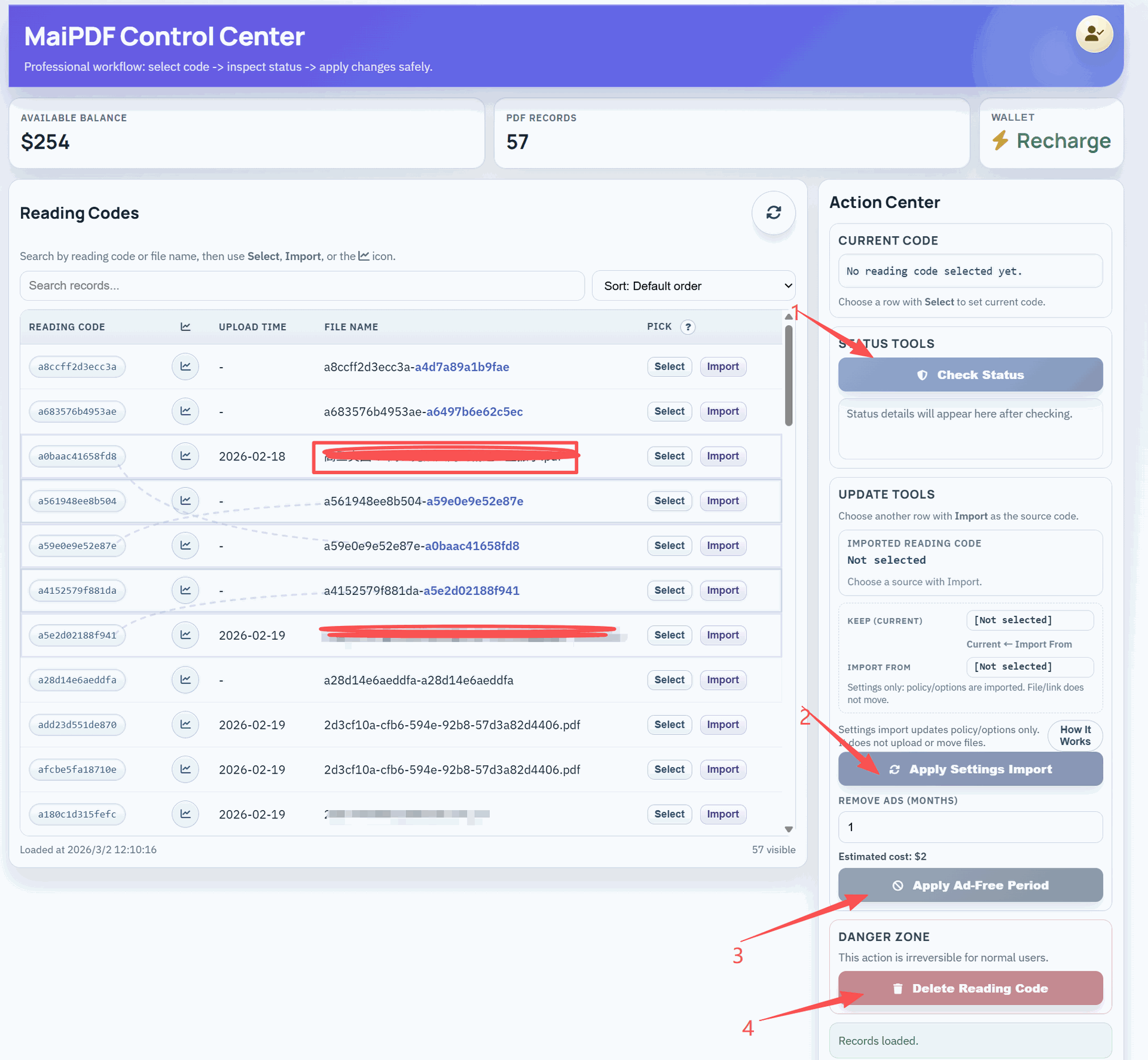
- Revoke immediately. The URL stops resolving. This is the right first move for any confirmed leak, even if it breaks legitimate bookmarks — you can reissue for the people who still need access.
- Replace the file behind the link, keep the URL. Swap in a version of the document that reveals nothing further (redacted, or just a notice page). Anyone already sharing the leaked URL now circulates a dead or neutered document; you keep your own audit trail intact.
- Tighten the gates and regenerate a new link for legitimate readers. Drop the new URL to the real audience with a tighter view limit, a shorter expiry, an email gate if you didn’t have one, and a watermark if you didn’t have one. This is where the earlier mistake gets corrected without losing the recipients who need continued access.
Most teams underuse the second action. It is the one that converts a leak from “the file is out there” into “the file is out there, but the URL everyone is sharing now leads to a dead end.”
Compliance and audit trail
For teams that need to demonstrate access controls rather than just implement them, the access log is the artifact. For each link it retains:
- Every open event (timestamp, IP, user agent, referrer where available)
- The state of the controls at the time of each open (limit, expiry, download on/off)
- The modify events — when the cap was raised, when the file was replaced, when the link was revoked
Exported together, that is enough to answer the two questions any auditor actually asks: who had access to this document, and when did that access end. For internal reviews, it’s also usually enough to identify the owner of a leak — especially when paired with the dynamic watermark, which makes screenshots traceable to a specific viewer session.