Dynamic Watermarks on PDF — Trace Every Access with MaiPDF
2026 update: Dynamic watermarks are the traceability layer for browser sharing and App DRM. They discourage screenshots and make leaks easier to investigate, but they do not replace device binding or license revocation. For stronger protected reading, see Secure PDF Reader with Screenshot Protection.
June 2026: Dynamic watermarks trace who leaked a screenshot. They do not prevent screenshot in the browser. For OS-level blocking, use .maipdf + MaiPDF Secure.
A static watermark says “this is my document.” A dynamic watermark says “you, specifically, saw this page.” One is decoration. The other is accountability — and accountability is the part that actually deters redistribution.
Where this guide fits in MaiPDF’s two-path model
MaiPDF now has two main protection paths, and this guide should be read inside that structure:
- Online Cloud Sharing is the fast path: upload a PDF, generate a link or QR code, control download behavior, set expiry or view limits, add watermarks, and track opens in the browser.
- App DRM /
.maipdfis the stricter path: package the PDF for the MaiPDF App protected reader when you need screenshot-aware controls, device binding, license checks, and revoke-after-send workflows.
If you are not sure which path fits your file, start with Online PDF Sharing vs App DRM. If screenshots or protected-reader behavior are the main concern, read Secure PDF Reader with Screenshot Protection and Free PDF Screenshot Protection Software.
Quick navigation
- What dynamic watermarking is (in 30 seconds)
- What the watermark actually shows
- Why readers can’t remove it
- How to turn it on
- Pairing the watermark with other controls
- How it behaves in a leak investigation
- When to turn it on — and when not to
- Common mistakes
- FAQ
- Related reading
What dynamic watermarking is (in 30 seconds)
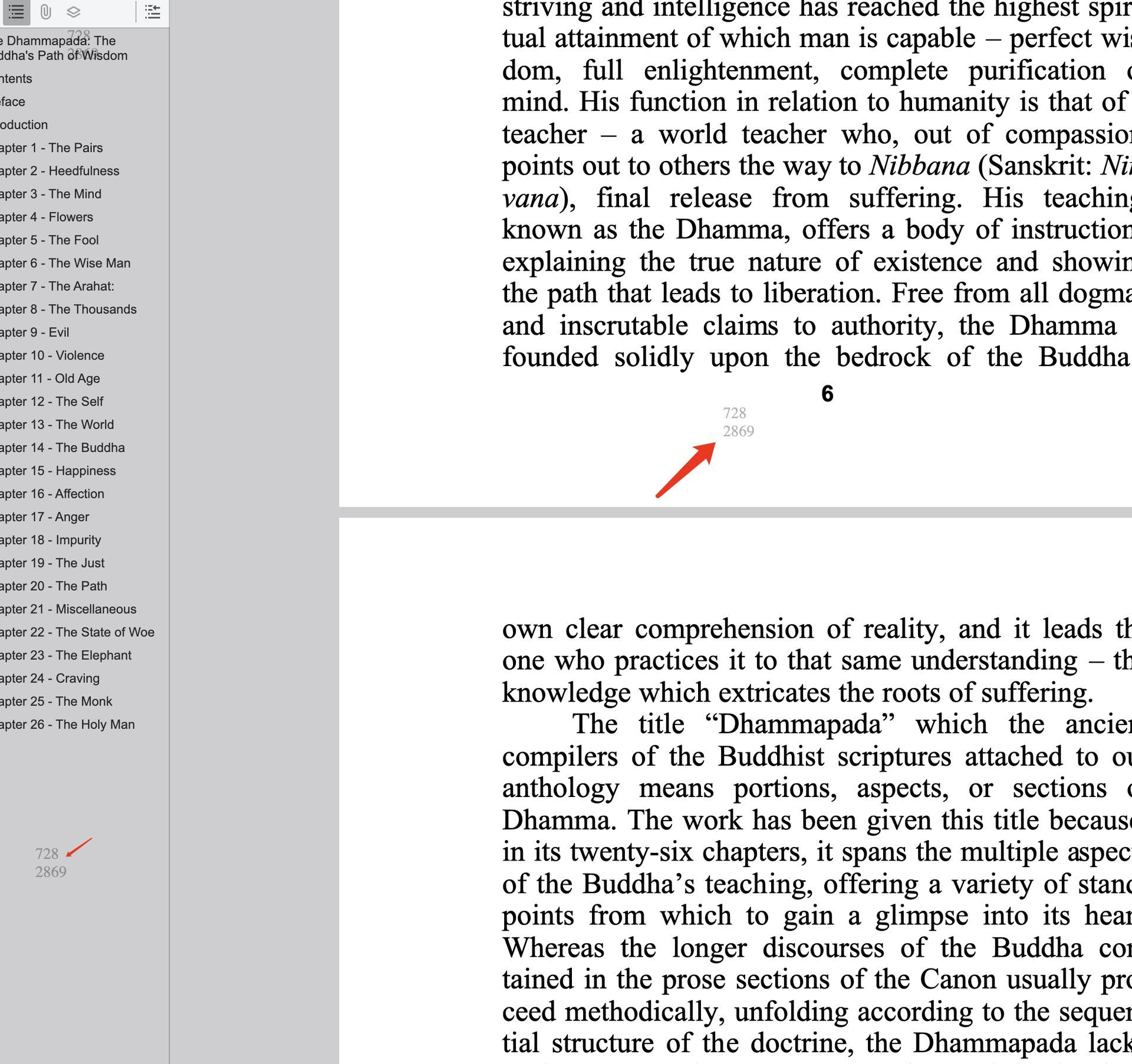
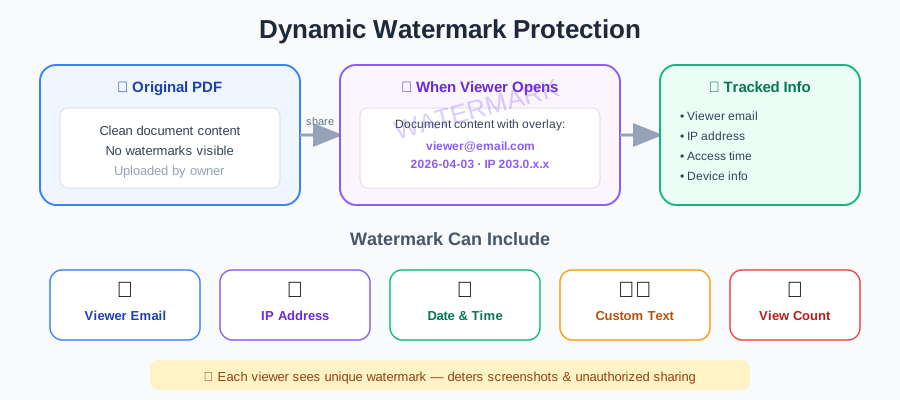
When you enable Dynamic Watermark on a MaiPDF link, the viewer isn’t looking at a watermarked PDF file — they’re looking at the PDF through MaiPDF’s viewer, which paints a per-session fingerprint onto every page at view time.
That fingerprint is unique to that open: a short numeric ID, drawn as two lines of digits. There is nothing to choose here — it is always the record number, never the reader’s email or IP, which stay in the access record the number points to. No two opens carry the same one. If a screenshot of page 17 leaks, that screenshot carries the leaker’s fingerprint. No re-rendering, no extraction, no “I’ll just crop it off” — it’s sitting on the page, in the same place the reader saw it.
What the watermark actually shows
You pick one (or a combination) when configuring the link:
| Stamp option | Example value | Best when… |
|---|---|---|
| Session fingerprint ID | A8F-39217 | sharing broadly; you want traceability without collecting identity |
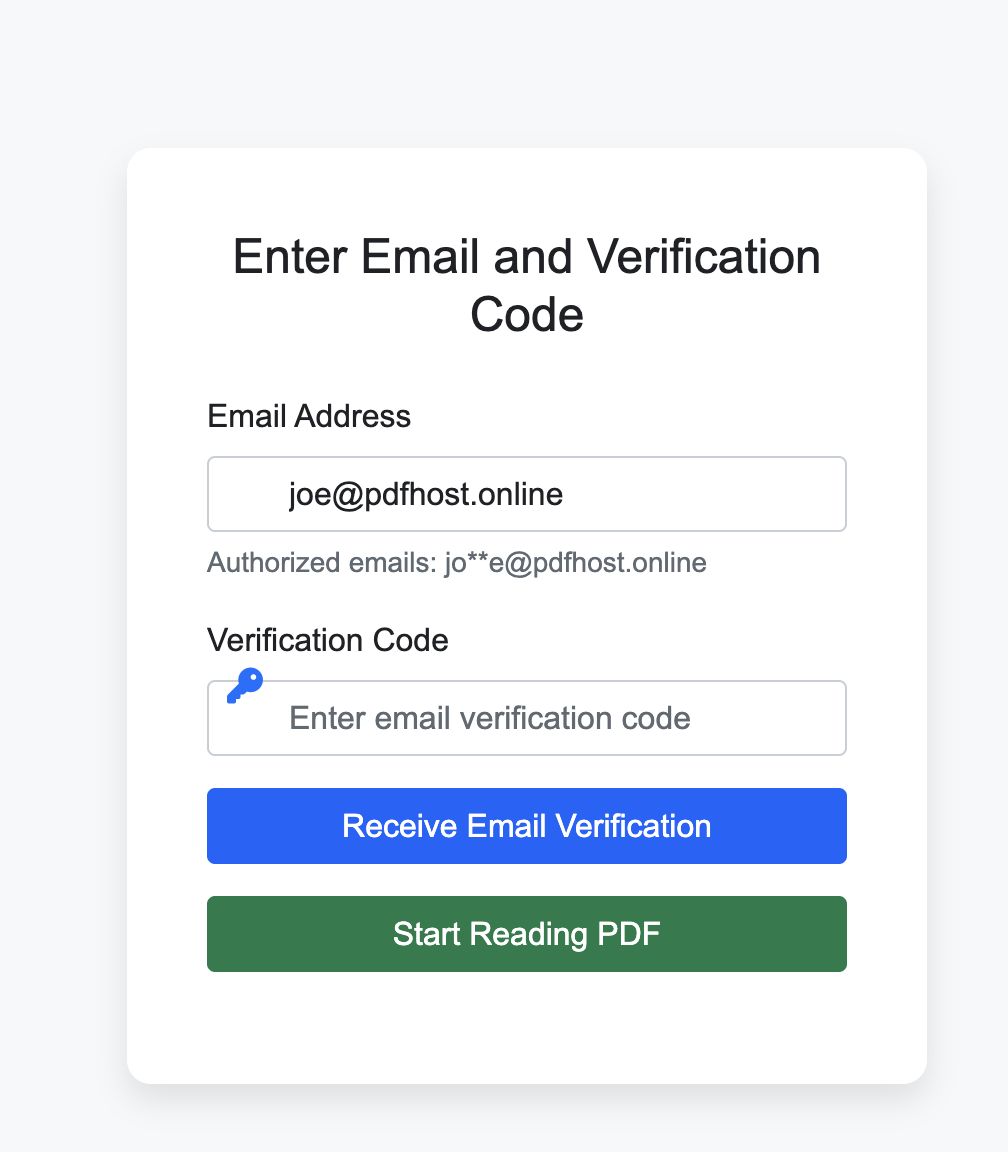
| Verified email | panel-reviewer@client.com | you’ve enabled email verification — strongest deterrent |
| IP address | 203.0.113.45 | anonymous readers, compliance-style logging |
| Timestamp | 2026-04-20 14:30 UTC | time-sensitive drafts, exam papers, embargoed releases |
| Custom text | CONFIDENTIAL — Do Not Distribute | combined with the above, adds a visible warning |
The stamp appears on every page, not just the cover. A two-page screenshot leak and a fifty-page document leak are equally traceable.
Why readers can’t remove it
This is the single technical fact worth understanding — most “watermark removers” online assume the watermark was baked into the PDF at export time. MaiPDF’s isn’t.
- The PDF file itself is unchanged. No modification, no re-embed.
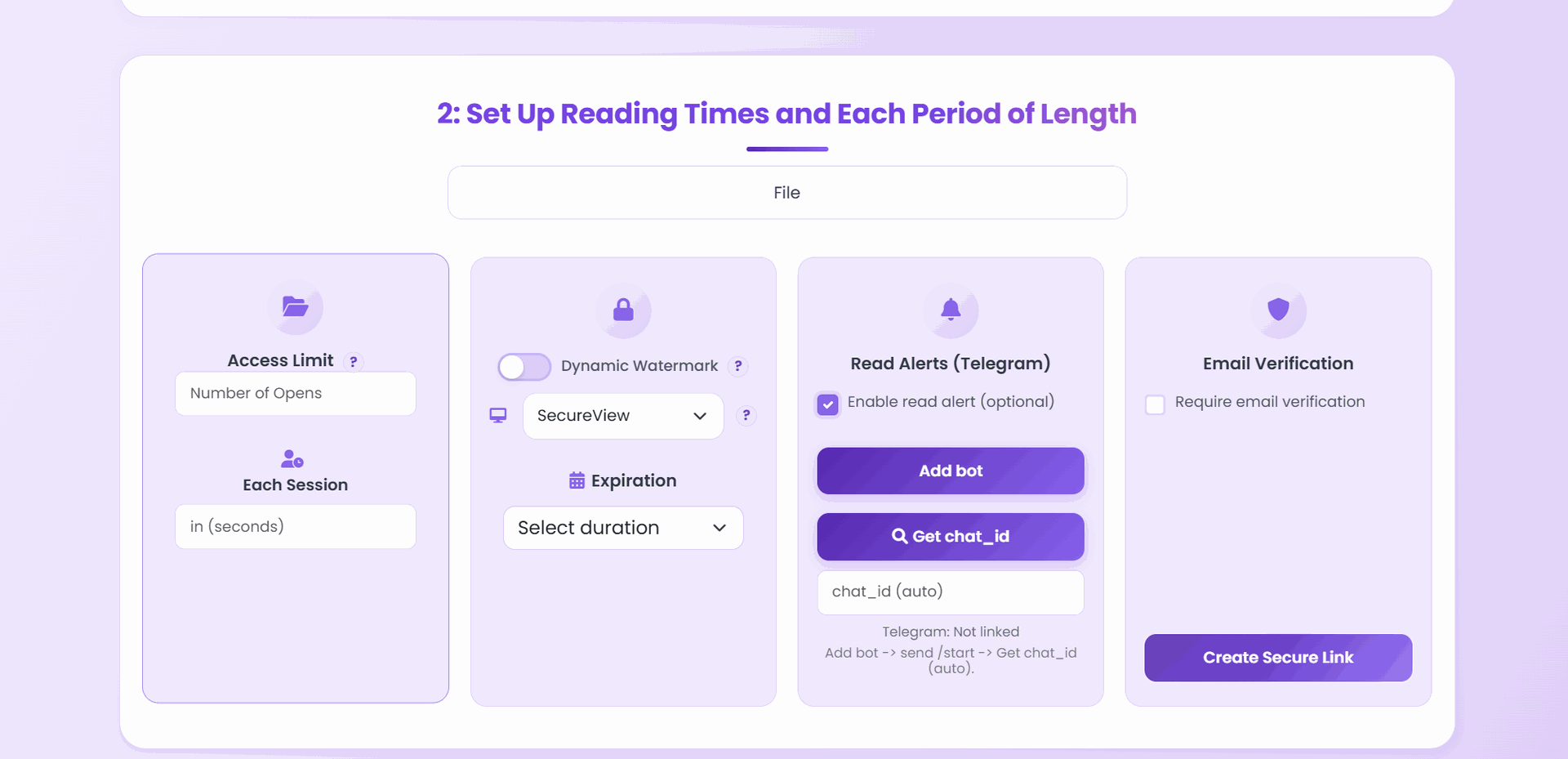
- The watermark layer is rendered by MaiPDF’s server and overlaid on the rendered pages at view time.
- The reader never has the PDF file in hand, so there’s nothing to open in Acrobat and edit.
- Screenshots, phone photos of the screen, and screen recordings all capture the overlay — because the overlay is already part of what the reader’s eyes are seeing.
The only way to “remove” the watermark is to not open the link at all.
How to turn it on
- Upload your PDF at maipdf.com.
- On the configuration screen, toggle Dynamic Watermark.
- Pick what to stamp — session ID, verified email, timestamp, custom text, or a combination.
- Adjust opacity and position if offered (defaults are tuned to be visible in screenshots without obstructing reading).
- Generate the link and share as usual.
There is nothing the reader needs to install or configure. The overlay renders the first time they open the link, and it follows them every time they come back.

Pairing the watermark with other controls
A watermark is a deterrent and a forensic tool, not a lock. It becomes much stronger paired with controls that cut down who gets to read and how long they get to read.
| Pair with… | What it adds |
|---|---|
| Email verification | Watermark shows the reader’s real verified address, not an anonymous session ID — much higher deterrence |
| Download off | Reader can’t get the raw unwatermarked PDF to redistribute |
| View limit | Caps how many watermarked copies exist at all |
| Expiry | Stops the watermarked link from being re-scanned forever |
| App DRM | The operating system itself refuses the screenshot — the only mode that actually blocks capture |
| Access log | Lets you cross-reference a leaked stamp ID against which reader saw what, when |
A sensible “confidential reader copy” recipe: Dynamic watermark + Email verification + View limit matched to the real audience × 1.5 + SecureView — and App DRM instead of SecureView when a screenshot would genuinely hurt. See the view-limit calculator for why the ×1.5 matters.
How it behaves in a leak investigation
The point of the fingerprint is that you can work backwards from a leaked screenshot.
- You spot a screenshot circulating — in a chat, a forum, a competitor’s slide, a tip-off email.
- You read the stamp off the leaked image (session ID, email, timestamp, or whatever you chose).
- You open the access record for that link and look up the matching session — same ID, same time window.
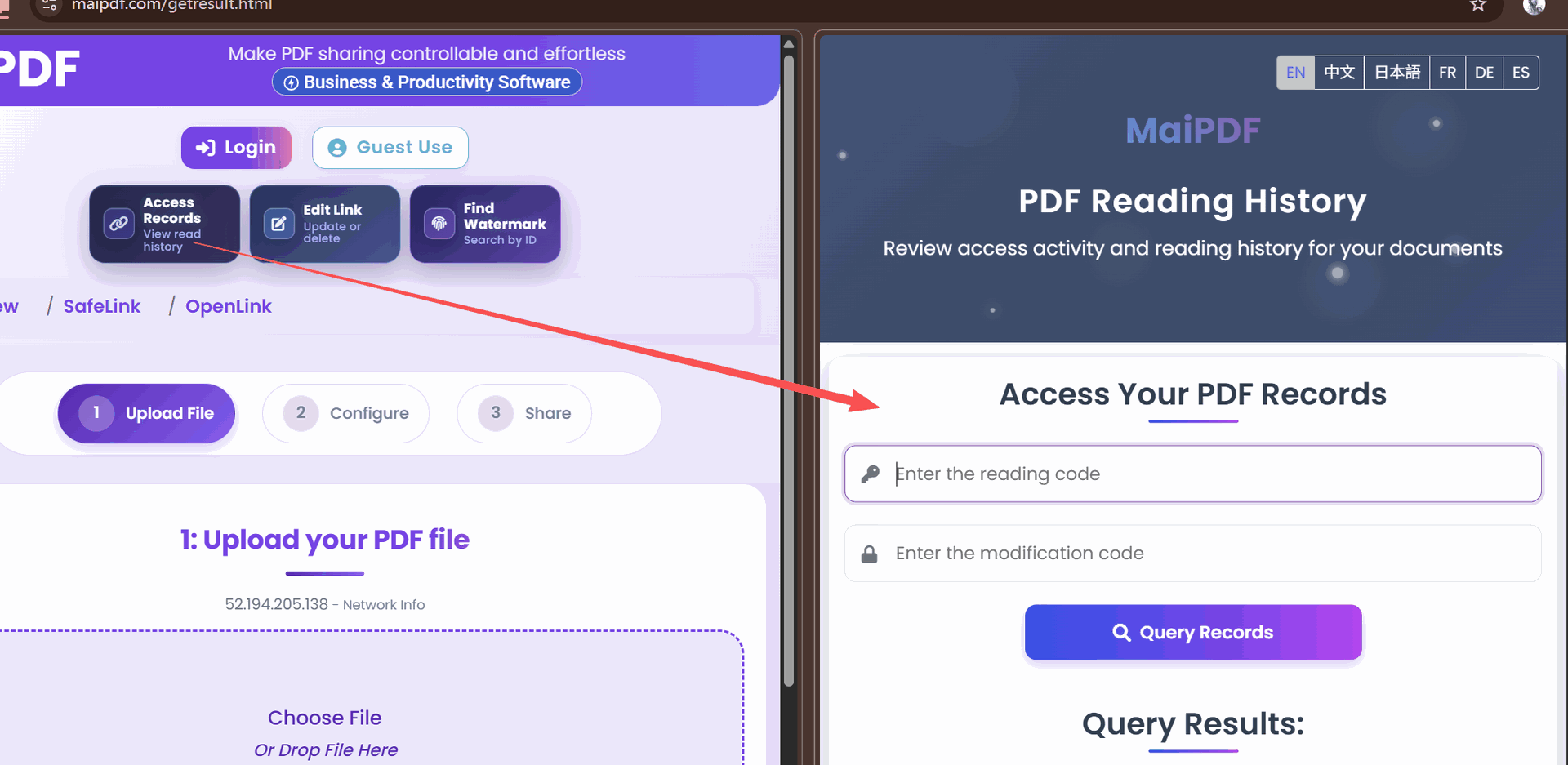
- The record shows the device, IP, and (if email verification was on) the verified email that was on the session.
- You now know which specific reader carried the copy out the door.
That chain of custody is what lets watermarking hold up as more than a scare tactic — it becomes a real investigative tool the moment a leak actually happens.
When to turn it on — and when not to
Watermarking isn’t free — it adds visual weight to the page, and a few readers find it distracting. Use it where the deterrent/traceability value is real.
| Content | Watermark value | Why |
|---|---|---|
| Partner price lists | High | stops competitors obtaining pricing through a distributor |
| Unreleased product previews | High | identifies which preview recipient leaked it |
| Contract drafts / term sheets | High | every revision carries a reader fingerprint |
| Internal strategy decks | High | if it leaks to the press, you know the source |
| Client proposals | Medium | deters copy-paste into competitor briefings |
| Event brochures pre-launch | Medium | protects embargo windows |
| Study guides / course PDFs | Medium | deters casual resharing to non-students |
| Public case studies | Low | designed to be shared — watermark is friction for no gain |
| Press kits, public brochures | None | the point is wide distribution |
If the document is meant to be forwarded freely, the watermark just annoys the reader. Turn it off.
Common mistakes
| Mistake | What goes wrong | Do instead |
|---|---|---|
| Watermark on with session ID only | leaked screenshot just shows A8F-39217 — you still need the log to name the reader | add email verification so the stamp is the name |
| Watermark + Download ON | reader downloads the raw file, watermark never touches the paper | turn Download off whenever watermarking matters |
| Watermark opacity cranked to 80% | readers complain; you look paranoid | keep default 15–25% — still visible in screenshots |
| Watermark for a public brochure | hurts the reading experience for content meant to go viral | only watermark when deterrence value is real |
| Same link, watermark off for “trusted” readers | defeats the entire point | one policy per audience — generate a separate link if some readers truly don’t need tracing |
| Never checking the access log | watermark with no lookup is just decoration | when a leak happens, cross-reference the stamp against the log |
FAQ
Does the reader know the watermark is there? Yes — the whole point is that it’s visible. That visibility is what makes it deter sharing in the first place.
Will readers complain about the opacity? Almost never at the default (15–25%). Very rarely above that. If you crank it to make it “more visible in screenshots,” you’re optimizing for an edge case and hurting the common case.
What if the reader takes a photo of their screen with a phone camera? The watermark is in the photo — because it’s in what they were looking at. This is the whole reason server-side overlays beat file-embedded watermarks.
Can I remove or change the watermark after the link is already shared? Yes. Watermark toggle and content are editable in the control panel; changes apply to every subsequent session. If you want to drop the watermark entirely for a revised document, you can also replace the file behind the link without changing the URL.
Can a watermark block copy-paste or OCR? No — watermarking is about attribution after the fact, not preventing extraction in the moment. For copy-paste and print control, pair it with SecureView, which removes the download and print controls from the viewer. If the worry is a screenshot rather than copy-paste, no browser mode helps — that is App DRM. For view-count caps, pair it with a view limit.
Does watermarking slow the viewer down? The overlay is generated in milliseconds. Readers don’t notice a difference.