MaiPDF Secure vs LockLizard: prevent screenshot without enterprise pricing
Bottom line: LockLizard and MaiPDF Secure both belong to the same product category — managed PDF readers with server-side licenses, expiry, revoke, device limits, and screenshot controls. LockLizard is a paid, enterprise procurement choice with a long vendor track record. MaiPDF Secure is a newer, free-to-use desktop and mobile app that packs .maipdf files with screenshot-aware protected reading on supported platforms.
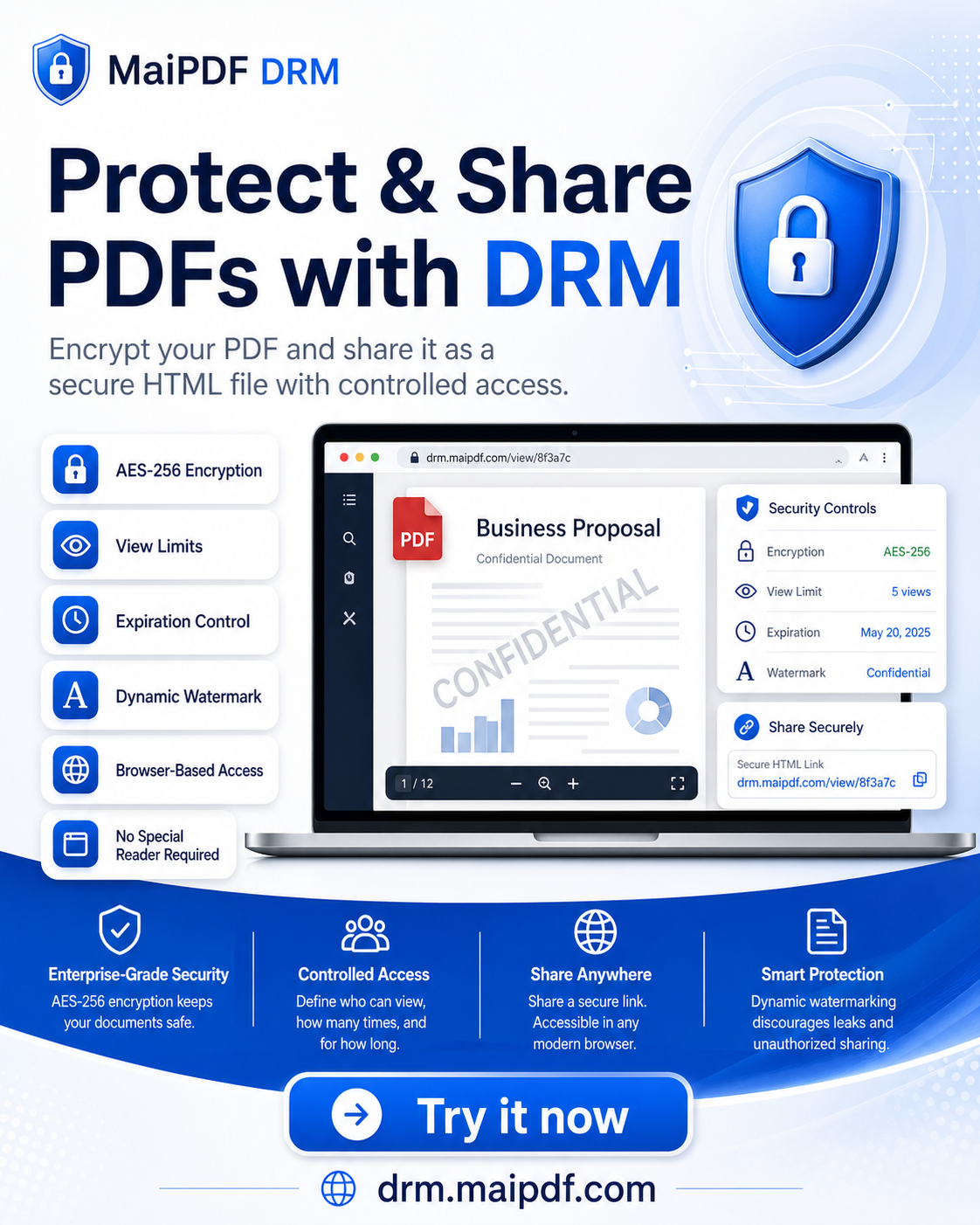
This page compares MaiPDF Secure (native app) to LockLizard. It does not compare either product to ordinary maipdf.com browser link sharing. Browser sharing is useful for fast links, QR codes, expiry, view limits, and watermarks, but it cannot fully prevent operating-system screenshots. If you are deciding between browser links and App DRM, start with Online PDF Sharing vs App DRM.
What both products are trying to solve
Traditional PDF passwords fail in real workflows: once someone can open the file, they can forward it, print it, or photograph the screen. Enterprise PDF DRM replaces “password on a file” with “license on a reader.”
You distribute a protected file. The recipient installs a vendor-controlled viewer. Opens, expiry, devices, and sometimes screenshot blocking are enforced by that viewer plus a license server — not by Acrobat alone.
| Problem | Managed reader approach |
|---|---|
| Forwarding after open | Device binding, email allow-lists, revoke |
| Screenshot / screen recording | Native viewer hooks into OS capture APIs |
| Contract ended but file still on disk | Server revoke — next open fails |
| Unknown leak source | Per-user watermarks in the viewer |
Both LockLizard and MaiPDF Secure target this model. The difference is who pays, how IT buys it, and how mature the vendor packet is — not whether screenshot blocking exists at all.
MaiPDF has two practical sharing paths — only App DRM belongs in this comparison
Before the feature table, align on what MaiPDF actually ships:
| Path | Product | Best for | Screenshot risk |
|---|---|---|---|
| Online Cloud Sharing | maipdf.com browser links | Fast sharing, QR codes, expiry, view limits, watermarks | Cannot fully block OS screenshots |
| App DRM | MaiPDF Secure app → .maipdf | Device binding, revoke, protected reader, high-value PDFs | Stronger screenshot-aware controls on supported platforms |
LockLizard competes with App DRM only. Comparing LockLizard to a simple browser link mis-ranks security and wastes procurement time.
Feature comparison (honest, not a marketing checklist)
| Capability | LockLizard | MaiPDF Secure |
|---|---|---|
| Pricing model | Paid — per-seat or custom quote | Free to use today (no quote to start) |
| Typical buyer | Legal, compliance, enterprise IT procurement | Individual, team lead, SMB, pilot before procurement |
| Protected file format | Vendor-specific protected PDF / wrapper | .maipdf (native reader format) |
| Packing / publishing | Publisher tools + admin console | Desktop app Protect PDF flow + web dashboard |
| Reader required | LockLizard viewer (Win / Mac / mobile per their SKUs) | MaiPDF Secure app (Windows, macOS, Android, iOS) |
| Prevent screenshot | Yes — managed viewer | Yes — SecureScreen-class controls on supported platforms |
| Revoke / extend expiry | Yes | Yes — app or dashboard |
| Open limits | Yes | Yes |
| Device limits | Yes | Yes |
| Email / account allow-list | Yes (vendor workflow) | Yes — optional Google account allow-list |
| Dynamic watermark | Yes | Yes — trace watermarks in native viewer |
| Vendor history & compliance packet | Long-established; RFP-friendly | Newer product; less third-party audit collateral |
| Air-gapped reading | Depends on deployment | No — license check needs network at unlock (same class of limitation as web pack) |
| Second camera at screen | Cannot prevent | Cannot prevent |
Exact LockLizard SKUs and admin features change by contract. The row above reflects the category both products occupy, not a feature-by-feature certification.
Pricing and procurement — where the gap is largest
LockLizard is built for buyers who already expect to pay for PDF DRM: annual seats, implementation services, and a named vendor on the purchase order. That is appropriate when:
- Procurement requires a paid software vendor with standard enterprise paperwork.
- Legal wants a multi-year vendor already referenced in peer RFPs.
- Budget is allocated for document DRM as a line item, not as a free tool trial.
MaiPDF Secure is built for the opposite friction: you need prevent screenshot on PDFs this week, without waiting for a quote. Students, freelancers, design studios, internal security pilots, and small teams use it when:
- Screenshot control is a hard requirement, but LockLizard pricing or sales cycle is blocking a rollout.
- You want to prove the workflow (pack → send → revoke) before asking finance for enterprise DRM.
- Recipients are outside your domain — contractors, course students, M&A advisors — and you still need revoke after the file leaves.
MaiPDF Secure is free at current pricing. That can change in the future; LockLizard has never positioned as a free product. Do not treat “free” as “less serious” — treat it as lower procurement friction, with the trade-off that you get a newer vendor record.
Deployment and IT admin
LockLizard (typical enterprise path)
- IT packages the viewer through their software catalog or MDM.
- Publishers use LockLizard admin tools to issue documents and licenses.
- Support tickets route through a paid support contract.
- Integration with SSO, SIEM, or DLP varies by edition — plan a discovery call.
MaiPDF Secure (typical team path)
- Packager downloads from drm.maipdf.com (Windows / macOS installer or Mac App Store).
- Signs in with Google (Firebase) — required for packing and for reading licensed files.
- Packs
.maipdf, sets expiry / opens / devices / optional email allow-list. - Distributes the file by email, USB, Teams, or internal portal — same as any attachment.
- Manages licenses in the app or dashboard: extend, revoke, delete.
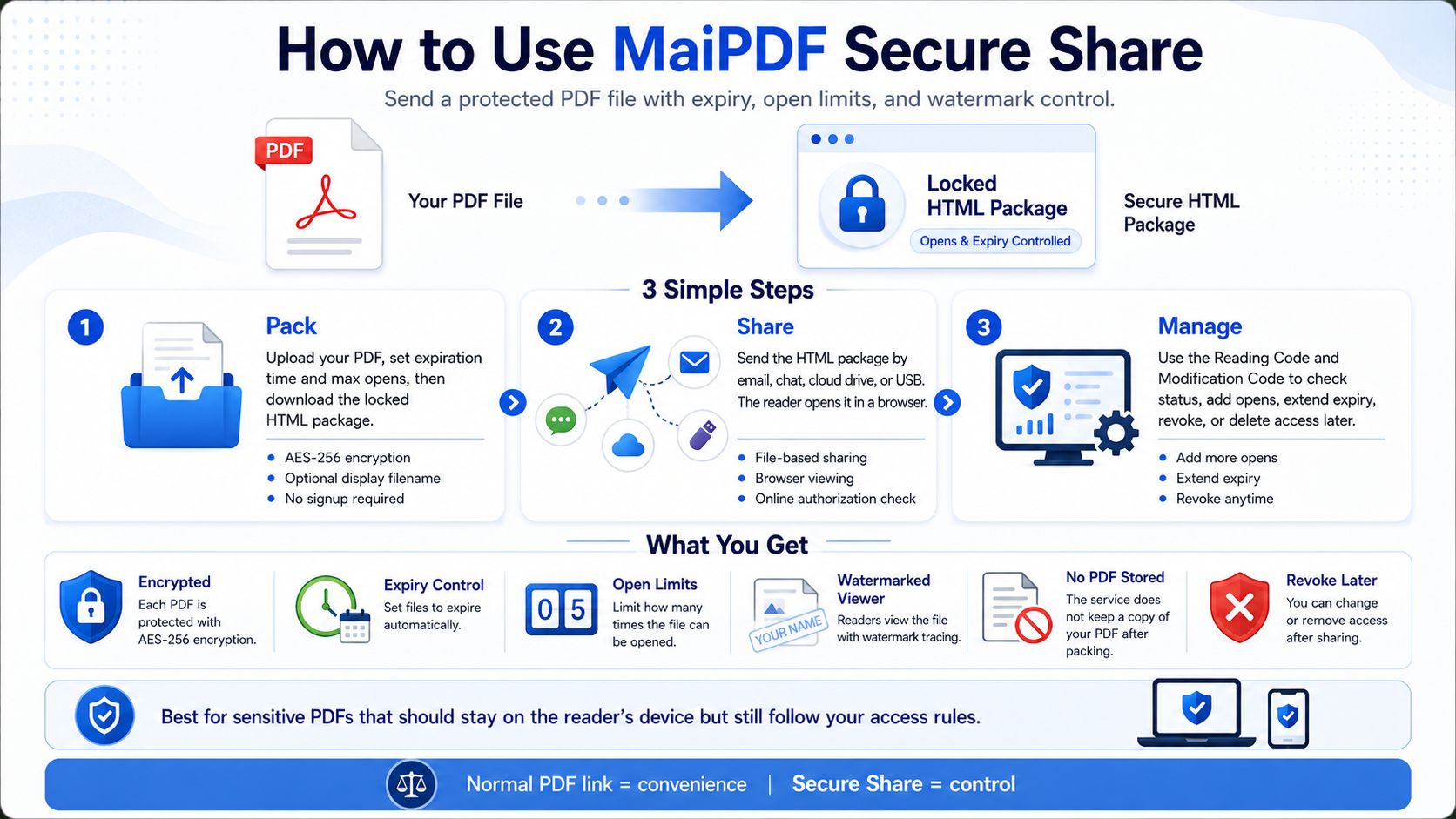
Recipients must open .maipdf inside MaiPDF Secure, not in Preview, Acrobat, or a browser. That constraint is the same class of rule LockLizard imposes: the security lives in the reader, not the naked PDF.
Mainland China: domestic app-store listings are not first-wave. Until then, use overseas store accounts, direct desktop download, or site APK — same notes as the prevent screenshot guide.
Screenshot and capture control — what “yes” actually means
Both products advertise screenshot prevention. Neither can stop someone from aiming a phone camera at the monitor.
| Scenario | LockLizard (category) | MaiPDF Secure |
|---|---|---|
| Print Screen / OS snipping tool | Blocked or inhibited in managed viewer | Blocked or inhibited on Windows / macOS / Android in native viewer |
| Screen recording software | Typically restricted in viewer | Restricted in native viewer where OS APIs allow |
| Browser devtools extraction | N/A — not a browser workflow | N/A — not a browser workflow |
| iOS capture | Vendor-dependent | More detect + watermark than hard block — test before rollout |
| Second physical camera | Not preventable | Not preventable |
Before a board pack or courseware send, test on the same OS versions your audience uses. OS updates change capture APIs; behavior is not a one-time checkbox.
For the full pack → send → revoke walkthrough on MaiPDF Secure, see Prevent screenshot on PDFs (complete guide).
When to choose LockLizard
Choose LockLizard when procurement policy is the constraint, not feature curiosity:
- RFP mandates a paid enterprise PDF DRM vendor with established references.
- You need vendor security questionnaires and years of customer logos in your industry vertical.
- Budget and timeline already assume six-figure document control programs.
- Legal will not approve a free, newer reader for regulated data without a parallel risk review.
LockLizard is the safe PO choice when the question is “who do we pay?” not “can we block screenshots at all?”
When to choose MaiPDF Secure
Choose MaiPDF Secure when capture control is required but enterprise DRM sales cycle is not:
- Confidential contracts, unreleased designs, paid courseware, or M&A rooms where system screenshot must be blocked.
- You already know browser-only sharing is not enough — browser rendering cannot reach the same OS capture APIs as a native protected reader.
- You want revoke, expiry, and device caps without a per-seat quote.
- You are piloting DRM for a team of 5–50 before escalating to LockLizard-scale procurement.
Download and pack at drm.maipdf.com. No enterprise quote required to start.
Can you use both?
Yes — many organizations will:
- Use maipdf.com for everyday link sharing (drafts, marketing PDFs, low sensitivity).
- Use MaiPDF Secure for a small set of files that need screenshot block.
- Standardize on LockLizard later if procurement absorbs the cost and admin overhead.
That is not “migration from MaiPDF to LockLizard” as if they were the same pipeline. It is tiering by sensitivity — the same way you might use Slack for chat and a separate vault for credentials.
FAQ
Is MaiPDF Secure really free?
Yes for current pricing — personal, student, freelancer, and company use without a quote. Enterprise buyers should still run their own risk review; “free” does not mean “unregulated data approved by default.”
Is .maipdf the same as a browser PDF link?
No. Browser links are useful for fast access, QR codes, expiry, view limits, and watermarks. App DRM uses a protected .maipdf file opened inside the MaiPDF native reader, which is the path for device binding, license revocation, and screenshot-aware reading. See Online PDF Sharing vs App DRM.
Does MaiPDF online sharing block screenshots?
No. Online links use watermark, Fence View, and access limits — not OS capture block. Only the Secure app line targets prevent screenshot.
We already use LockLizard — should we switch?
If procurement is happy and licenses are paid, stay. This article is for teams blocked by cost or sales cycle, not for ripping out working enterprise DRM.
What about Adobe Acrobat password protection?
Passwords do not give server revoke, per-device binding, or reliable screenshot block. Managed readers exist because passwords leak.
Android vs iOS for screenshot?
Android generally gets the strongest mobile capture controls in MaiPDF Secure. iOS is weaker on hard block — validate on real devices.
Summary
| Your situation | Recommendation |
|---|---|
| Procurement requires paid enterprise DRM vendor | LockLizard (or equivalent established vendor) |
| Need prevent screenshot, no budget / no time for quotes | MaiPDF Secure — drm.maipdf.com |
| Recipients refuse any install | maipdf.com Online Cloud Sharing — accept that browser delivery cannot fully block screenshots |
| Need step-by-step MaiPDF Secure setup | Prevent screenshot complete guide |
Both LockLizard and MaiPDF Secure answer: “How do we keep control after the PDF leaves our inbox?” LockLizard optimizes for enterprise purchase comfort. MaiPDF Secure optimizes for starting today without enterprise pricing — on the native .maipdf tier, not on browser packing.