Enterprise Document Security: Protecting Sensitive Files at Scale
Enterprise Document Security: Protecting Sensitive Files at Scale
2026 update: For enterprise files, use Online Cloud Sharing for quick review links and App DRM / .maipdf for board packs, confidential manuals, and documents that need revocation or device binding. See Secure PDF Reader with Screenshot Protection.
Enterprise document security isn’t just about passwords and encryption. It’s about controlling who sees what, when, and having an audit trail to prove it. When hundreds of people share thousands of files daily, you need systematic controls — not manual vigilance.
The Enterprise Threat Landscape
| Threat | Example | Consequence |
|---|---|---|
| Unauthorized access | Employee shares folder link externally | Confidential data leaks |
| Over-retention | Old contracts still accessible years later | Compliance violation |
| Untracked distribution | No record of who viewed sensitive files | Audit failure |
| Version confusion | Multiple copies floating in email threads | Wrong data in decisions |
| Insider leaks | Screenshots of financial data | Reputational and legal damage |
Most data breaches aren’t sophisticated hacking — they’re people sharing files through insecure channels with no controls.
Layered Security Model
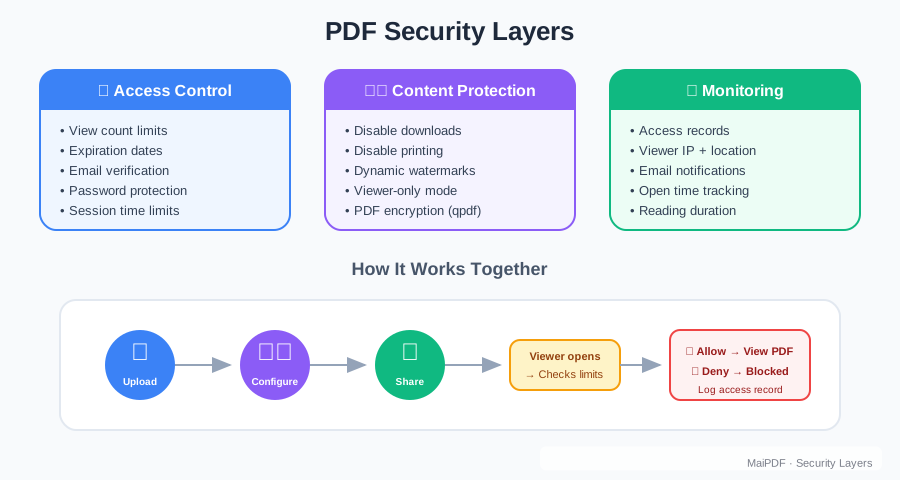
Enterprise document security works in layers. Each layer catches what the previous one misses:
Layer 1: Access Control
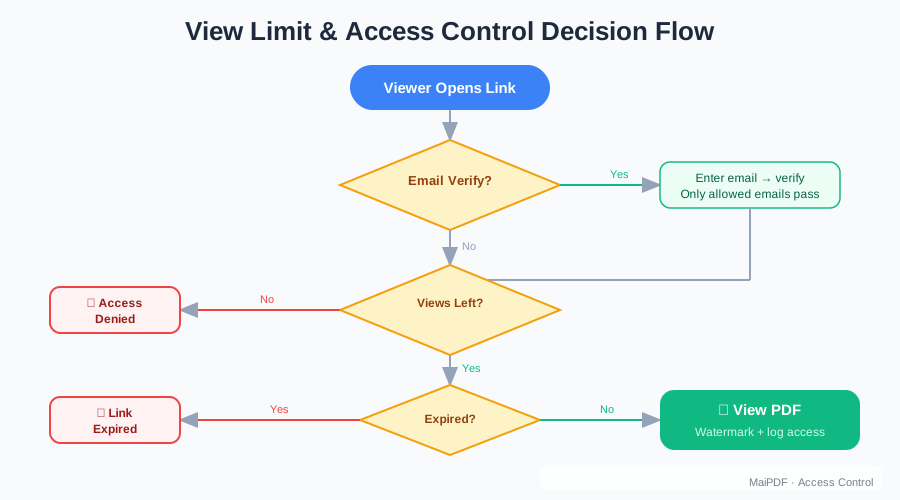
- Limit who can open the document (email verification, password)
- Set maximum view counts per link
- Configure expiration dates
Layer 2: Content Protection
- Disable downloads to prevent local copies
- Block printing to prevent physical copies
- Apply dynamic watermarks to deter screenshots
Layer 3: Monitoring and Audit
- Log every access attempt with timestamp, device, and location
- Alert on unusual patterns (bulk downloads, off-hours access)
- Generate compliance reports for auditors
Practical Implementation with MaiPDF
MaiPDF provides all three layers through a simple interface:
Access Control
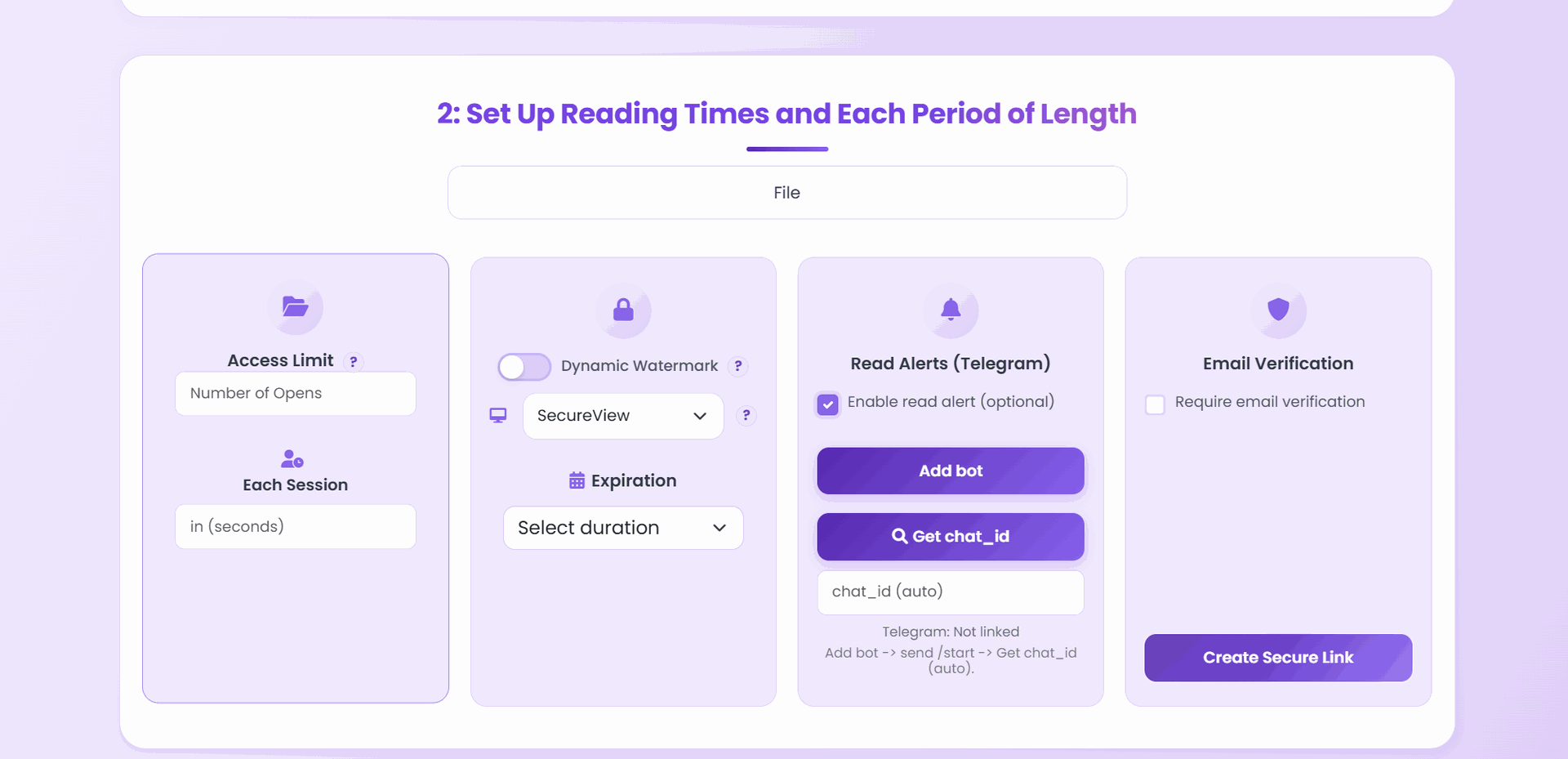
Upload a document, then configure:
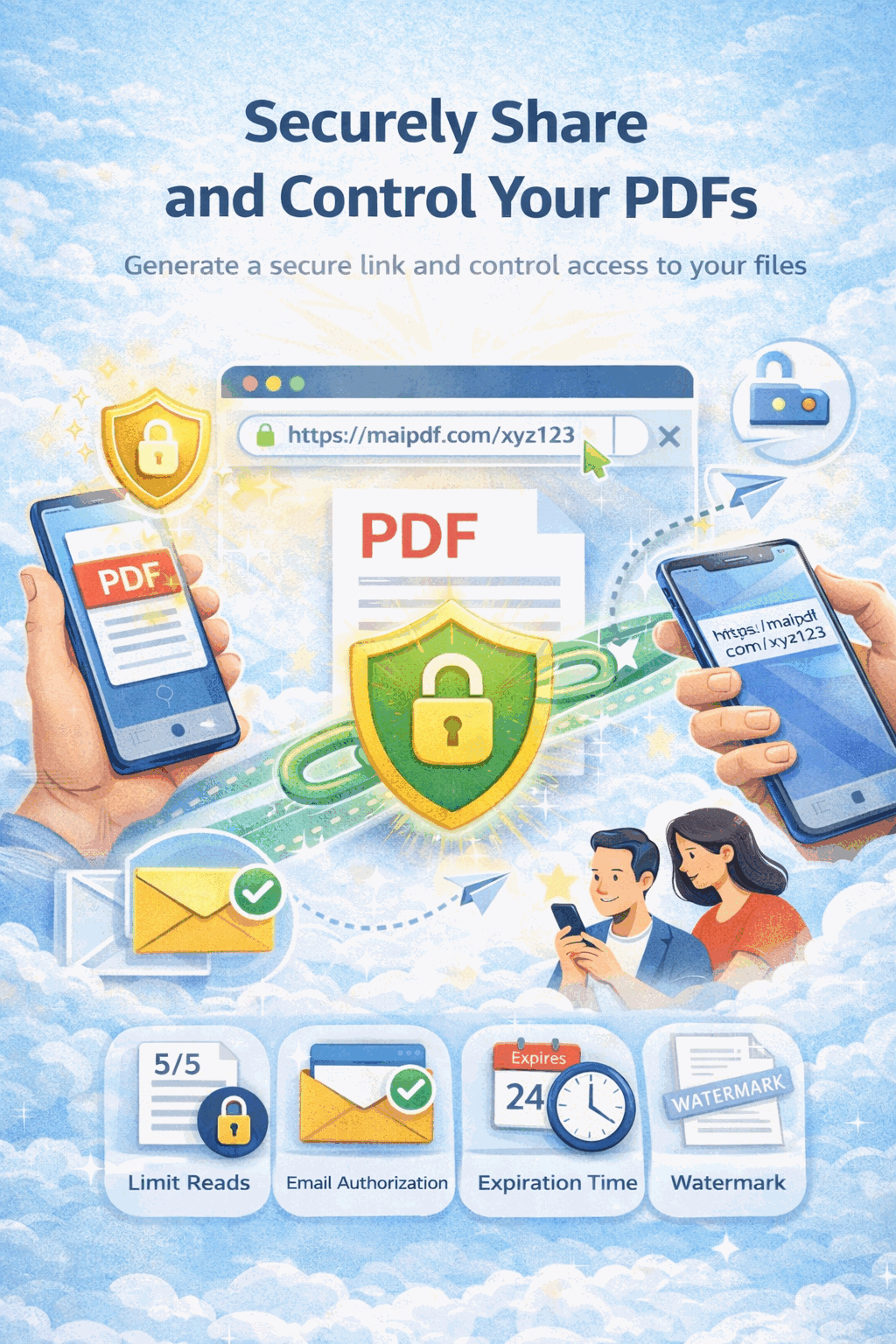
- View limit — e.g., 50 opens total for a quarterly report
- Expiration — auto-disable after board meeting date
- Email verification — require viewers to verify their email before accessing
Content Protection
Toggle in the settings panel:
- Download: off
- Print: off
- Watermark: on (auto-displays viewer’s email)
Monitoring
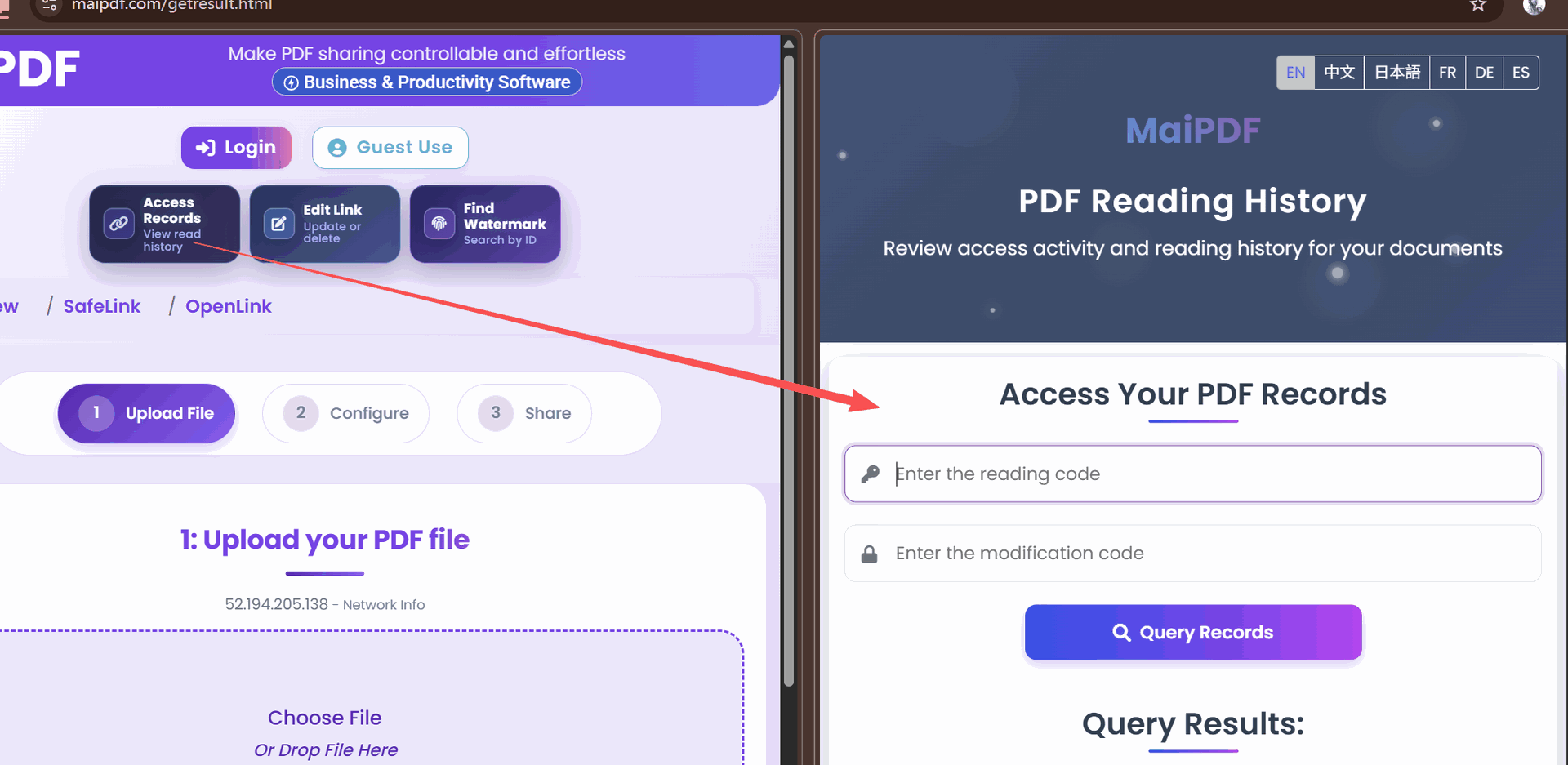
Check the access records dashboard:
- Who opened the document
- From what device and location
- How many times
- Whether any blocked actions were attempted
Document Classification Framework
Not every document needs the same level of protection. A practical framework:
| Classification | Controls | Examples |
|---|---|---|
| Public | None — open access, downloads enabled | Marketing brochures, press releases |
| Internal | View limit, no external sharing | Meeting notes, policy documents |
| Confidential | Expiration, watermark, no download | Financial reports, HR records |
| Restricted | All controls + email verification | Legal contracts, M&A documents |
Apply the classification at upload time and let the controls enforce it automatically.
Compliance Considerations
Industries like healthcare, finance, and legal have specific requirements for document handling:
- GDPR — ability to revoke access to personal data documents
- HIPAA — audit trail for every access to patient information
- SOX — proof that financial documents were accessed only by authorized personnel
MaiPDF’s access logs and revocation capabilities directly support these requirements. Export access records for compliance audits.
Common Enterprise Mistakes
- Relying on email for sensitive documents — no revocation, no tracking, no expiration
- Using shared drives with open permissions — one misconfigured folder exposes everything
- No document lifecycle management — old documents remain accessible indefinitely
- Trusting “confidential” stamps — a text label doesn’t prevent copying; technical controls do
Getting Started
Start with your most sensitive document category. Upload a sample to maipdf.com, apply enterprise-grade controls, and evaluate the audit logs. Expand from there.