Safeguard PDFs Online: Links, Limits, and Revocation
Safeguard PDFs Online: Links, Limits, and Revocation
TL;DR
- Share via secure link or QR and set view limits, download/print rules, and expiration.
- Use revoke / edit codes to stop or adjust access after sending.
- Optional: share status (high-level)—privacy-first, not “track every reader.”
Typical pain: a proposal sits in ten inboxes forever, or a pricing PDF gets forwarded without you knowing. A hosted link with rules keeps one distribution channel you can tighten or shut off.
📄 Sales / BD
Send one link for a deal deck; cap opens and set expiry before the next pricing round—no more “which attachment is current?”
🏢 HR / People
Offer letters and policy PDFs: view-only + short expiry reduces long-term leakage from personal mailboxes.
✅ What Does It Mean to “Safeguard” a PDF?
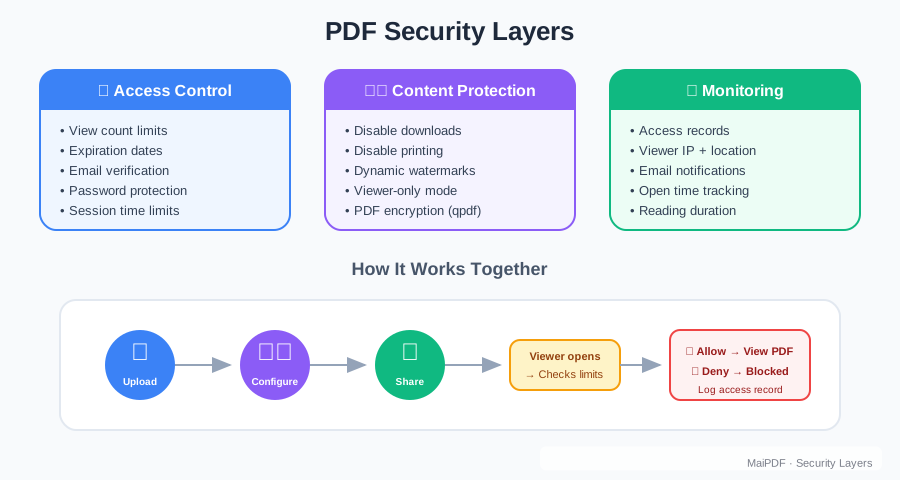
To safeguard a PDF means going beyond password protection or basic encryption.
It means:
- Controlling who can open the file
- Limiting how many times they can view it
- Blocking downloads or copies
- Checking share status (optional)
- Being able to modify or revoke access at any time
Think of it as lightweight document security—designed for real-world sharing.
🔐 How MaiPDF Helps You Safeguard Your PDFs
MaiPDF is a free, online tool that gives you powerful control over your PDF files—without requiring you (or your recipients) to install anything.
Here’s what you can do with MaiPDF:
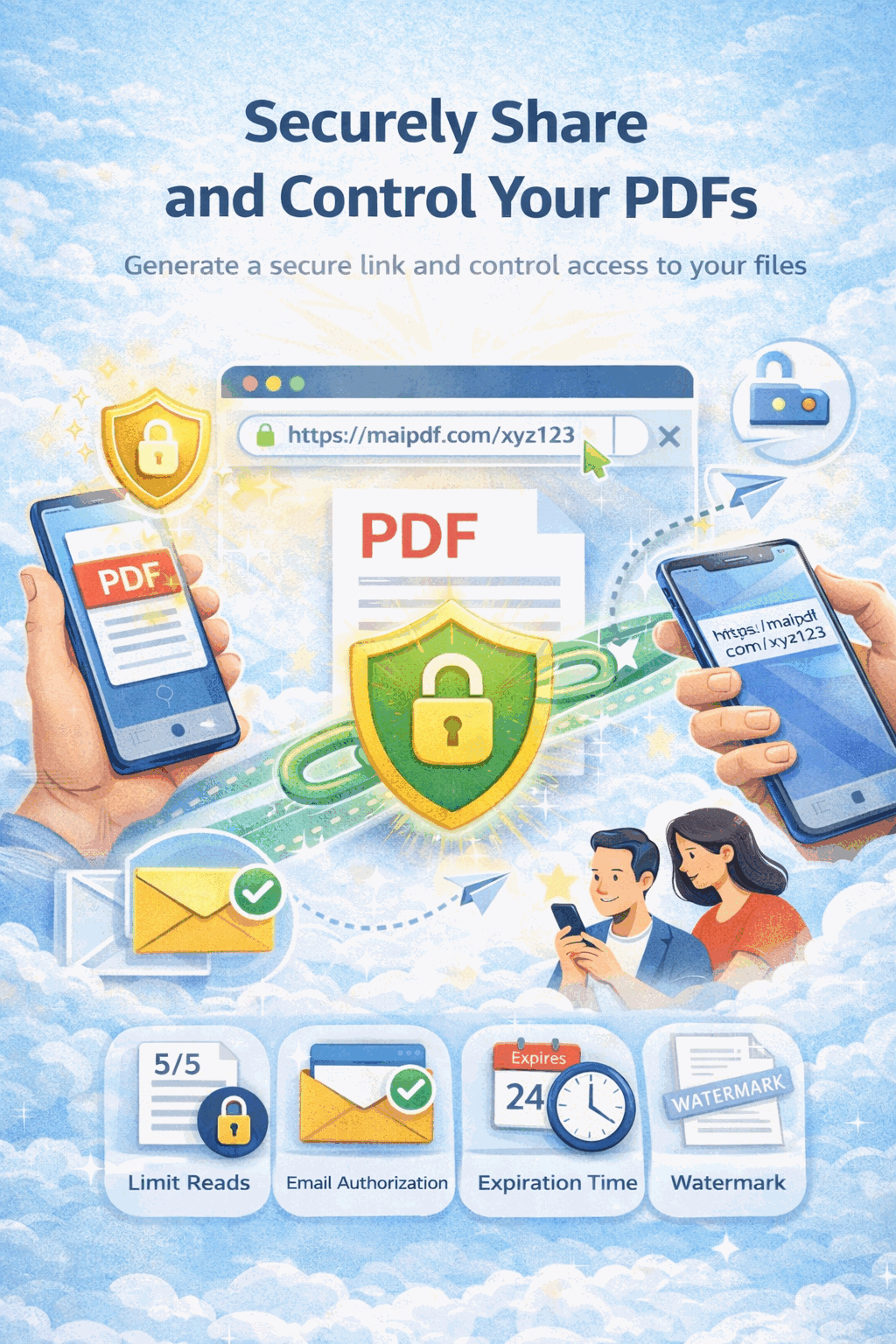
Upload your PDF
Store it online so you can manage sharing without re-sending attachments.
Share via link or QR
Send a secure link or QR code that’s easy to open on any device.
Set view limits
Limit total opens (for example, allow 3 opens) to reduce uncontrolled sharing.
Disable download / printing
Keep the file view-only when you don’t want copies spreading.
Review share status (optional)
Sanity-check that the link is being used normally and react if something looks off.
Edit or stop access anytime
Use an edit code to change settings, revoke access, or replace the file.
All of this happens online. No software, no technical setup—just smart sharing.

🧪 Real-World Scenarios
📄 Business proposals
Share a proposal that expires or can only be opened a limited number of times.
👨🏫 Educational materials
Distribute handouts that are view-only and can be revoked when a course ends.
🔒 Internal reports
Share sensitive reports that expire after a week and can be disabled instantly.
🧠 Design reviews
Let reviewers open a draft without keeping a permanent copy.
In every case, you’re not just sending a file—you’re managing an experience.
🔁 Need to Update the File? No Problem.
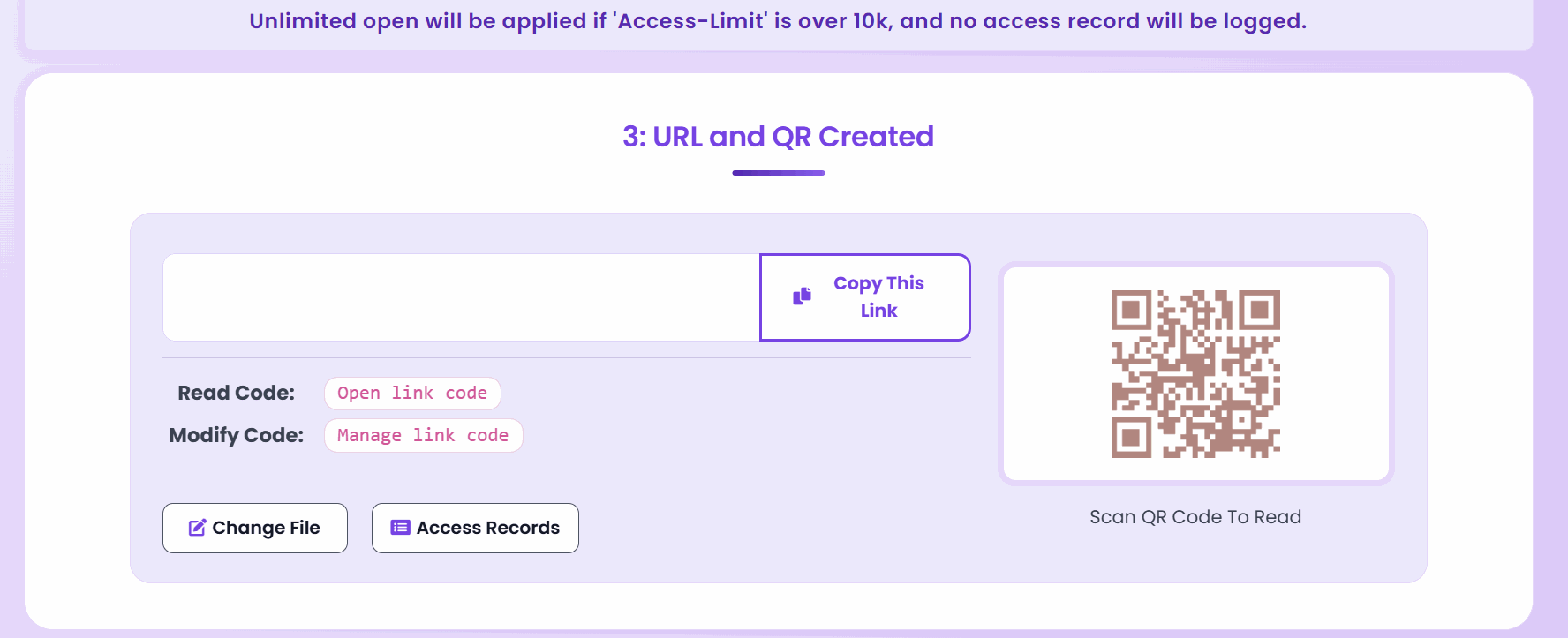
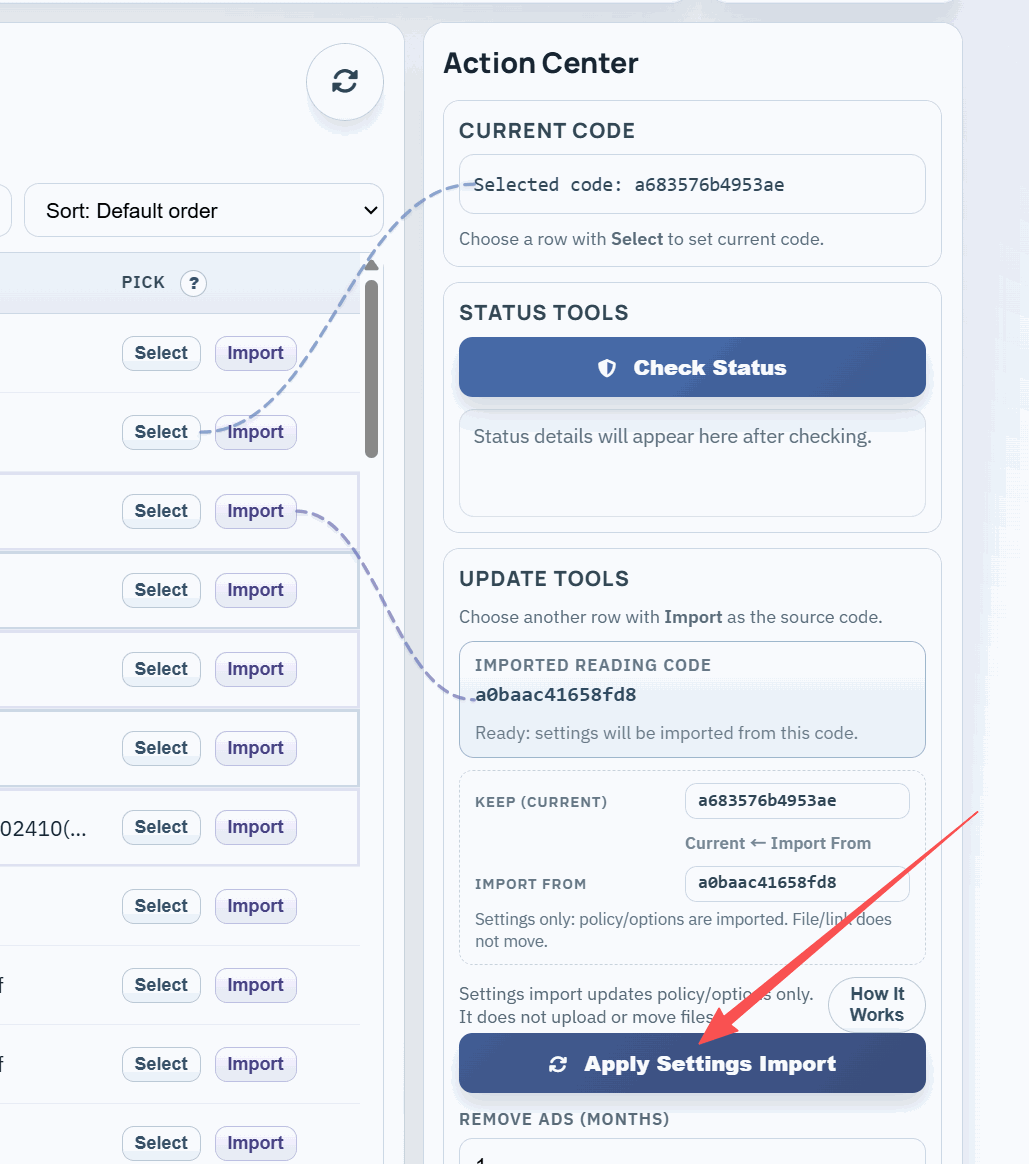
One of MaiPDF’s unique features is the edit code.
With it, you can:
- Replace the PDF after it’s been shared
- Change how many views are allowed
- Disable access instantly
- Keep the same link or QR code active
It’s the safeguard you still control, even after clicking “send.”
🧭 Why This Matters
If you’re in:
- Sales or consulting
- Education or training
- HR or operations
- Design or product management
- Legal or financial services
…you deal with PDFs that shouldn’t float around forever.
You deserve a way to safeguard your content—on your terms.
✅ Final Thought
It’s never been easier to share a PDF. But it’s also never been riskier.
With MaiPDF’s free online tools, you can safeguard your PDFs with just a few clicks:
- No logins for viewers
- No downloads if you say no
- No surprises after sharing
Because protecting your documents shouldn’t require expensive software—or blind trust.