Resume Link Generator — Share Your CV Professionally and Securely
Your resume as an attachment has three problems nobody ever admits: you can’t update it after you send it, you have no idea if it was ever opened, and the recruiter’s inbox already has 400 PDFs with the same filename as yours. A managed link fixes all three, adds follow-up timing data you can actually use, and costs the recruiter zero extra effort.
Quick navigation
- Why a link beats an attachment for job applications
- How to generate the link in under 2 minutes
- Recommended settings by job-search mode
- Role-specific CV variants from one account
- Using open data to time your follow-ups
- Keeping the link clean across a long job search
- Privacy options when you don’t want the current employer to know
- Common mistakes
- FAQ
- Related reading
Why a link beats an attachment for job applications
The recruiter side of the experience is what matters. Everything else is just your preference.
| What happens on the recruiter’s side | CV as attachment | CV as managed link |
|---|---|---|
| First open on their phone between meetings | download, find the file, pick an app, open | one click, reads in browser |
| Your CV among 80 PDF attachments in their inbox | indistinguishable from noise | a link is deliberately clickable |
| You fix a typo two days later | they have the wrong version forever | same link shows the fixed version |
| They forward your CV to a hiring manager | the hiring manager gets a stale version | same URL, always current |
| You want to know if they looked at it | no signal at all | access log with timestamps |
| Three months later they re-open to revisit | still the old version | still the current version |
| You can send one version to one role, different to another | requires careful filename management | one link per variant, each updates independently |
The recruiter doesn’t notice they’re clicking a link instead of opening an attachment. They notice that the CV opens faster and is legible on their phone. You notice everything else.
How to generate the link in under 2 minutes
- Export your CV as PDF. Keep it clean — standard fonts (no “creative” fonts that won’t render), one column for ATS compatibility, well-structured.
- Upload at maipdf.com. Sign in — this matters more for a CV than for most documents because you’ll want to replace the file later without a modify-code (signed-in uploads are edited from the control panel; guest uploads need the code).
- Set the configuration:
- Download → on (for most cases; see table below for when to turn it off)
- Expiry → match your job-search horizon (60–180 days for active search)
- Open limit → generous or unlimited (recruiters often forward internally)
- Everything else → off by default
- Click Create Secure Link.
- Copy the URL. It’s now the single thing you paste into every application, every email, every LinkedIn message, every application form “portfolio URL” field.
Recommended settings by job-search mode
| Mode | Download | Expiry | Open limit | Watermark |
|---|---|---|---|---|
| Standard application (most cases) | on | 90 days | unlimited | off |
| Active open search (sending dozens) | on | no expiry | unlimited | off |
| Senior / confidential search | off | 45 days | 20–40 | optional (email) |
| Executive search via recruiter only | off | 30 days | 10–20 | on (email) |
| Discreet while currently employed | off | 60 days | 30 | off, but email-gate strongly |
| Consulting / project rate card sharing | off | 30 days | 15 | on |
Defaults mostly just work. The only reason to tighten — download off, lower open limit — is if you genuinely don’t want your CV circulating beyond the specific recruiter or hiring manager you sent it to.
Role-specific CV variants from one account
If you’re applying across very different roles (product → engineering management → startup founder, or industry generalist → healthcare specialist → fintech), don’t use one CV for all of them. The thing that lands a role is specificity.
The workflow:
- Create 3–5 tailored PDF variants, each optimized for one role type.
- Upload each as its own MaiPDF link. Give them memorable names in your control panel:
cv-eng-manager,cv-ic-senior,cv-founder, etc. - Send the matching variant for each application.
- In your control panel, see which variant is getting the most opens / most follow-ups. That’s your signal for where the market is strongest.
- Update the winning variants more aggressively. Retire or iterate the ones getting no traction.
Most applicants never learn which version of their CV actually works. With separate trackable links, you do.
Using open data to time your follow-ups
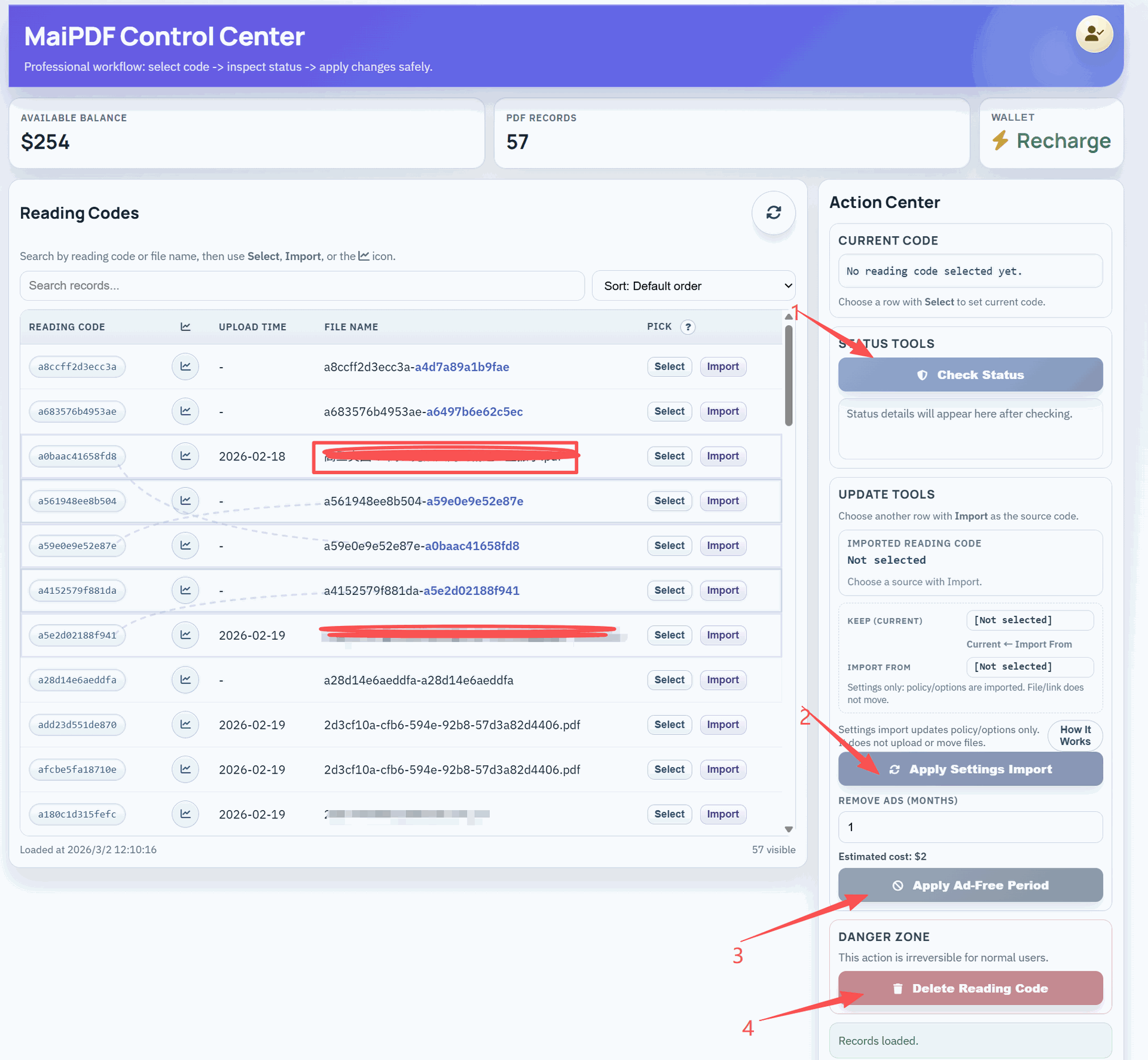
This is the feature that changes the job search from speculation to signal. Every open on your CV link is logged with a timestamp (and, if email verification is on, with the verified email).
Read the log like this:
- Opened within 24 hours of applying → you’re in active review. Follow up 2–3 business days later if you haven’t heard back.
- Opened, then re-opened within 48 hours → your CV was shared with a second reader (usually the hiring manager). Strong signal. A “I’m excited about this role” follow-up lands well here.
- Multiple opens across 3+ days → you’re being discussed. Probably shortlisted.
- Not opened at all after 7 days → application got stuck in screening. Consider reaching the hiring manager directly via LinkedIn with a short note.
- Opened 2–3 weeks late → they’re revisiting the pipeline, often because the top choice fell through. Re-engage now while you’re top of their mind.
- Opened once, long time ago, now re-opened → they’re coming back to you, usually for a new role. Check LinkedIn for any new postings at that company and reference them proactively.
None of this is telepathy; it’s just reading what the data already tells you. The applicants who do it win more follow-up loops than the ones who don’t.
Keeping the link clean across a long job search
A job search can run 3–9 months. Over that time your CV evolves, your target roles shift, and your control panel accumulates debris. Tidy it as you go.
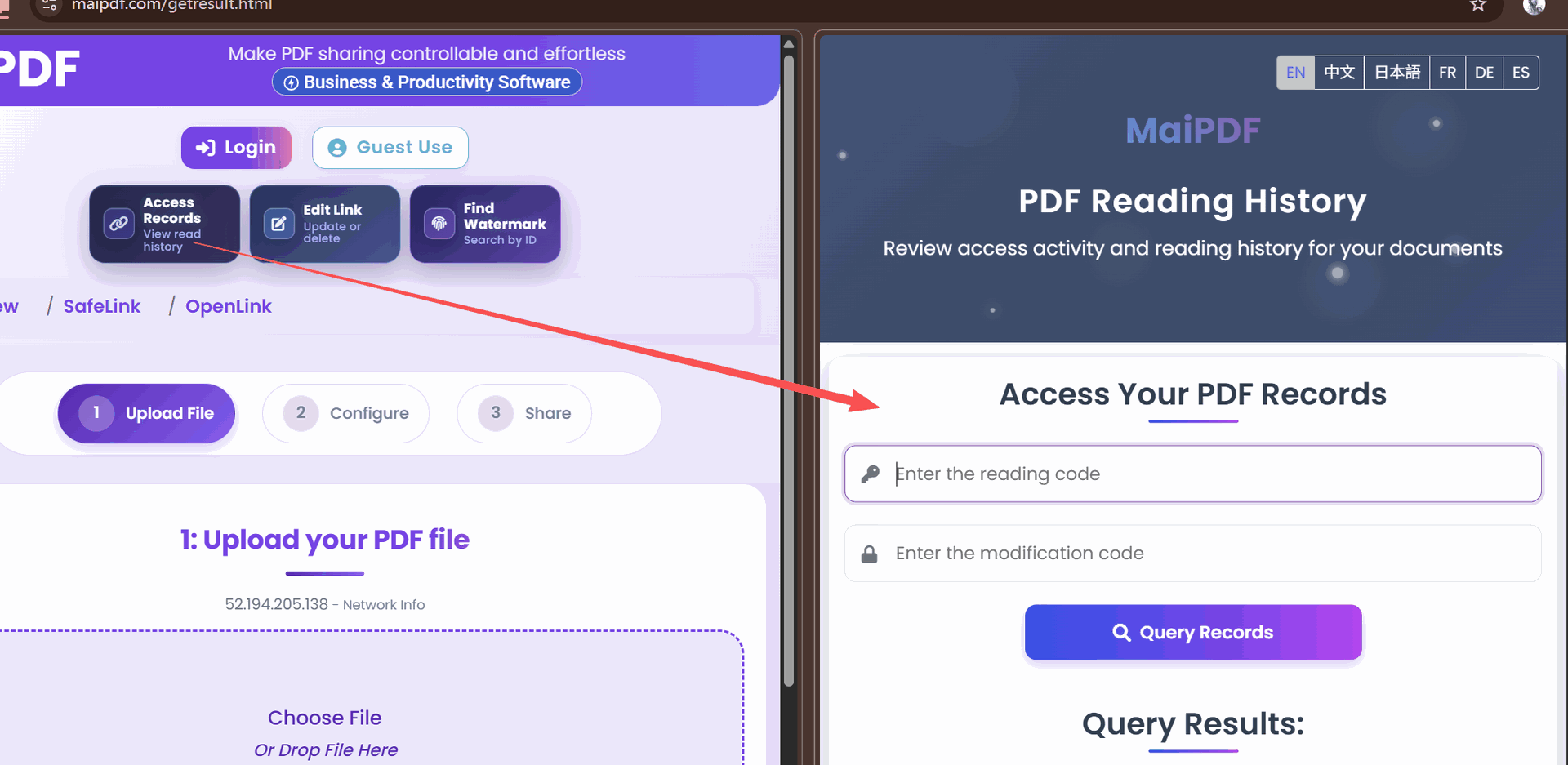
- Every time you refine the CV, swap the file in the control panel. URL stays, bookmarks still work.
- Add a “Updated [Month Year]” line on the CV itself so readers see a current artifact.
- Archive variants you’re not actively sending. The control panel stays focused on the 2–3 variants you’re actually using.
- Retire old role-specific variants once you move past that role type. Don’t let a link meant for “product management” apps keep getting hits when you’ve pivoted to something else.
- At offer stage, you can reduce open limits and tighten expiry on the variants you sent — one last housekeeping pass.
Privacy options when you don’t want the current employer to know
This is the common “I’m employed but looking” situation. A link gives you controls an attachment can’t.
- Download off means the recruiter can read but can’t forward the file casually to a Slack channel where someone might recognize you.
- Email verification with a whitelist means only the specific recruiter/firm you sent it to can open the link — forwarding the URL to anyone else does nothing.
- Watermark makes any screenshot of your CV identifiable back to whoever opened it, which deters casual passing-around.
- Short expiry (2–3 weeks) means the link dies before it can be rediscovered in an old email thread months later.
- Unique link per recruiter means you can track exactly who saw what, and if a leak happens, you know which recruiter to stop working with.
This is overkill for a standard open search. It’s appropriate for a confidential one.
Common mistakes
| Mistake | Why it hurts | Do instead |
|---|---|---|
| Using the same filename for every CV variant | recruiters can’t tell them apart in their inbox | tailor the filename to the role, lead with the link anyway |
| Sending the attachment and the link in the same email | recruiter opens the attachment, bypasses all tracking | send the link only |
| Creating a new URL every time you revise | LinkedIn profile links, application-form fields, and business cards all rot | swap the file behind the same URL |
| Never checking the access log | you lose the follow-up timing signal | review during the 48-hour follow-up window |
| Over-restricting a standard application | recruiter can’t forward internally, deal fails | download-on is the right default for open searches |
| Letting the CV link go stale during active search | reviewer sees a document dated 6 months ago | update the file and the cover-date line every month |
| One generic CV for every role type | generic CVs lose to tailored ones | 3–5 variants, each trackable |
| Forgetting to sign in at upload time | can’t replace the file without the modify-code | always sign in for CVs you’ll maintain long-term |
FAQ
Will recruiters know I can see when they open my CV? They can reasonably assume any web-hosted link has analytics — every SaaS tool in existence does. This doesn’t count as “spying,” any more than LinkedIn’s “who viewed your profile” does. You’re using public-web infrastructure; there’s no breach of norms.
What if an application form requires me to upload a PDF, not paste a link? Upload the PDF as required. Then also include the link in your cover letter or notes field — “Most current version always at [link].” The application has the PDF they asked for; you keep the trackable-link signal.
Is the MaiPDF link viewer compatible with applicant tracking systems (ATS)? The link is what you share with humans. Almost every ATS parses PDFs directly from the attached file. Upload the PDF to the ATS when required, and share the link in human-facing communication. These are complementary, not alternatives.
What happens when the expiry hits mid-search? Extend from the control panel — no URL change. Or set “no expiry” while actively searching.
Can I password-protect the CV link? MaiPDF’s identity layer is email verification with a whitelist, not a shared password. For privacy-sensitive searches, whitelist only the specific recruiter/firm addresses.
Should I watermark my CV? Usually no — friction with no real upside for a standard application. Use a watermark only if you’re doing a confidential search and want leak traceability, or if you’re sharing a rate card / consulting day-rate version that has commercial value.
My CV is 2 pages. Is the file size even an issue? No — a 2-page CV is well under 1 MB. The attachment problems are mostly about inbox clutter, version control, and mobile opening, not size.