PDF DRM for Corporate Training Manuals: Control Access After Distribution
Corporate training manuals are usually written for a specific audience: employees, franchise partners, contractors, resellers, or temporary trainees. The problem is that a normal PDF does not know when the training period ends.
Once the file is emailed, uploaded to a shared drive, or posted inside a course platform, it can keep circulating long after the person leaves the project. For internal policies, sales playbooks, SOPs, onboarding manuals, certification guides, and paid partner training, that is a real control gap.
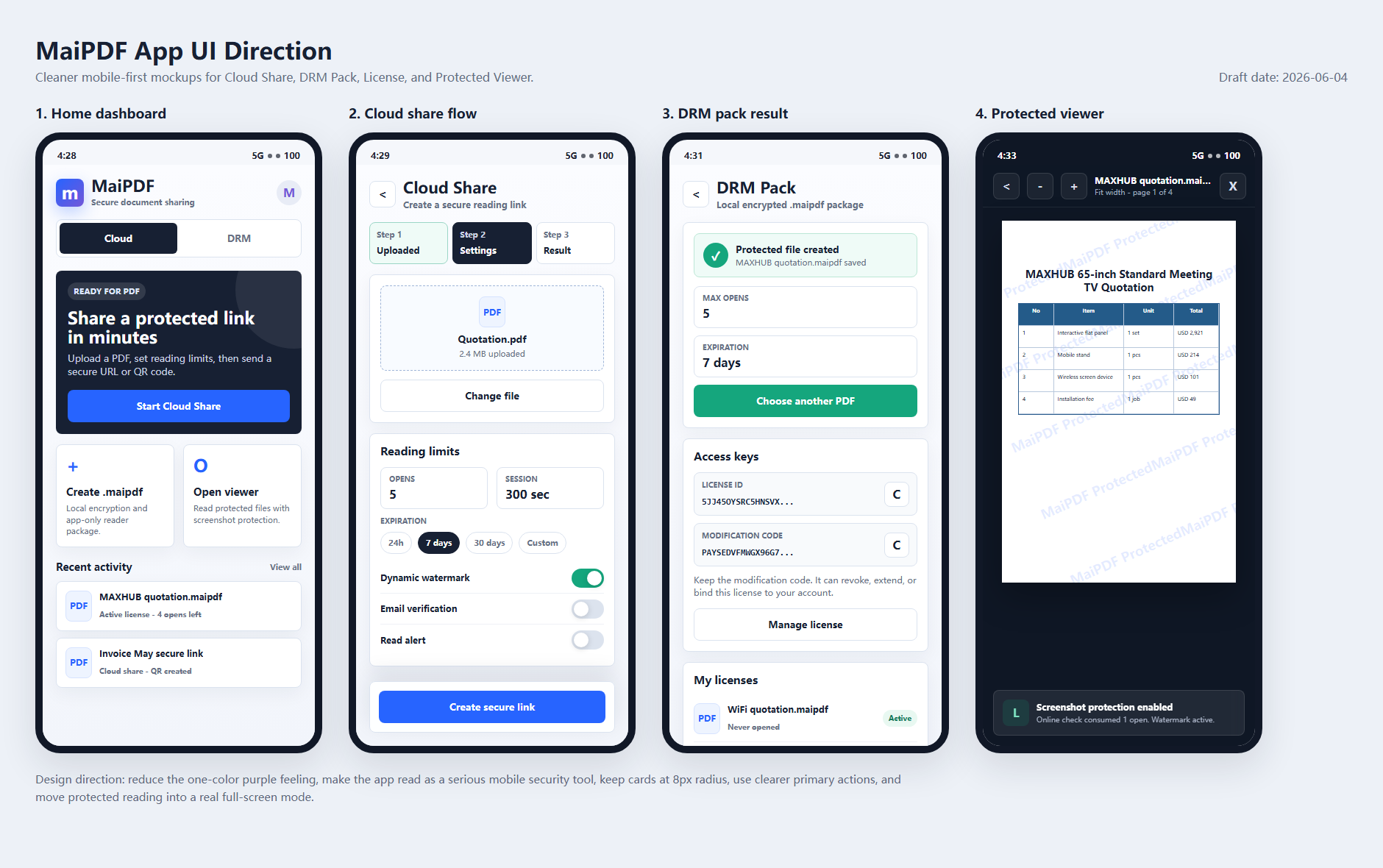
MaiPDF gives training teams two paths:
- Online Cloud Sharing for fast browser access with links, QR codes, expiry, view limits, and watermarks.
- App DRM /
.maipdffor stronger protection when the manual should stay tied to approved devices, licenses, and a protected reader.
Why training manuals leak
Training PDFs leak for boring reasons, not sophisticated attacks:
- a contractor forwards an onboarding manual to a personal email address
- a franchise partner keeps old operating procedures after the contract ends
- a salesperson shares an internal playbook with the wrong distributor
- an employee uploads a certification workbook to a public forum
- a manager reuses an outdated PDF because the old download link still works
A password does not solve this. If the password can be copied into the same message as the PDF, it becomes part of the leak.
Choose the control level by audience
Not every training file needs the same friction.
| Training material | Recommended delivery |
|---|---|
| Public orientation PDF | Online Cloud Sharing |
| Event handout | Online link or QR code |
| Temporary contractor guide | Online link with expiry + watermark |
| Paid training workbook | App DRM / .maipdf |
| Franchise operating manual | App DRM / .maipdf |
| Exam or certification material | App DRM / .maipdf |
| Confidential sales enablement playbook | App DRM / .maipdf |
The more valuable the manual is after the training ends, the more important revocation and device binding become.
Online Cloud Sharing for low-friction training
For low-risk or high-volume training, MaiPDF Online Cloud Sharing is usually the easiest starting point.
Upload the PDF, create a reading link or QR code, and configure:
- expiration after the training window
- view limits for one-time review files
- dynamic watermarking to show reader identity
- download and print restrictions for browser viewing
- access records so the team can see whether the file was opened
This works well for classroom QR codes, webinar materials, short-term contractor handouts, and internal documents that need control but not a mandatory app install.
The boundary is important: browser sharing can reduce casual copying, but a browser page cannot fully block operating-system screenshots.
App DRM for high-value training manuals
When the PDF itself is the protected asset, use App DRM.
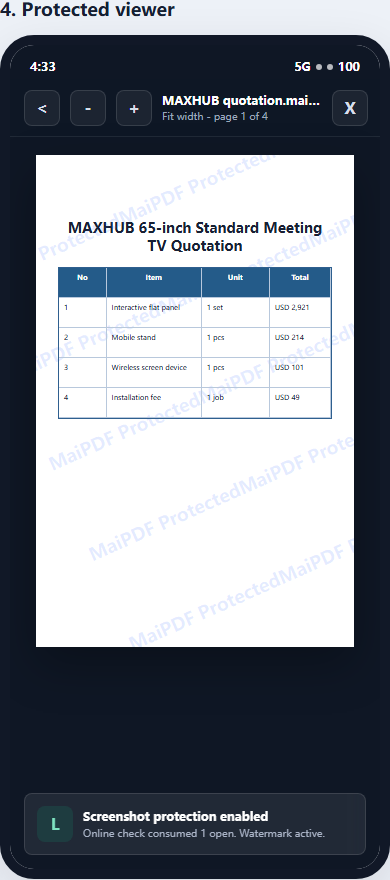
With the MaiPDF App, the publisher packages the PDF into a protected .maipdf file. Readers open it inside the protected reader, where access can depend on a license, device rules, expiry, and revocation status.
This is better for:
- paid course workbooks
- compliance training manuals
- certification prep PDFs
- franchise manuals
- partner enablement kits
- internal playbooks
- exam-prep and assessment materials
Controls that matter for training teams
Device binding
Device binding reduces the “one purchase, many users” problem. A .maipdf file can be configured so access is tied to approved devices rather than a freely forwarded file.
Read more: PDF device binding explained.
License revocation
When a contractor leaves, a refund is issued, or a partner agreement ends, revocation matters more than the original send.
For the general revoke workflow, see how to revoke access to a PDF after sending.
Watermark tracing
Watermarks do not stop every leak, but they change accountability. A screenshot or photo that contains a visible reader identifier is less attractive to repost.
Screenshot-aware reading
Native protected readers can use platform-level screen-capture controls that browsers cannot provide. This is useful for sensitive training manuals, but it is not magic: no software can stop someone from using another phone to photograph a screen.
A practical rollout pattern
For most training teams, the best rollout is not “DRM everything.” Use tiers:
- Public or low-risk files: normal link or Online Cloud Sharing.
- Short-term controlled files: Online Cloud Sharing with expiry, view limits, and watermark.
- Paid or confidential manuals: App DRM /
.maipdfwith device binding and revocation. - Exam or certification files: App DRM plus shorter license windows and traceable watermarks.
This keeps the learner experience simple while still protecting the PDFs that create real business risk.