🔒 Secure PDF Sharing: Access Control, Link Expiration, and Usage Overview
🔒 Secure PDF Sharing: Access Control, Link Expiration, and Usage Overview
TL;DR
- Prioritize access control, expiration, and revoke / link rotation—not “analytics” as the hero story.
- Optional: a minimal usage overview for sanity checks and anomalies—avoid surveillance framing.
- Use the cards below as a quick map; the checklist helps you pick defaults by risk level.
Secure sharing is more than sending a file: control access, revoke links, and reduce misuse after a document leaves your inbox.
✅ What “Secure Sharing” Looks Like in Practice
A professional workflow is easier to scan when it’s broken into “controls you set” vs “signals you check”.
Access control
Restrict who can open the document so “anyone with the link” is not enough.
Expiration
Limit how long a link stays valid for time-sensitive or confidential files.
Revoke / disable
Stop access instantly when a link leaks or requirements change.
Anti-misuse controls
Reduce redistribution patterns with limits and lightweight friction.
Usage overview (optional)
Sanity-check distribution health at a high level—without surveillance framing.
🛠️ Core Controls to Prioritize
If you’re improving trust and reducing risk, prioritize these controls first:
1. Access controls
- Link-level permission: require a known recipient or a shared secret (when applicable)
- Password / passcode: simple protection for low-friction sharing
- Allow / block lists: restrict access when sharing to a controlled group
- One-time access (optional): reduce link-forwarding risk
2. Link lifecycle controls
- Expiration: set a time window for sensitive materials
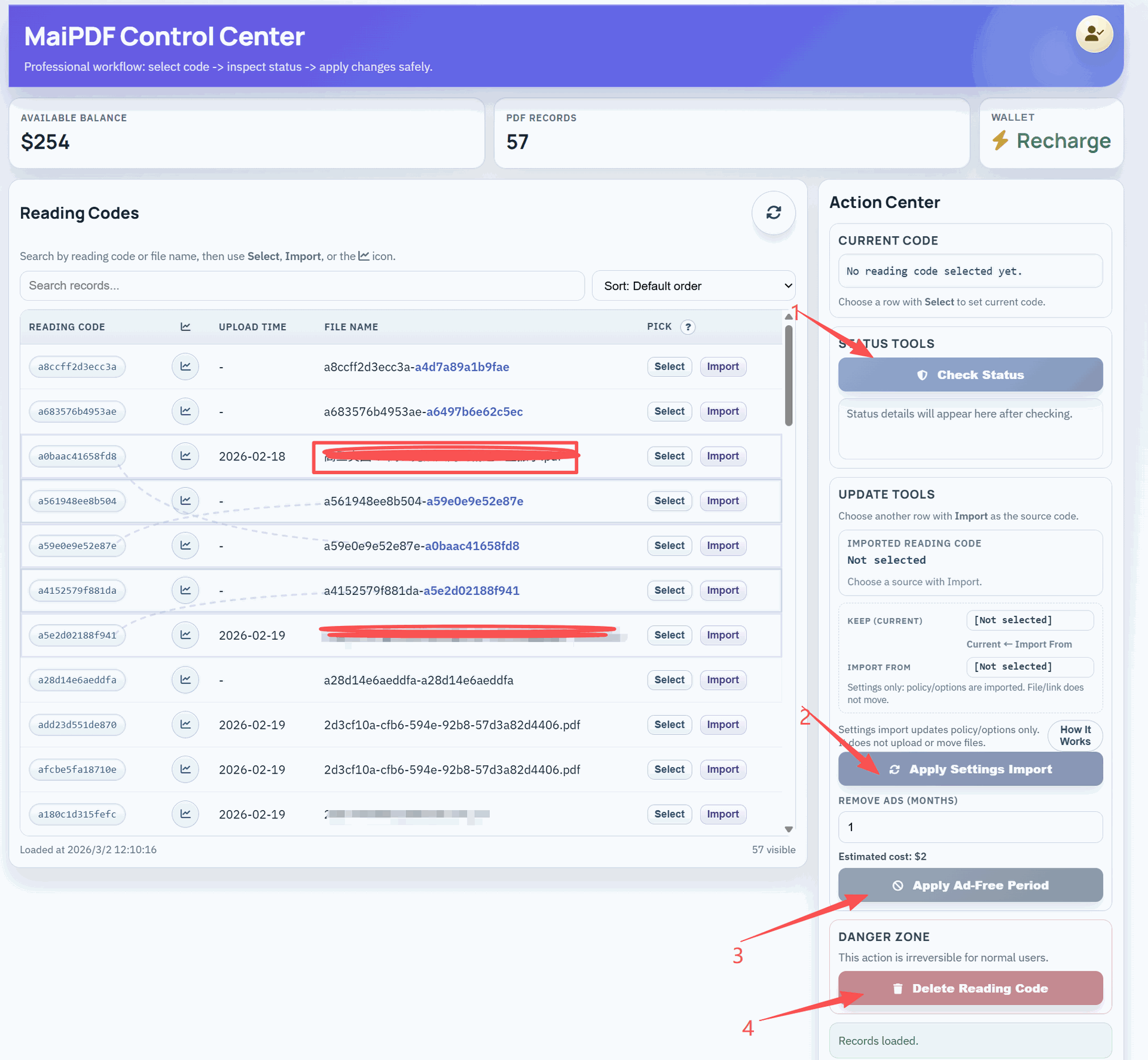
- Revoke / disable: end access immediately when needed
- Rotation: replace a link instead of resending the file
3. Usage overview (optional)
When you do review usage, keep it privacy-first:
- Open / access status: whether a link is being used at all
- Anomaly signals: unusual access spikes that suggest redistribution
- Operational checks: confirm recipients can open the file
Avoid turning these signals into a “who did what” surveillance model.
💼 Common Use Cases (Without Surveillance Framing)
Different teams can use secure sharing controls in different ways:
💼 Sales & marketing
Share proposals with expiration and revocation, reduce link-forwarding leakage, and confirm delivery at a high level (optional).
⚖️ Legal & compliance
Restrict access to controlled recipients, apply strict access windows, and revoke links when terms change.
🎓 Training & education
Share materials within a course window, reduce redistribution, and keep versions consistent via link rotation.
📱 A Simple Secure-Sharing Setup Checklist
To improve security without adding friction:
1) Define risk level
Public brochure vs. sensitive contract should not share the same defaults.
2) Choose access controls
Passcode, allowlist-style controls, or one-time access (when needed).
3) Set expiration
Use time windows to prevent long-tail leak risk.
4) Plan revocation
Decide who can disable links, when, and for which triggers.
5) Keep overview minimal
Use high-level signals to confirm delivery or detect anomalies—sparingly.
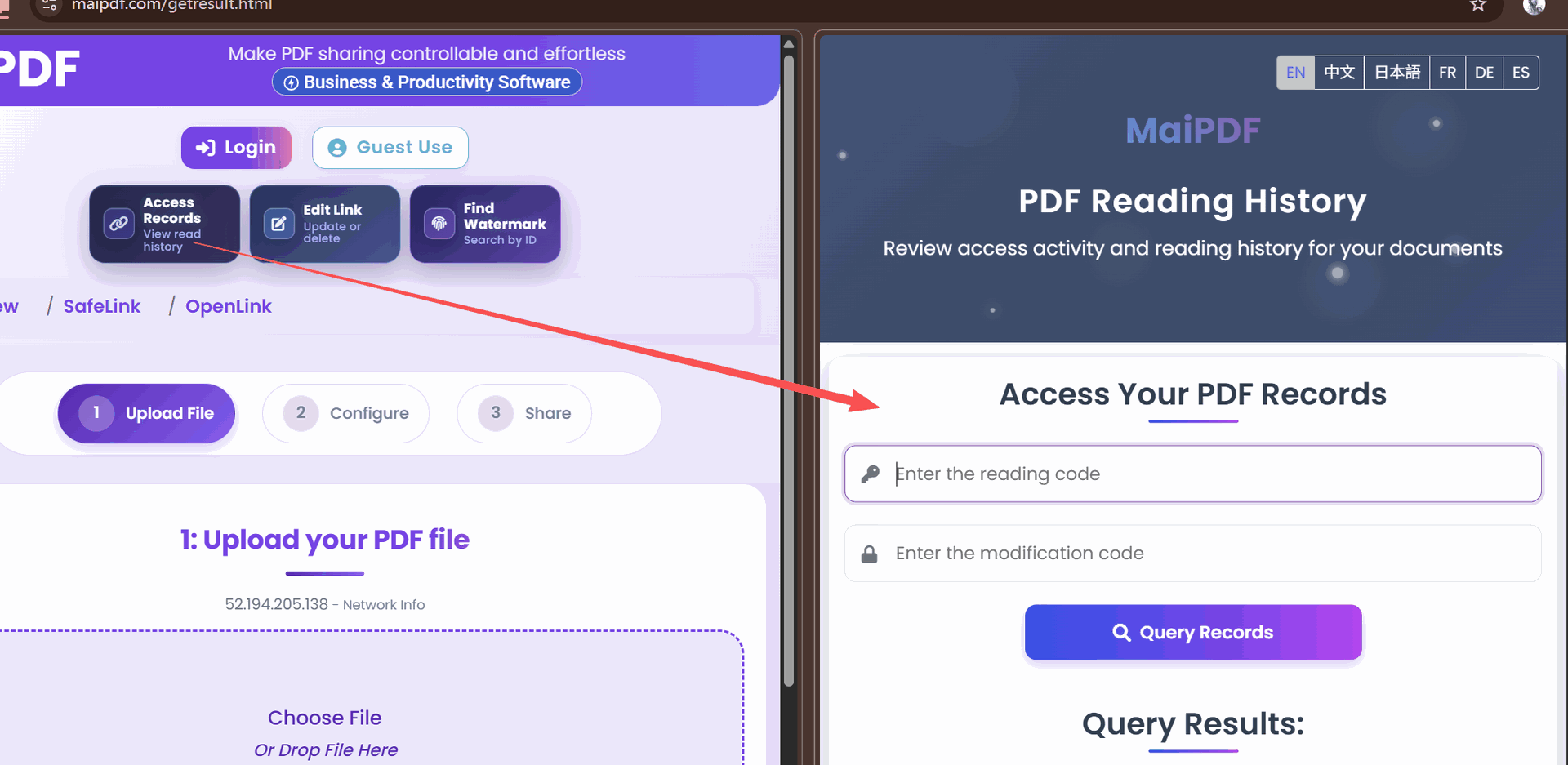
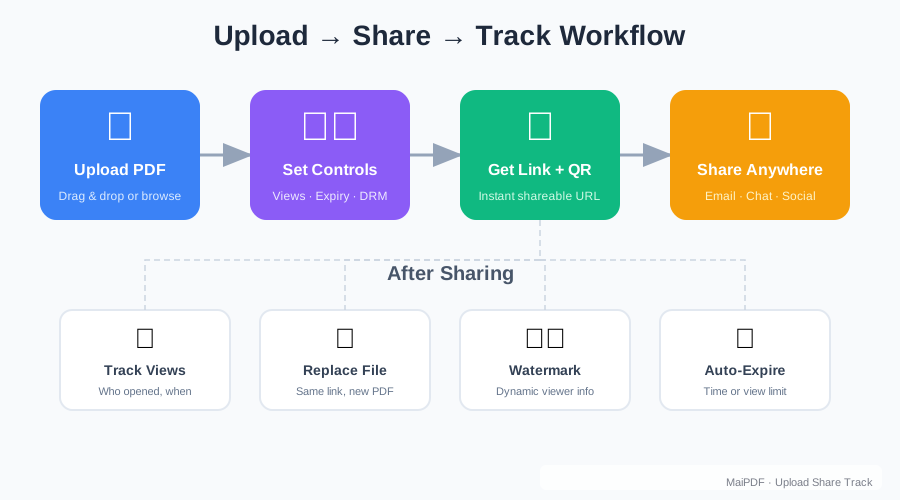
🔄 One-minute workflow (MaiPDF)
- Upload the PDF → set access + expiration.
- Share link/QR → revoke or rotate if requirements change.
- If you check activity, keep it high-level and privacy-first (sanity check + anomaly signals only).
✅ Key takeaways
- Default to least privilege for sensitive files.
- Use expiration + revocation as your “safety levers”.
- Keep any usage overview minimal and avoid surveillance framing.