MaiImg Product Launch Image Hub: Centralize and Control Product Visuals
MaiImg Product Launch Image Hub
A product launch generates a flood of visual assets — product shots, lifestyle photos, packaging images, press kit visuals. Managing who gets which images, in what resolution, and tracking whether they actually use them is a logistics challenge. MaiImg turns chaos into a controlled hub.
The Product Launch Image Problem
| Challenge | What Goes Wrong |
|---|---|
| Version confusion | Retailer uses old product shot from 3 months ago |
| Premature leaks | Press publishes images before the embargo date |
| No tracking | Marketing has no idea who downloaded the assets |
| Format chaos | Different teams need different resolutions and crops |
| Revocation impossible | Once sent via email, images can’t be recalled |
Setting Up Your Image Hub
1. Upload All Assets
Upload product images to MaiImg — supports PNG, JPG, JPEG, GIF, and WebP, up to 50 MB each, 25 files per batch.
2. Create Distribution Channels
Generate separate links for each audience:
| Audience | Controls | Why |
|---|---|---|
| Press / media | Expiration = embargo date, download ON | Need high-res files, but not before the launch |
| Retail partners | View limit per partner, download ON | Need product shots for listings |
| Social media team | No download, view only | Preview before final approval |
| Internal review | View limit, watermark ON | Prevent premature sharing |
3. Distribute Links
Send each audience their specific link:
- Press: include in press kit email
- Retailers: send via partner portal or direct email
- Social team: share in the team channel
4. Monitor Engagement
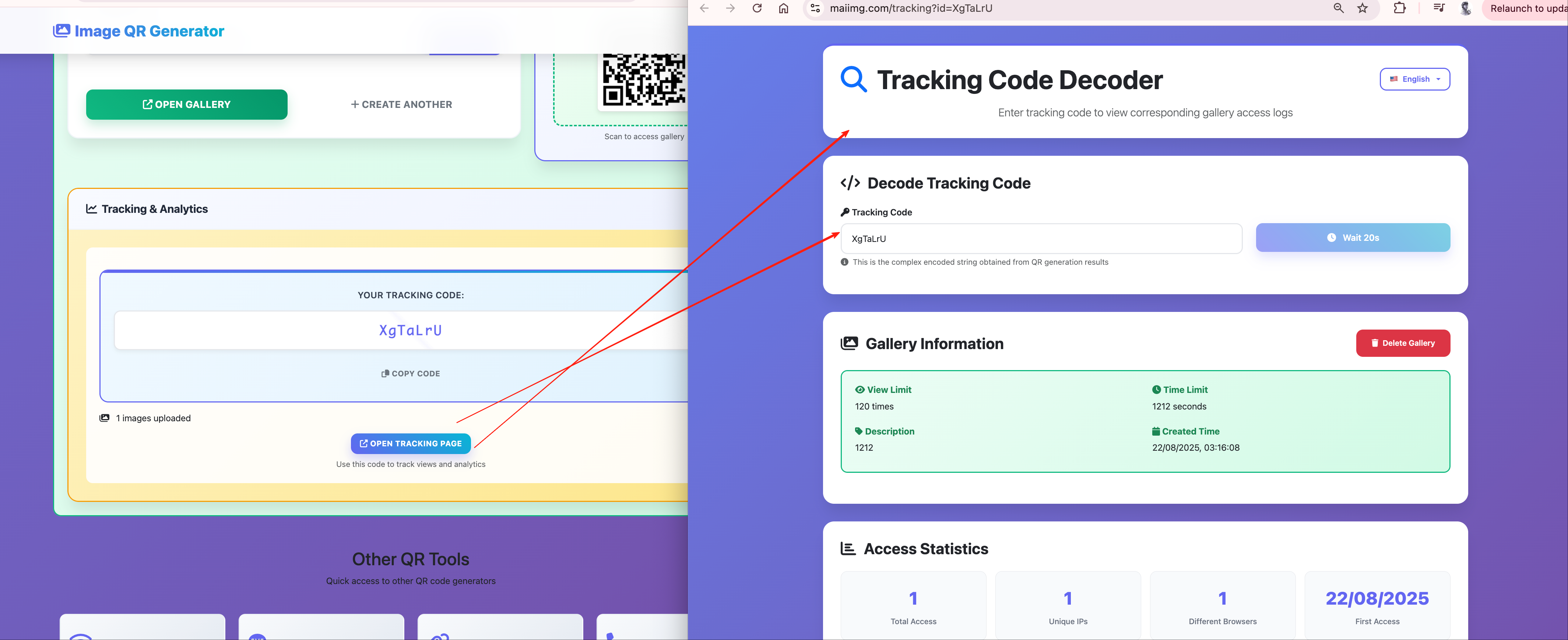
Track:
- Which press outlets accessed the images (and when — before or after embargo?)
- Which retailers downloaded product shots
- Whether the social team reviewed all approved visuals
Pre-Launch Workflow
Week -4: Upload all product images with strict access controls (internal team only)
Week -2: Share with press under embargo (expiration set to launch day)
Week -1: Share with retail partners for listing preparation
Launch day: Remove restrictions, enable wider distribution
Post-launch: Review analytics, identify which images drove the most engagement
Image Replacement Without Changing Links
Product images evolve during the launch process — colors get adjusted, backgrounds change, new angles are added. MaiImg lets you replace the image behind an existing link:
- The URL stays the same
- All existing recipients see the updated image
- No need to re-send links or update partner portals
Catch a color accuracy issue the day before launch? Replace the image — every shared link instantly shows the corrected version.
Access Control for Competitive Protection
Product images are competitive intelligence. Competitors study your packaging, pricing displays, and product positioning through images. MaiImg’s controls prevent unauthorized access:
- View limits ensure images can’t be scraped en masse
- Expiration means leaked links become dead links
- Watermarks trace any unauthorized sharing back to the source
- Download prevention stops competitors from building a catalog of your visuals
Getting Started
Upload your product launch images at maiimg.com, create distribution channels with appropriate controls, and share with confidence. Every access is tracked.