MaiImg QR Code Sharing Guide: Complete Image Distribution Workflow
MaiImg QR Code Sharing Guide
QR codes transform static image sharing into an interactive, trackable experience. Instead of emailing large image files or posting them to uncontrolled platforms, drop a QR code and let recipients scan for instant access.
The Complete QR Sharing Workflow
Phase 1: Prepare
- Select and optimize images (compress if needed for fast mobile loading)
- Organize images by audience or campaign
Phase 2: Upload
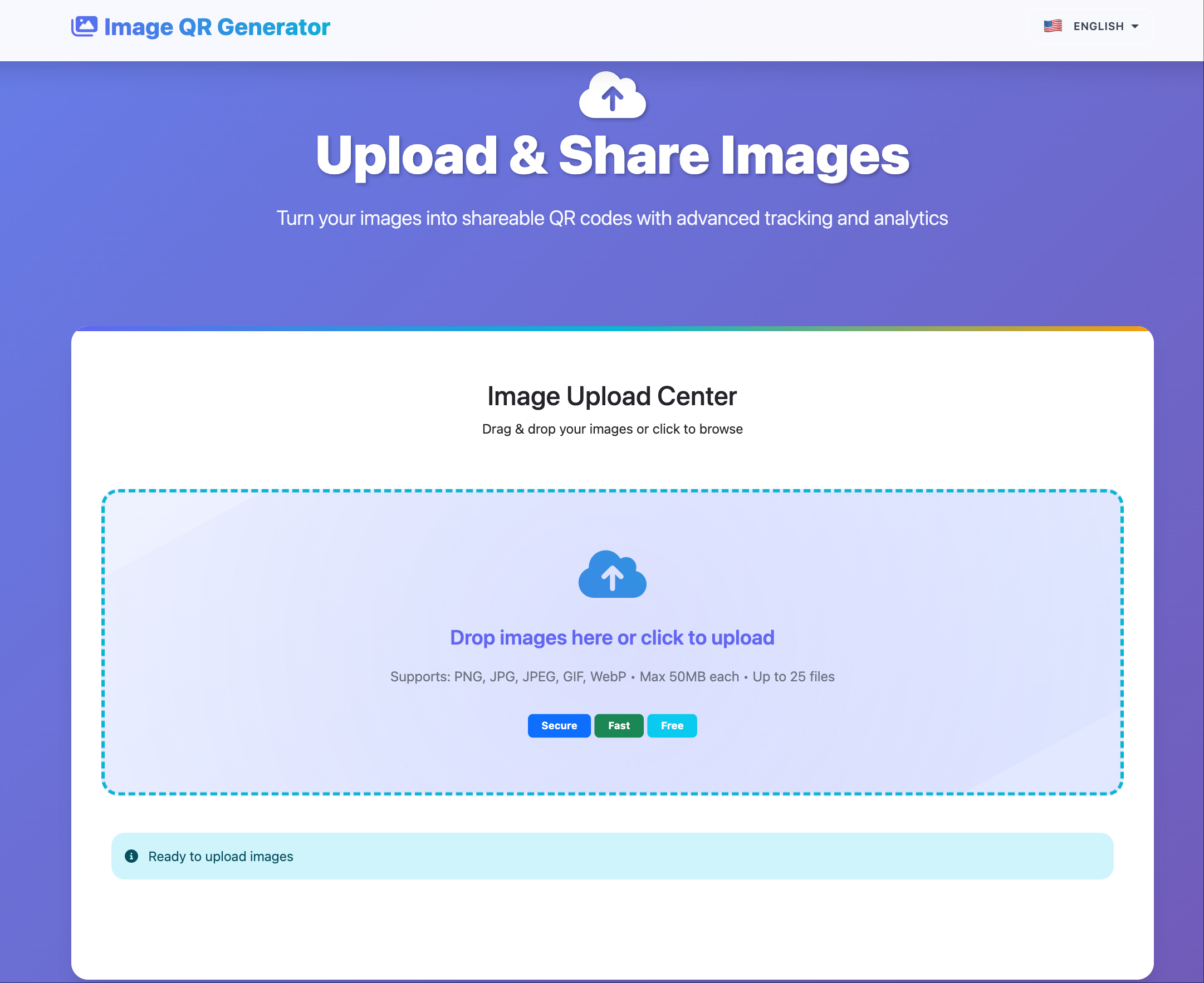
Go to maiimg.com and upload your images. Supports batch upload (up to 25 files) of PNG, JPG, WebP, and GIF formats.
Phase 3: Configure
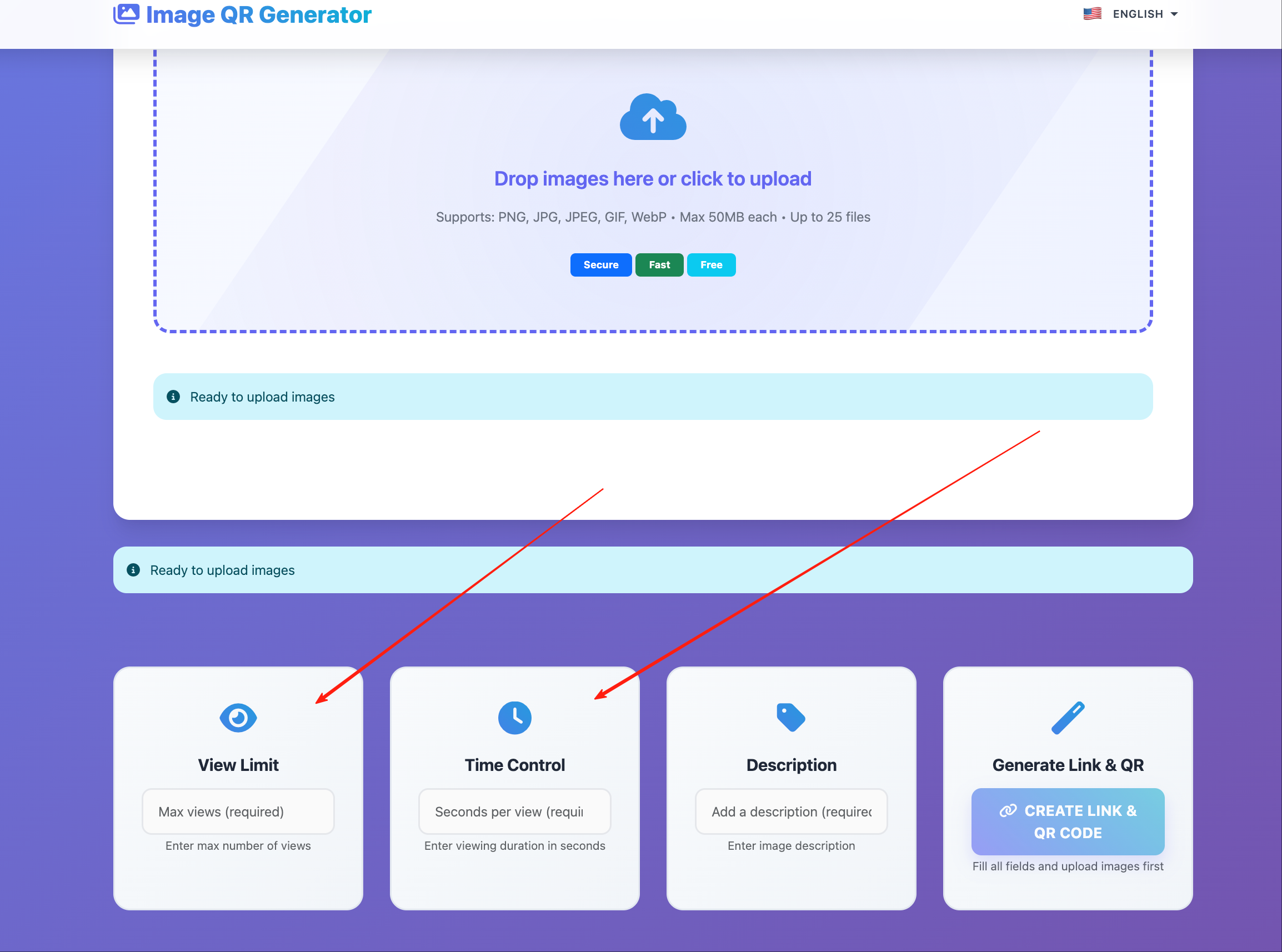
Set access controls per image:
| Setting | Default | Adjust When |
|---|---|---|
| View limit | Unlimited | Restricting to specific audience |
| Expiration | None | Time-sensitive campaign |
| Download | Allowed | Protecting copyrighted images |
Phase 4: Generate QR
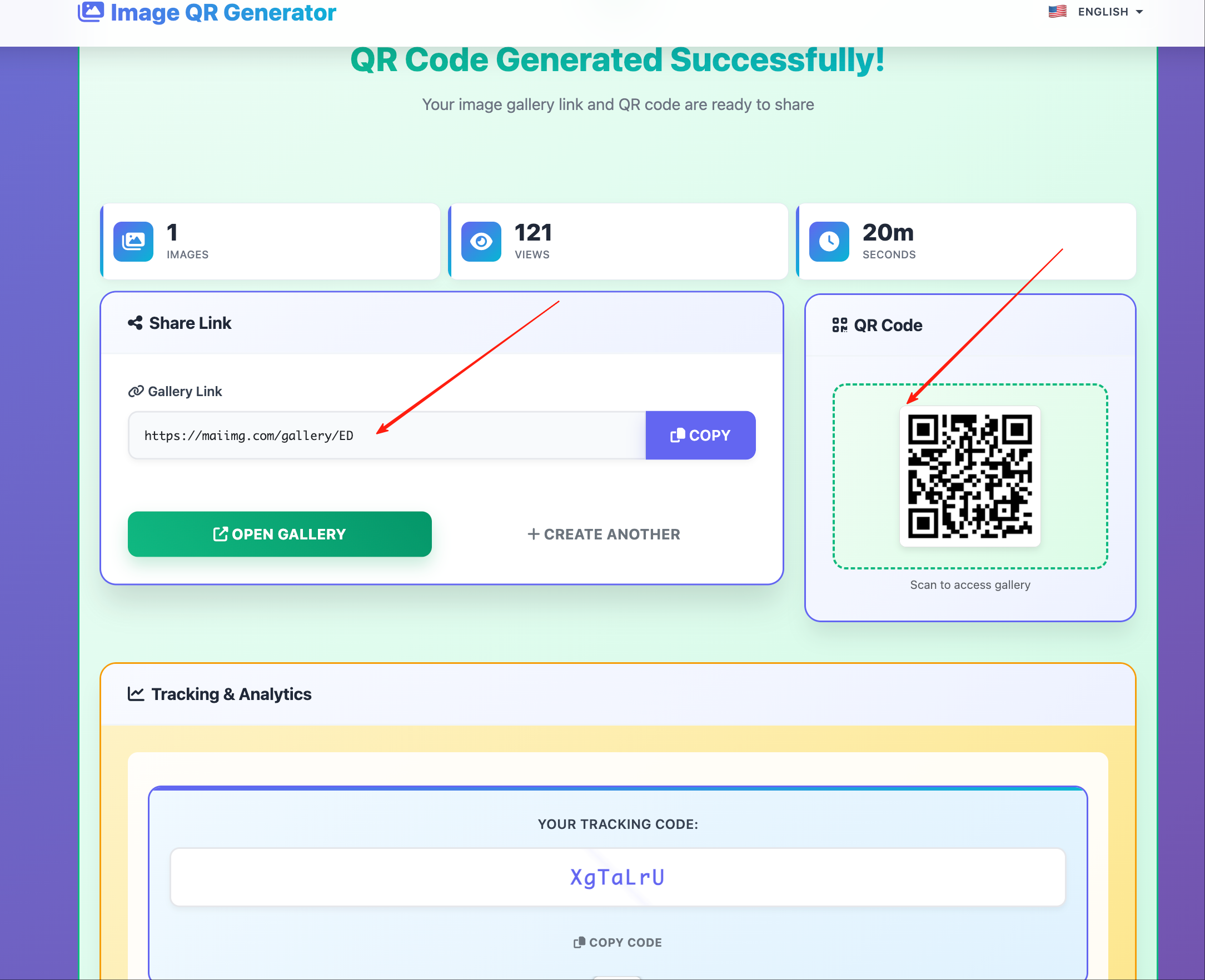
QR codes are auto-generated for every upload. Download the QR code image for use in:
- Print materials (flyers, posters, business cards)
- Digital presentations (slides, emails, social media)
- Physical products (packaging, signage, labels)
Phase 5: Distribute
Place QR codes where your audience will encounter them. The recipient scans with their phone camera — no app needed — and the image opens in their browser.
Phase 6: Track
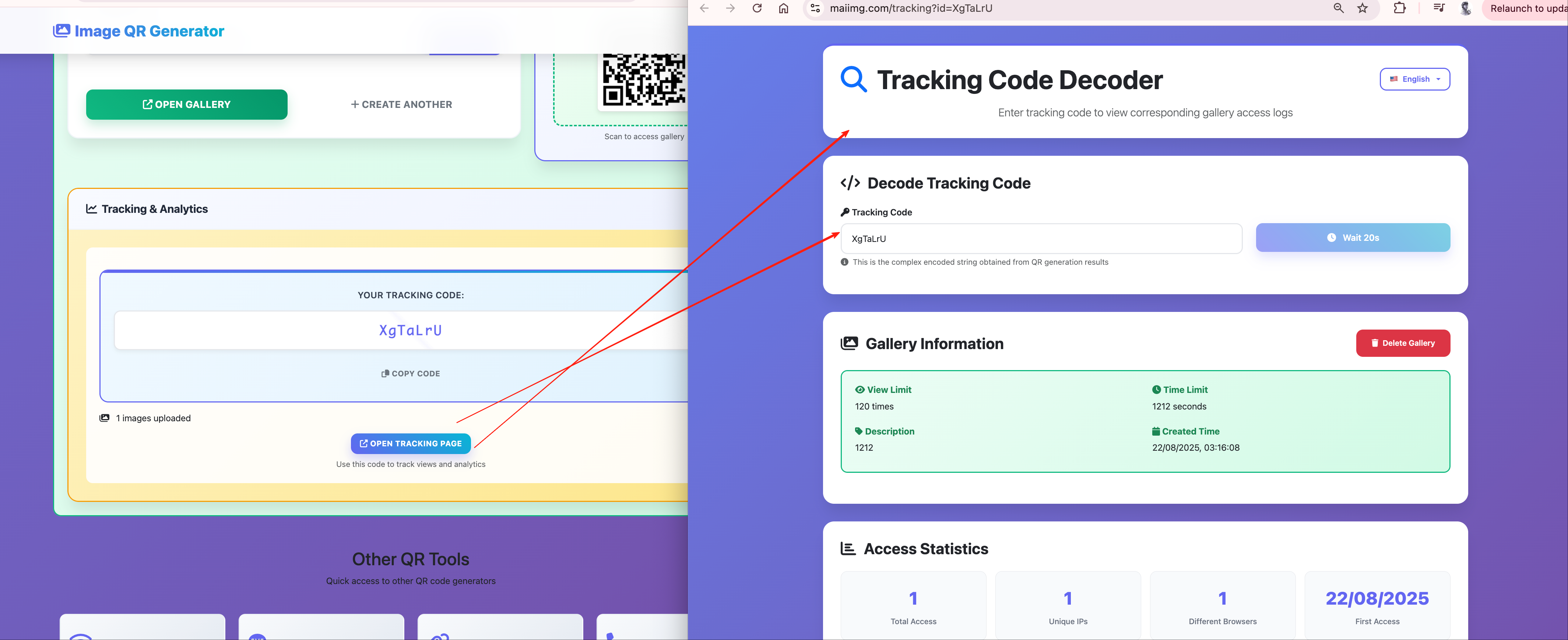
Monitor engagement through MaiImg’s dashboard:
QR Code Placement Strategies
High-Traffic Print
- Posters in public spaces — large QR, prominent call to action
- Handouts at events — small QR, paired with brief description
- Product packaging — medium QR, explains what the scan reveals
Digital Channels
- Email signatures — link to portfolio or latest product image
- Social media posts — “Scan for the full gallery”
- Presentation slides — audience scans during the talk
Physical Spaces
- Retail displays — QR links to detailed product photos
- Gallery walls — QR links to high-res artwork or artist bio image
- Real estate listings — QR links to property photo tour
Multiple Images, One Strategy
For campaigns with multiple images, consider these approaches:
Individual QR codes per image — maximum tracking granularity, but more codes to manage
Gallery QR code — one QR that links to a page with multiple images (if your platform supports it)
Sequential QR codes — users scan a series of QR codes to reveal a story or product lineup
Advanced: QR Codes with Access Controls
For controlled distribution:
- Time-limited reveals — set expiration to create urgency (“Scan by Friday for exclusive preview”)
- Limited-access drops — set view limit to create scarcity (“First 100 scans get access”)
- Protected content — disable downloads for copyrighted or exclusive images
Measuring QR Campaign Success
Key metrics from MaiImg’s tracking:
| Metric | What It Tells You |
|---|---|
| Total scans | Overall reach |
| Scans per day | Campaign momentum |
| Peak scan time | When your audience is most active |
| Device types | Optimize image sizes accordingly |
| Geographic distribution | Where your audience is located |
Use these metrics to iterate on QR placement, timing, and content for future campaigns.
Getting Started
Upload at maiimg.com, grab the QR code, and start sharing. Every scan is tracked, every image is controlled.