Maiimg: Simple Image Sharing with QR Codes and Open Statistics
Maiimg: Simple Image Sharing with QR Codes
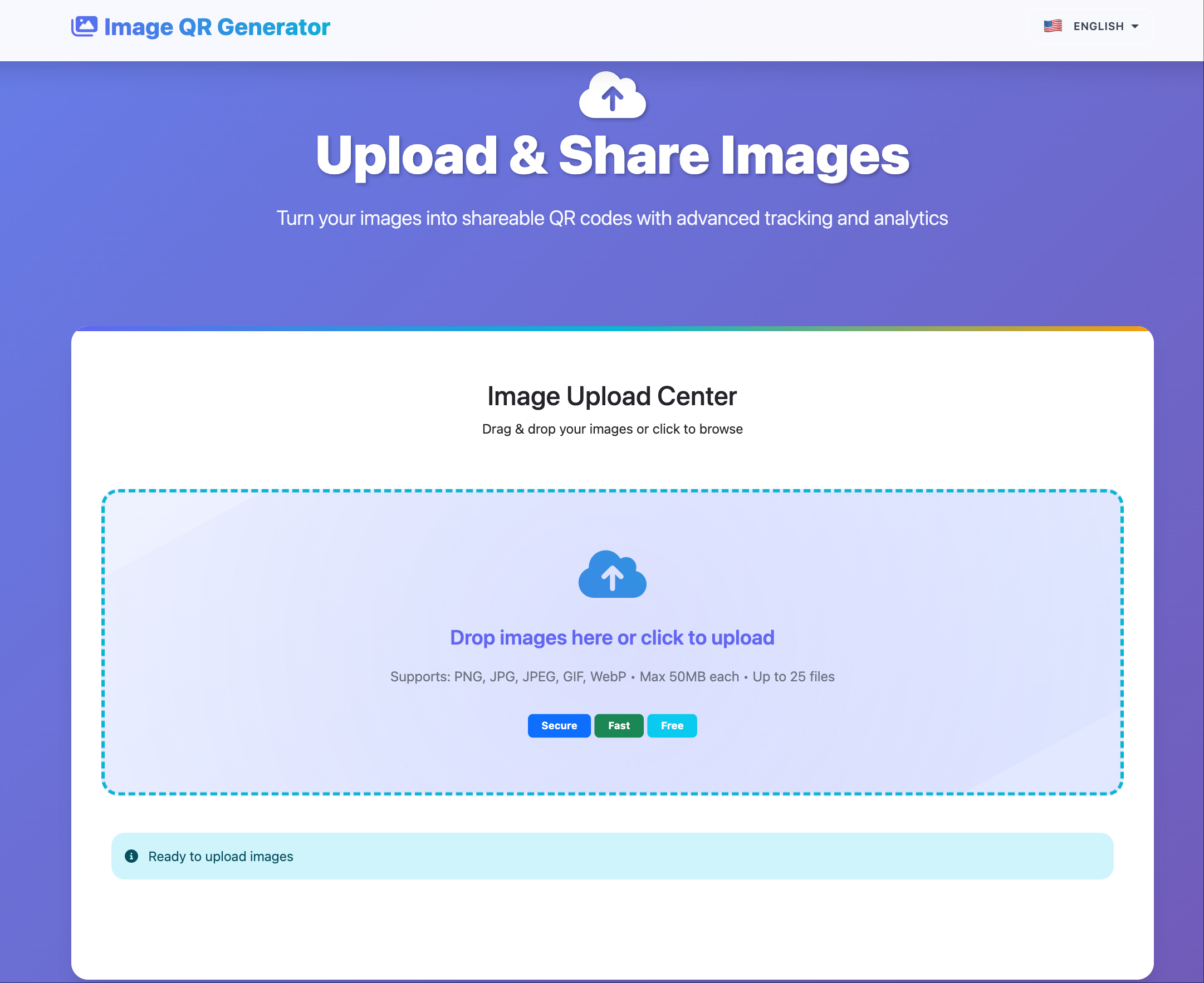
Maiimg in one line: upload a small image set, get one share link + one QR code, and control access from one place.
Core Features
- Upload up to 25 images per gallery.
- Generate one share link and one QR code.
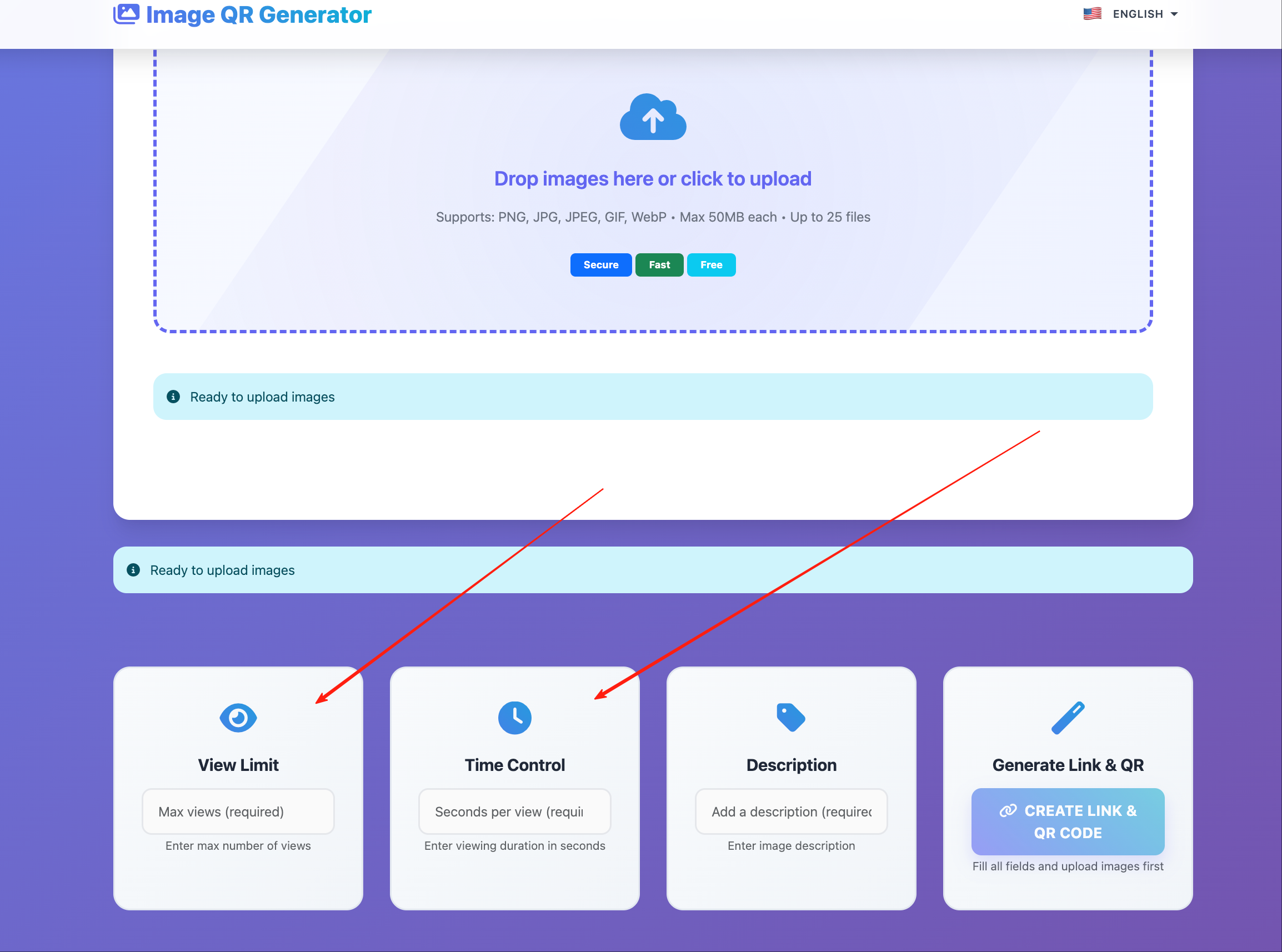
- Set optional view limits and expiry.
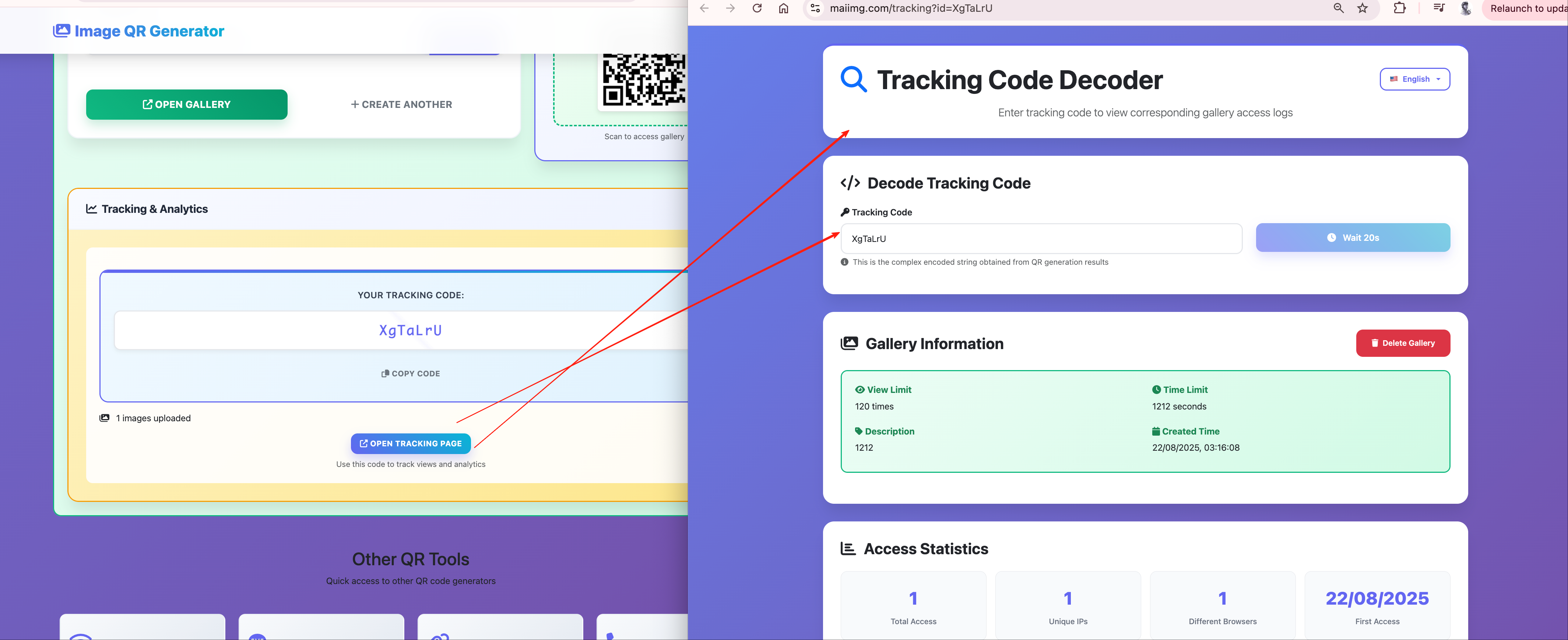
- Check open statistics from one dashboard.
- Delete a gallery any time.
3-Step Setup
- Upload selected images.
- Set access rules (views, duration, description).
- Share by link or QR code.
Best-Fit Use Cases
Client previews
Share drafts with controlled access.
Share drafts with controlled access.
Events
Show a QR code on screen for fast guest access.
Show a QR code on screen for fast guest access.
Sales materials
Distribute image packs without large attachments.
Distribute image packs without large attachments.
Teaching
Share temporary references for classes or workshops.
Share temporary references for classes or workshops.
What It Does Not Do
- It does not prevent screenshots or camera captures.
- It does not provide advanced enterprise identity controls.
- It is best for practical sharing, not high-security forensic control.
Quick Checklist Before Sharing
- Keep one gallery focused on one topic.
- Set an expiry date for temporary content.
- Use view limits for sensitive previews.
- Confirm the QR code on mobile before sending.
Bottom Line
Maiimg is a lightweight image-sharing workflow: fast upload, clean sharing, basic access control, and clear open statistics.