Image Sharing Security Guide: Protect Your Visual Content Online
Image Sharing Security Guide: Protect Your Visual Content Online
Images are among the easiest content to steal and the hardest to trace. Right-click, save, screenshot — and your original work is someone else’s social media post. Secure image sharing adds controls that make unauthorized use difficult and traceable.
Why Image Security Matters
| Who’s Affected | What’s at Risk |
|---|---|
| Photographers | Portfolio images stolen for commercial use |
| E-commerce sellers | Product photos copied by competitors |
| Real estate agents | Property photos used without attribution |
| Designers | Mockups and concepts leaked before launch |
| Event organizers | Exclusive event photos redistributed without control |
| Brands | Marketing visuals used in unauthorized contexts |
The Three Layers of Image Protection
Layer 1: Access Control
Limit who can view your images and for how long:
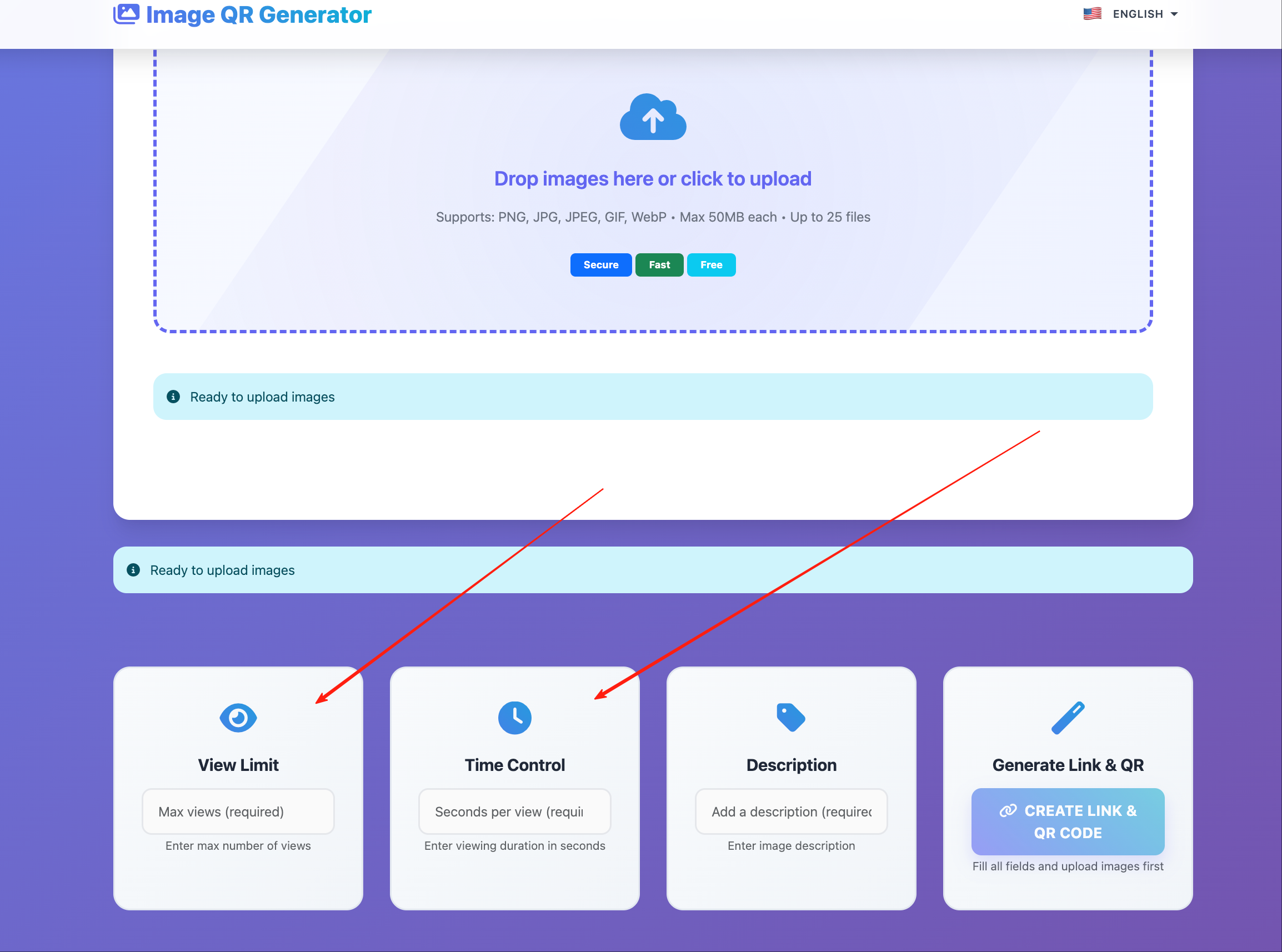
- View limits — cap the total number of opens
- Expiration dates — auto-disable access after a date
- Password/email verification — require identity before viewing
Layer 2: Download Prevention
Even if someone can view an image, preventing downloads adds friction to theft:
- Disable the download button — the image renders in the browser but can’t be saved through standard UI
- Disable right-click — removes the “Save Image As” option
- Disable drag-and-drop — prevents dragging the image to desktop
Layer 3: Watermarking and Tracking
When access is necessary but control is critical:
- Visible watermark — deters casual theft; thieves would need to crop or paint over it
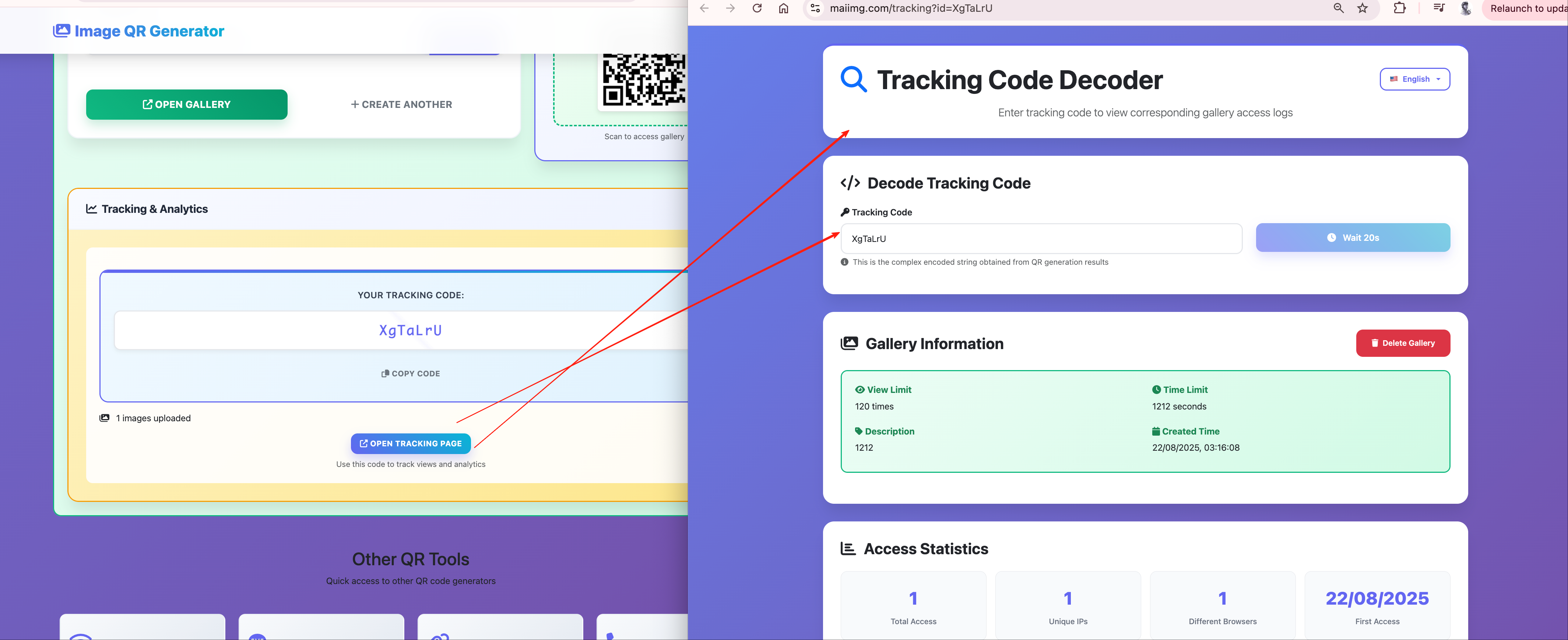
- Identity tracking — log who viewed the image, when, and from where
- Forensic capability — if an image leaks, access records narrow down the source
Setting Up Image Security on MaiImg
- Upload your image at maiimg.com
- Configure security settings:
| Setting | Recommended for Secure Sharing |
|---|---|
| Download | OFF |
| View limit | Match to expected audience |
| Expiration | Set a reasonable window |
- Share the secured link or QR code
Security Levels by Use Case
Portfolio Sharing (Moderate Security)
- Download: OFF
- View limit: generous (100+)
- Expiration: none (ongoing portfolio)
- Goal: let potential clients see work without enabling easy theft
Client Proof Delivery (High Security)
- Download: OFF
- View limit: low (10–20)
- Expiration: review period only
- Goal: client reviews work without saving before payment
Press Kit Distribution (Selective Security)
- Download: ON (press needs files)
- View limit: per-outlet links
- Expiration: after publication date
- Goal: provide access to authorized press, revoke after use
Internal Team Review (Standard Security)
- Download: OFF
- View limit: moderate
- Expiration: project deadline
- Goal: team sees images without saving to personal devices
What Secure Sharing Can’t Prevent
Be realistic about limitations:
- Screenshots — any visible content can be screenshotted. Watermarks help trace but can’t prevent.
- Phone cameras — someone can always photograph their screen. Low resolution limits usefulness.
- Determined attackers — if someone really wants a copy, they’ll find a way. Security creates friction and accountability, not absolute prevention.
The goal is to make unauthorized copying inconvenient enough that casual theft stops, and any leak is traceable enough to identify the source.
Monitoring for Unauthorized Access
After sharing, watch for warning signs:
- View count climbing faster than expected — the link may have been forwarded
- Access from unexpected locations — may indicate the link reached unintended audiences
- Bulk access patterns — automated scraping attempts
If you see these patterns, revoke the link and create a new one with tighter controls.
Getting Started
Upload your images at maiimg.com, configure security settings, and share with confidence.