MaiImg Event Photo Distribution Guide: Share Event Images Securely
MaiImg Event Photo Distribution Guide
Event photography creates unique distribution challenges: hundreds of photos need to reach specific attendees quickly, but you don’t want uncontrolled images floating across the internet. MaiImg solves this with secure, trackable image sharing.
The Event Photo Distribution Problem
After every conference, wedding, corporate event, or trade show, photographers face the same headaches:
- Volume — dozens to hundreds of images need distribution
- Audience — specific people should receive specific photos
- Speed — attendees want photos immediately, not weeks later
- Control — event organizers want to approve which images go public
- Tracking — knowing which photos were accessed helps plan future events
How MaiImg Handles Event Photos
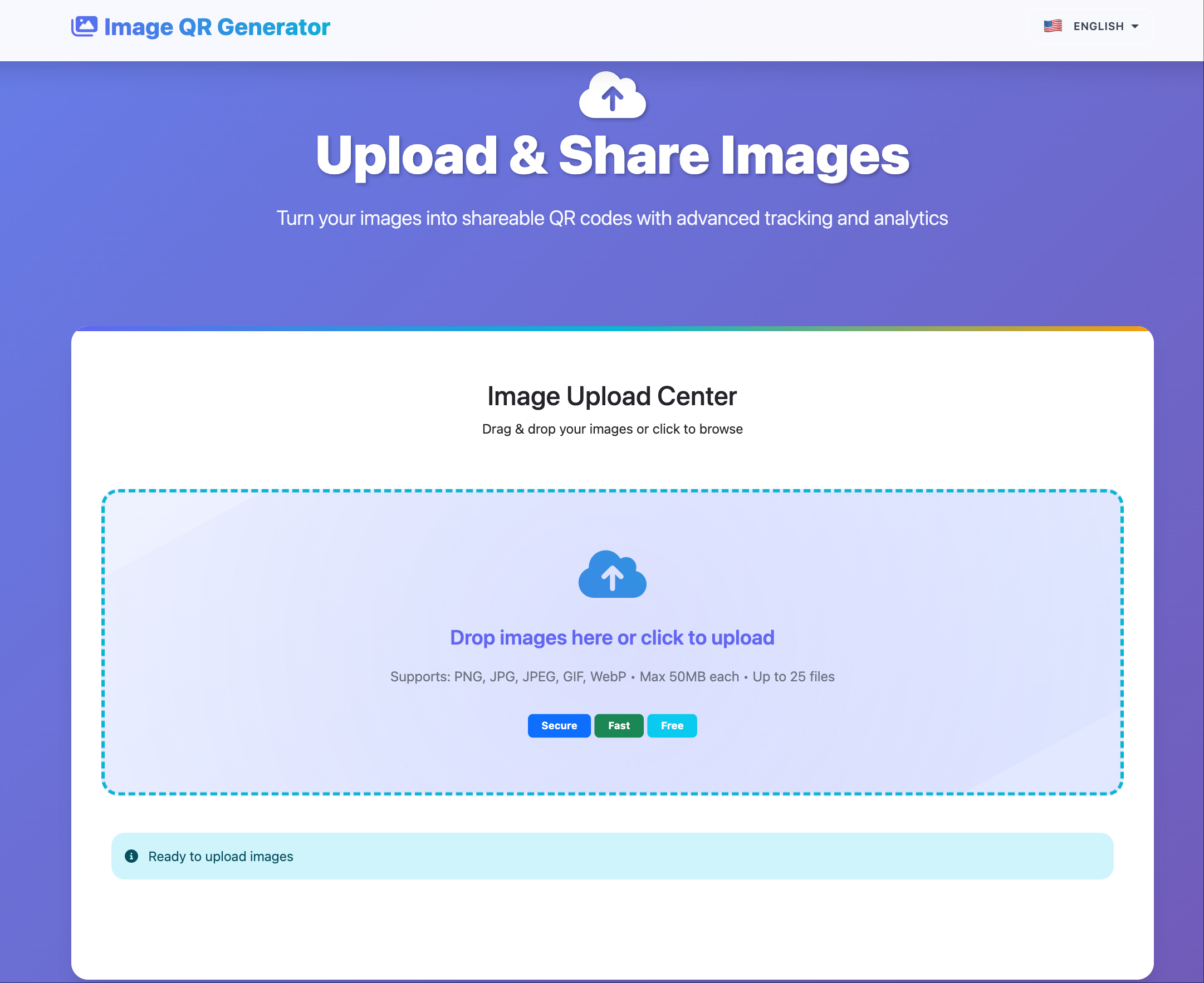
Step 1: Upload
Drag and drop your event photos (PNG, JPG, WebP — up to 25 files at once, 50 MB each) to MaiImg.
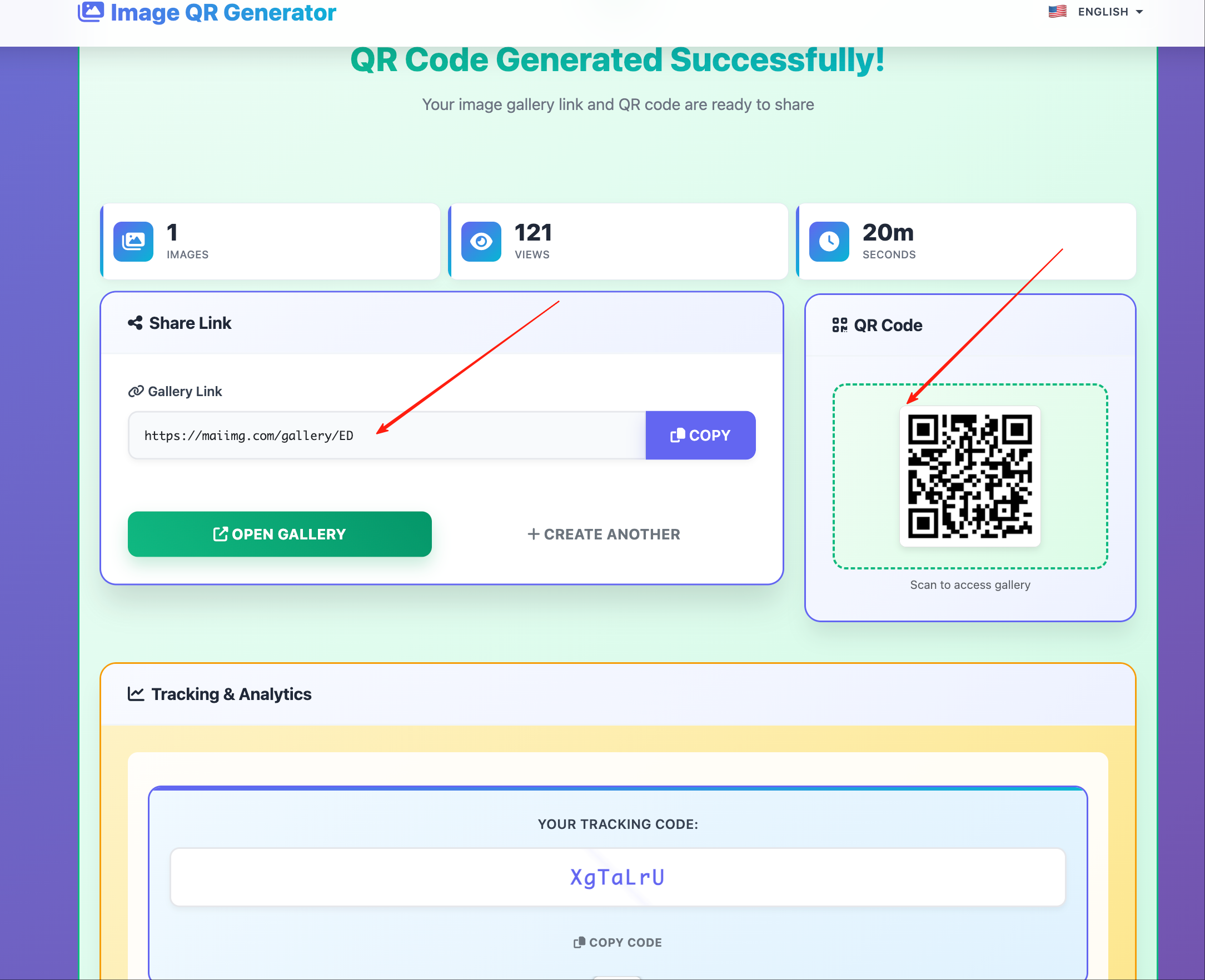
Step 2: Generate Links and QR Codes
Each upload generates a unique shareable link and QR code. For events, QR codes are especially powerful:
- Print QR codes on event programs
- Display QR codes on screens during the event
- Include QR codes in follow-up emails
Step 3: Set Access Controls
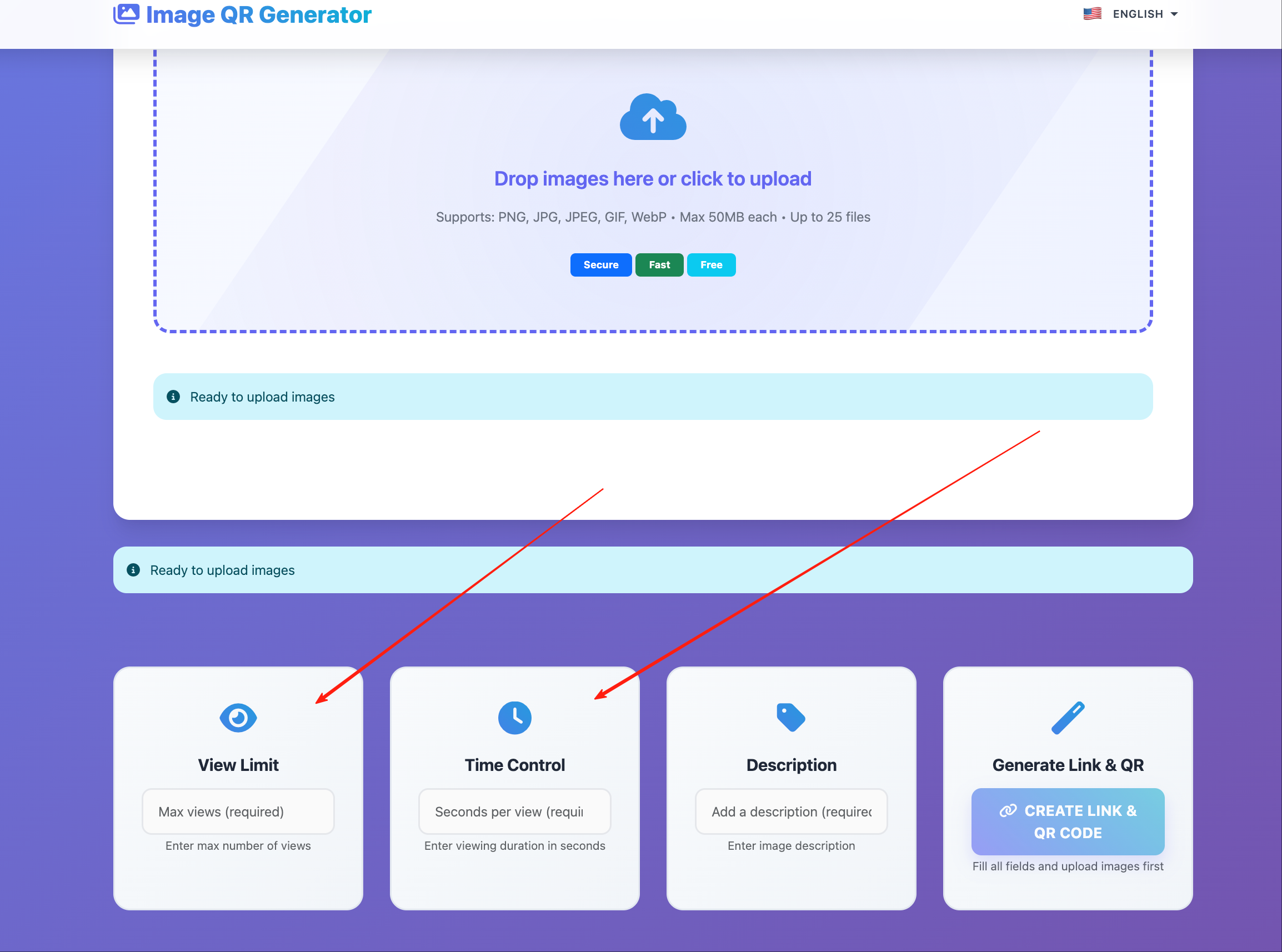
Configure per-image controls:
View limit
Cap opens so a leaked link can’t be reused indefinitely.
Expiration
Auto-disable shares after the event window ends.
Download toggle
Allow downloads for personal keepsakes, or keep view-only when needed.
Step 4: Distribute
Share QR codes at the venue, send links via email, or post to event-specific channels. Each method tracks independently.
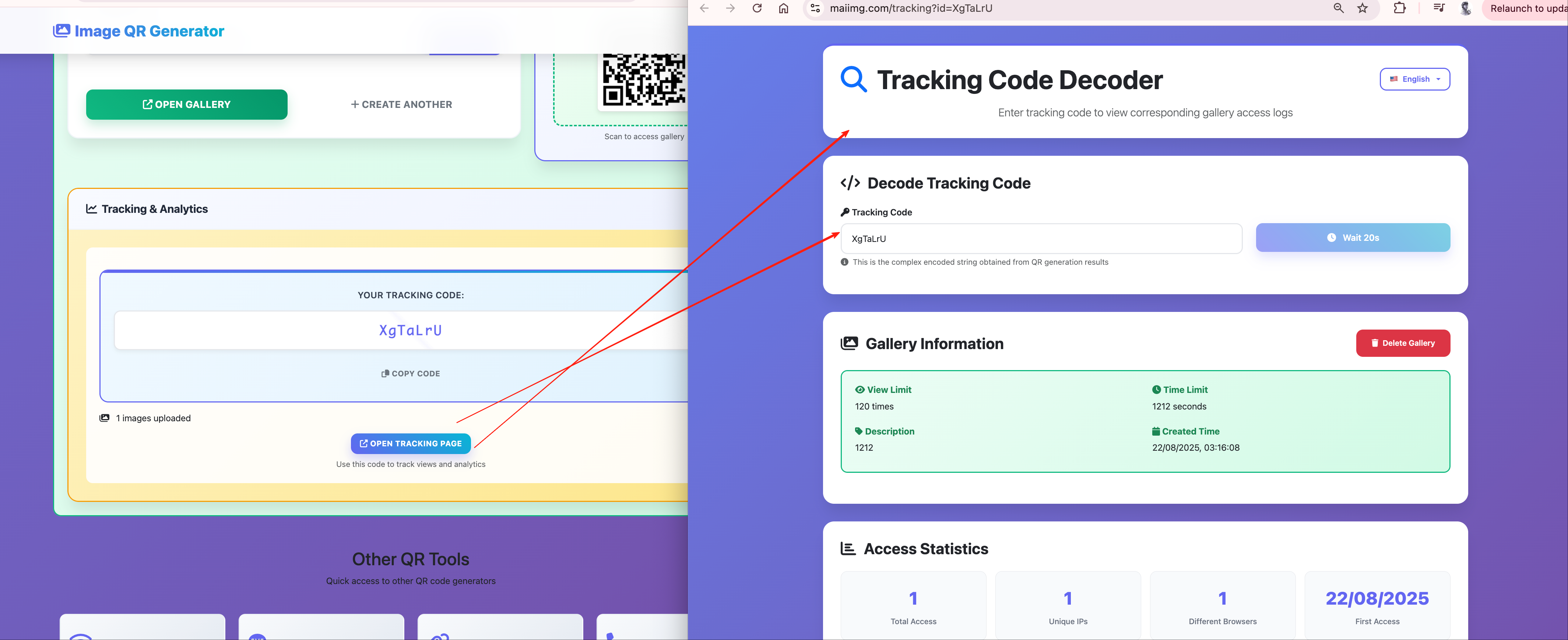
Step 5: Review distribution (optional)
Use high-level signals to see which galleries were opened and whether access looks normal—keep messaging privacy-first, not “surveillance of attendees.”
Distribution Strategies by Event Type
Corporate Conference
- Upload keynote slides and session photos
- QR codes on lanyards or session schedules
- Disable downloads for sensitive presentation content
- Enable downloads for networking photos
Wedding
- Create separate galleries: ceremony, reception, portraits
- Share QR codes at the reception for real-time viewing
- Set high view limits (guests will share with family)
- Enable downloads for personal photos
Trade Show
- Product demo photos with brand watermarks
- QR codes on booth signage
- Track which products generate the most photo engagement
- Disable downloads for competitive intelligence protection
Charity / Fundraiser
- Event highlight photos shared with donors
- QR codes on thank-you materials
- Track engagement for donor reporting
Real-Time Distribution During Events
The fastest workflow:
- Photographer captures shots
- Quick upload to MaiImg between sessions
- QR code displayed on event screens or social media
- Attendees scan and view immediately
This creates a live photo feed without requiring any app installation from attendees.
After the event
Useful checks (keep them proportional to your needs):
- Which galleries got traction — for follow-up highlights
- Rough timing of access spikes — to plan distribution windows next time
- Avoid turning this section into public copy that promises invasive tracking
Getting Started
Upload your event photos at maiimg.com, generate QR codes, and distribute with access rules you can revoke or adjust later.