MaiImg QR Code Generation: Turn Images into Scannable Codes
MaiImg QR Code Generation: Turn Images into Scannable Codes
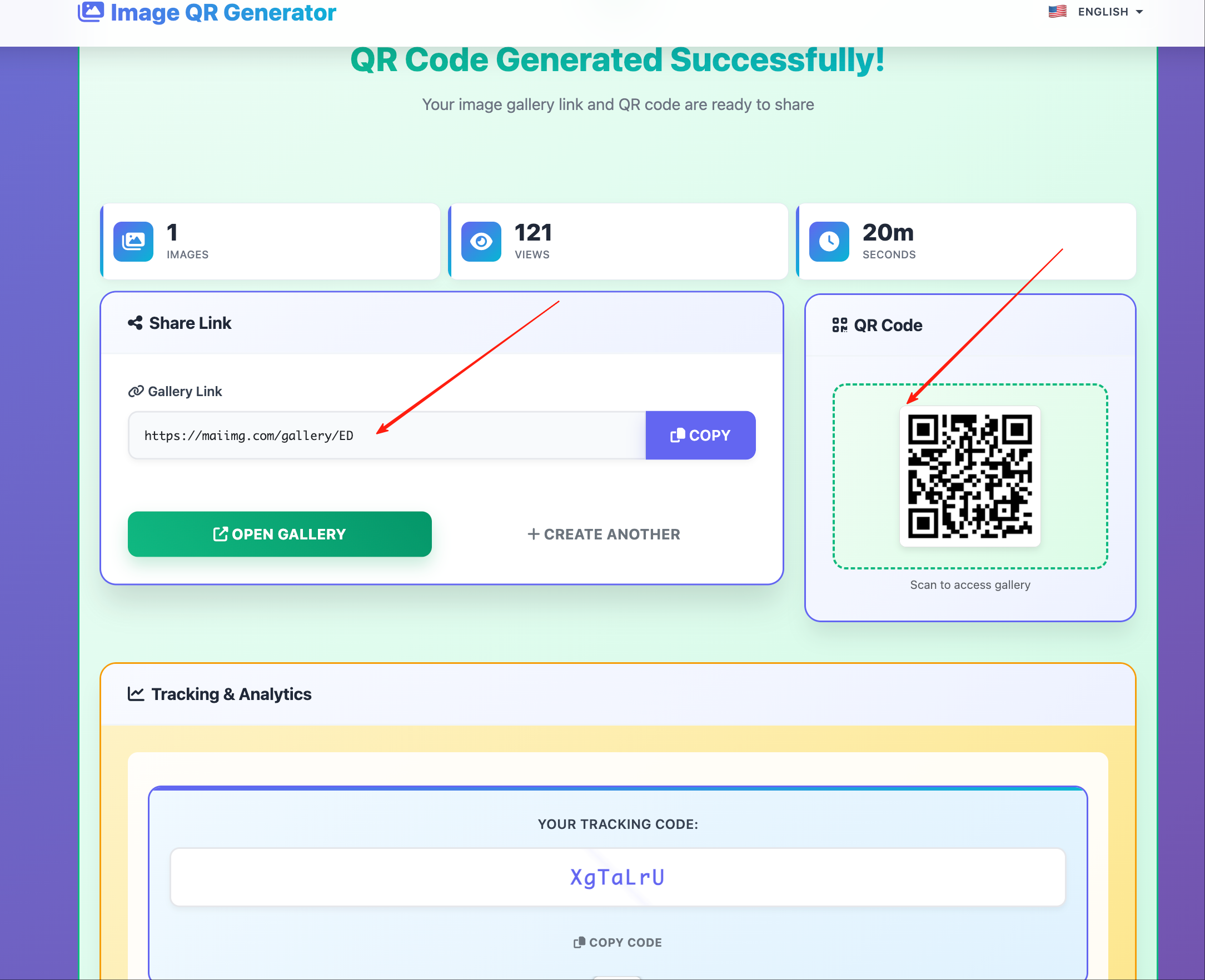
Every image uploaded to MaiImg automatically gets a QR code. Scan it with any smartphone camera, and the image opens instantly in the browser — no app required.
How It Works
- Upload an image (PNG, JPG, WebP, GIF) at maiimg.com
- The system generates a shareable link AND a QR code
- Download the QR code or copy the link
- Place the QR code anywhere — print, slides, screens, packaging
When someone scans the QR code, the image opens in their default browser at full resolution.
Where to Use Image QR Codes
| Placement | Use Case |
|---|---|
| Business cards | Link to portfolio samples |
| Product packaging | Show detailed product photos |
| Restaurant menus | Display dish photos |
| Real estate signs | Link to property photo gallery |
| Museum/gallery labels | Show high-res artwork details |
| Conference badges | Link to speaker headshots |
| Classroom handouts | Diagrams and reference images |
QR Code Features
Auto-generated — every upload creates a QR code automatically. No extra steps.
High resolution — suitable for both digital display and print (up to large format).
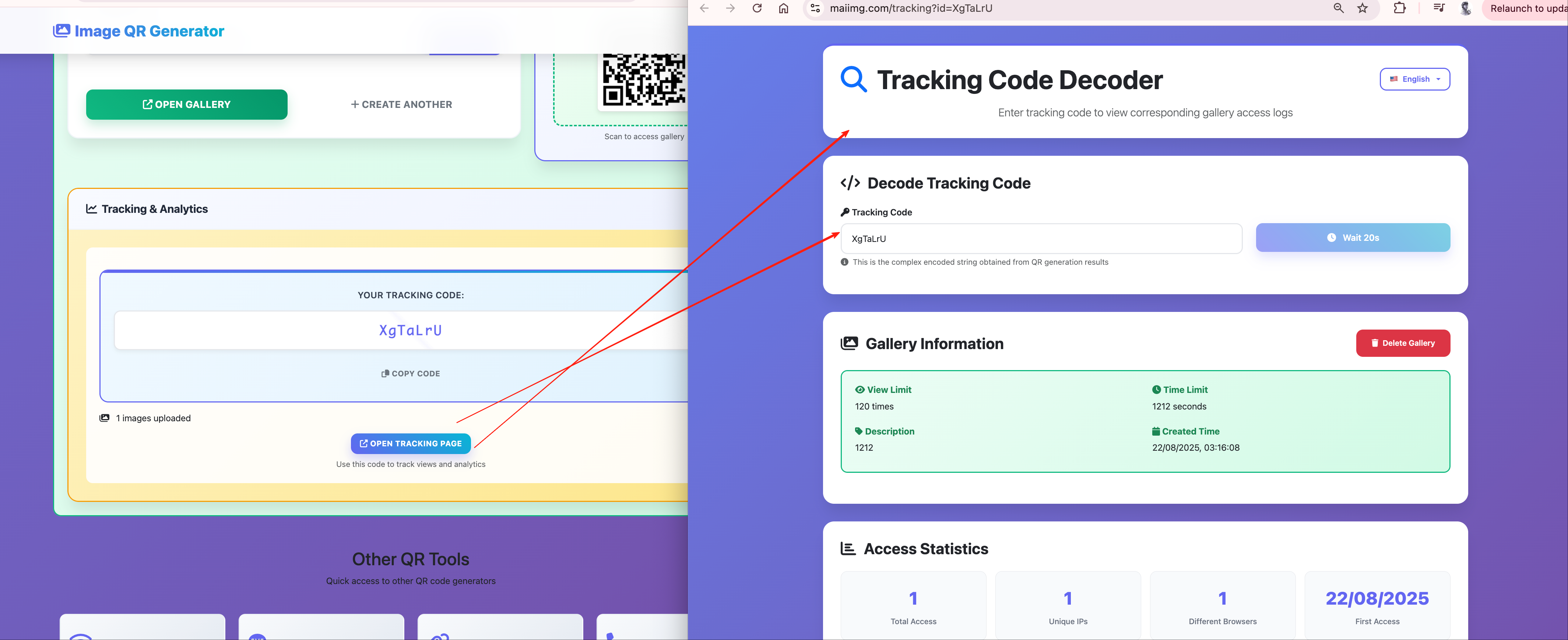
Trackable — every scan is logged with timestamp, device type, and location.
Controllable — the QR code points to a managed link. You can change access settings without regenerating the QR code.
Access Controls on QR Codes
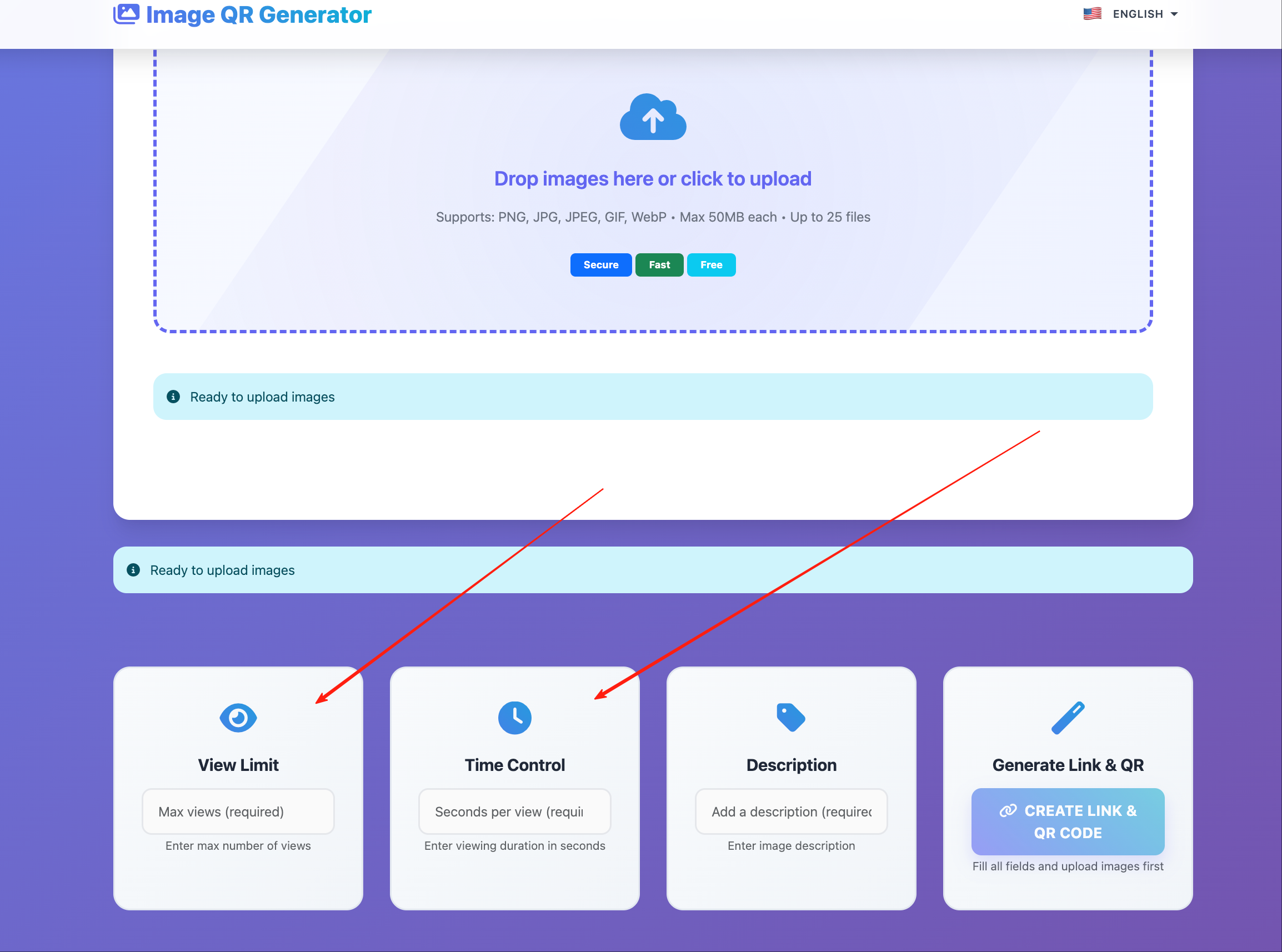
The QR code links to the same managed image as the URL. All controls apply:
- View limit — restrict total scans
- Expiration — QR stops working after a date
- Download toggle — allow or prevent image saving
Replacing the Image Behind a QR Code
Already printed the QR code on 1,000 flyers? Need to update the image? Replace it without changing the QR code:
- Go to your MaiImg dashboard
- Find the image
- Upload the replacement
- Save
Every future scan of the same QR code shows the new image.
Tracking Scans
Monitor QR code performance through MaiImg’s analytics:
- Total scans — how many people accessed the image
- Scan timeline — when scans happened (helps evaluate campaign timing)
- Device breakdown — mobile vs. desktop (QR codes are overwhelmingly mobile)
- Location data — approximate geographic distribution of scanners
Design Tips for Printed QR Codes
- Minimum size: 2 cm × 2 cm (0.8” × 0.8”) for phone scanning
- Distance rule: for every meter of scanning distance, the QR code should be ~10 cm wide
- Contrast: high contrast between QR code and background (black on white is safest)
- Quiet zone: leave white space around the QR — at least equal to the width of one QR module
- Call to action: always add text near the QR code explaining what the user will see (“Scan for full photo gallery”)
Getting Started
Upload your first image at maiimg.com and download the auto-generated QR code. Place it anywhere your audience is — they scan, they see, they engage.