MaiImg QR Code Generation Guide: From Upload to Scan-Ready in 30 Seconds
MaiImg QR Code Generation Guide
Need a QR code for an image? Upload → get QR → share. The entire process takes 30 seconds and requires no account for basic use.
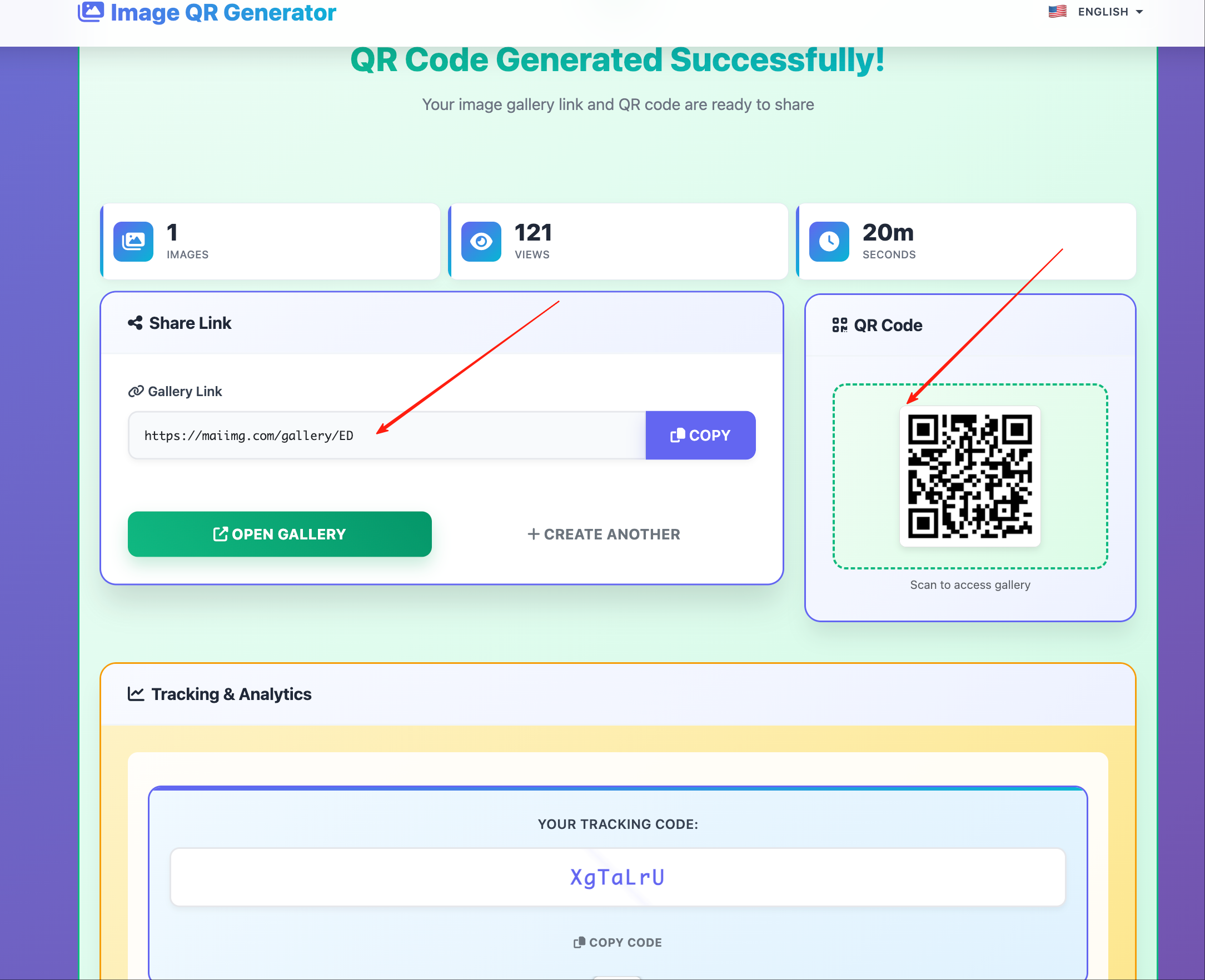
Quick Start: 4 Steps
Step 1 — Open maiimg.com
Step 2 — Upload your image (drag-and-drop or click to browse)
- Supported: PNG, JPG, JPEG, GIF, WebP
- Max size: 50 MB per image
- Batch: up to 25 images at once
Step 3 — Wait 3–5 seconds for processing
Step 4 — Download the QR code (right-click → save, or copy to clipboard)
Done. The QR code links directly to your image.
What the QR Code Does
When someone scans the QR code with their phone camera:
- Their browser opens automatically
- The full-resolution image loads
- They can view, zoom, and (if allowed) download the image
No app installation required. Works on every smartphone with a camera.
Customizing Your QR Code’s Behavior
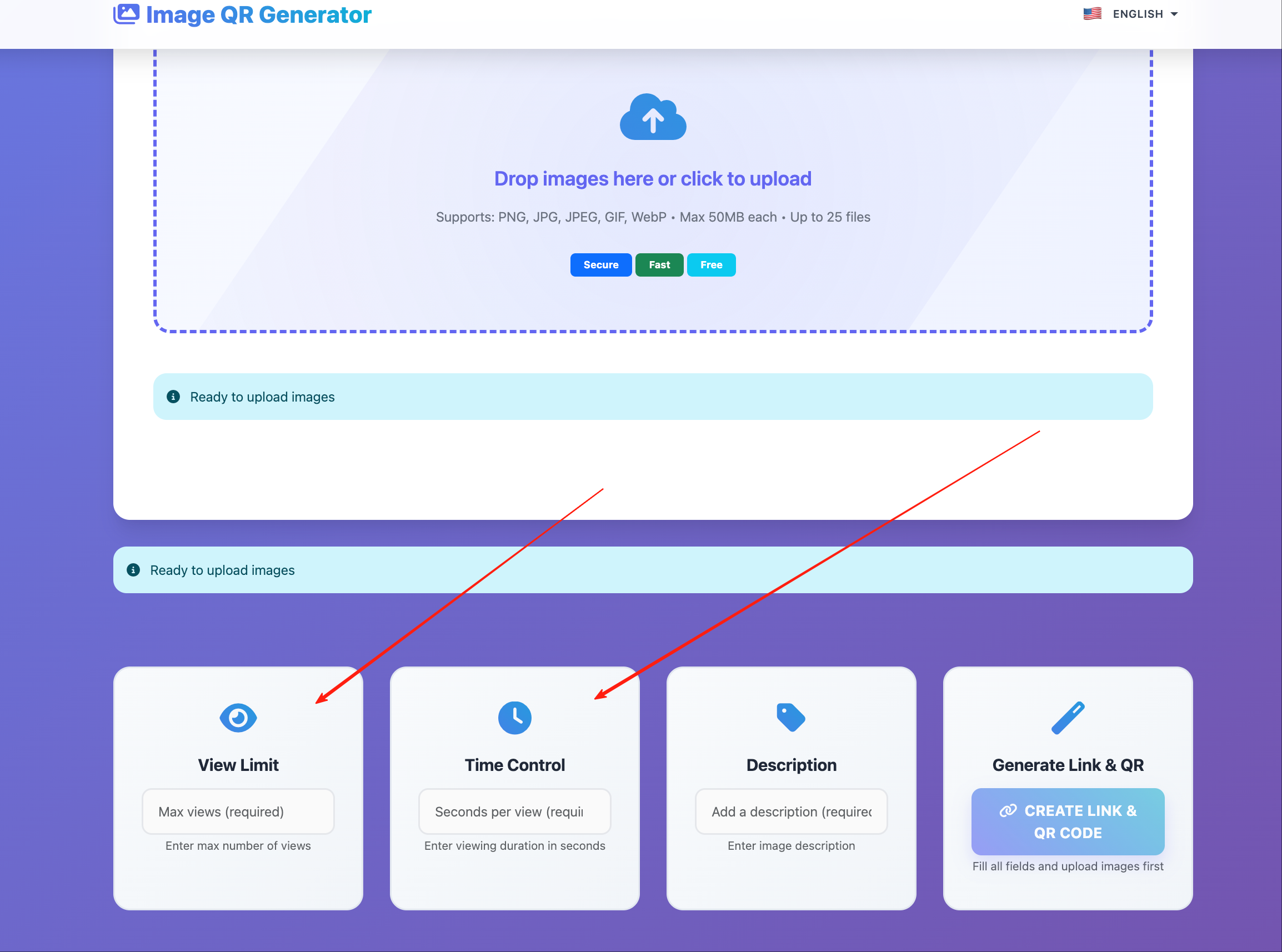
After upload, adjust settings to control the experience:
Allow or Block Downloads
Toggle the download button. When off, viewers can see the image but can’t save it to their device.
Set a View Limit
Cap how many times the QR code can be scanned. After the limit, scans show an “unavailable” message.
Set an Expiration
The QR code stops working after your chosen date. Perfect for time-limited campaigns or events.
Use Cases by Industry
Photography / Creative
- Print QR on business cards linking to your best portfolio shot
- Include QR on printed proofs linking to the high-res version
- Add QR to gallery exhibition labels
Retail / E-Commerce
- Product packaging QR links to detailed product photo
- Shelf tags link to lifestyle images showing the product in use
- Return labels link to instructional diagrams
Real Estate
- Yard signs QR links to property photos
- Open house flyers link to virtual tour images
- Agent business cards link to headshot and branding
Education
- Textbook margins QR links to supplementary diagrams
- Lab handouts link to reference images
- Classroom posters link to high-res versions for student study
Events
- Event programs QR links to speaker photos
- Registration desks display QR for venue maps
- Post-event emails include QR for highlight images
Print Quality Guide
| Print Size | Minimum QR Size | Scanning Distance |
|---|---|---|
| Business card | 2 × 2 cm | Close (< 30 cm) |
| A4 flyer | 3 × 3 cm | Arm’s length |
| A3 poster | 5 × 5 cm | 1–2 meters |
| Banner / signage | 10+ × 10+ cm | 3+ meters |
Always test the printed QR code before mass production. Scan it yourself to verify it loads correctly.
Tracking Your QR Codes
Every scan generates analytics:
- Total scans
- Time of each scan
- Device type (nearly always mobile)
- Approximate location
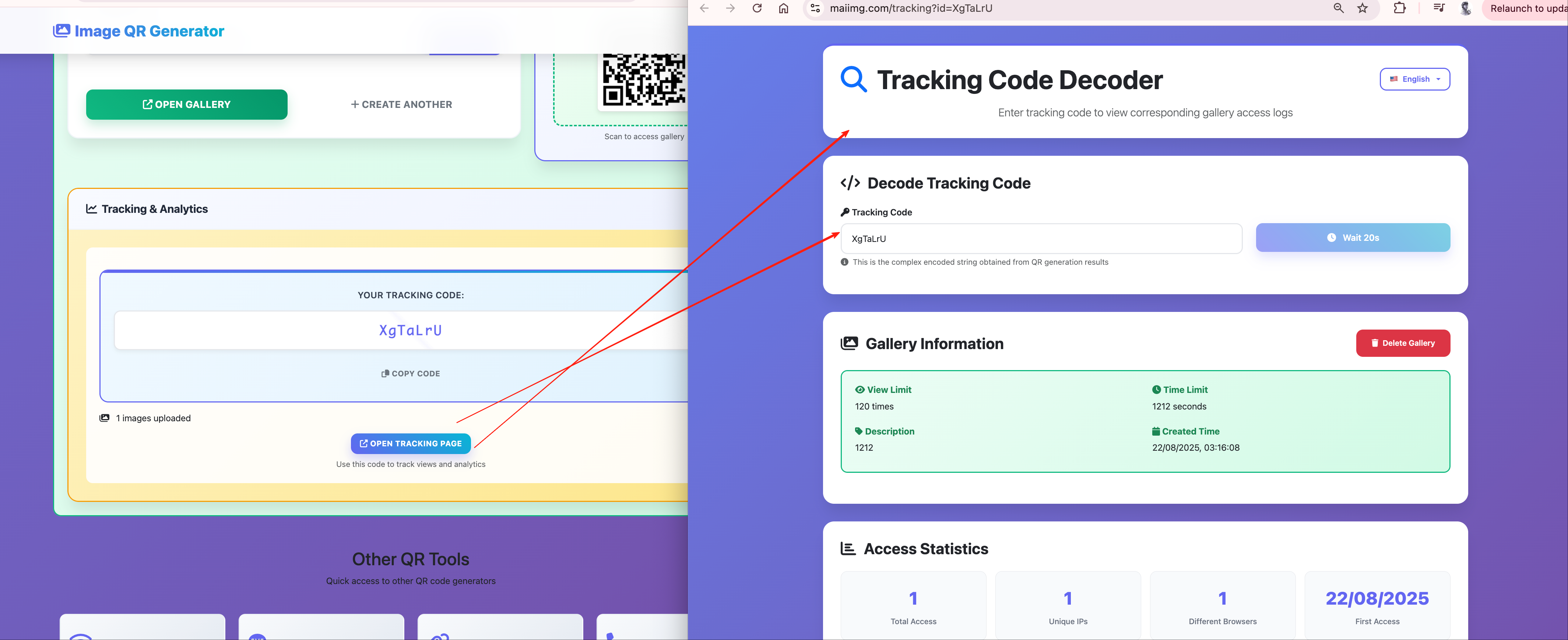
Use this data to measure which placements drive the most engagement.
Get Started
Visit maiimg.com, upload an image, and have a scan-ready QR code in 30 seconds.