Maiimg QR Code Image Sharing: Complete Guide to QR Code Generation and Distribution
Maiimg QR Code Image Sharing: Complete Guide to QR Code Generation and Distribution
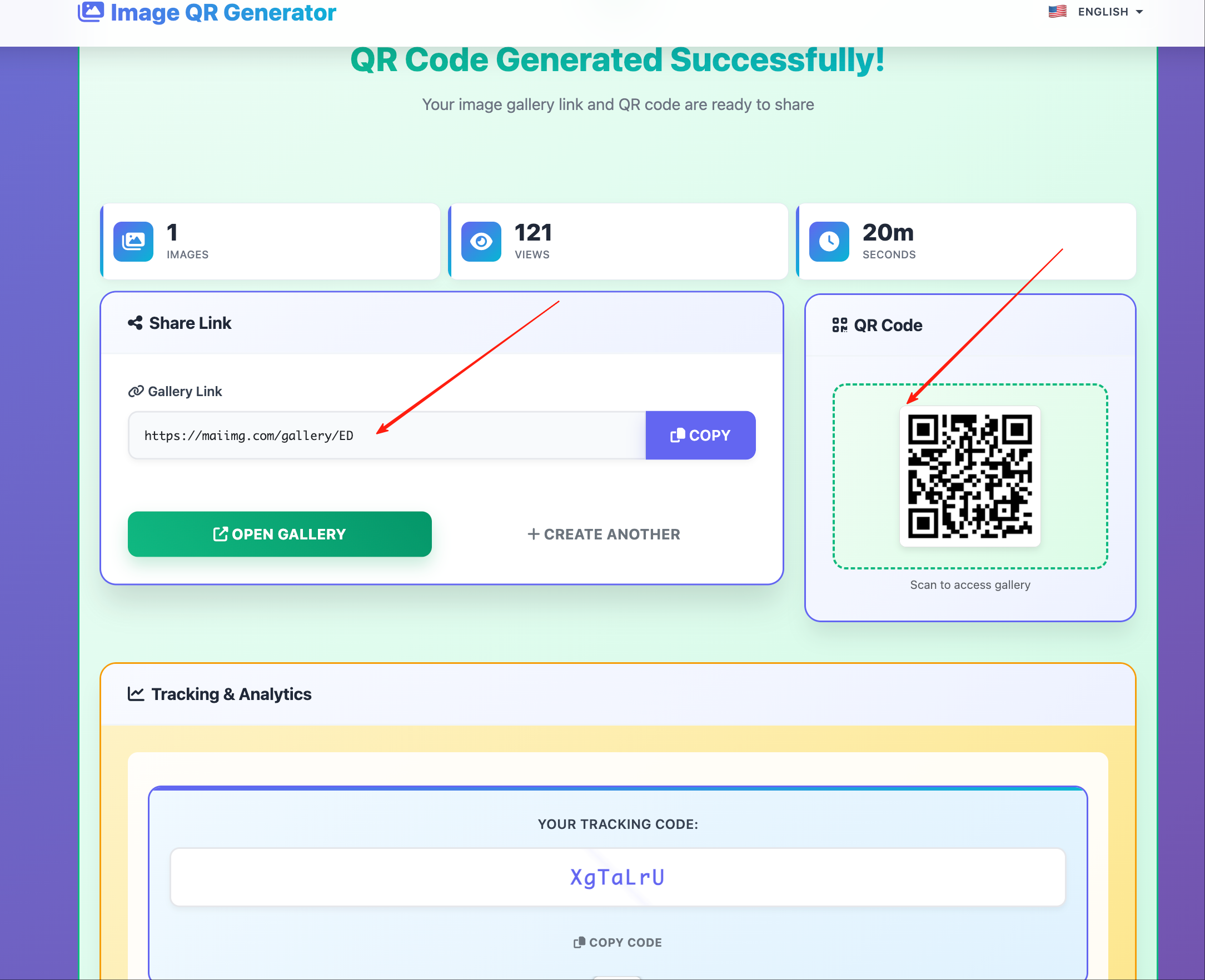
Use QR sharing when viewers are on phones and you need near-zero friction access to an image gallery.
When QR Is the Right Channel
QR code distribution works best for:
- Offline-to-online handoff (events, print cards, booths).
- Group access where typing URLs is slow.
- Temporary galleries with a clear deadline.
- Mixed audiences using different devices.
End-to-End Workflow
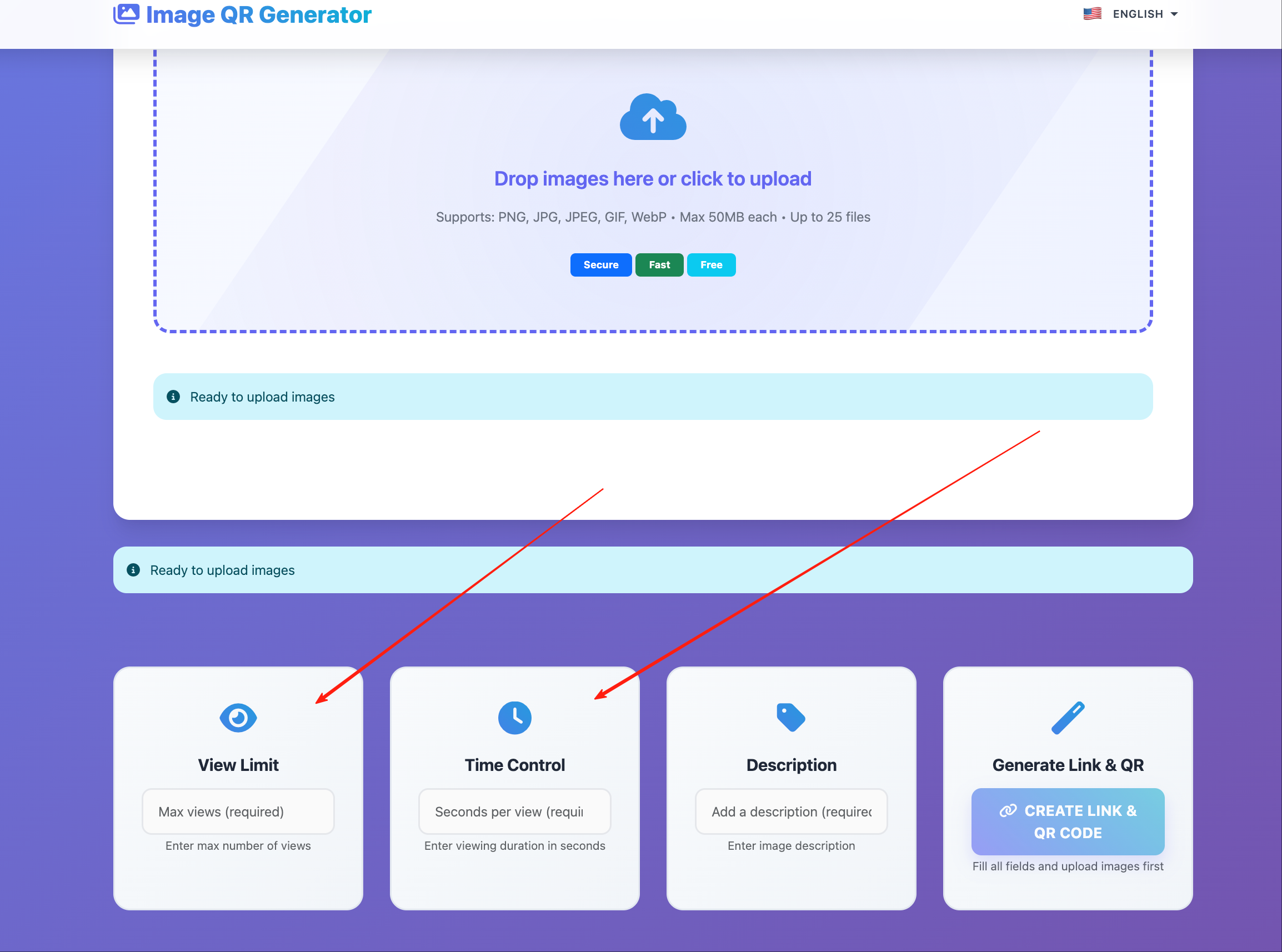
- Upload and organize images into one clear gallery.
- Configure view limits and expiry.
- Generate link and QR code together.
- Place QR code in the distribution context.
- Monitor open statistics and close when done.
Placement Rules That Improve Scan Rate
- Keep enough white space around the code.
- Avoid low-contrast backgrounds.
- Put a one-line action label near the code.
- Test scanning distance before publishing.
Common Placement Scenarios
| Scenario | Placement | Notes |
|---|---|---|
| Presentation | Last slide or corner strip | Keep short instruction text |
| Event booth | Poster + desk card | Ensure code is not too small |
| Printed handout | Footer area | Leave margin around code |
| Internal workshop | Whiteboard/screen | Include expiry note |
Access-Control Pairing (Recommended)
Use QR with access rules, not alone:
- Public-ish materials: higher limit + clear expiry.
- Client previews: moderate limit + shorter expiry.
- Sensitive references: low limit + short duration.
Troubleshooting
| Issue | Likely cause | Fix |
|---|---|---|
| Many scans, few completions | Gallery takes too long to load | Reduce image count per gallery |
| Wrong audience opens link | QR leaked outside intended context | Use tighter expiry/view limit |
| Users report failed scans | Contrast/size placement issue | Reprint with larger code and more margin |
| Access ends too early | Limits too strict | Increase view limit or extend expiry |
Bottom Line
QR sharing is strongest when combined with clear placement, audience-specific links, and short-lived access settings.
Make image access one scan away
Generate QR codes with access rules, then manage the full lifecycle from one dashboard.
Try Maiimg QR Sharing