How to Open a .maipdf File
How to Open a .maipdf File
If someone sent you a .maipdf file, do not try to open it like an ordinary PDF.
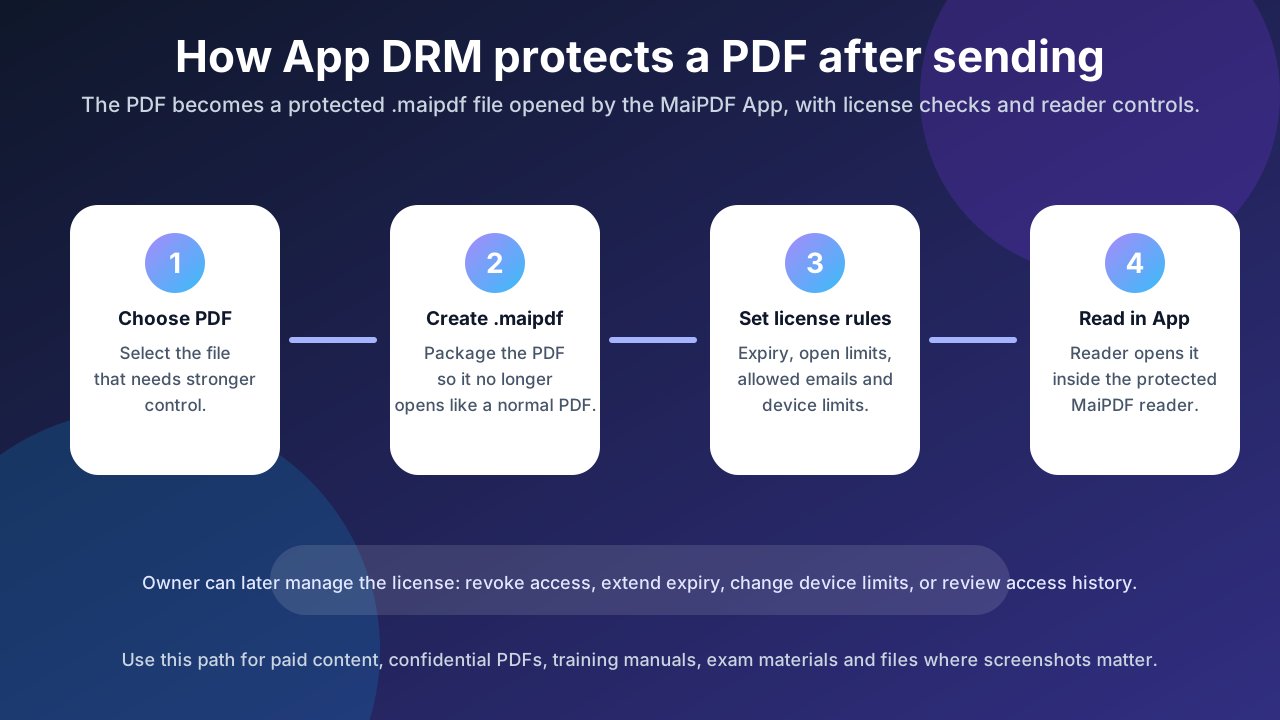
A .maipdf file is a protected PDF package for the MaiPDF App. It is designed to open in MaiPDF’s protected reader, where the app can check the file’s license, device rules, expiry, and access permissions before showing the document.
Quick answer
To open a .maipdf file:
- Install or open the MaiPDF App.
- Choose Open or Files inside the app.
- Select the
.maipdffile you received. - Sign in if the file requires an approved account.
- Let the app check the license and device rules.
- If approved, read the document inside the protected viewer.
You cannot reliably open .maipdf files in Chrome, Safari, Adobe Reader, Preview, or a generic PDF viewer. Those apps do not understand the MaiPDF protected package or its license checks.
Why a .maipdf file does not open like a normal PDF
A normal PDF is a portable document. Once someone has the file, most PDF readers can open it.
A .maipdf file is different. It can include:
- encrypted PDF content
- a license ID
- unlock information
- device or account rules
- expiry or open-limit rules
- watermark and trace settings
- protected-reader requirements
That is why the file may look like a document, but it still needs the MaiPDF App to unlock and render it.
Step-by-step: opening a .maipdf file
1. Save the .maipdf file to your device
Download the file from email, chat, cloud drive, or the sender’s message.
Make sure the filename still ends with:
.maipdfSome phones or file managers may rename duplicate downloads like:
document.maipdf (1)That is usually still okay. The MaiPDF App checks both the filename and the protected file header.
2. Open the file with the MaiPDF App
Use one of these methods:
- tap the
.maipdffile and choose MaiPDF if your device offers an “Open with” option - open the MaiPDF App first, then use the app’s file picker to select the
.maipdffile - if the file is already saved inside MaiPDF, open it from the app’s Files area
The app accepts custom .maipdf files and validates that the selected file is really a MaiPDF protected package.
3. Sign in if the file is invite-only
Some .maipdf files are public to anyone who has the protected file. Others are limited to specific recipient emails or accounts.
If the owner set recipient rules, the app may ask you to sign in. Use the email address that the document owner approved.
If you sign in with the wrong email, the file may not unlock.
4. Let the app check the license
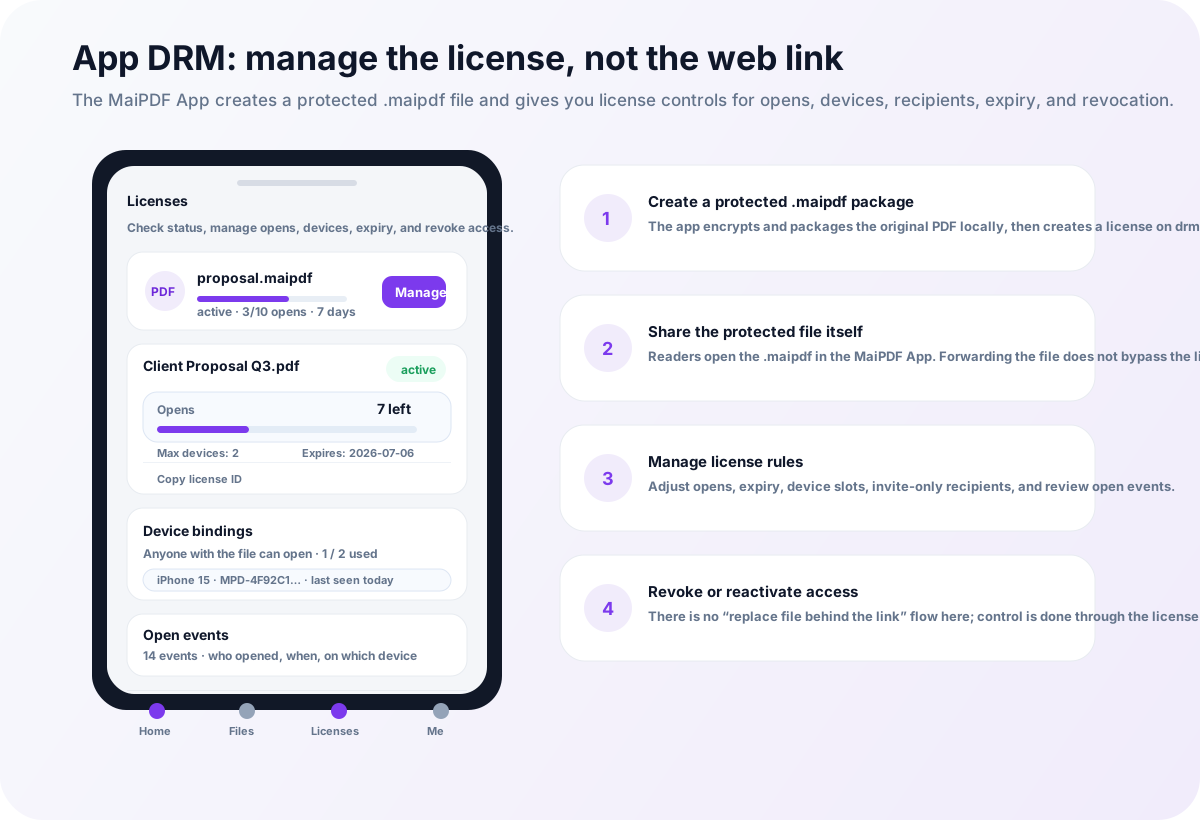
When you open the file, MaiPDF checks whether the license still allows access.
The license may control:
- whether the file is active or revoked
- how many opens are left
- whether the file has expired
- which devices may open it
- which recipient emails are allowed
- whether your device has already used a device slot
This is the key difference between .maipdf and a normal PDF. Forwarding the file alone does not guarantee that another person can open it.
5. Read inside the protected viewer
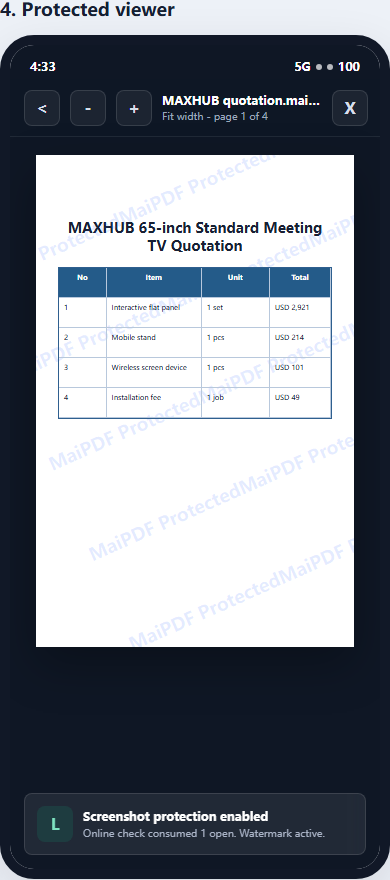
If the license check succeeds, the document opens inside the MaiPDF protected viewer.
Depending on the platform and policy, the viewer can support stronger controls than a browser PDF page, including device-aware access, traceable watermarks, revocation, and screenshot-aware reading controls where the operating system allows them.
Common problems and fixes
“Please select a .maipdf file”
This usually means the selected file is not a valid MaiPDF protected package.
Check that:
- you selected the actual
.maipdffile, not a screenshot or PDF preview - the file was fully downloaded
- the file was not renamed into another extension
- the sender did not accidentally send the original
.pdfinstead of the protected.maipdf
“License not found” or “License revoked”
The file depends on a license record. Ask the sender to check the license status in MaiPDF.
The owner may need to:
- reactivate the license
- create a new protected file
- confirm they sent the right
.maipdffile - check whether the license was deleted or revoked
“Expired” or “No opens left”
The owner may have set an expiry date or open limit.
Ask the sender to extend the license or add more opens if you should still have access.
Device limit reached
Some files only allow a limited number of devices.
If you changed phones, opened the file on another computer, or shared it with another device, the license may have used its available slots. Ask the sender to remove an old device binding or increase the device limit.
Sign-in or email problems
If the file is invite-only, your account email matters.
Try these checks:
- sign in with the exact email the sender approved
- ask the sender to confirm the recipient list
- make sure you are not using a different Google/email account by accident
The file opens on one device but not another
That usually means the license has device rules, recipient rules, or platform-specific restrictions.
It is not the same as a broken PDF. The file is protected; the license decides where it can open.
For document owners: what to tell recipients
When you send a .maipdf file, include a short instruction like this:
This is a protected MaiPDF file. Please open it with the MaiPDF App, not a normal PDF reader. If it asks you to sign in, use the email address I approved for this document.
If the recipient cannot open it, check the license screen rather than resending the same file repeatedly. The issue may be expiry, open limits, recipient email, device binding, or revocation.
.maipdf vs online PDF link
Do not confuse a .maipdf protected file with a MaiPDF online sharing link.
| Need | Use |
|---|---|
| Open instantly in a browser | Online Cloud Sharing |
| Share by QR code or web link | Online Cloud Sharing |
| Replace the document behind the same online link | Online Cloud Sharing |
| Open a protected file in the MaiPDF App | .maipdf / App DRM |
| Bind access to devices | .maipdf / App DRM |
| Revoke a protected file after sending | .maipdf / App DRM |
Online Cloud Sharing controls a browser link. App DRM controls a license for a protected .maipdf file.
Bottom line
To open a .maipdf file, use the MaiPDF App. A normal PDF reader will not understand the protected package.
If the file does not open, the most likely causes are not “PDF corruption” but license rules: expired access, no opens left, wrong account, revoked license, or device-limit restrictions.
If you only need fast browser reading, ask the sender for a MaiPDF online sharing link. If the document needs stronger protection, .maipdf is the right format.