Browser PDF Viewer vs App DRM: Which Secure Sharing Method Should You Use?
There are two very different ways to share a PDF securely:
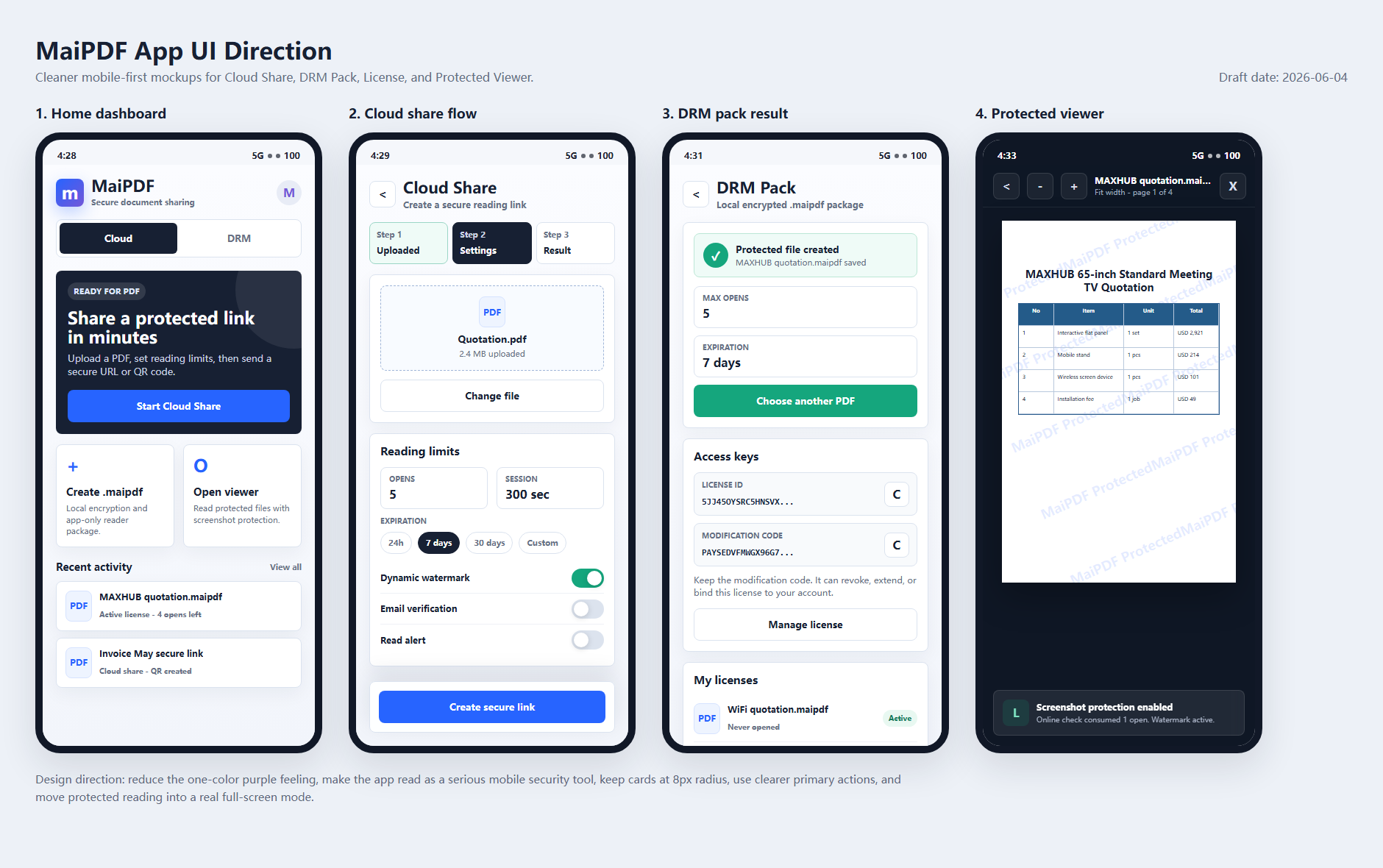
- Browser PDF viewer — the reader opens a controlled link in a web browser.
- App DRM — the reader opens a protected file, such as
.maipdf, inside a dedicated protected reader app.
Both can be useful. The right choice depends on the risk you are trying to control.
Quick comparison
| Requirement | Browser PDF viewer | App DRM / .maipdf |
|---|---|---|
| No installation for readers | Best choice | Not ideal |
| QR code sharing | Best choice | Possible, but less direct |
| Fast client delivery | Best choice | Slower because app setup may be needed |
| View limits and expiry | Good | Good |
| Dynamic watermark | Good | Good |
| Open tracking | Good | Good |
| Device binding | Limited | Stronger |
| Screenshot protection | Limited | Stronger where the OS supports it |
| Revoke access after file distribution | Good for links | Stronger for protected files |
The browser path is easier. The app path is stricter.
What a browser PDF viewer is good at
A browser PDF viewer is ideal when the document needs to be read quickly.
With MaiPDF online sharing, the owner can upload a PDF and share it as a link or QR code. This is useful for:
- proposals
- resumes and portfolios
- health reports
- classroom materials
- event handouts
- marketing documents
- client review files
The owner can add access controls such as:
- view limits
- expiry dates
- dynamic watermarks
- access tracking
- read alerts
- controlled online viewing
This is much better than sending a raw PDF attachment, because the owner keeps some control after sharing.
What a browser PDF viewer cannot fully do
A browser cannot fully control the operating system.
That means a browser viewer cannot reliably stop:
- Print Screen
- built-in snipping tools
- screen recording
- another app capturing the browser window
- someone using a second phone to record the screen
Some browser techniques can make copying or downloading harder, but they should not be described as true screenshot prevention.
If the search intent is “how do I stop screenshots of a PDF,” the honest answer is: use a protected app, not only a browser page.
What App DRM is good at
App DRM is designed for higher-risk documents.
With MaiPDF App DRM, the document can be distributed as a protected .maipdf file and opened in the MaiPDF App. This enables a stronger control model:
- protected reader environment
- device binding
- account-based access checks
- revocation after distribution
- screenshot-aware controls
- traceable watermarks
- expiry and license checks
This is useful when the owner expects the reader to install an app because the document is sensitive enough to justify it.
When browser sharing is the better choice
Choose browser sharing when:
- speed matters more than strict device control
- readers are customers, students, or clients who may not install an app
- the document is useful but not extremely sensitive
- QR code access is important
- the workflow is public-facing or mobile-first
Example: a real estate agent sharing a brochure, a teacher sharing a reading packet, or a designer sending a portfolio link.
When App DRM is the better choice
Choose App DRM when:
- screenshots are a serious concern
- the PDF contains paid or confidential material
- access should be tied to approved devices
- the file may be forwarded outside the intended group
- you need revocation after distribution
- watermark tracing is important if content leaks
Example: paid training documents, board materials, investment decks, legal drafts, or internal manuals.
The practical decision rule
Ask one question:
If the reader forwards this file or captures the screen, how serious is the damage?
If the damage is low or moderate, browser sharing is usually enough. Use watermarks, expiry, and view limits.
If the damage is high, use App DRM and .maipdf files. Add device binding, screenshot-aware controls, and revocation.
Use both in the same document strategy
Many teams should not choose only one method forever. A practical setup is:
- public or low-risk PDFs → browser link
- sales and training PDFs → browser link with watermark and expiry
- paid or confidential PDFs → App DRM /
.maipdf - high-risk internal documents → App DRM with device binding and revocation
This gives the team a simple security ladder instead of forcing every document through the strictest workflow.
Bottom line
A browser PDF viewer is the fastest way to share controlled documents online. It is excellent for links, QR codes, view limits, watermarks, and tracking.
App DRM is the stronger path for protected files, screenshot-aware reading, device binding, and revocation.
Start with MaiPDF online sharing when convenience matters. Use MaiPDF App DRM when document control matters more than one-click access.