Prevent PDF Downloads: View-Only Document Sharing Made Simple
Prevent PDF Downloads: View-Only Document Sharing Made Simple
Sometimes you want people to read your PDF documents but not download them. Whether it’s a business proposal, educational material, or sensitive information, MaiPDF makes it easy to share view-only documents that recipients can read but cannot save locally.
Why Prevent Downloads?
There are many situations where view-only sharing makes sense:
Business Documents: Share contracts, proposals, or financial reports for review without allowing copies to be saved and potentially forwarded.
Educational Content: Teachers can share course materials, assignments, or answer keys that students can reference but not distribute.
Draft Documents: Share work-in-progress documents for feedback without worrying about outdated versions being saved.
Confidential Information: Allow stakeholders to review sensitive information while maintaining control over distribution.
How View-Only Sharing Works
When you upload a PDF to MaiPDF, you can choose to disable downloads. This creates a viewing experience where recipients can:
- Read the entire document online
- Navigate between pages smoothly
- Zoom in and out for better readability
- View the document on any device with a web browser
But they cannot:
- Save the file to their device
- Print the document
- Copy the content in bulk
- Forward the actual file to others
Setting Up View-Only Documents
The process is straightforward:
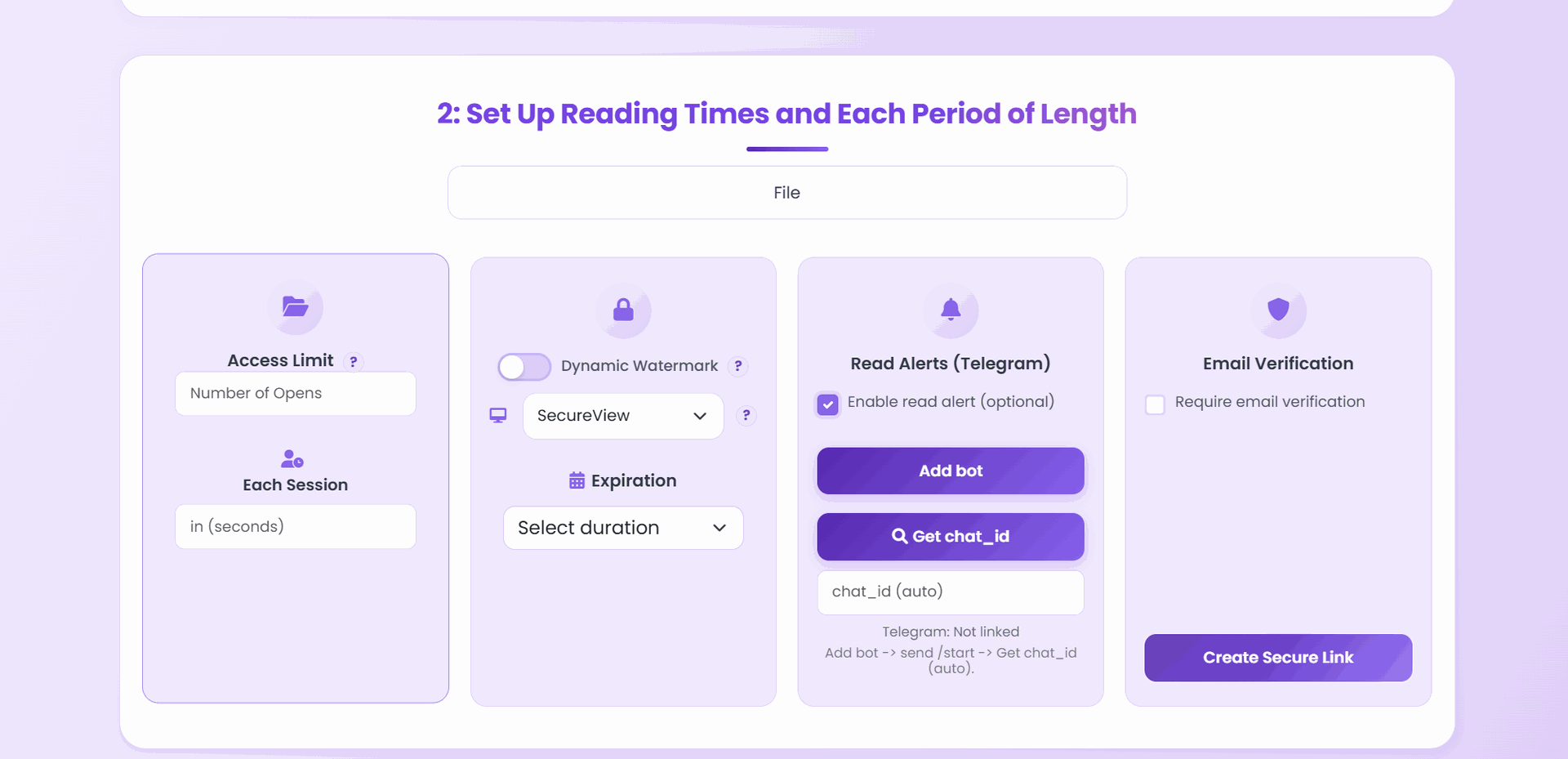
- Upload Your PDF: Choose your file and upload it to MaiPDF
- Configure Settings: Select “View Only” in the download options
- Generate Link: Get your shareable link instantly
- Share Securely: Send the link knowing downloads are disabled
Enhanced Viewing Experience
MaiPDF’s improved performance makes view-only documents load faster than ever. The enhanced reading experience includes:
- Quick Loading: Documents appear within seconds, even for large files
- Smooth Scrolling: Navigate through pages without delays
- Clear Display: High-quality rendering ensures text and images remain crisp
- Responsive Design: Perfect viewing on phones, tablets, and computers
Flexible Control Options
You can modify your sharing settings even after distributing the link. If you initially allowed downloads but later want to restrict them, simply update your preferences in the settings panel.
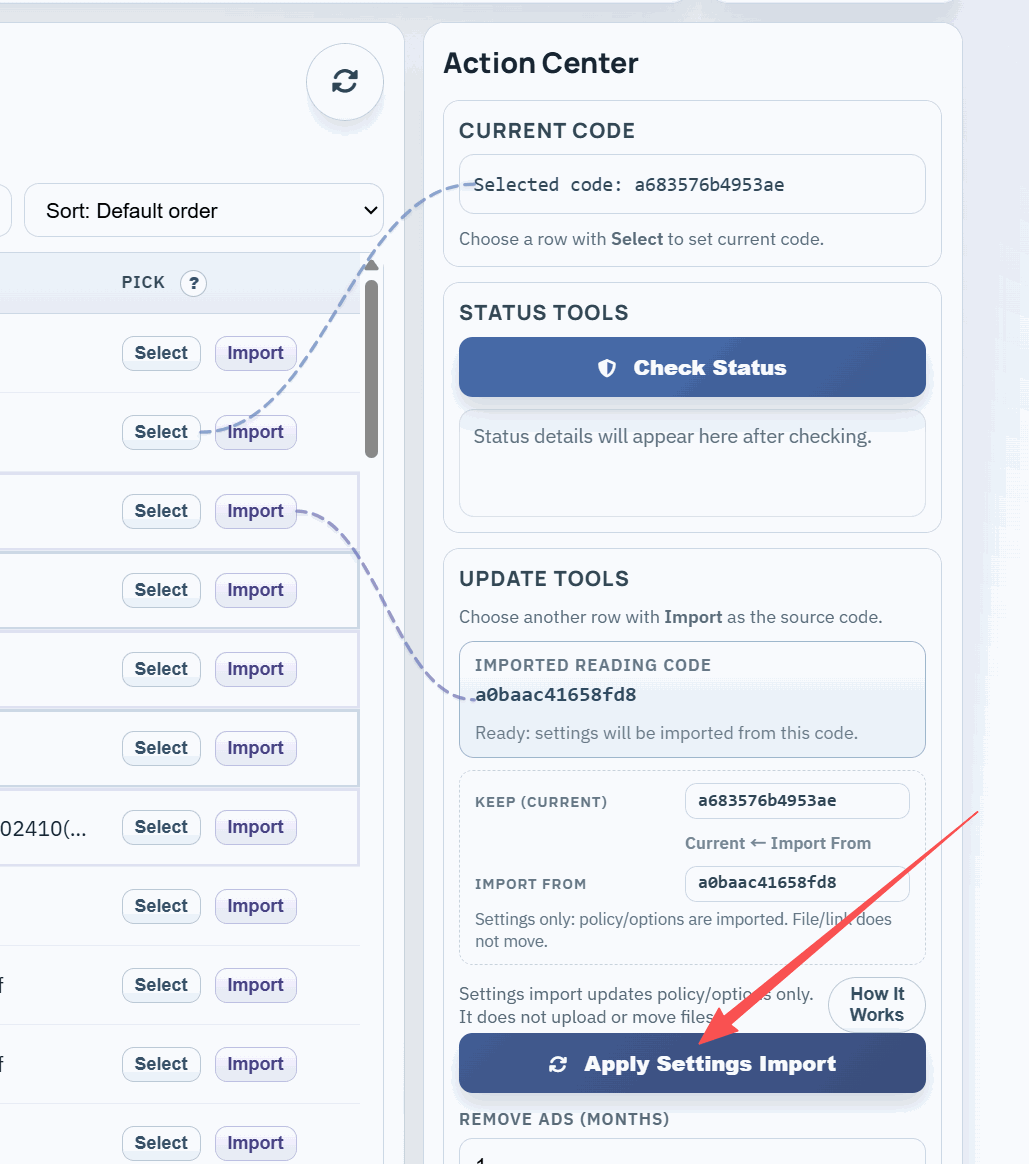
This flexibility is particularly useful for:
- Time-sensitive documents that should become view-only after a certain date
- Documents that need different access levels for different audiences
- Situations where sharing requirements change over time
Professional Presentation
View-only documents still provide a professional viewing experience. Recipients see a clean, branded interface that presents your content clearly without distracting download buttons or save options.
The viewer automatically adjusts to different screen sizes, ensuring your document looks great whether someone is reading it on their phone during a commute or reviewing it on a large desktop monitor in their office.
Security Without Complexity
MaiPDF’s approach to download prevention is designed to be effective without being overly complicated. You don’t need to understand complex DRM systems or worry about compatibility issues. The view-only feature works across all modern browsers and devices.
Key security features include:
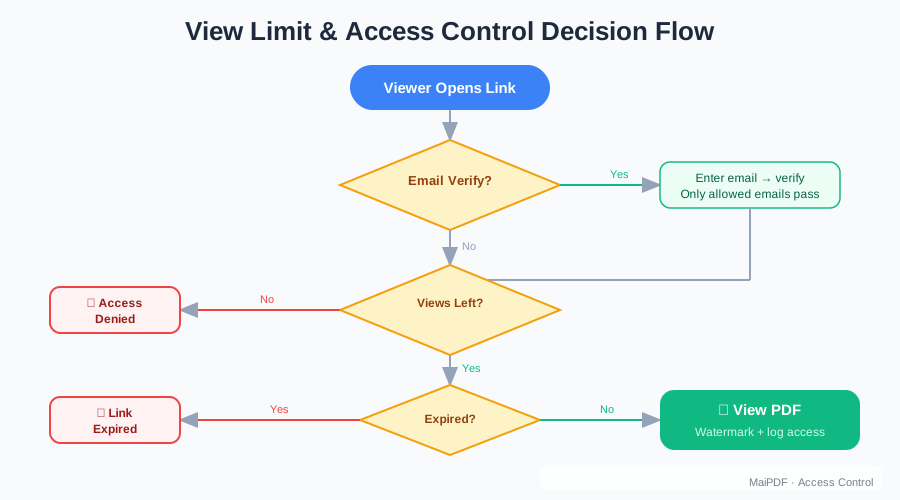
- Unique Links: Each shared document gets a unique URL
- Access Monitoring: Track when and how often your document is viewed
- Easy Revocation: Disable access entirely if needed
- No Special Software: Recipients don’t need to install anything
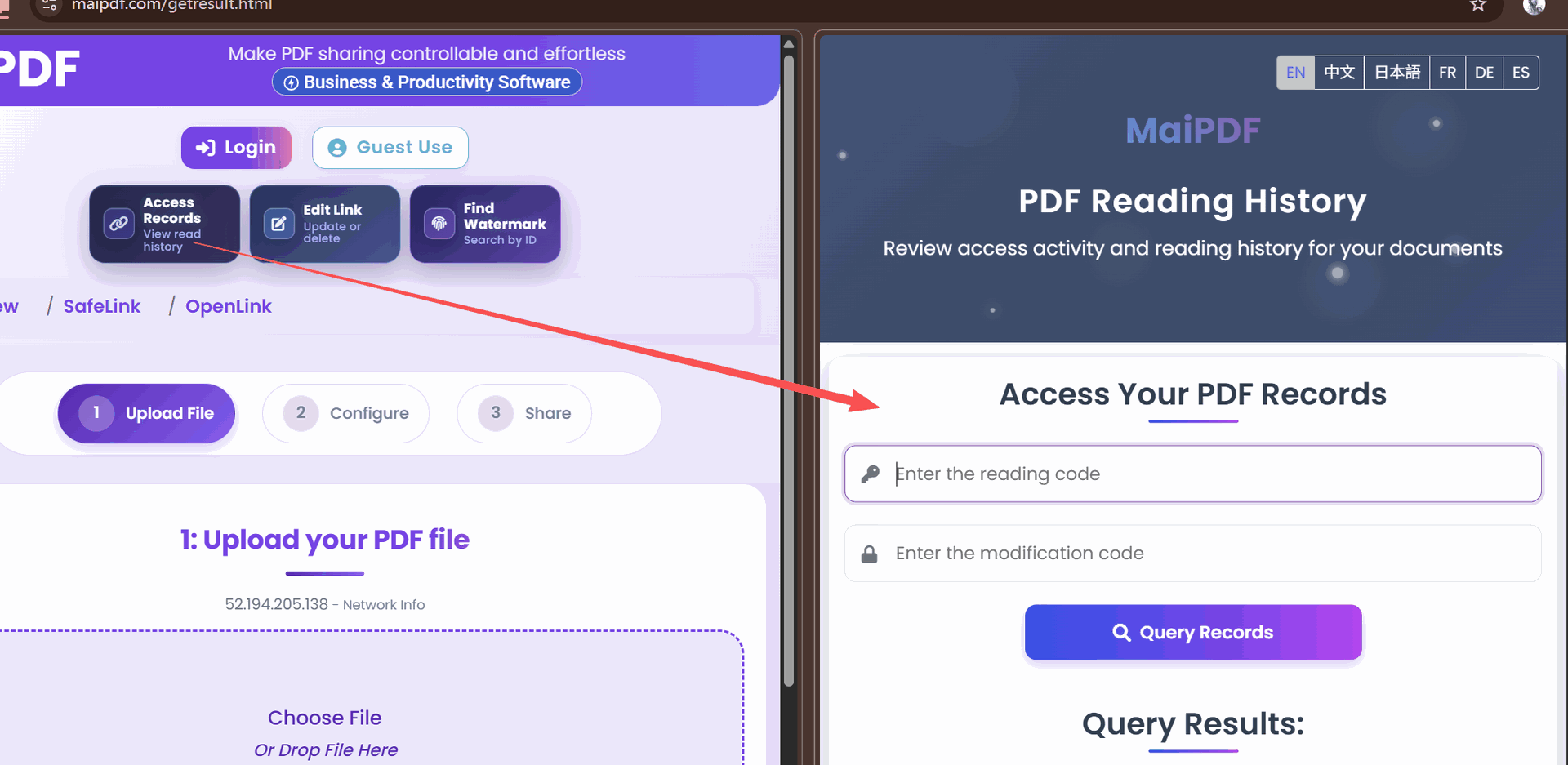
Monitoring Access
Keep track of who’s viewing your documents with built-in analytics. See when your PDF was accessed and how many times it was viewed, helping you understand engagement levels.
Real-World Applications
Legal Firms: Share case documents with clients for review without allowing copies that could be inadvertently disclosed.
Healthcare: Allow patients to view medical reports and test results while maintaining control over sensitive health information.
Consulting: Present findings and recommendations to clients in a format they can review thoroughly but not redistribute.
Education: Share reference materials, study guides, or course content that students can access but not distribute to non-enrolled individuals.
Marketing: Show proposals or creative work to potential clients without worry about your ideas being shared with competitors.
Getting Started with View-Only Sharing
Creating your first view-only document takes just minutes:
- Go to MaiPDF and upload your PDF
- In the sharing options, select “View Only”
- Copy your generated link
- Share it with confidence, knowing downloads are disabled
The improved performance and user-friendly interface make this an ideal solution for anyone who needs to share documents securely. Your recipients get fast, easy access to your content, while you maintain complete control over how it’s used.
Try creating a view-only link today and see how simple secure document sharing can be.