MaiPDF Print Restriction Settings Guide
2026 update: This article mainly covers browser-based Online Cloud Sharing controls. For paid course files, workbooks, exam-prep PDFs, or documents that need device binding, license revocation, and screenshot-aware protected reading, use MaiPDF App DRM / .maipdf. Start with Online PDF Sharing vs App DRM or PDF DRM for Online Courses.
You share a draft for review. The reader prints fifty copies and hands them out at a conference. The draft is now everywhere, on paper — and paper can’t be revoked. Disabling print stops that chain before it starts, but only if you close the print-to-PDF back door at the same time. One control alone isn’t enough.
Quick navigation
- What “print off” actually does
- Why print off alone isn’t enough
- When to disable printing — and when not to
- Setup walkthrough
- Print off in the full protection stack
- Changing the setting after you’ve sent the link
- Common mistakes
- FAQ
- Related reading
What “print off” actually does
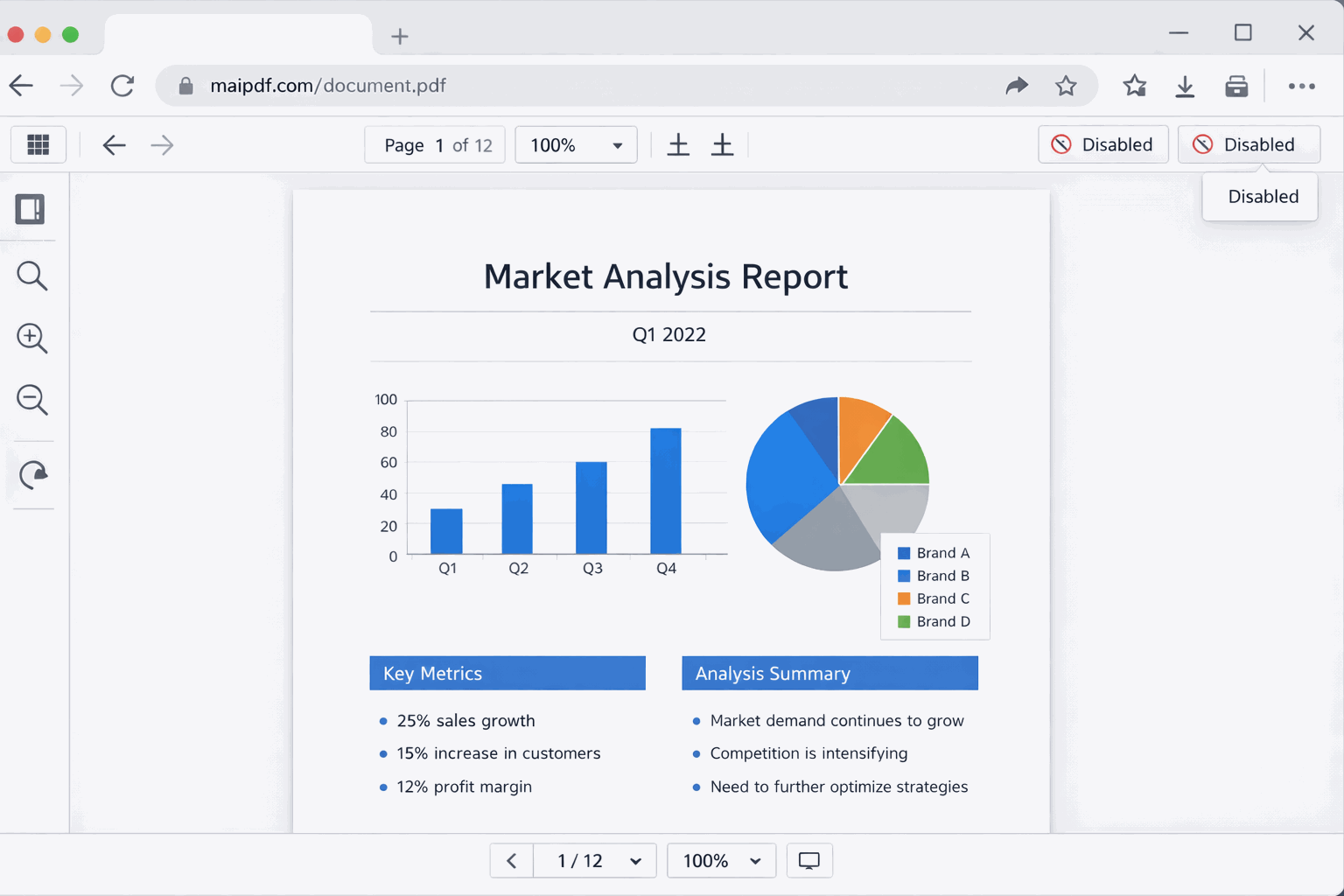
When you disable printing on a MaiPDF link, the viewer closes every path that ends with content on paper or in a new file:
- No print dialog.
Ctrl+P/Cmd+Pis intercepted by the viewer and blocked. - No print button. The toolbar’s print icon disappears.
- No Print-to-PDF escape. “Print → Save as PDF” — which is how most readers would have turned a view-only link into a downloadable copy — stops working too.
- No OS-level print shortcut from the viewer. Right-click print, browser menu print, all blocked.
The reader still reads the PDF normally in their browser. They just can’t turn what they’re seeing into a new file or a piece of paper through the print path.
That’s the control. Tight, specific, no more.
Why print off alone isn’t enough
Here’s the part most “disable printing” guides skip: if the reader can still download the raw file, they open it in their own PDF reader and print from there — and your print-off setting never touched them.
The rule is: print off and download off are a pair, not a choice. One without the other leaves the other door open.
| Setting combination | What actually happens |
|---|---|
| Download off only | reader can’t save a file, but can still Print → Save as PDF → which gives them a file |
| Print off only | reader can’t print in the viewer, but downloads the file and prints from their desktop PDF reader |
| Both off (recommended) | reader can read, but every paper/file escape path is closed |
| Both on | fully permissive — reader can do anything they could do with a local copy |
If a document is worth protecting from printing, it’s worth protecting from downloading too. Turn both off together, every time.
When to disable printing — and when not to
Disable printing when…
| Document | Why |
|---|---|
| Confidential proposals / pricing sheets | you don’t want printed copies circulating outside the review |
| Contract drafts under review | the version may still change; printed copies are stale instantly |
| Legal / compliance documents | paper can’t be revoked; tracking chain-of-custody becomes impossible |
| Pre-launch product previews | printed copies tend to show up at events |
| Paid or licensed PDFs | printing defeats the access gate you built |
| Internal strategy decks | printouts end up in the wrong meeting rooms |
| Financial statements (non-public) | numbers on paper travel further than you’d like |
Keep printing on when…
| Document | Why |
|---|---|
| Public marketing materials | you want readers to print and share — printing is the goal |
| Forms requiring signatures | the reader literally needs to print, sign, and scan |
| Instructional worksheets / handouts | classroom or training use assumes paper |
| Offline reference material | manuals readers genuinely need at their desk, disconnected |
| Internal docs in high-trust teams | friction without proportional benefit |
The decision tree is simple: if paper helps the reader do their job, allow it. If paper helps the content escape, block it.
Setup walkthrough
- Upload the PDF at maipdf.com.
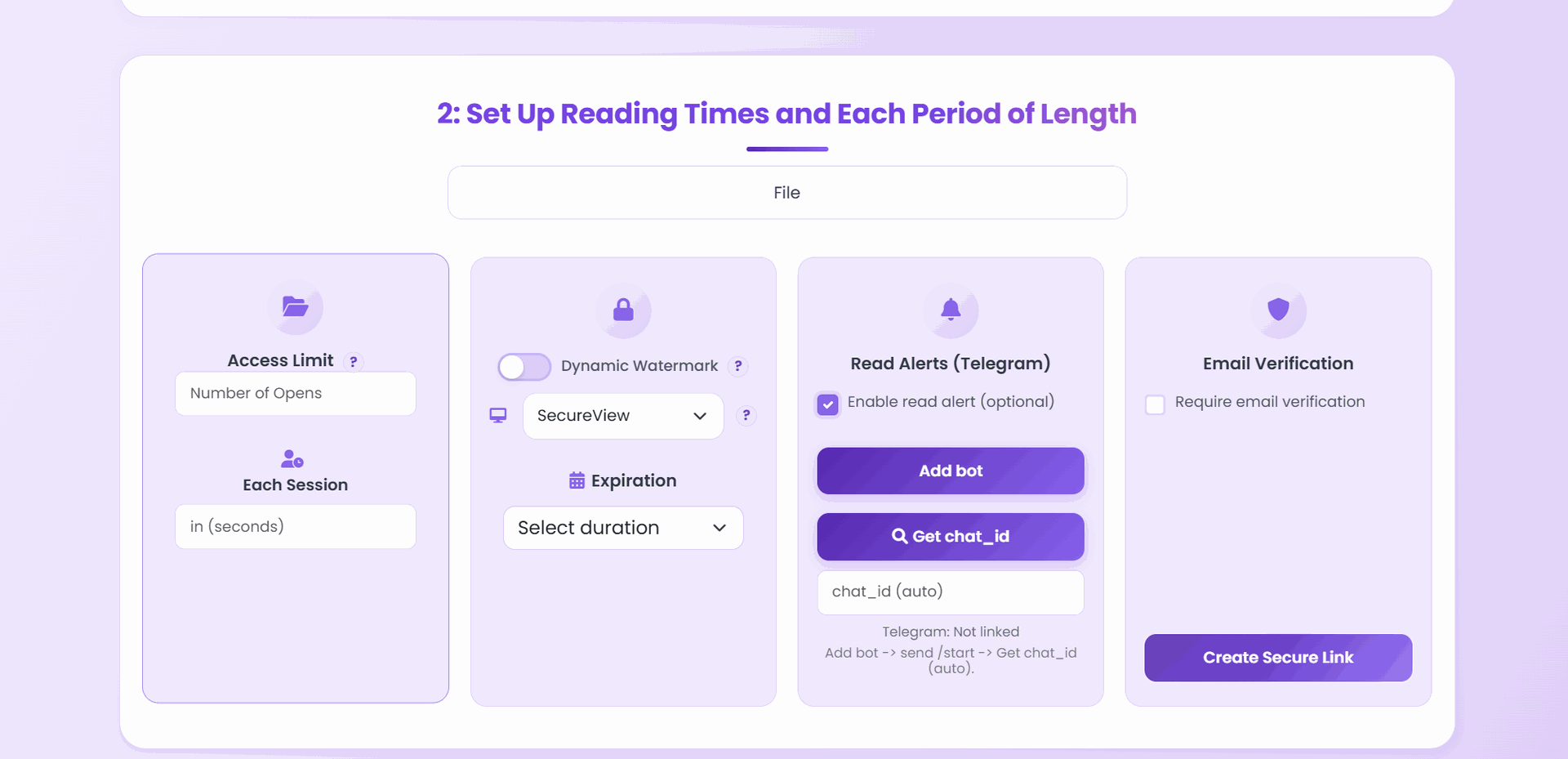
- On the configuration screen, toggle Print → off.
- Toggle Download → off at the same time (see the pair rule above).
- Set any other controls you need — expiry, open limit, email verification, watermark.
- Generate the link.
- Test by trying to print. Open the link yourself, hit
Ctrl+P— confirm nothing happens. Then try “Save as PDF” from the browser menu — confirm that fails too.
That’s the whole setup. The link you share now opens in a view-only, print-disabled mode.
Print off in the full protection stack
Print off rarely stands alone. It’s Layer 1 of a protection stack that matches the document’s sensitivity.
| Stack layer | Blocks | Effort to bypass |
|---|---|---|
| Print off | paper output, Print-to-PDF | low by itself (screenshot) |
| Download off | raw file save | low by itself (screenshot) |
| Open limit | unbounded opens from forwards | can’t bypass |
| Expiry | access after a date | can’t bypass |
| Email verification | anonymous opens from random URL leaks | requires approved inbox |
| Dynamic watermark | anonymous leaks via screenshot/camera | high — stamp travels with every copy |
| App DRM | screen capture, screen recording, forwarding the file itself | high |
The sensible recipe for a draft contract or board deck: print off + download off + open limit + expiry + email verification + watermark — and App DRM if a screen capture would genuinely hurt. For a sales proposal: print off + download off + open limit + expiry + watermark. Don’t stack layers you don’t need — over-restriction drives readers to insecure workarounds.
Changing the setting after you’ve sent the link
Already shared the link? Print-off is still editable:
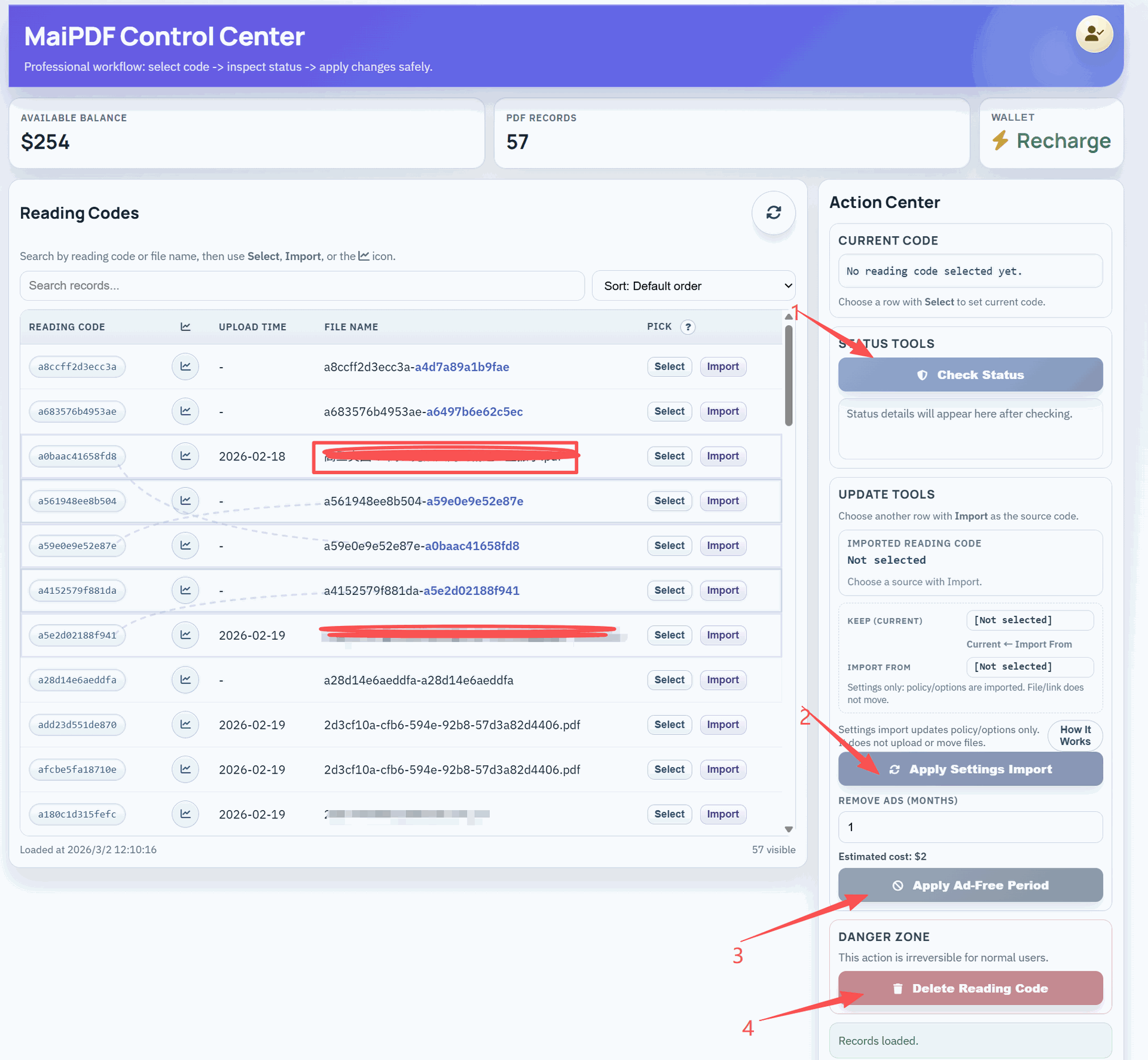
- Open the control panel.
- Find the share in your list.
- Toggle Print on or off; save.
- Change applies immediately — the next reader to open the link is on the new policy, no URL change needed.
This is genuinely useful. If you notice in the access log that a reader is printing aggressively, you can flip print off mid-review and they lose the capability. If you sent it print-off by default and a reviewer genuinely needs to mark up a paper copy, flip it on just for the time they need.
Common mistakes
| Mistake | Why it hurts | Do instead |
|---|---|---|
| Print off but download on | reader downloads raw file, prints from their own app | pair print-off with download-off, always |
| ”Print off means the content is safe” | screenshots and phone cameras still work | add watermark for traceability, + open limit / expiry for lifecycle |
| Relying only on browser-level print blocking | some readers try desktop PDF readers after downloading | upstream fix is download-off |
| Disabling print for a document that genuinely needs it | readers email you asking for a printable copy | keep it on when paper helps the reader do their job |
| Setting print off on a permanent link with no expiry | long-tail forwarded URL stays print-disabled but still accessible forever | pair print-off with expiry + open limit |
| Never checking the access log | you have a policy, no signal | audit opens within 48 hours of the send |
FAQ
Does print off prevent screenshots? No. Nothing browser-side can stop an OS-level screenshot. Print off closes the print path; screenshot leakage is addressed separately through dynamic watermark (so every screenshot carries the reader’s identity) and access log review (so anomalous activity gets noticed).
Can a determined reader still get the document printed? Yes. They could screenshot every page and paste the screenshots into a new document, then print that. They could photograph the screen with a phone. They could manually retype the content. Print off stops casual printing — the ~90% case — and makes the remaining paths painful and identifiable.
Will print off affect legitimate accessibility needs? If a reader genuinely needs a printed accessibility copy, create a separate link for them — with print on — and use email verification to limit that link to their address only. Don’t leave the whole document permissive for one edge case.
Does print off work on mobile and desktop the same way? Yes. The viewer intercepts print commands on both platforms. On mobile, there’s less the OS can do anyway — but the behavior is consistent.
Can I set print off as a default for all my shares? In the control panel, you can make print off the default setting for new uploads. Per-link overrides still work when you need them.
What if the reader saves the page as HTML or via “View source”? They get the page chrome, not the PDF content. The PDF is rendered on the server and streamed as images to the viewer; there’s no usable PDF body in the HTML.