🛡️ Complete PDF Security: Comprehensive Protection for Your Critical Documents
🛡️ Complete PDF Security: Comprehensive Protection for Your Critical Documents
2026 update: Complete PDF security should separate convenience from strict control: Online Cloud Sharing handles links and access rules; App DRM / .maipdf handles protected-reader workflows, device binding, and revocation. See Online PDF Sharing vs App DRM.
In a world where data breaches make headlines daily, document security can't be an afterthought.
This guide explores how a multi-layered approach to PDF protection creates truly secure document sharing without sacrificing usability.
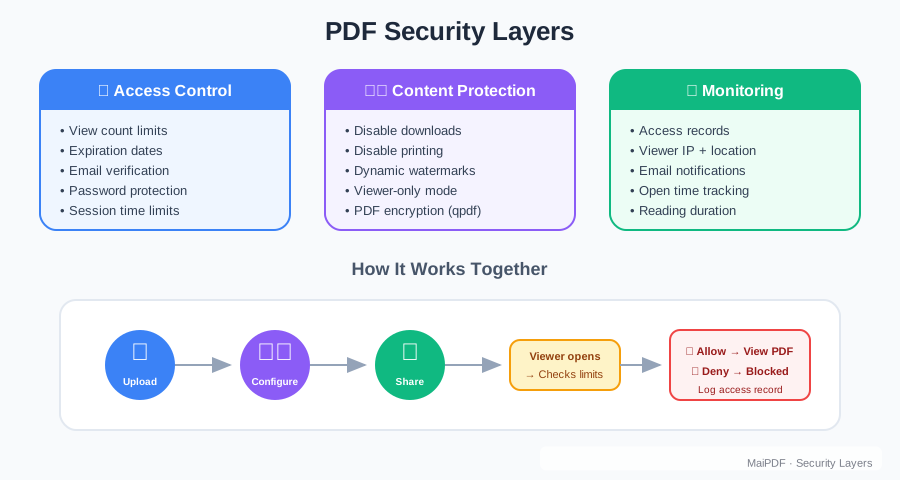
🔒 The Pyramid of PDF Protection
Modern document security isn’t a single feature—it’s a comprehensive system:
- 🏰 Foundation: Access control and authentication
- 🧱 Structure: Dynamic watermarking and tracking
- 🗼 Pinnacle: Usage analytics and breach detection
This integrated approach creates defense-in-depth that protects documents at every stage of sharing.
🔐 Layer 1: Access Authentication and Control
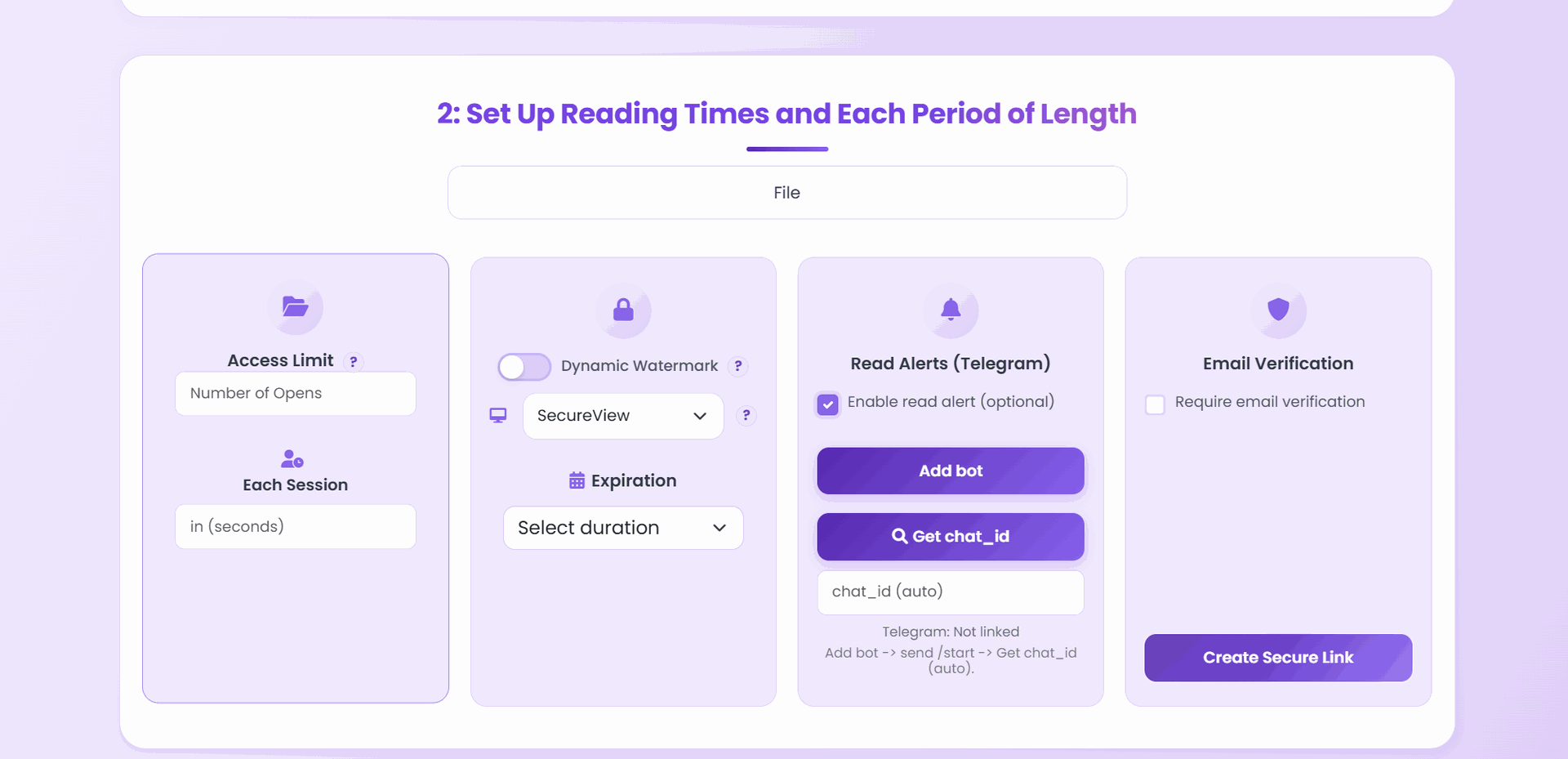
The first line of defense verifies legitimate users and limits exposure:
Identity Verification
- Email verification: Requiring recipients to confirm their identity
- SMS authentication: Adding a second factor for critical documents
- Password protection: Adding an additional access barrier
- IP restrictions: Limiting access to specific networks or regions
Exposure Limitation
- View limits: Restricting the number of times a document can be opened
- Expiration dates: Setting automatic document deactivation
- Session timeouts: Closing documents after periods of inactivity
- Device restrictions: Limiting access to authorized devices
👁️ Layer 2: Visual Protection Mechanisms
The second layer focuses on protecting the document content itself:
Dynamic Watermarking
- Identity embedding: Displaying viewer information directly on the document
- Timestamp marking: Adding access time to discourage screenshots
- Pattern distribution: Placing watermarks strategically across pages
- Forensic tracers: Including invisible tracking information
Content Protection
- Copy prevention: Disabling text selection and extraction
- Print restriction: Preventing creation of unprotected hard copies
- Download blocking: Keeping documents within the secure viewer
- Screenshot detection: Alerting when screen capture is attempted
📊 Layer 3: Monitoring and Analytics
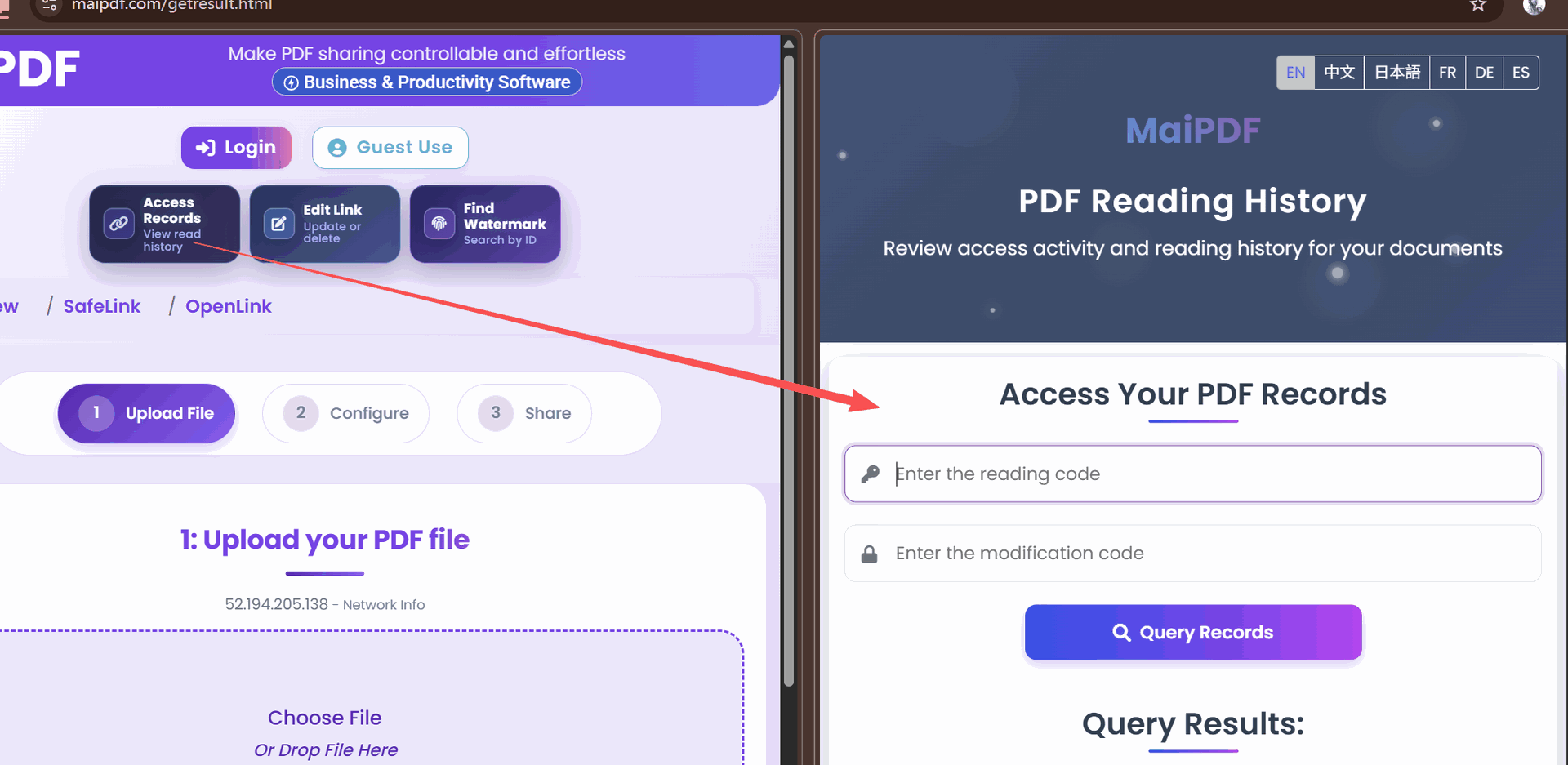
The third layer provides visibility and response capabilities:
Real-time Monitoring
- Access notifications: Real-time alerts when documents are viewed
- Unusual activity detection: Notifications for suspicious patterns
- Geolocation verification: Confirming access from expected locations
- Time analysis: Alerting for access outside normal hours
Comprehensive Reporting
- Usage dashboards: Visual representation of document activity
- Audit trails: Detailed records of all document interactions
- Exportable logs: Documentation for compliance or investigation
- Pattern analysis: Identifying trends across document portfolio
🌐 Implementing Complete Security with MaiPDF
MaiPDF integrates all security layers into a user-friendly platform:
Step 1: Security Configuration
- Upload your document to the platform
- Select appropriate security layers based on sensitivity
- Configure specific settings within each security category
- Preview the recipient experience
Step 2: Distribution
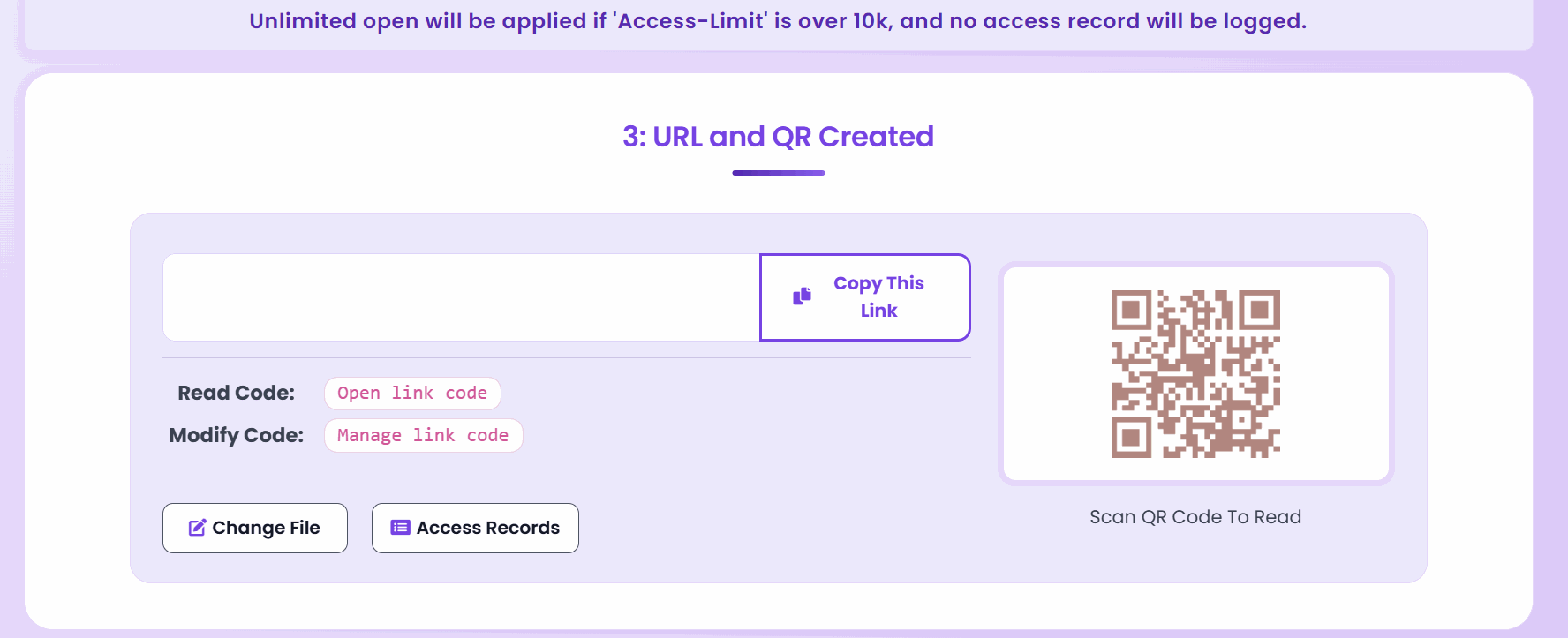
- Generate secured links or QR codes
- Share through your preferred channels
- Set up automatic notifications for access events
- Provide access instructions for legitimate recipients
Step 3: Monitoring
- Track document usage through the dashboard
- Receive configured alerts for key events
- Review access logs periodically
- Adjust security settings as needed
💼 Security Profiles for Different Document Types
Different documents require tailored protection approaches:
Confidential Business Documents
- Maximum security layers
- Strict authentication requirements
- Limited view counts
- Comprehensive watermarking
- Real-time access notifications
Internal Training Materials
- Moderate protection
- Extended expiration periods
- Team-based access settings
- Basic watermarking
- Usage analytics for engagement
Marketing Materials
- Emphasis on tracking over restriction
- Limited or no authentication requirements
- Analytics-focused configuration
- Minimal watermarking
- Conversion optimization
🔄 Security Beyond Static PDFs
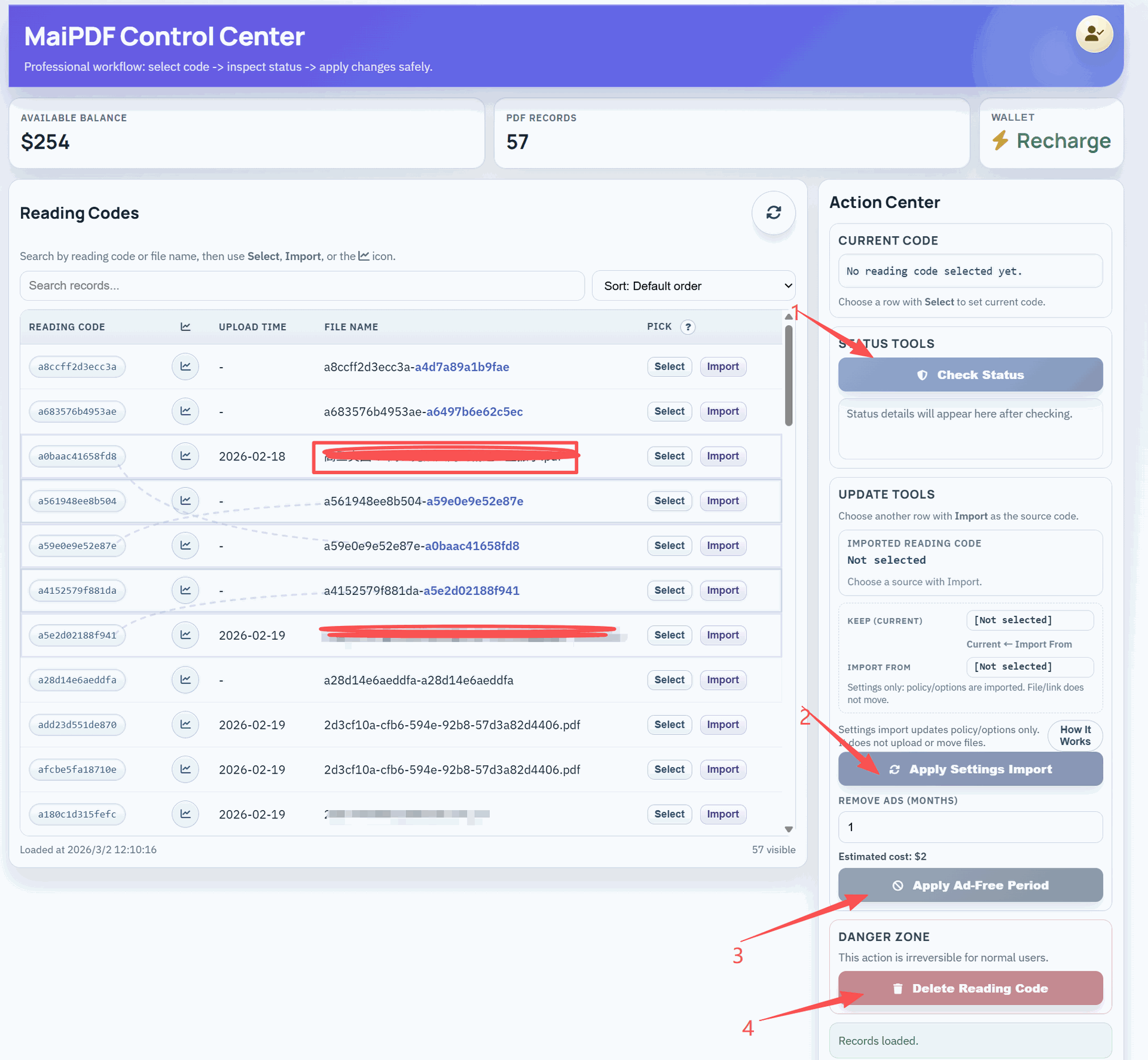
Complete security extends to the entire document lifecycle:
Version Control
- Maintain security settings across document updates
- Track which version recipients have viewed
- Notify users when critical documents are updated
- Analyze engagement differences between versions
Integration Security
- Secure embedding in websites and portals
- Protected sharing through messaging platforms
- Safe integration with CRM and project management tools
- API security for automated document workflows
🌟 Best Practices for Document Security Management
- Security classification: Categorize documents by sensitivity before configuring protection
- User education: Train teams on secure document handling procedures
- Regular audits: Periodically review document security settings and access logs
- Testing: Verify security measures function as expected before wider distribution
- Response planning: Establish protocols for potential security incidents
- Continuous improvement: Update security practices based on emerging threats
⚖️ Balancing Security and Usability
The most effective security doesn’t create barriers for legitimate users:
- Streamlined authentication: Implement verification without frustrating friction
- Clear instructions: Provide guidance on accessing protected documents
- Mobile optimization: Ensure security measures work across all devices
- Performance focus: Maintain document loading speed despite security layers
- Intuitive interface: Design security measures to be user-friendly
🔍 Evaluating Your Current Document Security
Assess your current protection with these key questions:
- Could recipients forward sensitive documents to unauthorized parties?
- Would you know if a document was accessed inappropriately?
- Can you verify exactly who viewed your documents and when?
- Do you have the ability to revoke access to already-shared documents?
- Would unauthorized access be immediately apparent to your team?
- Is there a clear trail of evidence if a document leak occurs?
If you answered “no” to any of these questions, there are gaps in your document security strategy.
✅ The Future of Secure Document Sharing
As digital transformation accelerates, document security becomes increasingly critical. MaiPDF’s comprehensive approach represents the evolution of document protection—from simple passwords to integrated systems that control, track, and secure information at every step.
By implementing layered security, organizations not only protect their valuable information but also gain insights that drive better decision-making and more effective communication—turning security from a cost center into a business intelligence asset.