How to Generate Secure PDF Links for Easy Sharing
How to Generate Secure PDF Links for Easy Sharing
Introduction
Sharing PDFs securely is essential in today’s digital world. MaiPDF provides a simple yet powerful way to generate secure PDF links, ensuring your documents are shared safely and accessed only by authorized users.
Steps to Generate Secure PDF Links
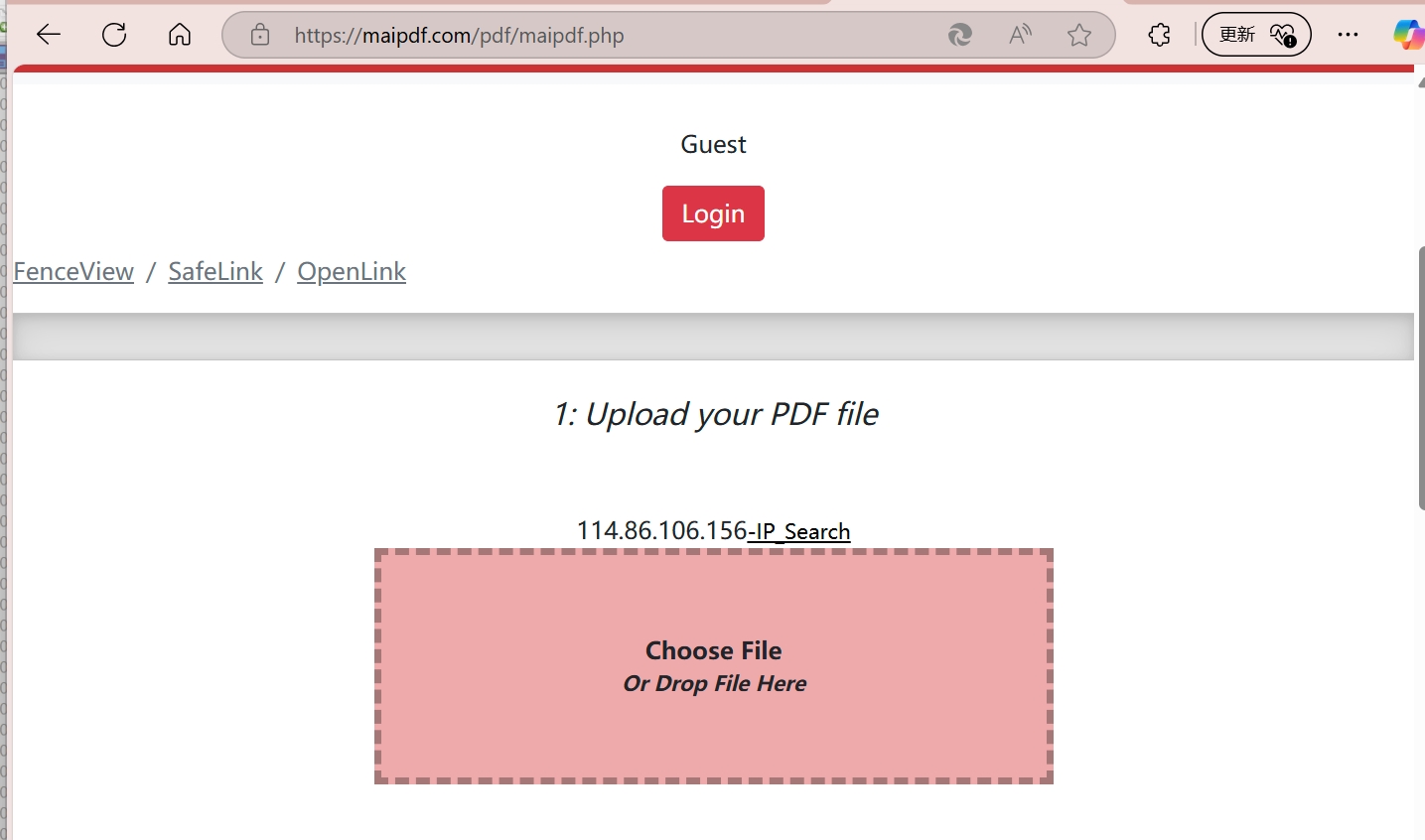
1. Upload Your PDF
Start by uploading your PDF to MaiPDF. The platform ensures your file is securely stored and ready for sharing.
2. Configure Access Settings
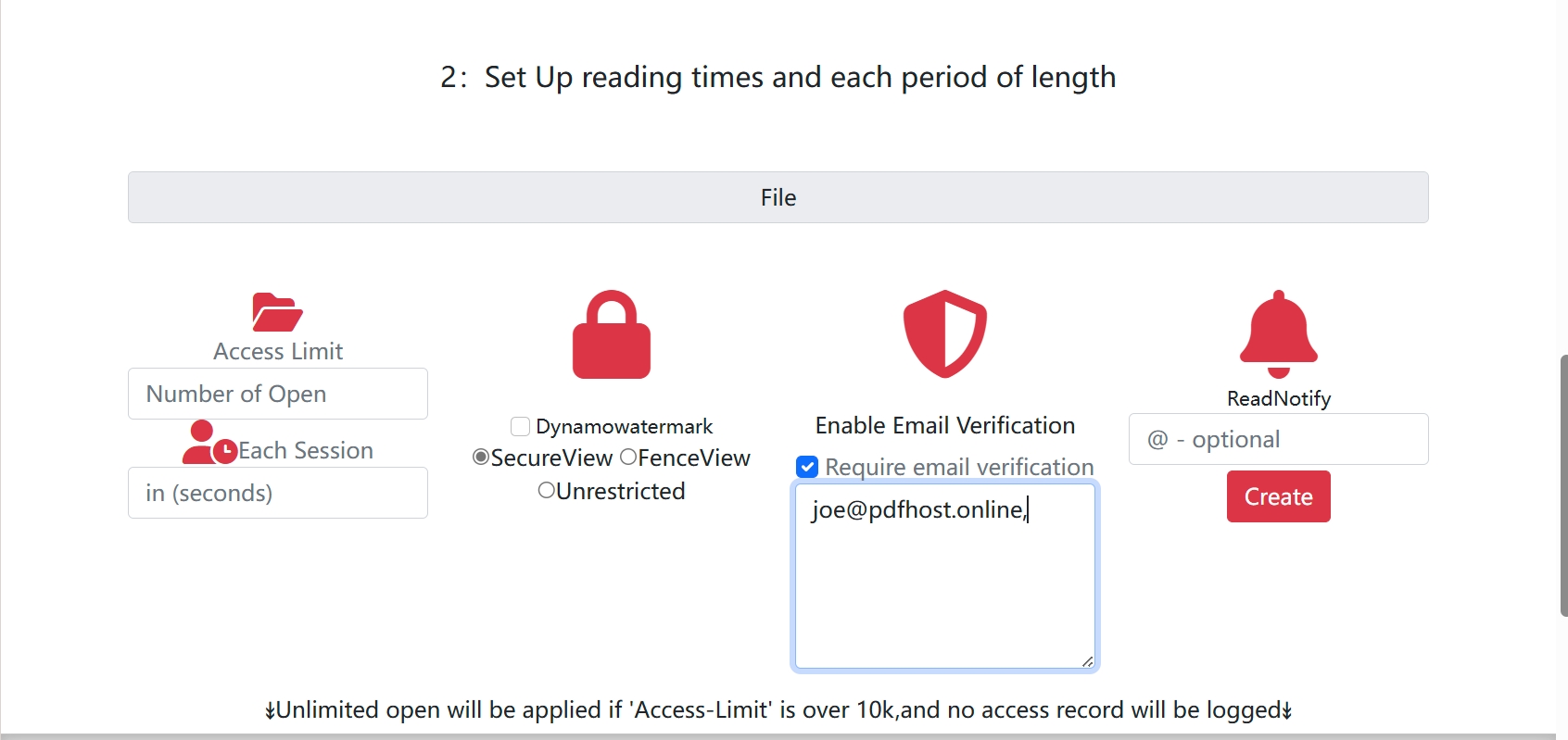
MaiPDF allows you to customize access settings for your PDF. You can:
- Limit the Number of Views: Specify how many times the PDF can be viewed.
- Set Expiration Dates: Automatically revoke access after a certain date.
- Restrict Access by Email: Ensure only specific users can view the document.
3. Generate the Link
Once your settings are configured, generate a secure link for your PDF. This link can be shared via email, messaging apps, or embedded in a website.

QR Codes for Quick Access
Advantages of Secure PDF Links
- Controlled Access: Ensure your document is only viewed by intended recipients.
- No Attachments Needed: Share links instead of bulky email attachments.
- Enhanced Security: Prevent unauthorized downloads and sharing.
Conclusion
Generating secure PDF links with MaiPDF is a straightforward process that enhances document security and sharing efficiency. Start using MaiPDF today to experience the benefits of secure PDF sharing.