Maiimg for Education & Training: Share Images Securely with a Link
When you run training sessions, it’s common to share many screenshots (slides, step-by-step UI captures, lab results). Email threads and chat uploads get messy fast.
Maiimg is for image sharing (not PDF). Keep it simple: upload images, generate a link, share it.
A clean workflow (3 steps)
- Upload training images
- Generate a share link (or QR code)
- Send one link to learners
flowchart TD
  A[Prepare training images] --> B[Upload to Maiimg]
  B --> C[Generate link or QR]
  C --> D[Share with learners]
  D --> E[Manage and review later]
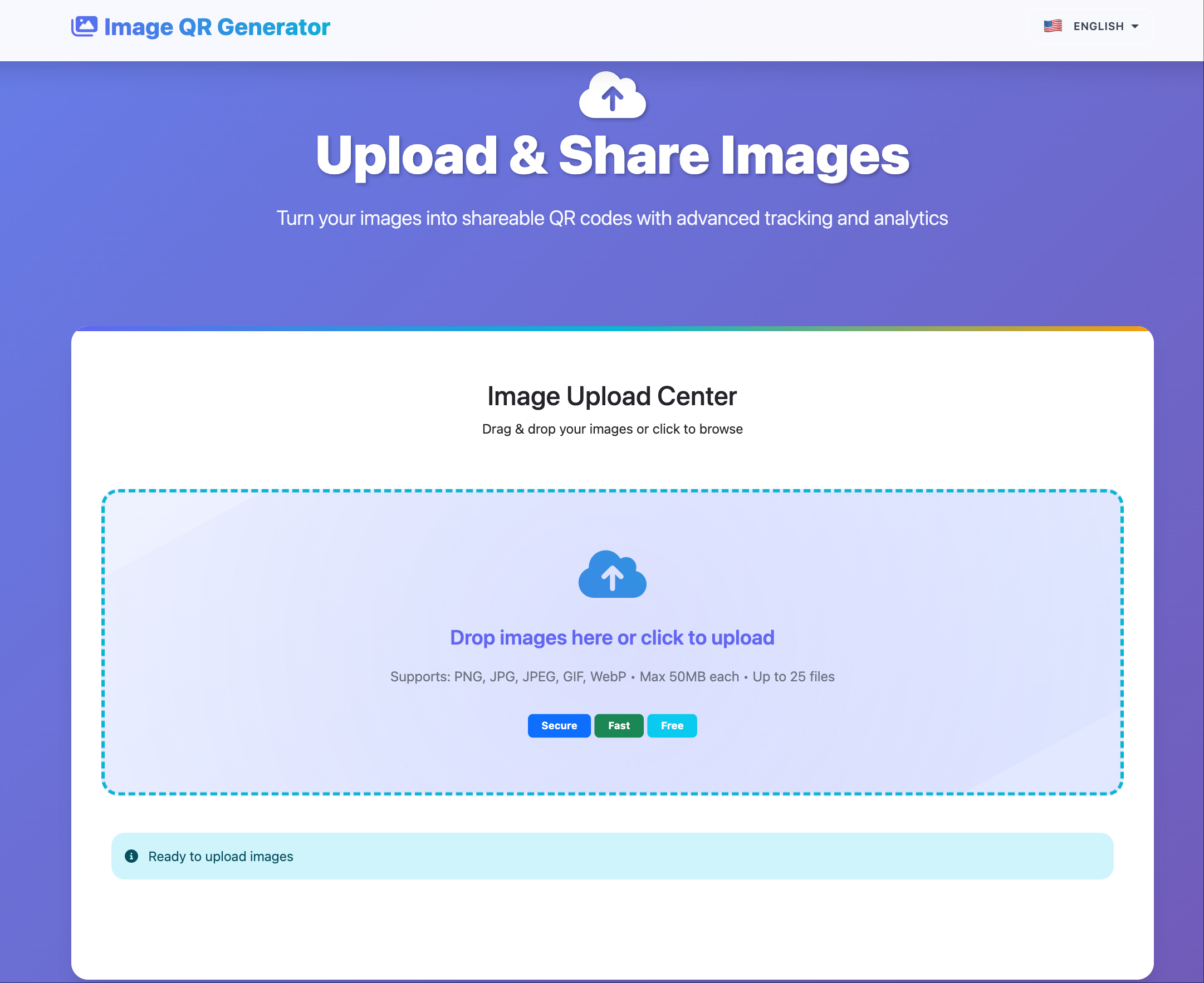
Step 1 — Upload
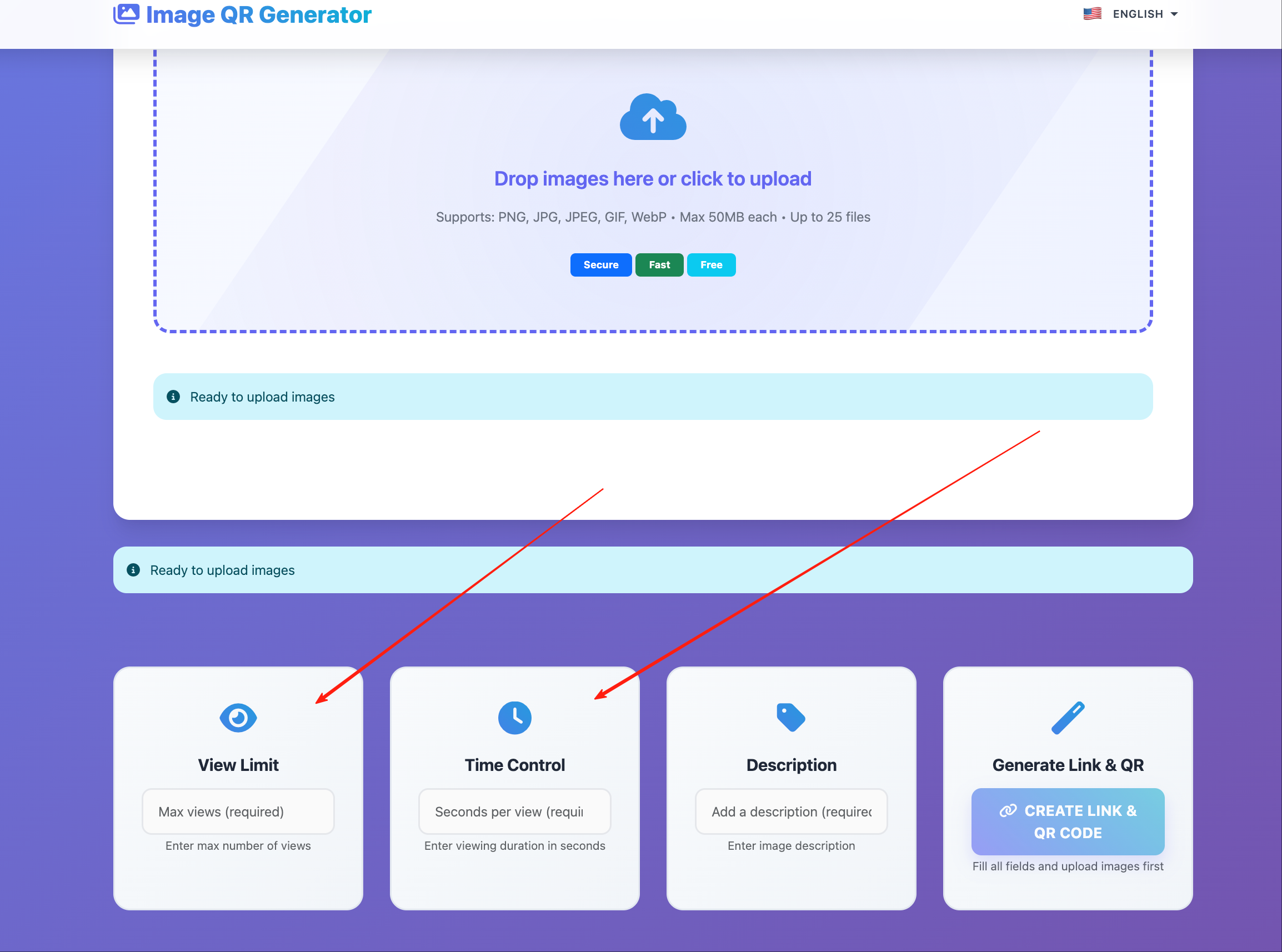
Step 2 — Configure sharing (optional)
Keep your sharing rules consistent for each cohort or class.
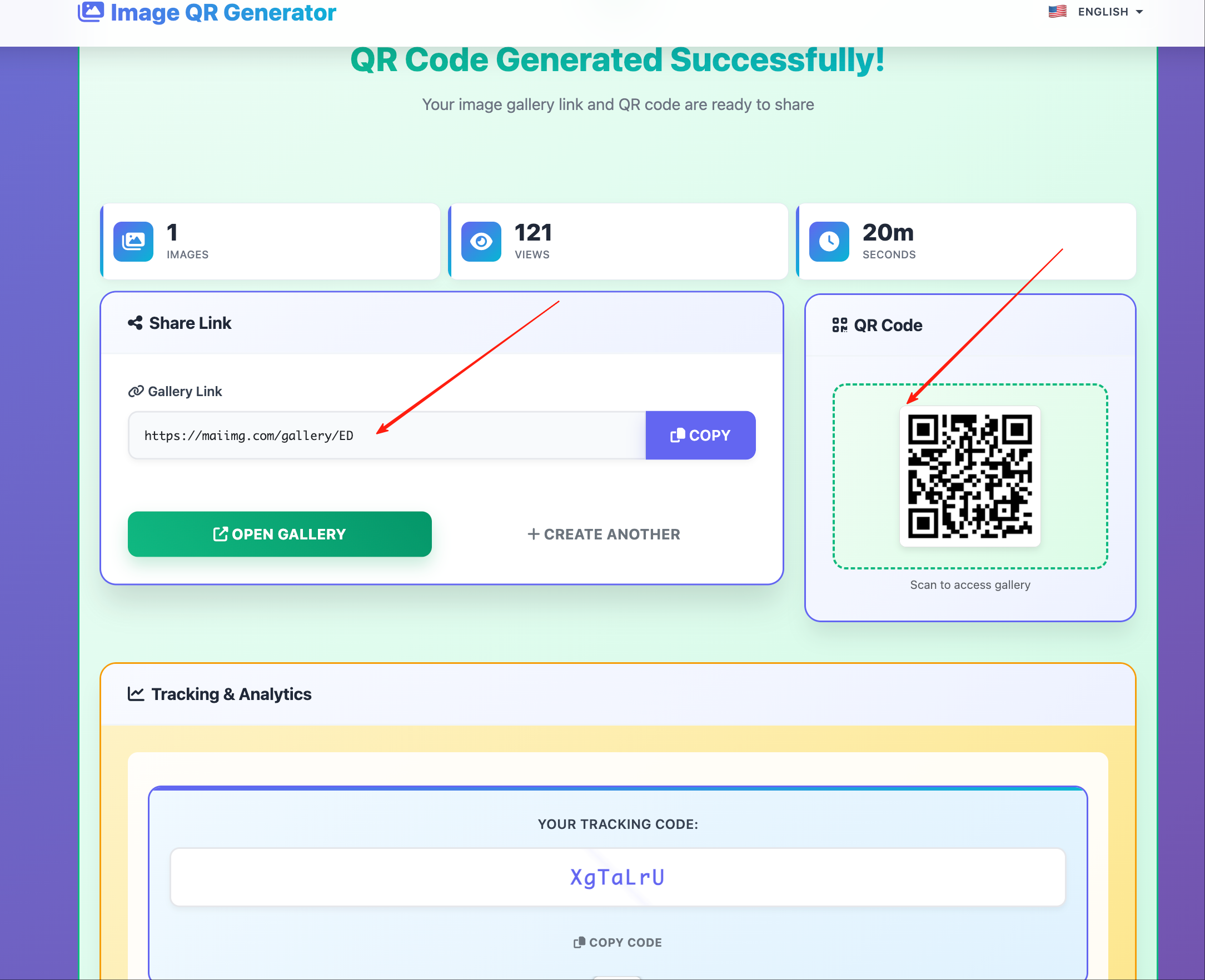
Step 3 — Share one link (instead of many attachments)
After sharing: keep it organized
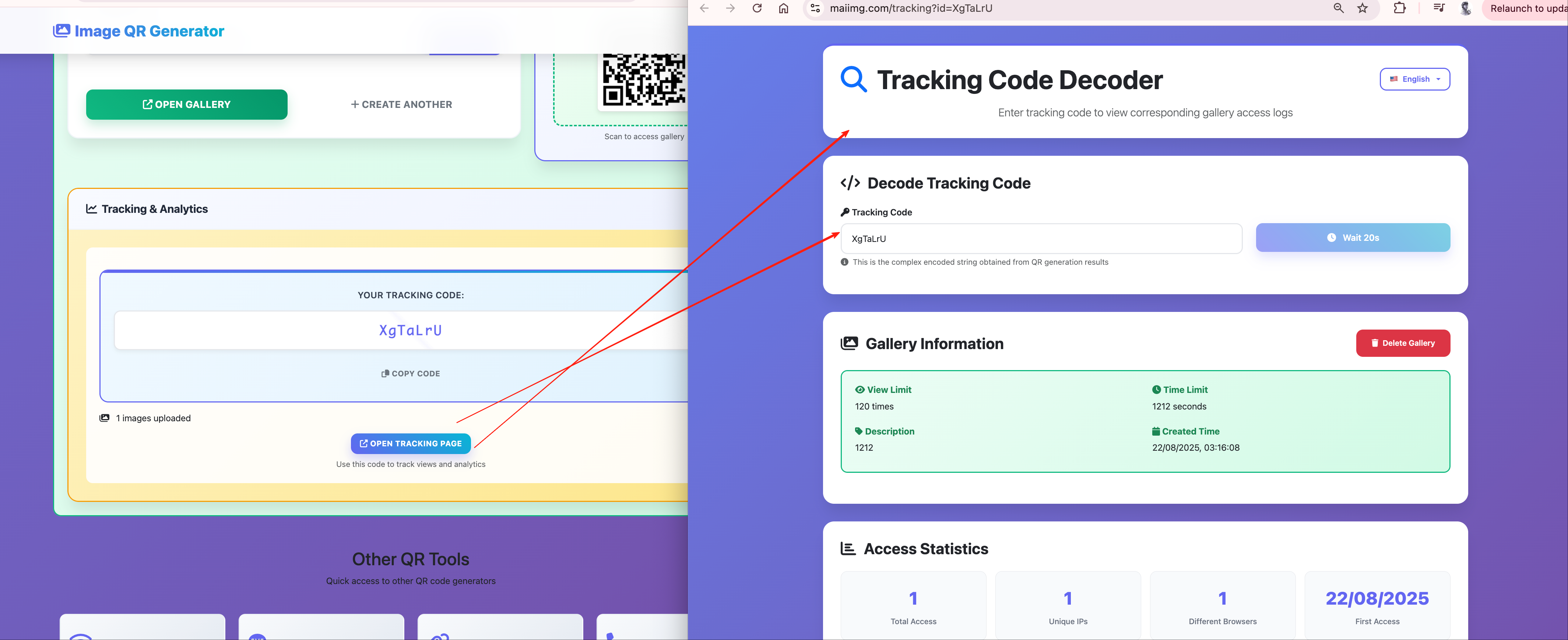
- Track results (when needed): confirm whether people opened the shared images.
- Keep updates tidy: avoid re-sending dozens of files when you refresh a training deck.